Repository navigation
Plugins
A plugin is a feature bundled with Ski that can be switched on or off. Every plugin is off after installation. Switch plugins on in Settings → Plugins; the change applies at once.
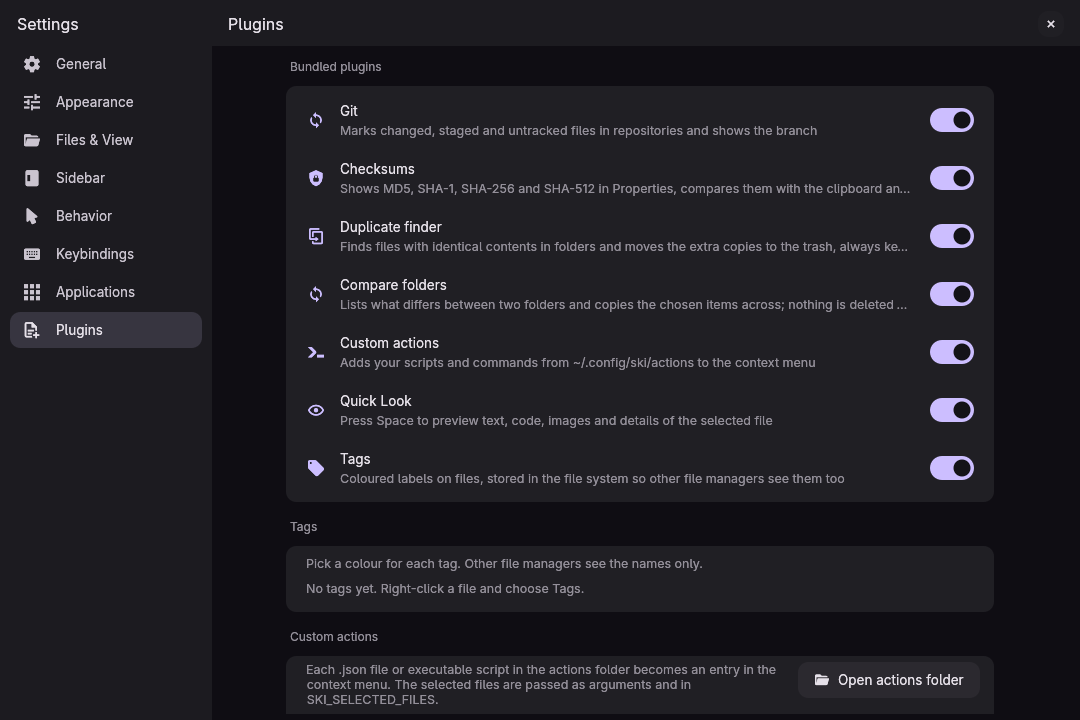
| Plugin | Id in settings.json
|
Adds |
|---|---|---|
| Git | git |
Status badges on files in Git repositories, the branch, and Stage, Unstage, Show diff, Discard changes |
| Checksums | checksum |
MD5, SHA-1, SHA-256 and SHA-512 in Properties, and verification of checksum files |
| Tags | tags |
Colored labels on files, stored in the file system |
| Duplicate Finder | duplicates |
A search for files with identical contents |
| Compare Folders | compare |
A list of differences between two folders, with copying across |
| Quick Look | quick_look |
A preview of the selected file on Space
|
| Custom Actions | actions |
Commands and scripts of your own in the context menu |
In settings.json the switches are under plugins:
"plugins": { "git": true, "quick_look": true }A plugin missing from the list is off.
Plugins add entries to the context menu above Copy path and Properties. Entries of one plugin fold into a submenu when there are several.