Repository navigation
Tags
The Tags plugin puts named, colored labels on files and folders. Switch it on in Settings → Plugins → Tags.
Alt+T, or context menu → Tags, opens the tag menu for the selected items:
| Entry | Effect |
|---|---|
| A tag name | Adds the tag to every selected item. A check mark shows the tag is on all of them; choosing it then removes it from all. |
| New tag… | Asks for a name and a color, and adds the new tag. |
| Remove all tags | Removes every tag from the selected items. |
Tag names cannot contain commas.
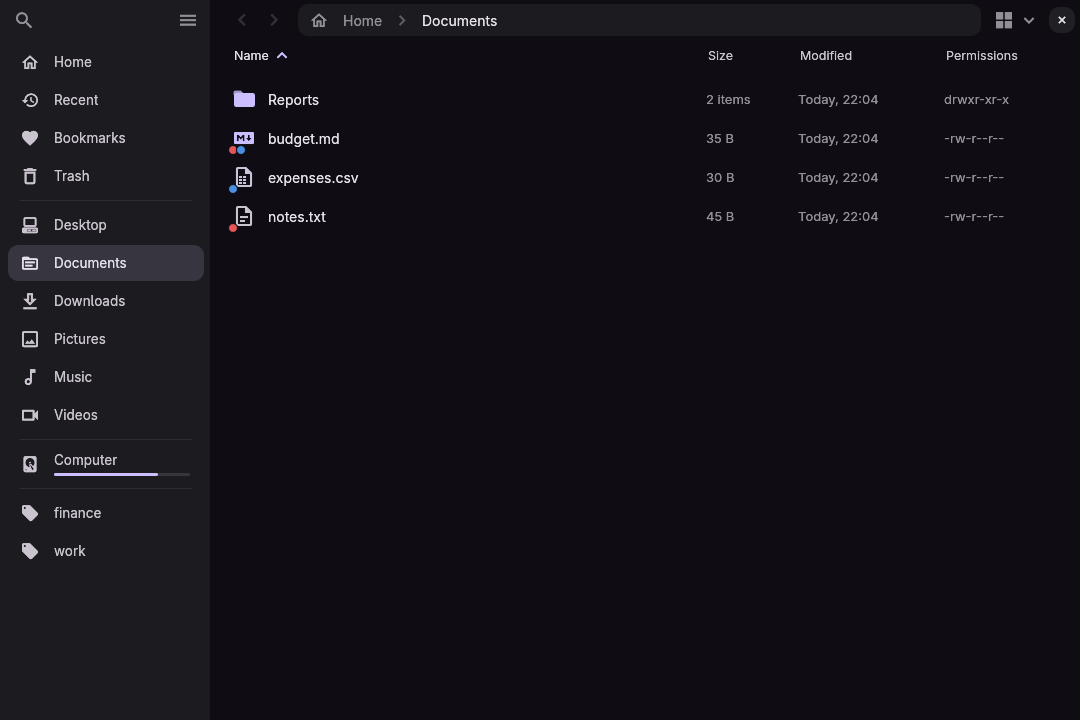
Each tag shows as a colored dot on the item's icon.
The sidebar lists every tag Ski knows. Clicking one searches for tag:<name>. Typing tag:work in the search field does the same.
The ⋯ button of a tag in the sidebar opens the tag's dialog: change its name or color, or Delete tag. Settings → Plugins → Tags lists every tag with its color.
| Data | Location |
|---|---|
| Tag names of a file | The extended attribute user.xdg.tags of the file, comma separated |
| Colors |
~/.config/ski/tags.json, as { "work": [74, 144, 226] }
|
| Paths Ski has seen tagged | ~/.local/share/ski/tag-paths.json |
user.xdg.tags is the attribute Dolphin uses, so Dolphin shows tags set in Ski, and Ski shows tags set in Dolphin. Colors are Ski's own; other programs show the names only. A tag without a stored color gets one of eight colors, chosen from its name.
The file system holds no index of tags, so tag: searches the paths Ski has seen tagged. Tags set by other programs on files Ski has not opened are found once Ski lists their folder.
| Case | Behavior |
|---|---|
| Copy, and move to another disk | Tags are kept. |
| Archives | Tags are not stored inside archives. |
| FAT, exFAT, some network shares | No extended attributes; Ski says "This disk can't store tags". |
| Symbolic links and special files | Cannot carry tags. |
| Read-only files | Their tags cannot change. |