Repository navigation
Settings
Ctrl+,, or the main menu → Settings, opens the Settings window. It has eight categories. Changes apply at once and are saved to ~/.config/ski/settings.json. Settings can also be kept in a home-manager configuration; see Settings managed by home-manager.
Ctrl+PageUp and Ctrl+PageDown switch category from anywhere in the window. In the category list, ↑ and ↓ switch category, and → or Tab move into its settings.
Each table below gives the label in the window, the key in settings.json, the values, and the default.
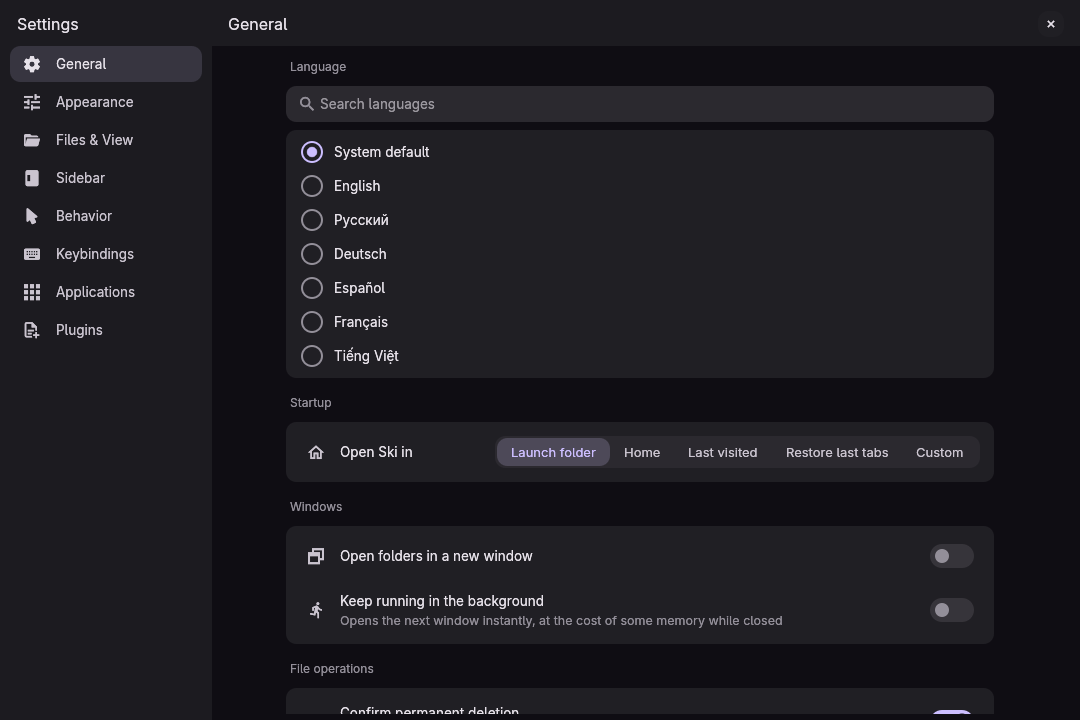
| Setting | Key | Values | Default |
|---|---|---|---|
| Language | language |
system, en, ru, de, es, fr, vi
|
system (the desktop's language) |
| Open Ski in | start_location |
Launch, Home, LastVisited, RestoreTabs, Custom
|
Launch |
| Custom folder (for Custom) | start_path |
a path | none |
| Open folders in a new window | open_in_new_window |
true, false
|
false |
| Keep running in the background | run_in_background |
true, false
|
true |
| Confirm permanent deletion | confirm_delete |
true, false
|
true |
| Run copies to the same disk one at a time | queue_copies |
true, false
|
true |
See Start folder, Running in the background, Queue.
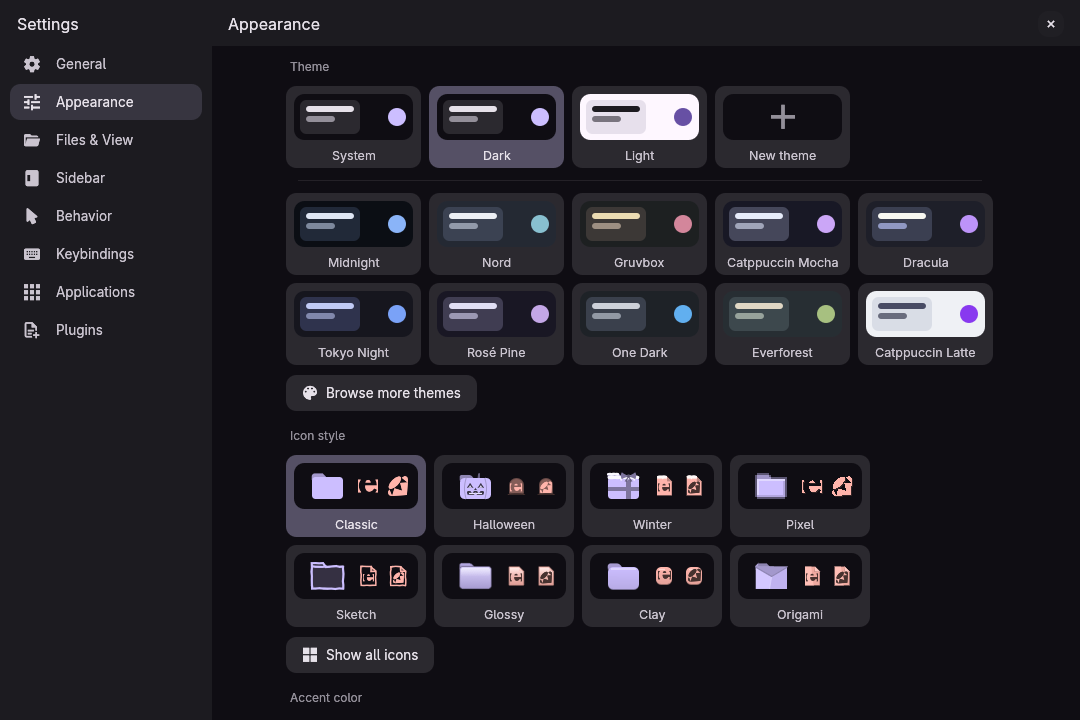
| Setting | Key | Values | Default |
|---|---|---|---|
| Theme | theme |
system, a built-in theme id (dark, light, nord, …), or custom:<id>
|
system |
| Icon style | icon_style |
System (the installed icon theme), Classic, Halloween, Winter, Pixel, Sketch, Glossy, Clay, Origami
|
Classic |
| Accent color | accent |
"#rrggbb", or null for the theme's own |
null |
| Opacity | opacity |
1 to 100 (percent) | 100 |
| Size | scale |
Compact 0.85, Default 1.0, Large 1.15, Larger 1.3
|
1.0 |
| Corners | corner_scale |
Square 0.0, Soft 0.6, Default 1.0, Round 1.4
|
1.0 |
| Animations | animations |
true, false
|
true |
| Font |
font, font_name
|
path and name of an installed font file | none (bundled Adwaita Sans) |
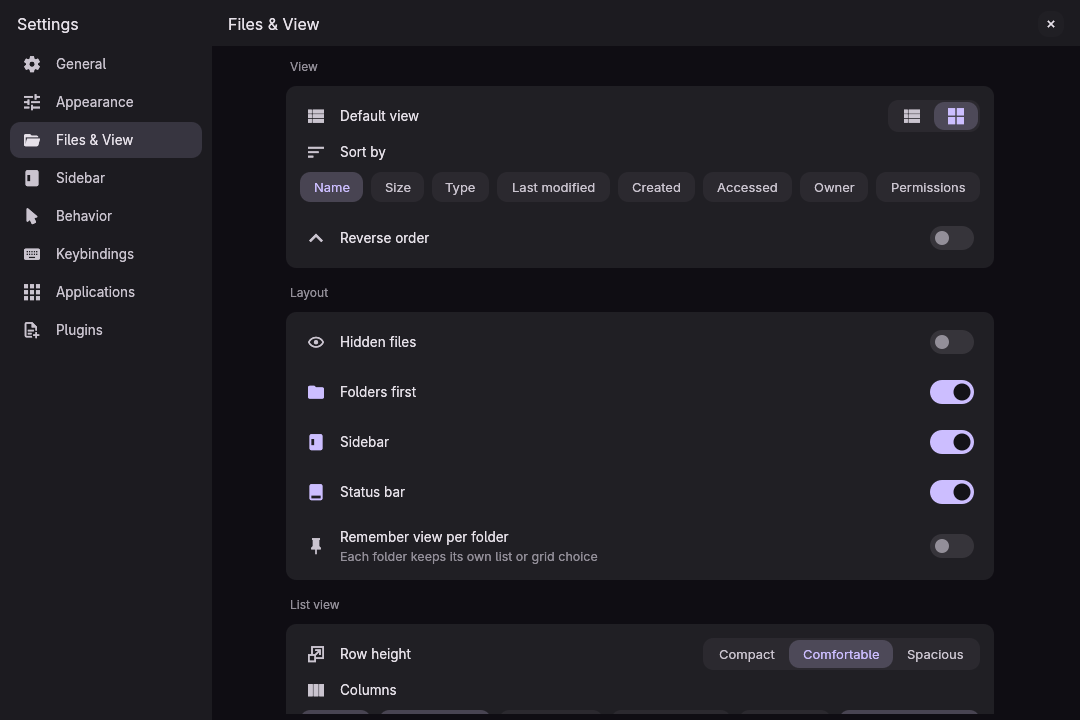
| Setting | Key | Values | Default |
|---|---|---|---|
| Default view | view_mode |
List, Grid
|
List |
| Sort by | sort_by |
Name, Size, Type, Modified, Created, Accessed, Owner, Permissions
|
Name |
| Reverse order | sort_order |
Ascending, Descending
|
Ascending |
| Hidden files | show_hidden |
true, false
|
false |
| Folders first | folders_first |
true, false
|
true |
| Sidebar | show_sidebar |
true, false
|
true |
| Status bar | show_status_bar |
true, false
|
true |
| Remember view per folder | remember_view_per_folder |
true, false
|
false |
| Row height | density |
Compact, Comfortable, Spacious
|
Comfortable |
| Columns | columns |
list of Size, Modified, Created, Accessed, Owner, Permissions
|
["Size", "Modified"] |
| Icon size | grid_size |
32 to 256, steps of 16 | 72 |
| Name lines | grid_name_lines |
1, 2, 3 | 2 |
| Thumbnails | show_thumbnails |
true, false
|
true |
| Previews on servers | remote_previews |
true, false
|
false |
| File extensions | show_extensions |
true, false
|
true |
| Relative dates | relative_dates |
true, false
|
true |
| Folder sizes | folder_sizes |
Off, OnDemand, Always
|
OnDemand |
| Size on disk | size_on_disk |
true, false
|
false |
| File size units | decimal_units |
false (1024), true (1000) |
false |
See Views and Sorting.
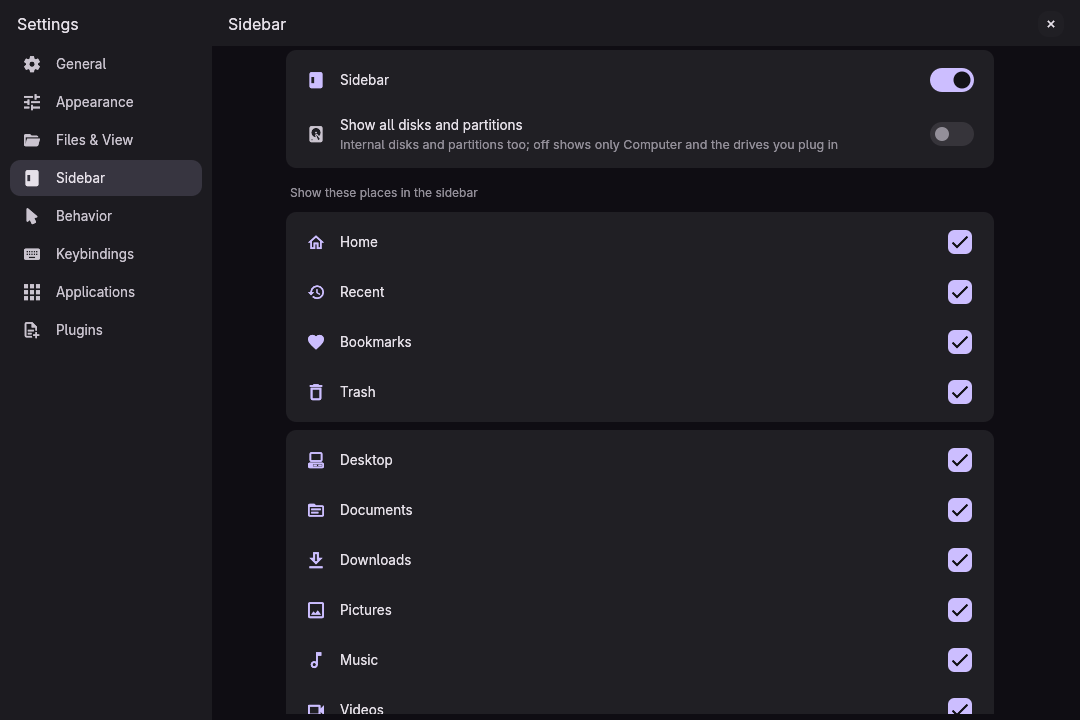
| Setting | Key | Values | Default |
|---|---|---|---|
| Sidebar | show_sidebar |
true, false
|
true |
| Show all disks and partitions | show_all_partitions |
true, false
|
true |
| Show these places in the sidebar |
hidden_places, shown_places
|
lists of Home, Recent, Bookmarks, Trash, Desktop, Documents, Downloads, Pictures, Music, Videos, Computer, ConnectToServer
|
all shown except ConnectToServer
|
hidden_places lists places switched off; shown_places lists places that are off by default and switched on (only ConnectToServer). See Sidebar.
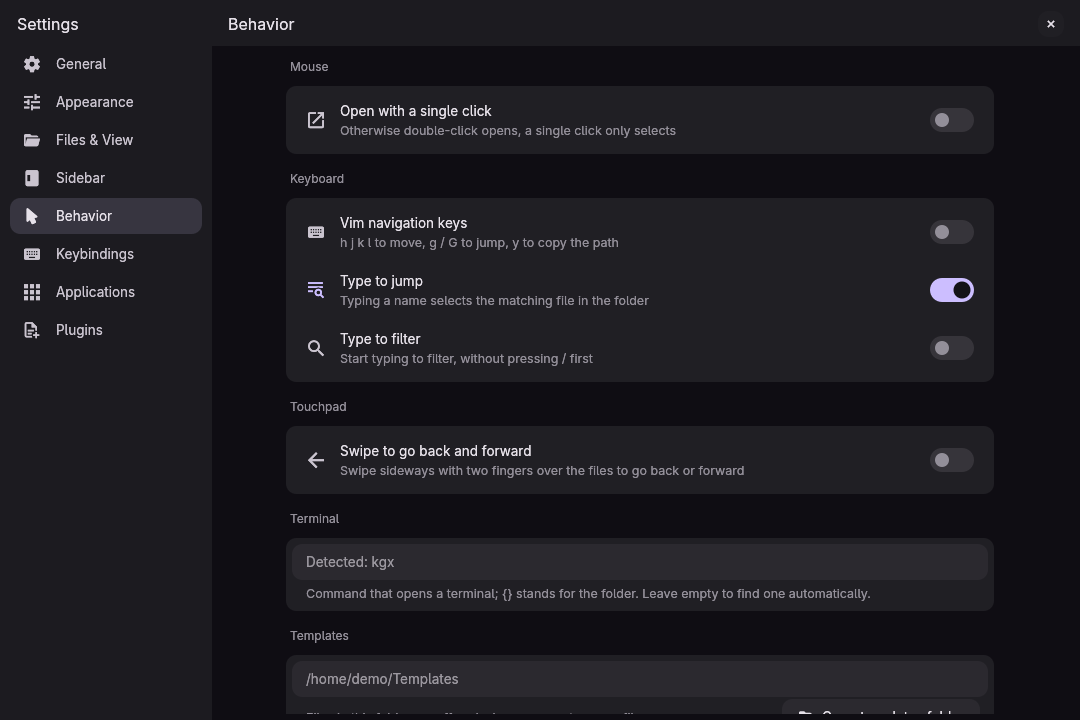
| Setting | Key | Values | Default |
|---|---|---|---|
| Open with a single click | single_click_open |
true, false
|
false |
| Vim navigation keys | vim_keys |
true, false
|
false |
| Type to jump | type_ahead |
true, false
|
true |
| Type to filter | type_to_filter |
true, false
|
false |
| Wheel scroll speed | scroll_speed |
a slider from 0.25 to 2.25, marked Slow 0.5, Default 1.0, Fast 1.5, Faster 2.0; any number from 0.1 to 5.0 in the file |
1.0 |
| Swipe to go back and forward | swipe_navigation |
true, false
|
false |
| Terminal | terminal |
a command; {} is the folder |
"" (detect) |
| Templates | templates_dir |
a path, or null
|
null (the desktop's Templates folder) |
Wheel scroll speed is how far one notch of a mouse wheel moves the listing, as a multiple of 60 points. The button beside the value puts it back to Default (1.0×). It does not change touchpad scrolling, which follows the fingers.
Vim navigation keys enables the single-letter bindings: h j k l to move, g and Shift+G to jump, y to copy the path. Without it, bindings that are a bare letter do nothing, so letters are free for Type to jump.
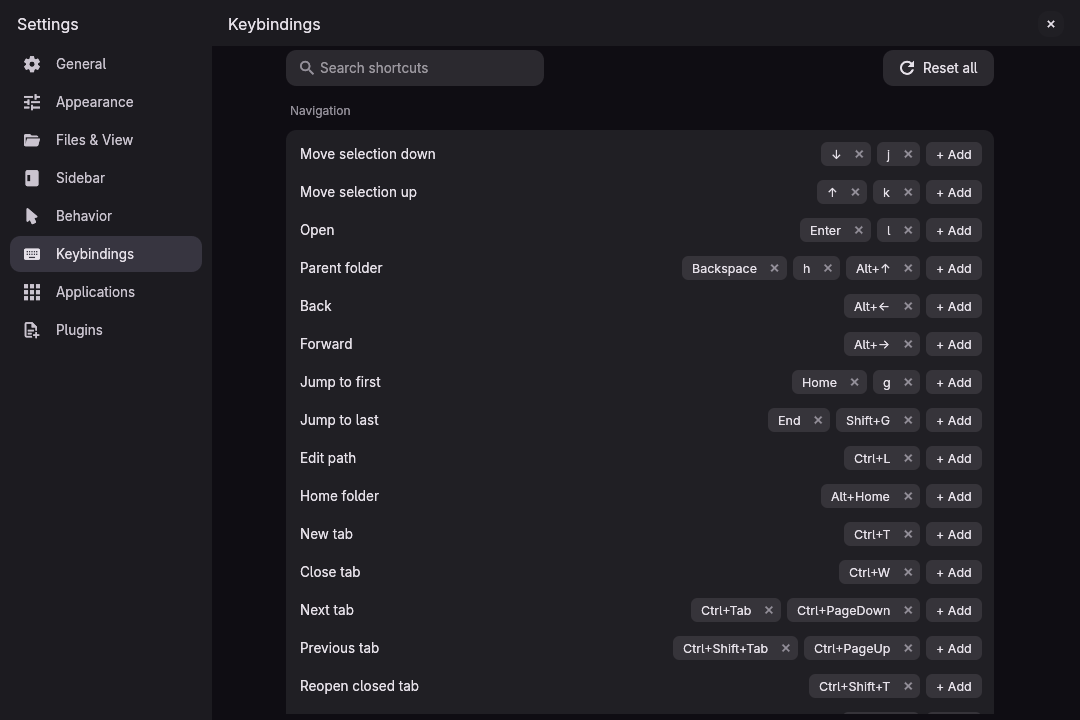
Every action with its keys. Stored in keybinds. See Keyboard Shortcuts.
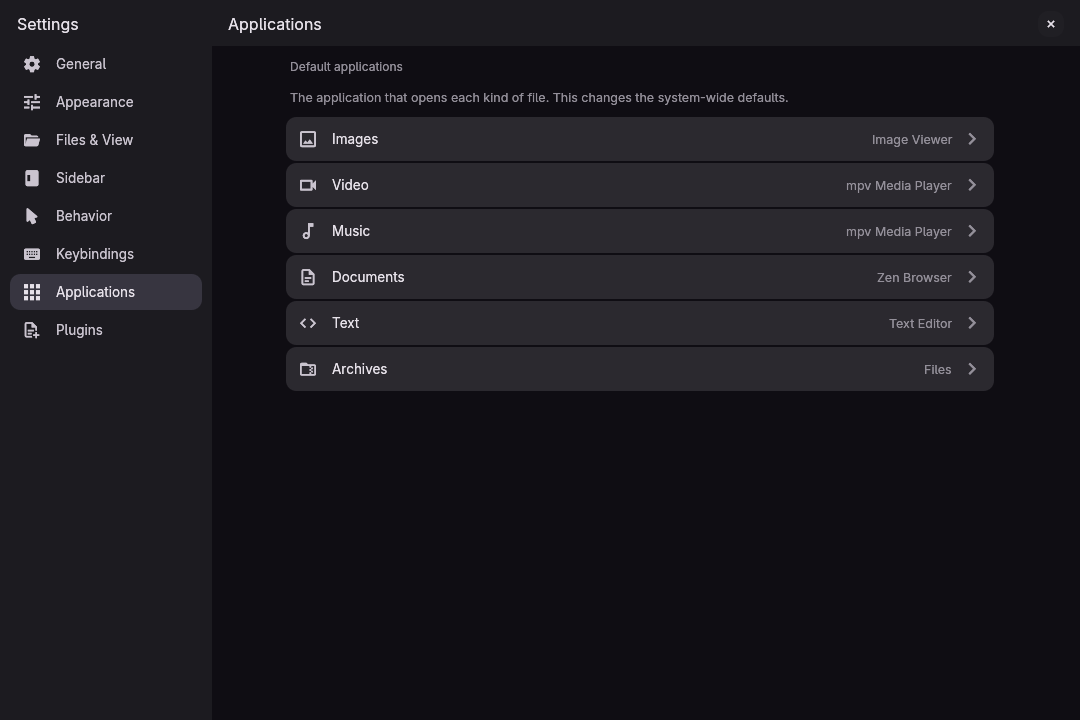
The default application for each category of files. This writes the desktop's MIME defaults, not settings.json. See Default applications by category.
Switches for the bundled plugins, stored in plugins, and the settings of Tags and Custom actions. See Plugins.
The search chips are saved too:
| Chip | Key | Values | Default |
|---|---|---|---|
| This folder / Everywhere | search_scope |
ThisFolder, Everywhere
|
Everywhere |
| Match case | search_case |
true, false
|
false |
| File contents | search_contents |
true, false
|
false |
These keys are written by Ski and are not options: last_dir, session_tabs, session_active, folder_views, column_widths, chooser_view_mode.
Ski watches settings.json. A saved edit applies at once in every open window, and a toast says "Settings reloaded". A key that is missing takes its default. If the file is not valid JSON, Ski keeps the settings it has and shows "Settings file has an error: …" with the parser's message; fix the file and save again.
Example:
{
  "theme": "nord",
  "view_mode": "Grid",
  "grid_size": 96,
  "show_hidden": true,
  "vim_keys": true,
  "terminal": "kitty --directory {}",
  "plugins": { "git": true, "quick_look": true },
  "keybinds": { "new_tab": ["Ctrl+T", "Ctrl+Shift+Enter"] }
}~/.config/ski/managed.json holds settings fixed from outside. The home-manager module writes it from programs.ski.settings, and any other tool can write it too. Ski never writes it.
Every time Ski reads its settings, it lays managed.json over settings.json. A key in managed.json wins. Objects such as plugins and keybinds merge key by key. A setting that managed.json names can be changed in the Settings window only until the next read, and Ski reads again as soon as either file changes. Ski watches both files, so a home-manager switch applies in every open window.