Repository navigation
Keyboard Shortcuts
?, or the main menu → Keyboard shortcuts, lists every shortcut in a window. Context menus show the shortcut of each entry.
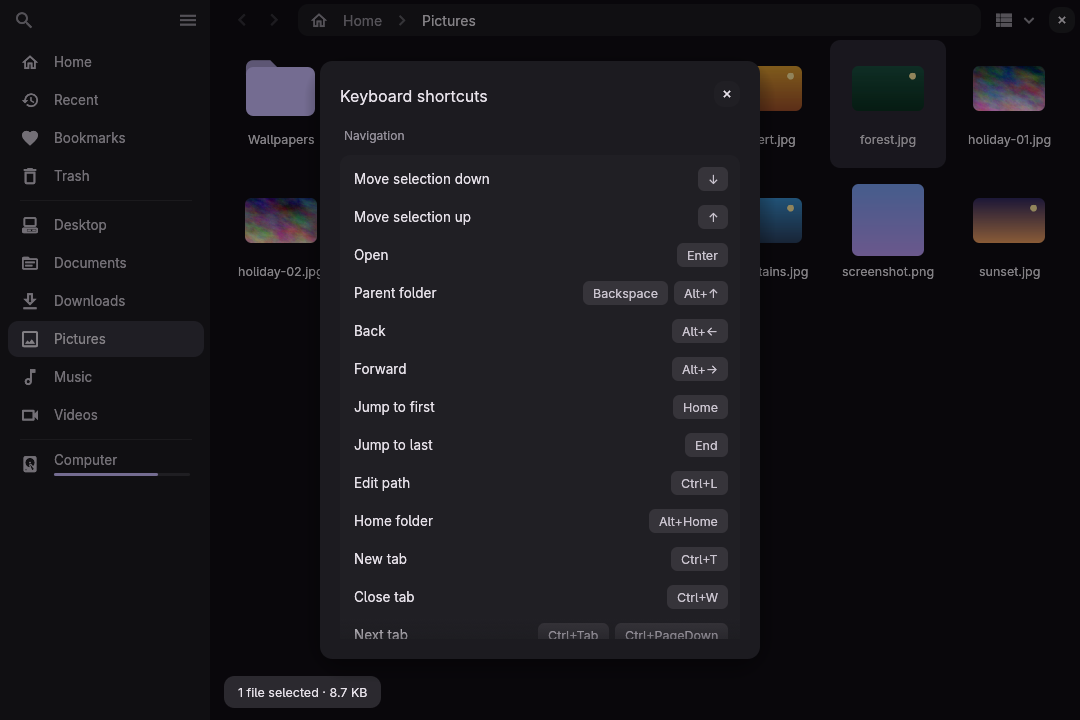
Single-letter keys (j, k, l, h, g, Shift+G, y) work only with Settings → Behavior → Vim navigation keys on. Space opens Quick Look only with that plugin on, and Alt+T adds tags only with Tags on.
| Action | Default keys | Id |
|---|---|---|
| Move selection down |
↓, j
|
move_down |
| Move selection up |
↑, k
|
move_up |
| Open |
Enter, l
|
open |
| Parent folder |
Backspace, h, Alt+↑
|
parent_folder |
| Back | Alt+← |
back |
| Forward | Alt+→ |
forward |
| Jump to first |
Home, g
|
first |
| Jump to last |
End, Shift+G
|
last |
| Edit path | Ctrl+L |
edit_path |
| Home folder | Alt+Home |
go_home |
| New tab | Ctrl+T |
new_tab |
| Close tab | Ctrl+W |
close_tab |
| Next tab |
Ctrl+Tab, Ctrl+PageDown
|
next_tab |
| Previous tab |
Ctrl+Shift+Tab, Ctrl+PageUp
|
prev_tab |
| Reopen closed tab | Ctrl+Shift+T |
reopen_tab |
| Connect to server… | Ctrl+K |
connect_to_server |
| Action | Default keys | Id |
|---|---|---|
| Pin folder | Ctrl+D |
pin_folder |
| Properties | Alt+Enter |
properties |
| Copy | Ctrl+C |
copy |
| Cut | Ctrl+X |
cut |
| Paste | Ctrl+V |
paste |
| Select all | Ctrl+A |
select_all |
| Copy path | y |
copy_path |
| New folder | Ctrl+Shift+N |
new_folder |
| New window | Ctrl+N |
new_window |
| Rename | F2 |
rename |
| Move to trash | Delete |
trash |
| Delete permanently | Shift+Delete |
delete_forever |
| New file | Ctrl+Alt+N |
new_file |
| Undo | Ctrl+Z |
undo |
| Redo |
Ctrl+Shift+Z, Ctrl+Y
|
redo |
| Duplicate | Ctrl+Shift+D |
duplicate |
| Create link | Ctrl+Shift+M |
make_link |
| Open in terminal | F4 |
open_terminal |
| Open as administrator | none | open_as_admin |
| Invert selection | Ctrl+Shift+I |
invert_selection |
| Select matching… | Ctrl+S |
select_pattern |
| Deselect all | Ctrl+Shift+A |
select_none |
| Open context menu |
Menu, Shift+F10
|
context_menu |
| Show file operations | Ctrl+J |
show_jobs |
| Quick Look | Space |
quick_look |
| Add tag… | Alt+T |
assign_tags |
| Action | Default keys | Id |
|---|---|---|
| Filter by name |
/, Ctrl+F
|
filter |
| Toggle hidden files | Ctrl+H |
toggle_hidden |
| Larger icons | Ctrl+= |
zoom_in |
| Smaller icons | Ctrl+- |
zoom_out |
| List view | Ctrl+1 |
list_view |
| Grid view | Ctrl+2 |
grid_view |
| Refresh |
F5, Ctrl+R
|
refresh |
| Settings | Ctrl+, |
settings |
| Show shortcuts | ? |
show_shortcuts |
| Close window | Ctrl+Q |
quit |
These keys are not in the editor and cannot be changed:
| Keys | Action |
|---|---|
Shift+arrow keys, Shift+click, Ctrl+click |
Extend or change the selection |
Esc |
Close a dialog or menu, then clear the search, then deselect |
Ctrl+scroll, touchpad pinch |
Larger or smaller icons |
| Mouse back and forward buttons | Back and forward |
Tab, Shift+Tab, arrows, Enter, Space in dialogs |
Move focus and activate controls. See Keyboard focus. |
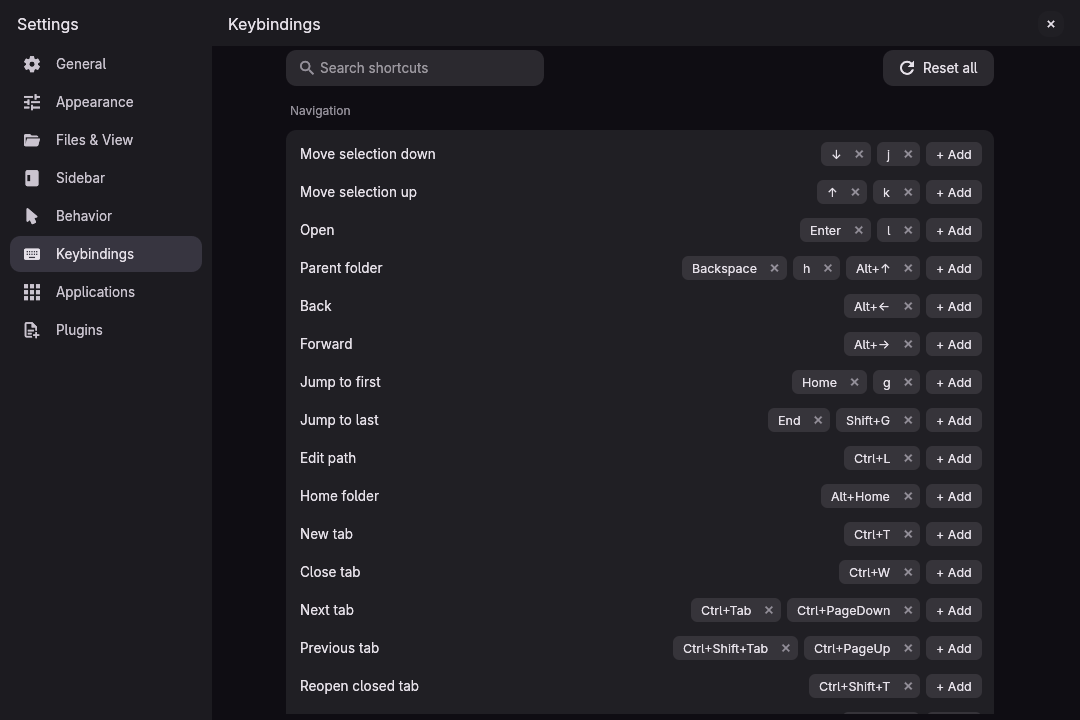
Settings → Keybindings lists every action by group, with its keys as pills. A search field at the top filters the list by action name.
| To | Action |
|---|---|
| Add a key | Click + Add on the action's row and press the keys |
| Change a key | Click its pill and press the new keys |
| Remove a key | Click the × on its pill |
| Restore an action's defaults | The reset button on its row, shown when it differs from the default |
| Restore every default | Reset all |
When the pressed keys are already bound to another action, Ski asks whether to replace that binding.
Only changed actions are stored, in keybinds, by the ids in the tables above. Each value is the full list of keys for that action:
"keybinds": {
  "new_tab": ["Ctrl+T", "Ctrl+Shift+Enter"],
  "open_as_admin": ["Ctrl+Shift+R"],
  "quit": []
}
An empty list removes every key of the action. A binding is written as modifiers and a key joined by +: Ctrl, Alt, Shift, then a key name such as A, F5, Enter, Delete, Backspace, Space, Tab, Home, End, PageUp, PageDown, ArrowUp, ArrowDown, ArrowLeft, ArrowRight, or a symbol such as /, ?, ,, =, -. Modifiers must match exactly.