Repository navigation
Quick Look
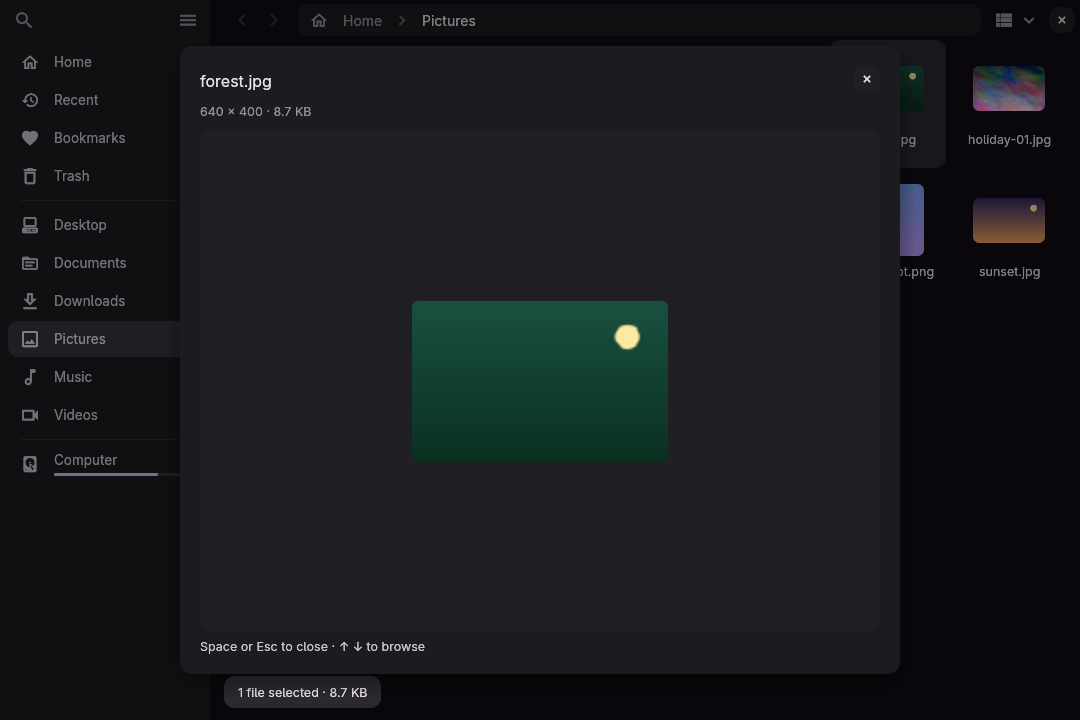
The Quick Look plugin shows a preview of the selected file in a window over the listing. Switch it on in Settings → Plugins → Quick Look.
| Key | Action |
|---|---|
Space |
Opens the preview of the selected file. Pressed again, closes it. |
↑ ↓ (or j k with vim keys) |
Previews the previous or next file without closing |
Esc |
Closes the preview |
The key can be changed in Settings → Keybindings → Quick Look.
| File | Preview |
|---|---|
| Text and source code | The text with line numbers. The first 128 KB and at most 600 lines are read, so large logs open at once. |
| Pictures, PDF, e-books, videos, music with covers | The thumbnail at preview size, with the dimensions and size of the original. See Thumbnails for the formats. |
| Archives | The contents as a folder tree with sizes, the unpacked size, the compression ratio, and a lock on encrypted entries. Nothing is extracted. |
| Folders | The size and number of items |
| Other files | Name, type, size and "No preview available" |
| Format | How it is read | Needs |
|---|---|---|
.zip |
From its index | nothing |
.tar, .tar.gz
|
Streamed | nothing |
.tar.xz, .tar.bz2, .tar.zst
|
Streamed |
tar and the compressor |
.7z, .rar, .iso, .deb, .rpm
|
Listed by 7z
|
7z |
Streamed listings stop after 2,000 entries or 10 seconds and say so. When the tool for a format is missing, the preview says which one to install.