Repository navigation
en articles langbot v411 event driven agents
This article is synchronized from the LangBot Blog. Read the canonical version.
Published 2026-10-15 · Author: LangBot Team
LangBot is an open-source AI chatbot and agent platform that connects messaging platforms, large language models, knowledge bases, and plugins to help you build, deploy, and manage AI assistants.
Most chatbots start with a simple loop: receive a message, generate a reply. Real collaboration involves more than messages, though. A new member joins a community, someone reacts to an answer, or a colleague clicks a card button. Each can be the beginning of a task.
LangBot 4.11 makes these events configurable entry points for agents, with routing and execution tracking. Together with plugin-based AgentRunners and the new Workspace Assistant, the release separates three practical questions: what triggers the work, what executes it, and how you manage it.
Event-Based Agents, or EBA, extend processing beyond ordinary messages to platform events such as member joins and departures, message recalls, reactions, and card clicks. In this release, 13 platform adapters have been rebuilt on the EBA architecture.
That does not mean every platform offers identical event coverage. Available events still depend on the platform, adapter, and bot permissions. The shared foundation is what happens after an event reaches LangBot: it can be routed to a suitable processor.
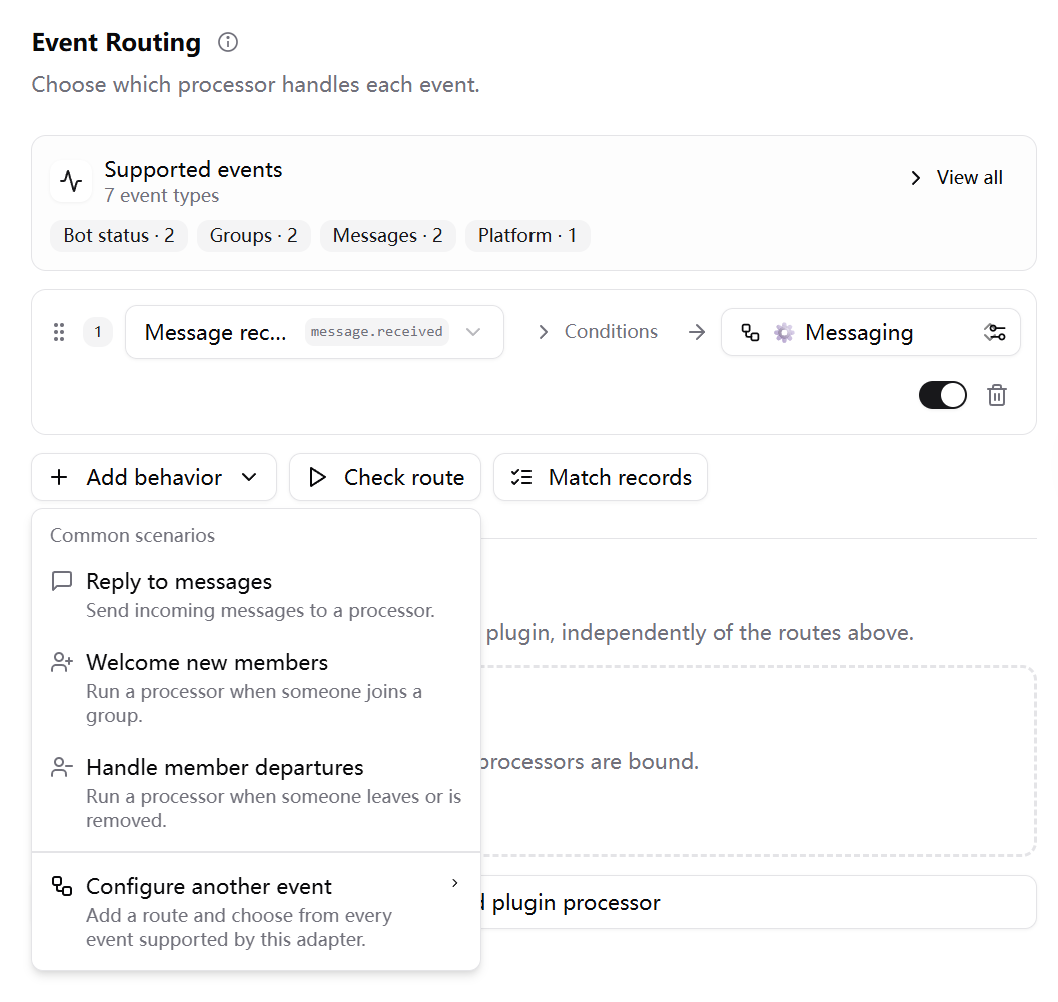
Event Routing example from the official 4.11 release notes.
Event Routing provides common scenarios, such as welcoming new members or handling departures, as starting points for rules. You then choose the processor responsible for the work.
For example, a community could send ordinary questions to a knowledge-base Pipeline, route joins to an Agent that welcomes members and explains community rules, and use a plugin processor for events requiring fixed business logic. This is a configuration pattern, not a preconfigured integration: check platform support and permissions, then test each route before enabling it.
The benefit is a cleaner separation between platform connectivity and business behavior. You can revise the welcome flow without rewriting the chatbot integration, or change the question-answering strategy without combining every behavior into one prompt.
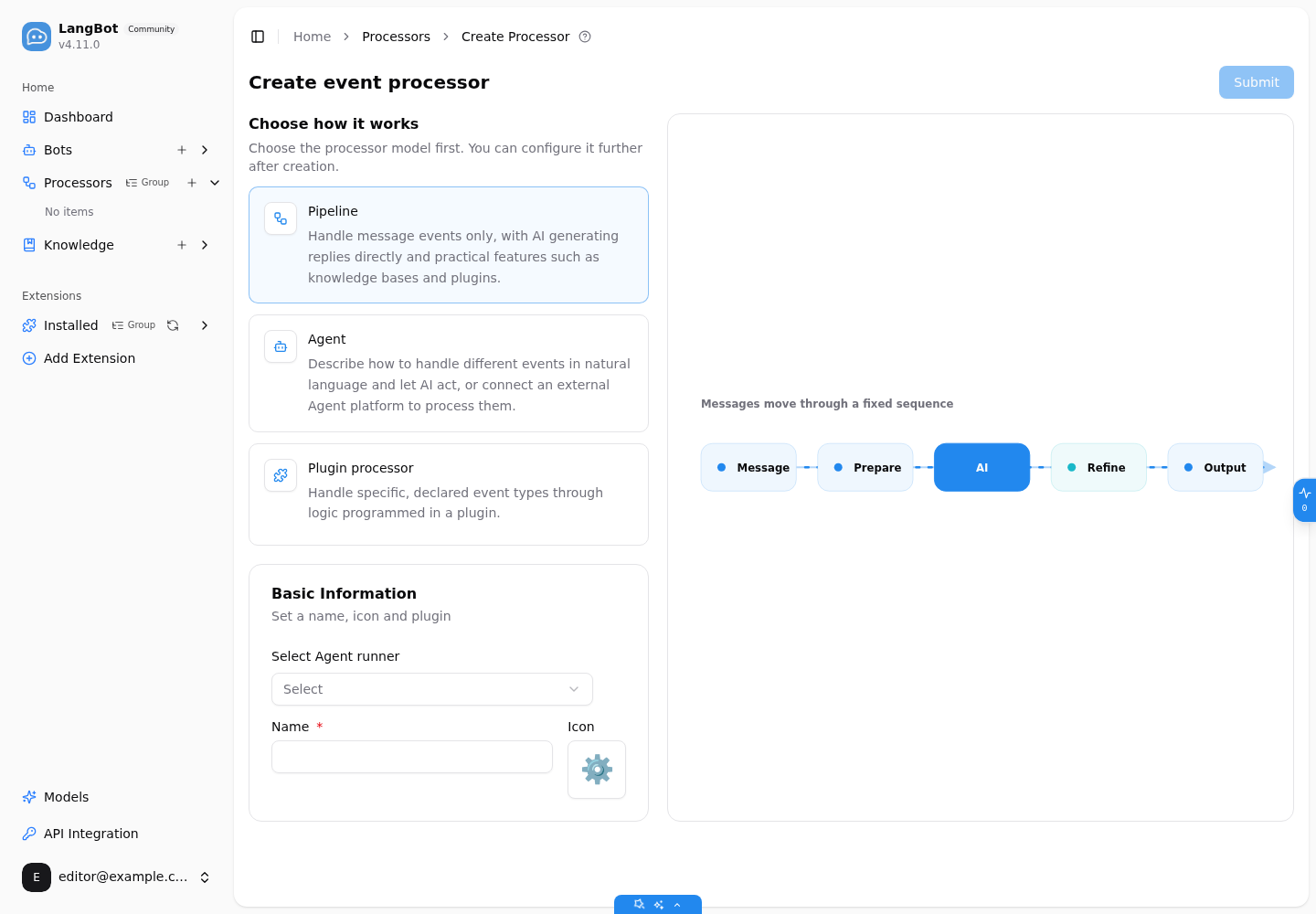
The processor creation screen in the fresh LangBot 4.11.0 instance used for this article.
- Pipeline: handles message events through a fixed sequence. A good fit for direct AI replies, knowledge-base questions, and established message-processing flows.
- Agent: follows natural-language instructions to handle different events, or delegates processing to an external agent platform. Useful when a task requires contextual decisions.
- Plugin processor: runs plugin code for explicitly declared event types. A good fit for deterministic rules and specialized integrations.
Not everything needs to become an agent. Keep clear rules in code, predictable question-answering in a Pipeline, and use an Agent where judgment adds value.
The event debugger lets you edit an event payload through a form and inspect execution logs and details. It helps validate fields and processing behavior before testing on the real messaging platform. A successful debug run does not replace verification of platform connectivity, permissions, and actual callbacks.
Platform improvements accompany the new architecture, including Slack Socket Mode, DingTalk card interactions, WeChat typing indicators, and OneBot WebSocket support. Check the relevant platform documentation for the exact capabilities and setup requirements.
LocalAgent, Dify, Coze, and n8n runners have moved from the core application into official Marketplace plugins. New runners include Codex, Claude Code, and ACP.
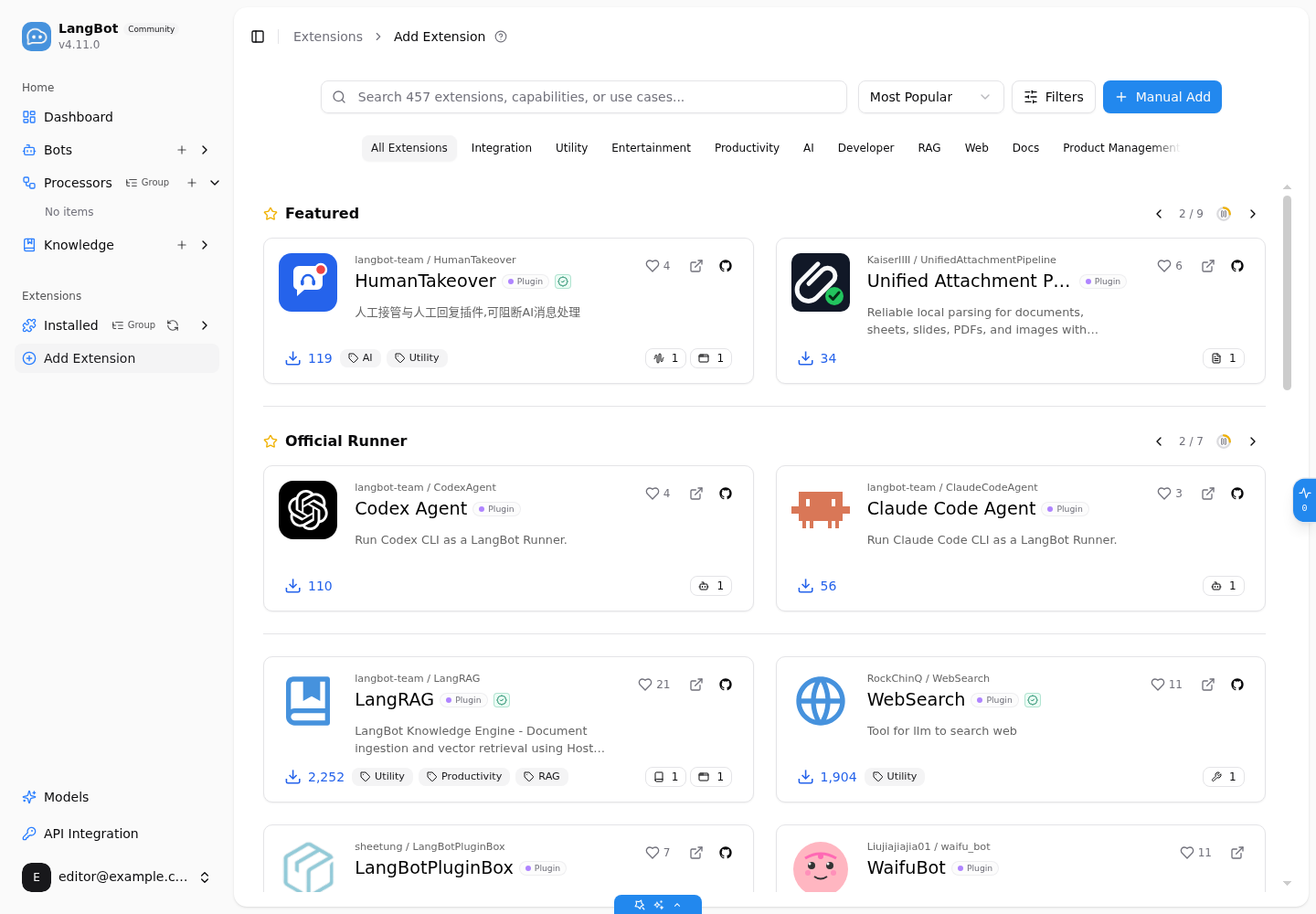
The Official Runner section loaded from the Marketplace in our running instance. Marketplace listings evolve independently of the Core release.
For users, the practical change is straightforward: install the runners you need and update them independently. Use LocalAgent for models, tools, and knowledge retrieval, or connect an existing Dify application or n8n workflow without building a separate messaging integration for each execution backend.
For developers, AgentRunner Protocol v1 provides an extension boundary for implementing a runner without adding platform-specific execution logic directly to Core.
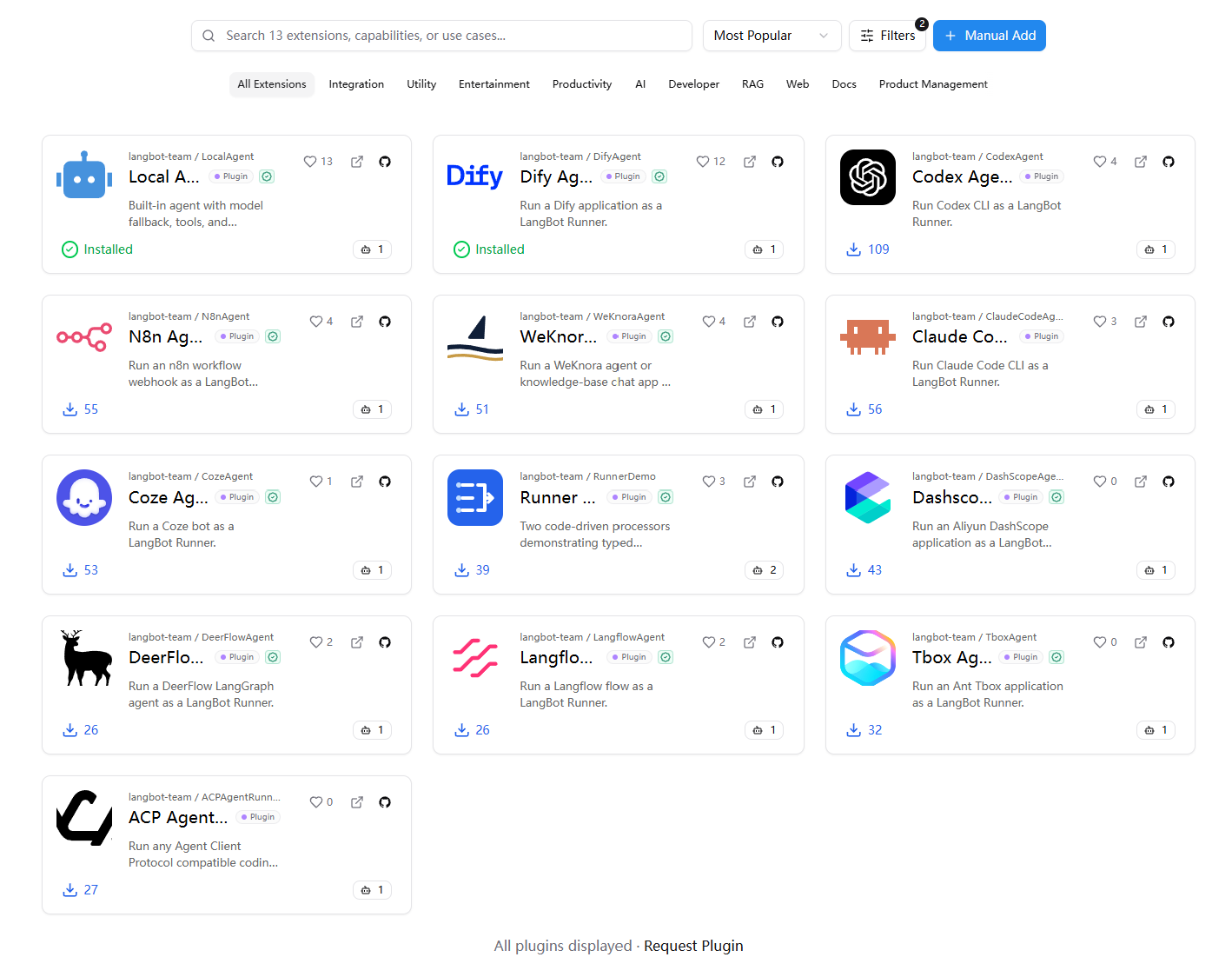
Runner examples from the official release notes. Each runner still has its own account, API, and execution-environment requirements.
Plugin-based execution is not unrestricted execution. Runners can access only the tools and platform APIs authorized in the current context. The Marketplace displays certification badges, and Core verifies certified plugin signatures. These mechanisms address provenance and authorization; still read the plugin documentation and check its compatibility with your deployment.
The migration flow installs required plugins and backs up the original configuration. After upgrading, complete migration on the Pipelines page, then review the selected runner, model, knowledge bases, and tools.
Migrated Pipelines start fresh sessions. Legacy custom runners must be rewritten as plugin runners. Offline deployments can choose Data only migration and install the runner plugins manually. The 4.11 configuration migration map provides the detailed mappings in Chinese.
The new Workspace Assistant is for the people managing LangBot, rather than end users chatting with a bot. It can inspect resources in the current Workspace and help create or configure resources such as Pipelines and knowledge bases through conversation.
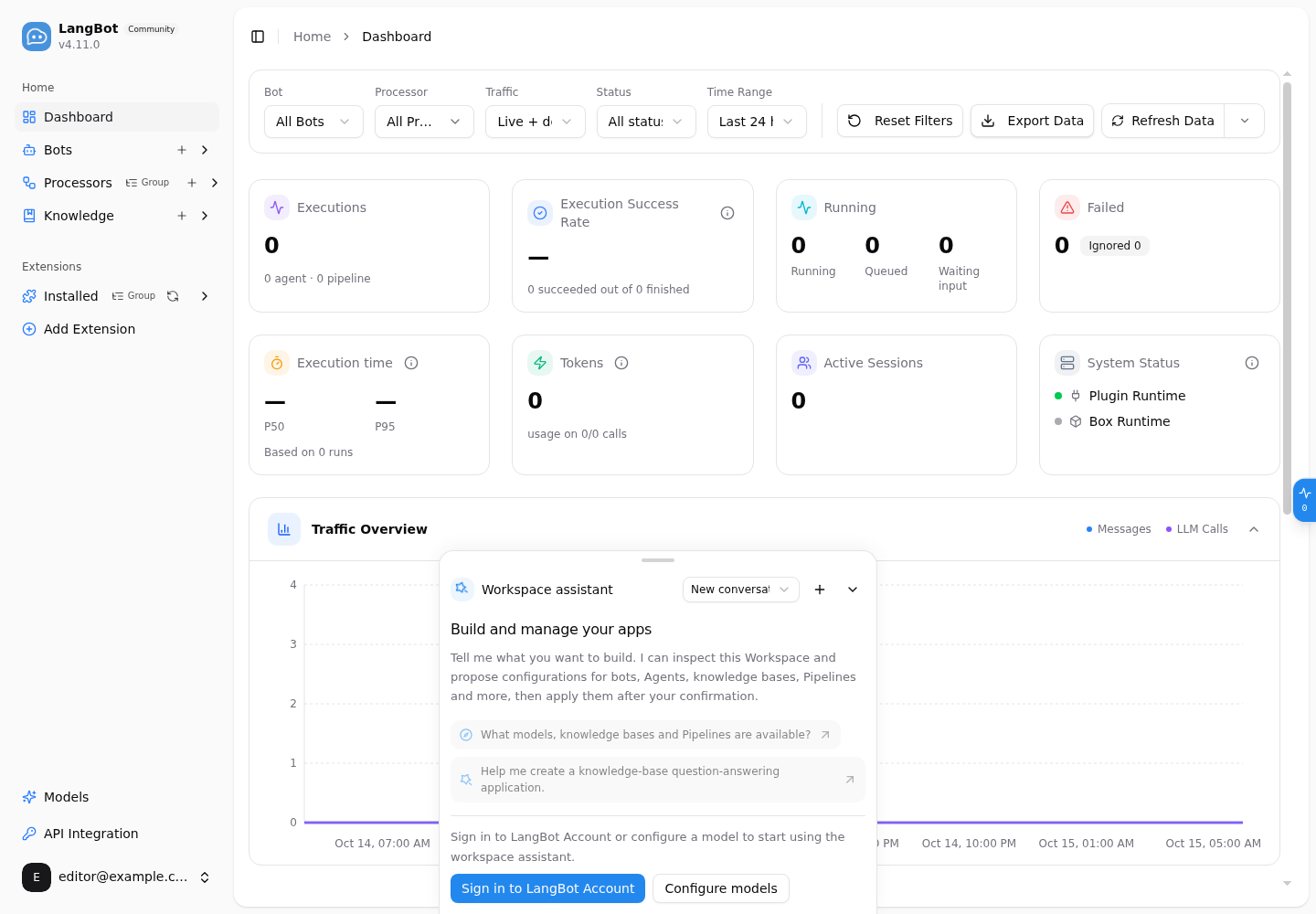
The assistant's initial screen in our fresh instance. A LangBot Account or a configured model is required before use. The zero-value monitoring data is the genuine empty state of this new Workspace.
Start with a read-only question such as “What models, knowledge bases and Pipelines are available?” Then ask for a task such as creating a knowledge-base question-answering application. The useful distinction is not merely replacing a form with a chat box: the assistant can inspect existing resources before proposing a configuration.
Every write requires confirmation before execution. Review the proposed resource, parameters, and scope before approving a change. This makes configuration easier to find while keeping the administrator in control of modifications.
With events going to Pipelines, Agents, or plugins, debugging requires a view of the whole execution. LangBot 4.11 adds unified execution views, tool-call tracing, and a live in-flight panel.
A useful troubleshooting sequence is to check whether the event arrived, which processor received it, and whether model and tool calls completed. This separates connectivity problems from routing mistakes and execution failures instead of treating every missing reply as the same issue.
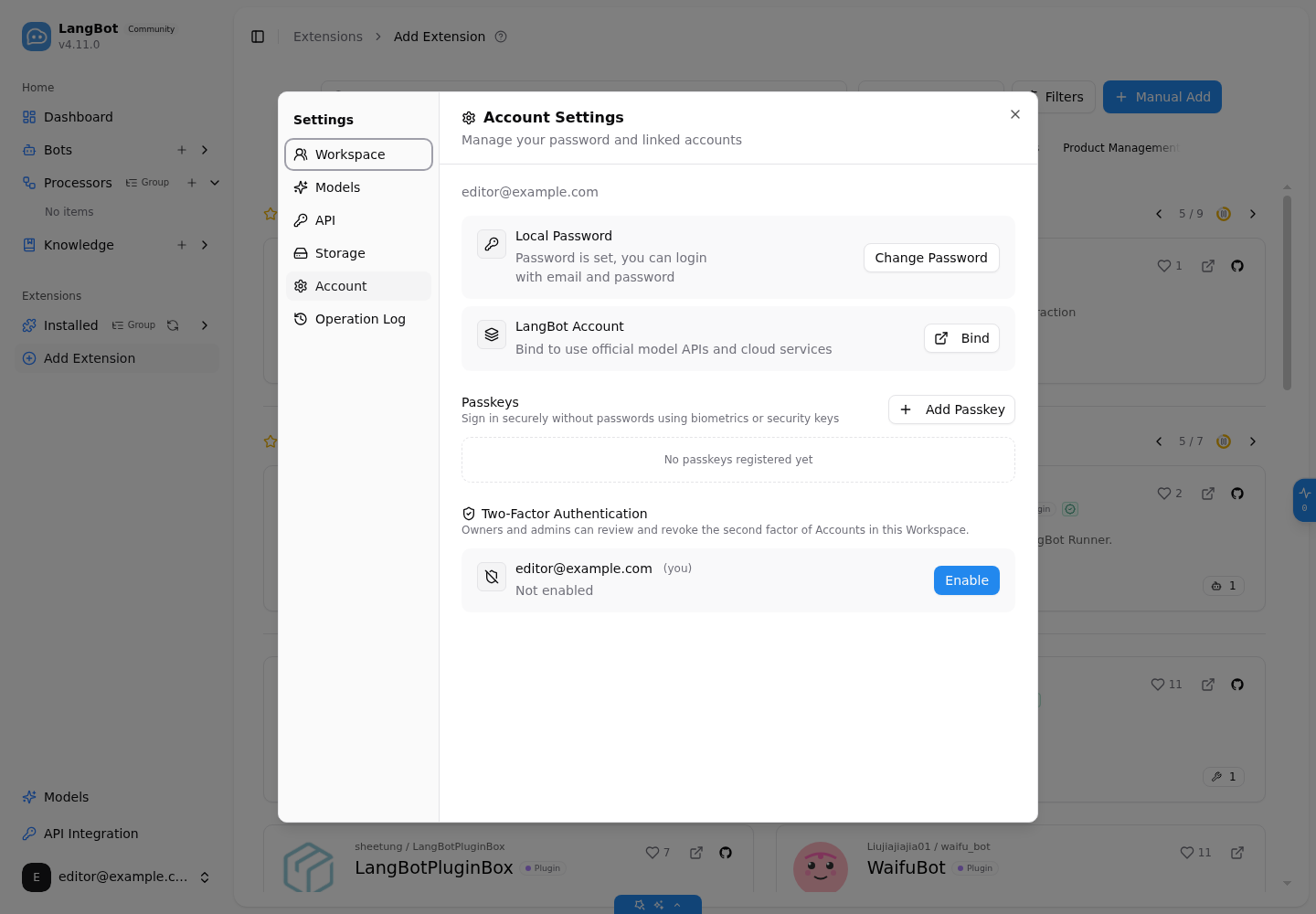
The account settings in our running instance. Passkeys and two-factor authentication are not enabled on this demonstration account.
The release adds WebAuthn passkey sign-in and TOTP two-factor authentication, alongside operation logs that record changes and support integrity checks. In a shared Workspace, these features help strengthen sign-in and establish who changed what. Passkeys also depend on browser secure-context requirements; configure them on an appropriate HTTPS deployment.
Media handling now uses content-addressed, deduplicated storage to reduce growth of langbot.db caused by repeated media. For command-line operations, lbctl and API keys provide management and diagnostic entry points that can fit into existing operational workflows.
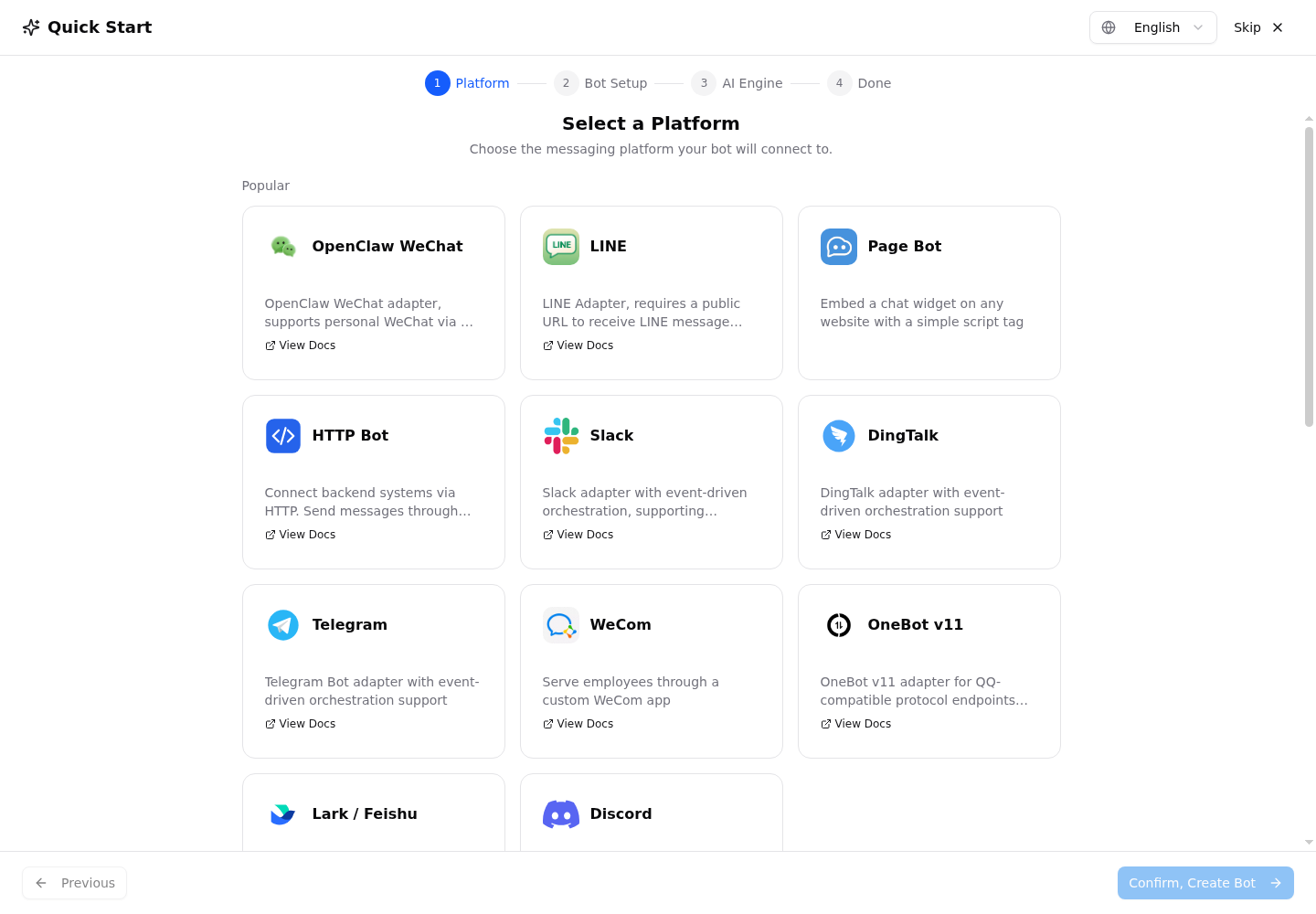
The live onboarding wizard starts with a platform, then moves through bot setup and AI engine configuration.
New users can follow the sidebar tour and scenario-based bot wizard. Validate a simple question-and-answer flow first, then add knowledge retrieval, tools, and event routes. Introducing one capability at a time makes failures easier to understand.
For an existing deployment:
-
Back up first. Preserve
data/or your PostgreSQL database and deployment configuration. Upgrading from the latest v4.10.x is recommended. -
Upgrade Core and its matching Runtime. Check service connectivity. The 4.11.0 release pins SDK
0.7.11; do not leave an older Runtime in place. - Migrate Pipelines and update plugins. Review the resulting runner configuration and remember the fresh-session boundary.
- Verify a real business flow. Test an existing message conversation before expanding to event routes and authorized tools.
-
Review telemetry and configuration changes. New execution telemetry is enabled by default and excludes message content; disable that telemetry with
space.disable_telemetry: true. Configuration addsmedia_cache,api.host, andrunner.admin_plugins, and removesforce_box_session_id_template. See the data collection policy and release notes.
The release connects three decisions: which event starts a task, which runner or processor handles it, and how to manage and observe the result. Keep familiar chat-based flows where they work, then introduce community interactions and event-driven tasks incrementally.
- Download v4.11.0 and read the full release notes
- Read the deployment and usage documentation
- Try LangBot Cloud
Thanks to everyone who contributed code, testing, documentation, and feedback. This article focuses on the main product changes; the complete contributor list is in the release notes.
Image sources: the event-routing and runner-overview images come from the v4.11.0 GitHub Release. The other five screenshots were captured from an independently launched official rockchin/langbot:v4.11.0 instance. Screenshots use English for consistent cross-language reference. No production bots were connected, and the demo screens are not presented as evidence of production task execution.