Repository navigation
ja articles dify langbot github release briefing
この記事は LangBot Blog から同期されています。 Blog の原文を読む.
公開日:2026-09-16 · 著者:LangBot Team
この記事の日本語版はまだ公開されていないため、英語版を掲載しています。
“What changed in the latest release?” sounds like a simple chatbot question. It becomes a data problem as soon as a repository ships something newer than the model knows.
We built an on-demand release briefing that reads GitHub first. Dify fetches the public release JSON, a code node keeps the useful fields, GPT-6 Astra writes a short summary, and LangBot returns it to the conversation. The example uses the public LangBot repository, and the same pattern works for other release feeds.
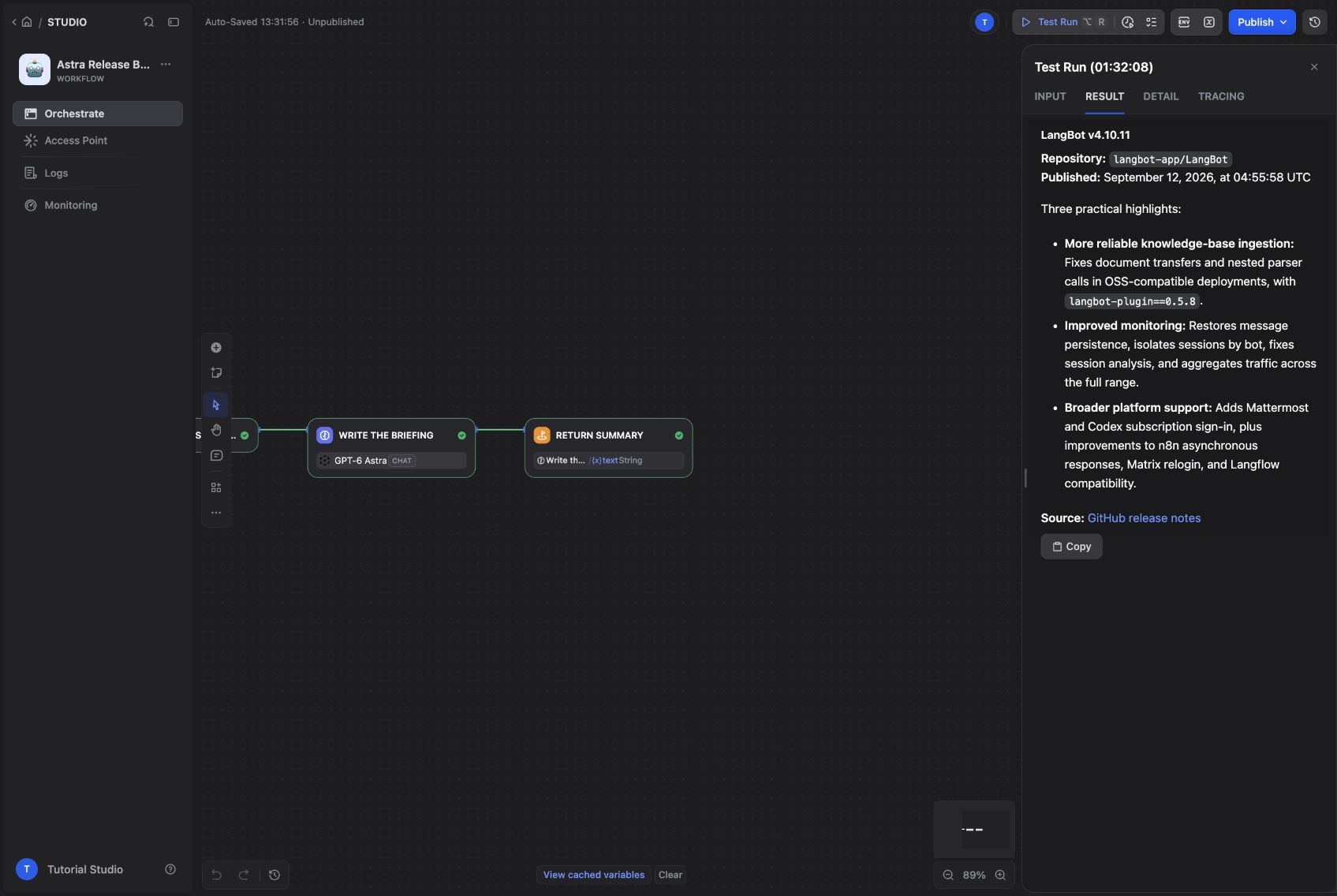
The briefing comes from a live GitHub API request, with a source link.
Start Docker Compose and Git, then follow the Dify Docker Compose guide and the LangBot Docker guide to bring up both services. For Dify, clone the repository, enter docker, copy .env.example to .env, and start Compose. The LangBot guide includes the application image and plugin runtime configuration.
The screenshots come from a local installation of Dify 1.17.1 and LangBot v4.10.11. We mapped the browser ports to 8088 and 5368. Those are custom demo ports; the default installations normally use 80 and 5300. With the defaults, open http://localhost and http://localhost:5300. You do not need to change ports just to match a screenshot. Create your own administrator accounts and select English in both interfaces.
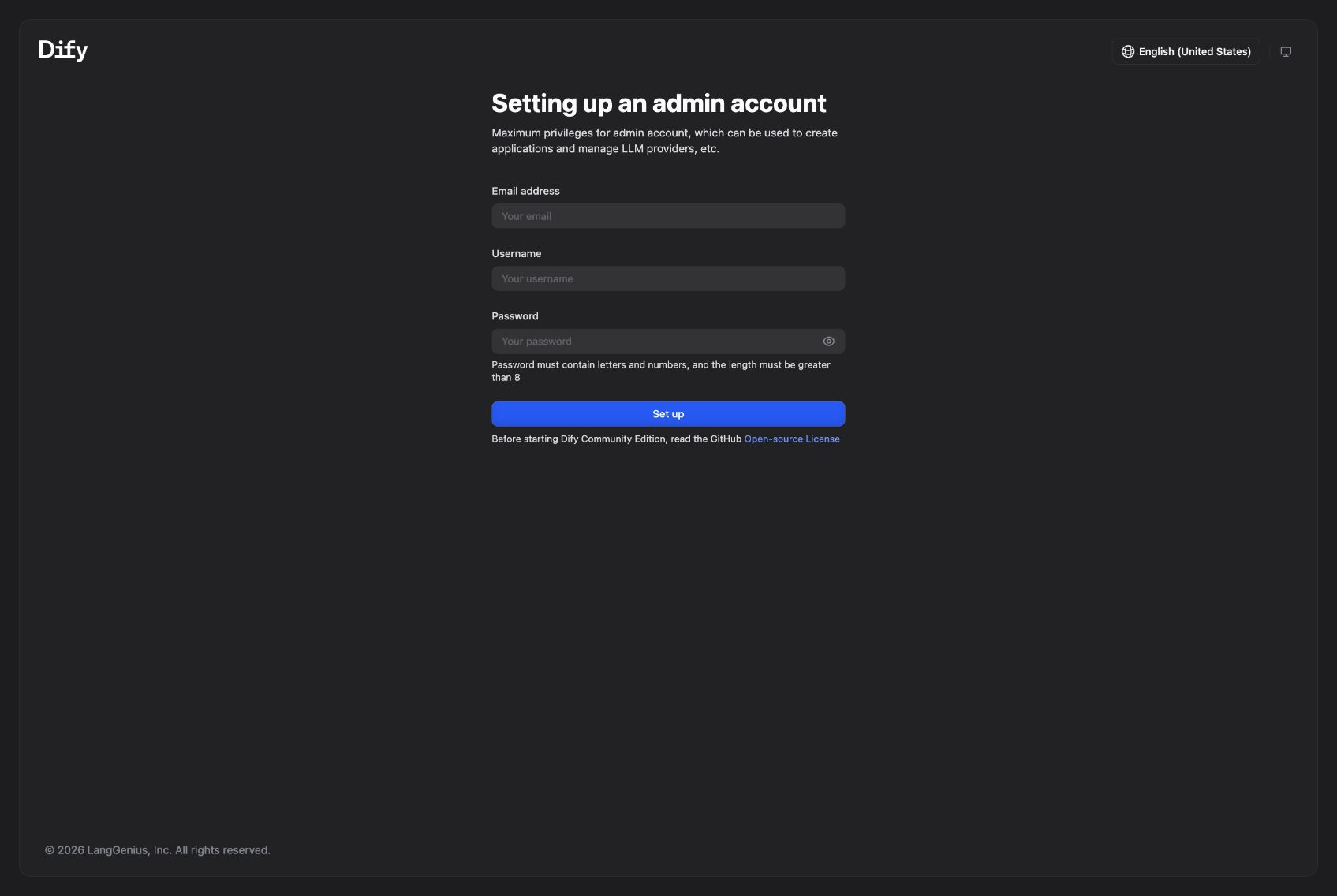
The first-run screen of the local Dify deployment.
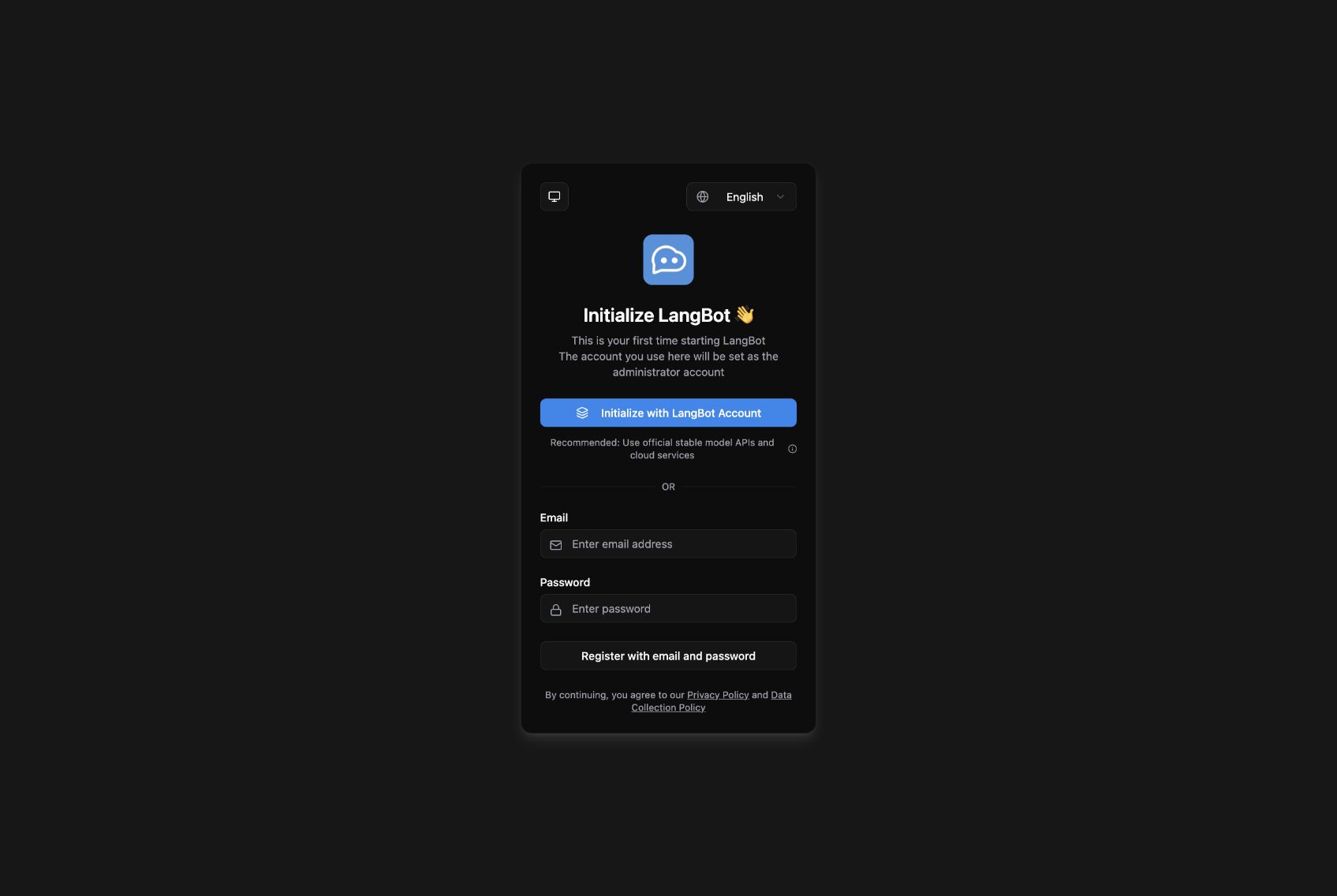
The local LangBot installation before administrator setup.
The important requirement is that the LangBot container can reach Dify. Our two services share a Docker network, so the Runner uses http://nginx/v1, where nginx is Dify's service name. You can attach Dify's nginx service and LangBot to the same external network in their Compose configurations. For separate hosts, use a Dify HTTPS address reachable from LangBot and append /v1. Every http://nginx/v1 example below refers to our shared network; replace it for your own deployment. Inside a container, localhost points back to that container.
Open Integrations → Model Provider, install the official OpenAI-API-compatible provider, and choose Add Model. We tested provider version 0.0.66 with an OpenAI-compatible gateway.
| Field | Tutorial setting |
|---|---|
| Model Name / endpoint model name | gpt-6-astra |
| Model Type / Completion mode | LLM / Chat |
| Model display name | GPT-6 Astra |
| API Base URL | Your provider's compatible endpoint, usually ending in /v1
|
| API Key | Your own provider key |
| API Type | Chat Completions API |
| Context size / maximum-token ceiling | 32768 / 4096 for this example |
Those limits are conservative settings for this tutorial, not a statement of Astra's full specifications. Save the model and let Dify validate the connection. Replace the gateway shown in the screenshot with your own authorized endpoint. Model names and capabilities depend on your provider. This walkthrough retains the gpt-6-astra identifier used in the tested deployment.
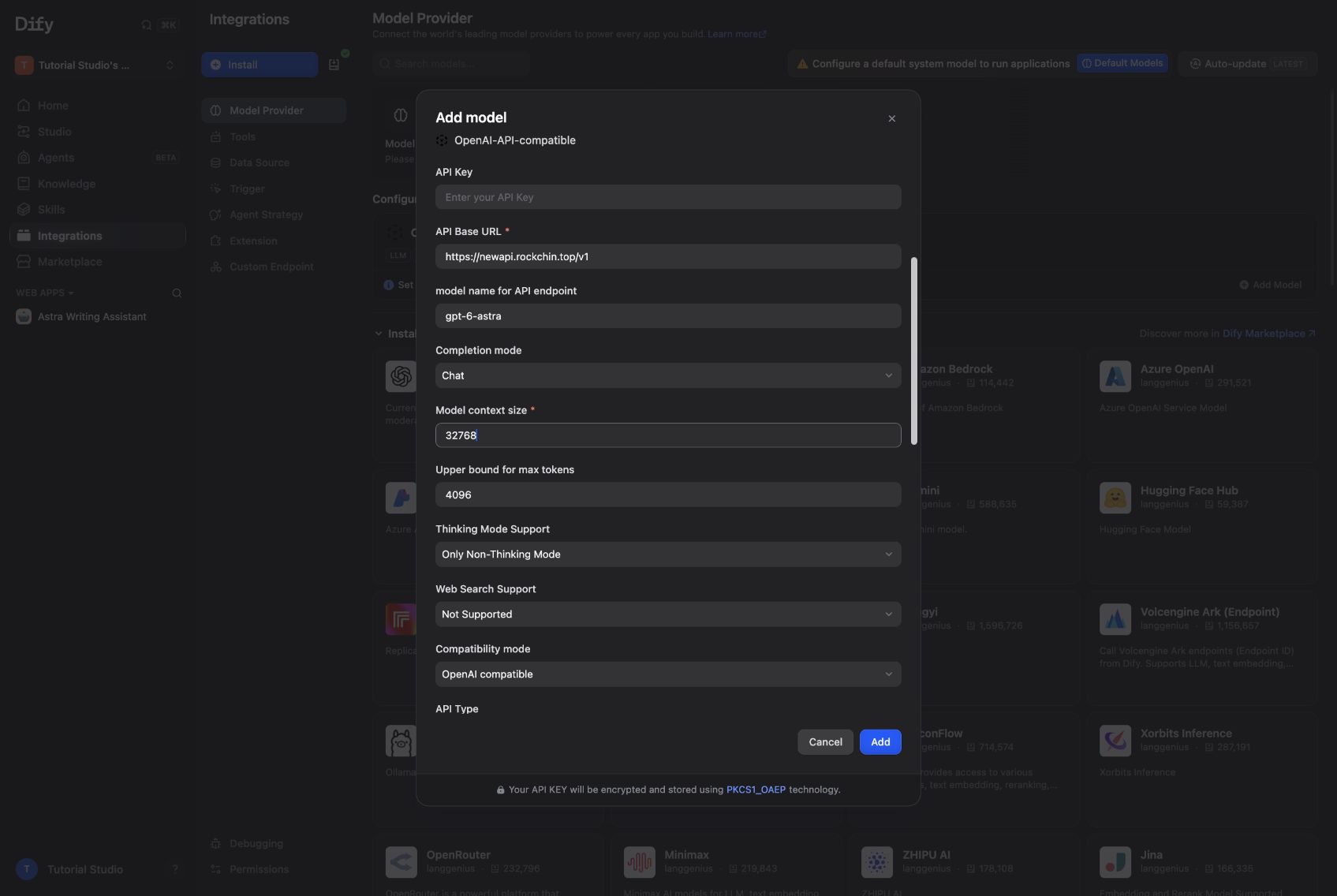
The custom model form, captured before entering the API key.
Create a Dify Workflow named Astra Release Briefing. Each request is an independent read of the current release, so a Workflow fits naturally.
Connect these nodes:
User Request → HTTP Request → Code → LLM → End
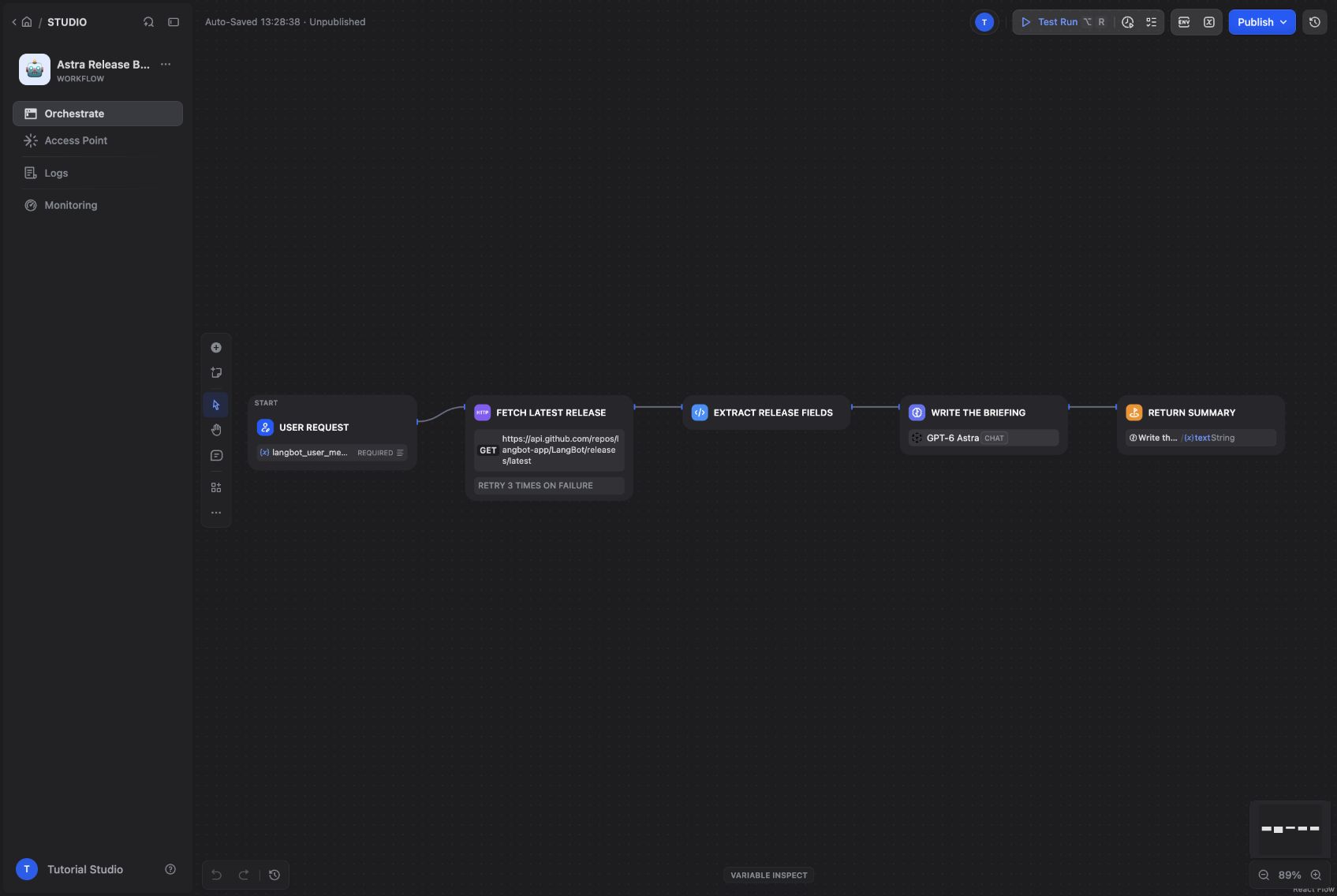
The complete five-node release workflow.
In the Start node, add a required paragraph input named:
langbot_user_message_text
LangBot's Dify Workflow Runner places the incoming message text in that field. If you call it question instead, the workflow may pass a manual Dify test and still fail when LangBot calls it with different input names.
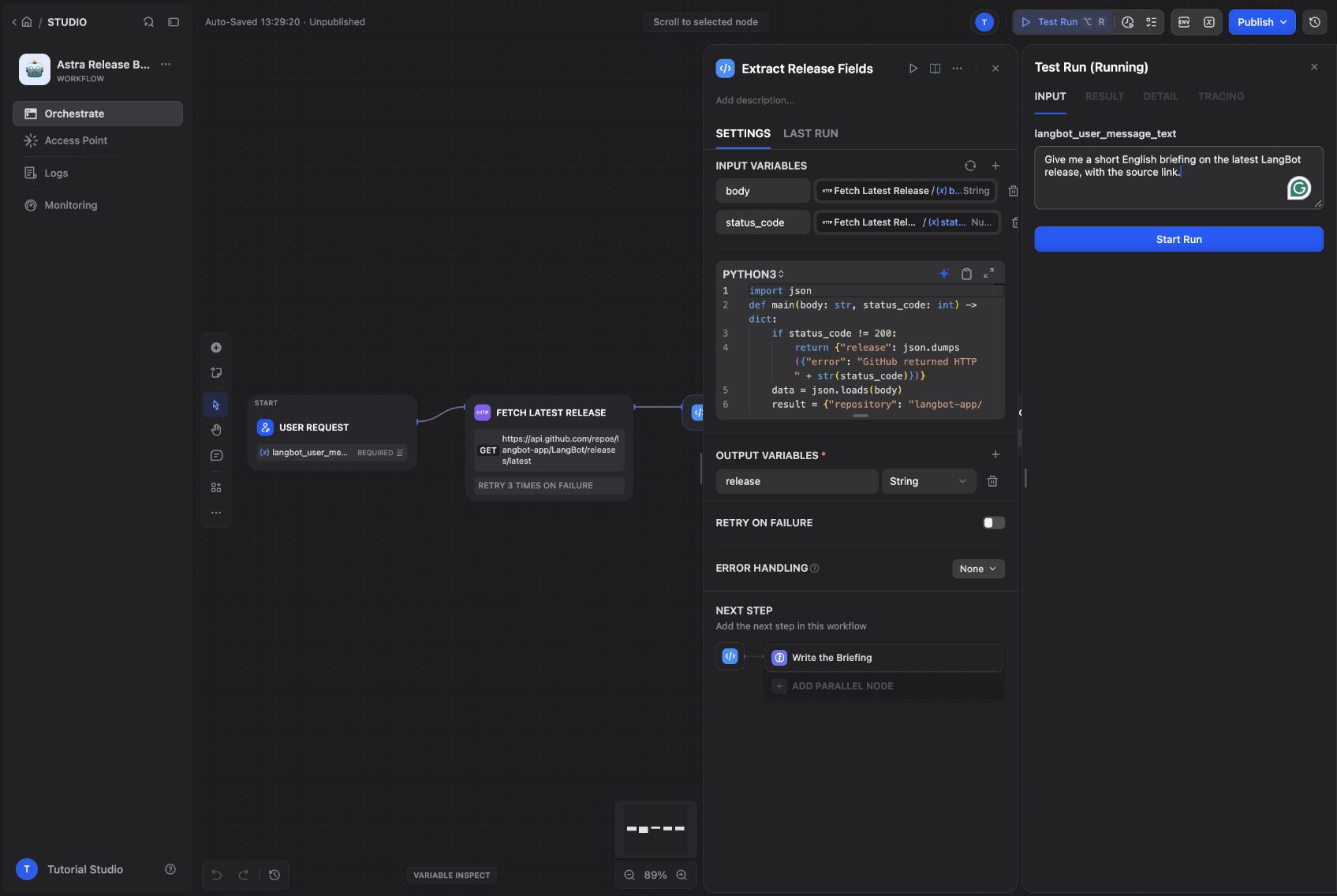
The required input is named to match the runner contract.
Use an HTTP Request node with GET:
https://api.github.com/repos/langbot-app/LangBot/releases/latest
Add Accept: application/vnd.github+json and User-Agent: LangBot-Dify-Tutorial. This example reads public data without a GitHub token. Leave SSL verification enabled and choose sensible connection and read timeouts for your environment.
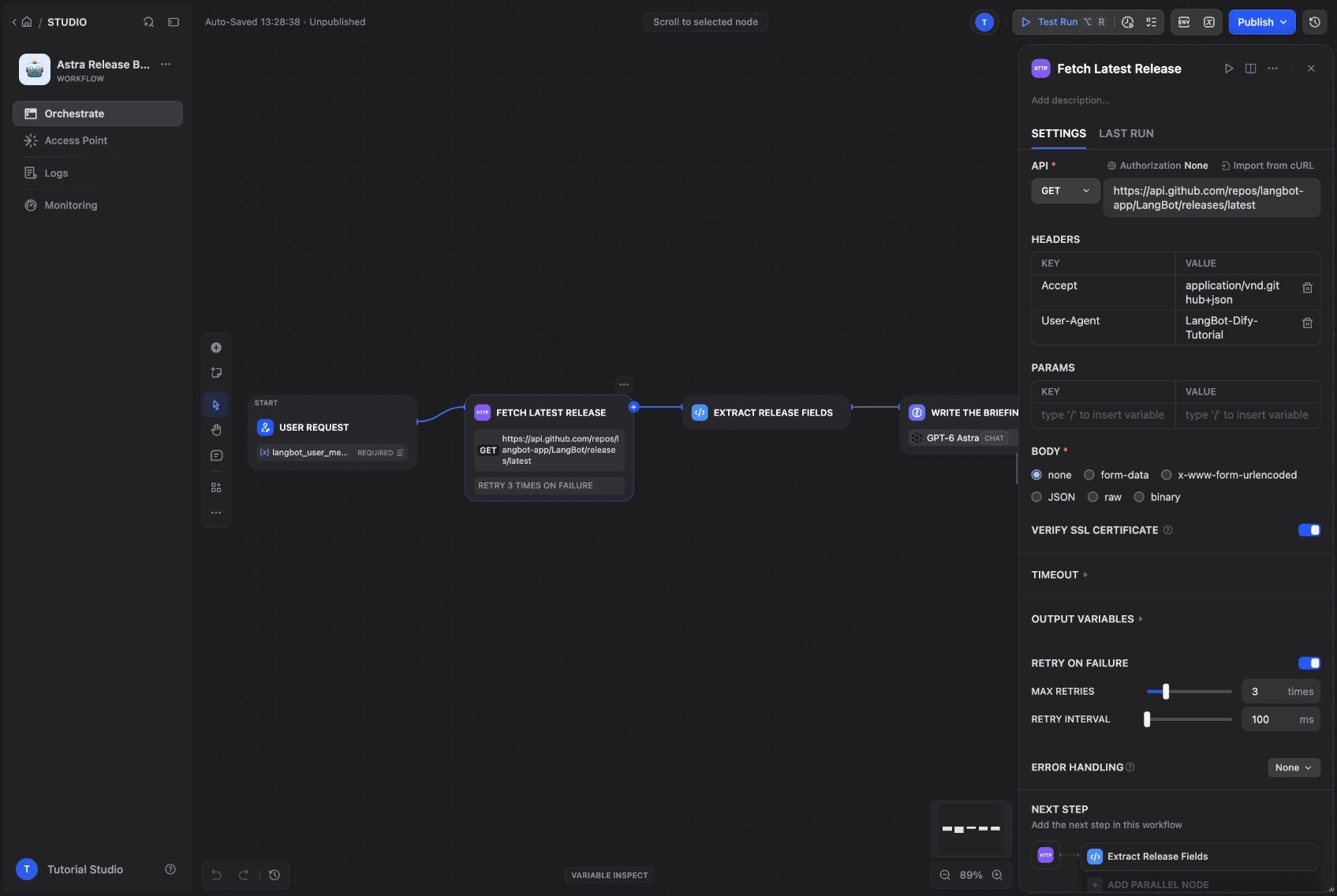
The HTTP node fetches the latest release directly from GitHub.
Pass the HTTP node's body and status_code to a Code node. Keep only the information needed for a briefing:
import json

def main(body: str, status_code: int) -> dict:
    if status_code != 200:
        return {"release": json.dumps({"error": f"GitHub HTTP {status_code}"})}
    data = json.loads(body)
    return {"release": json.dumps({
        "repository": "langbot-app/LangBot",
        "tag": data.get("tag_name"),
        "published_at": data.get("published_at"),
        "url": data.get("html_url"),
        "notes": (data.get("body") or "")[:14000],
    }, ensure_ascii=False)}
This removes avatars and unrelated API URLs from the model input. It also makes a non-200 response explicit. A transport failure can still stop the HTTP node before this code runs, which is why you should inspect failed workflow runs as well as successful ones.
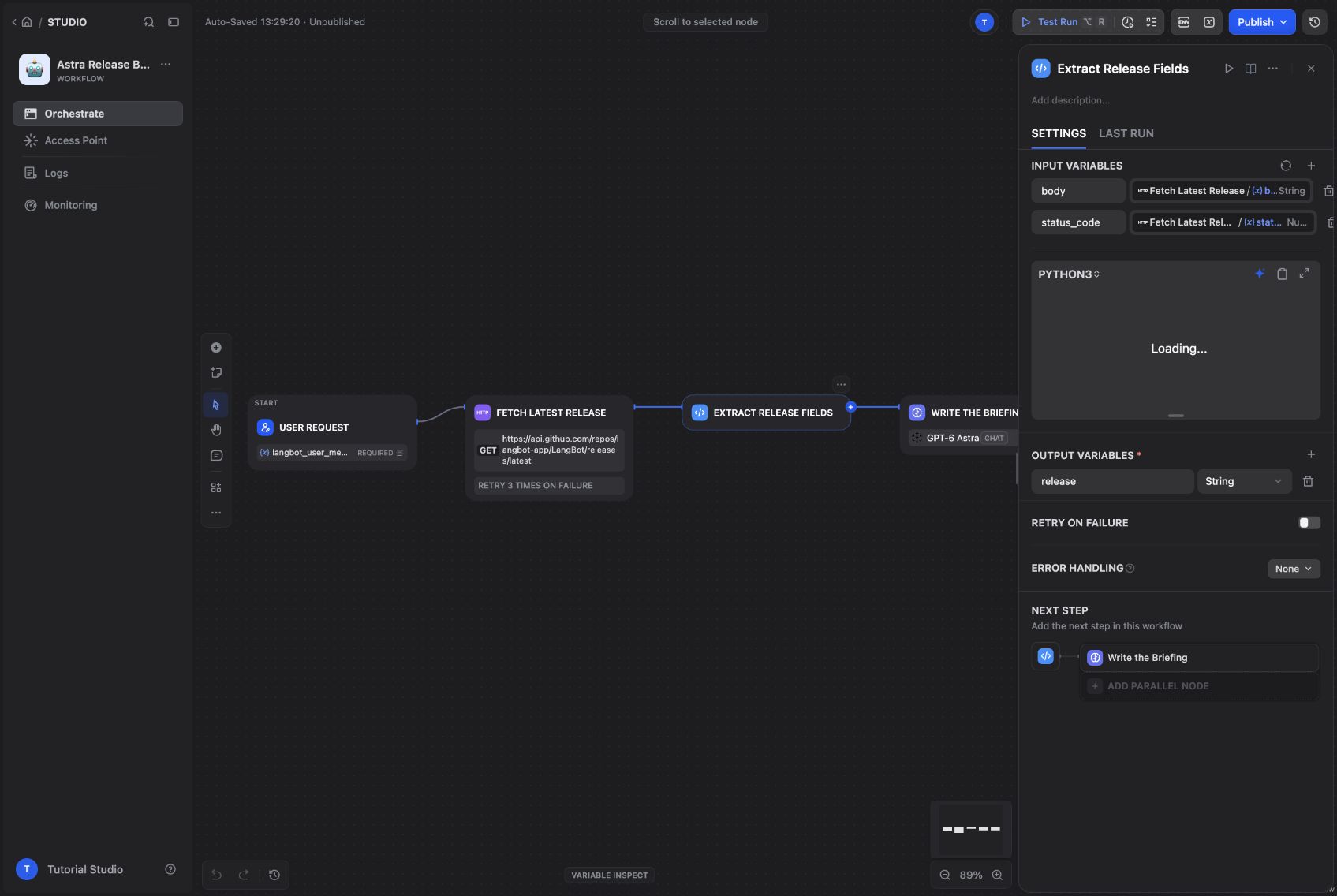
The Code node turns the raw response into a small release record.
Choose GPT-6 Astra in the LLM node. Ask it to answer in the user's language and include the repository, release tag, publication time, three useful highlights, and the source URL. Tell it to use only the supplied API data and to report missing data or an error instead of guessing.
Pass both langbot_user_message_text and the extracted release record into the user prompt. In End, map the LLM's text to an output named summary. This is the field LangBot expects from the workflow response.
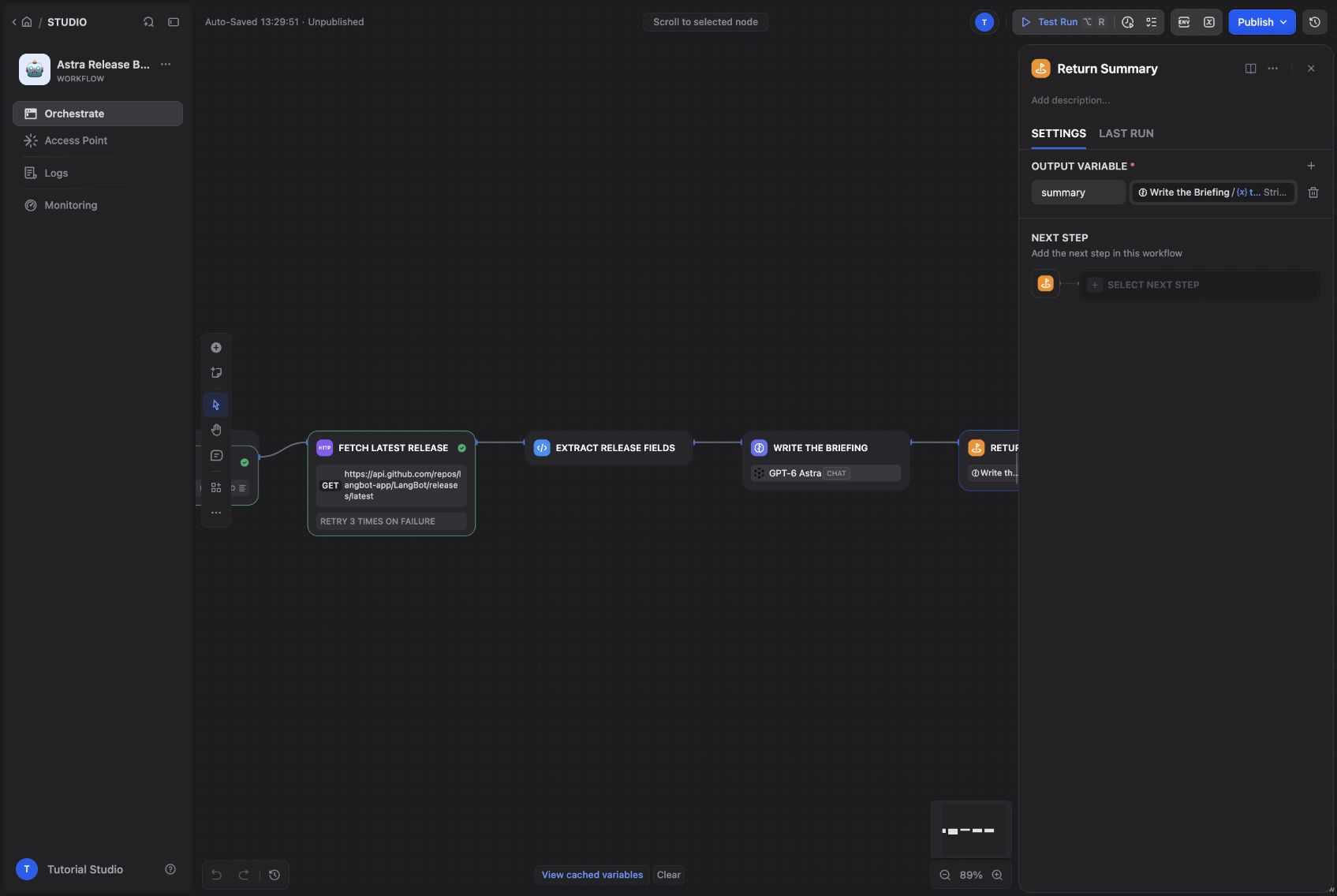
The final output maps the generated text to summary.
Our English and Chinese runs both retrieved v4.10.11, published on September 12, 2026 at 04:55:58 UTC. The briefing linked to that exact release and summarized changes in knowledge ingestion, monitoring, and platform compatibility.
The English run includes a release tag, date, highlights, and source.
Your run may show a newer version. Compare the answer with the current API fields—tag_name, published_at, and html_url—rather than expecting the version in this article forever.
Publish the saved version in Dify. Open Access Point → Backend Service API → API Key and create a key for this app.
In LangBot, choose Create Pipelines, name the pipeline Astra Release Briefing, and open Configuration → AI:
| Field | Value |
|---|---|
| Runner | Dify Service API |
| Base URL | http://nginx/v1 |
| App Type | Workflow |
| API Key | The Dify app key you just created |
The Dify app key belongs here. The Astra provider key stays in Dify. Save the pipeline, then use Debug Chat to check the complete request and response path before adding a messaging platform.
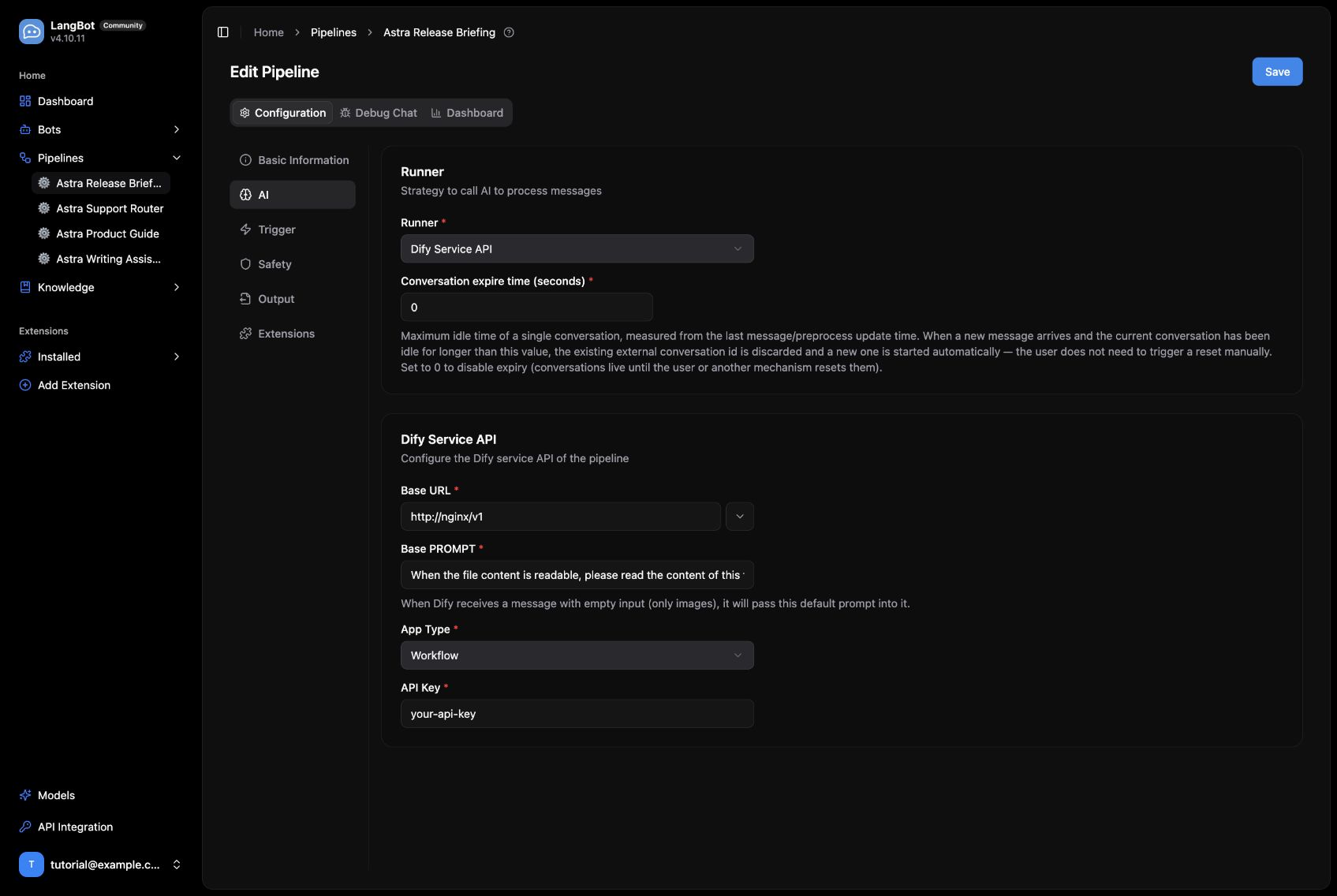
The LangBot pipeline settings, captured before entering the app key.
The English request through LangBot returned the same kind of source-linked briefing. I also tested Chinese output. One request hit a temporary upstream SSL interruption; a later retry succeeded. The failed run remains separate from the successful evidence.
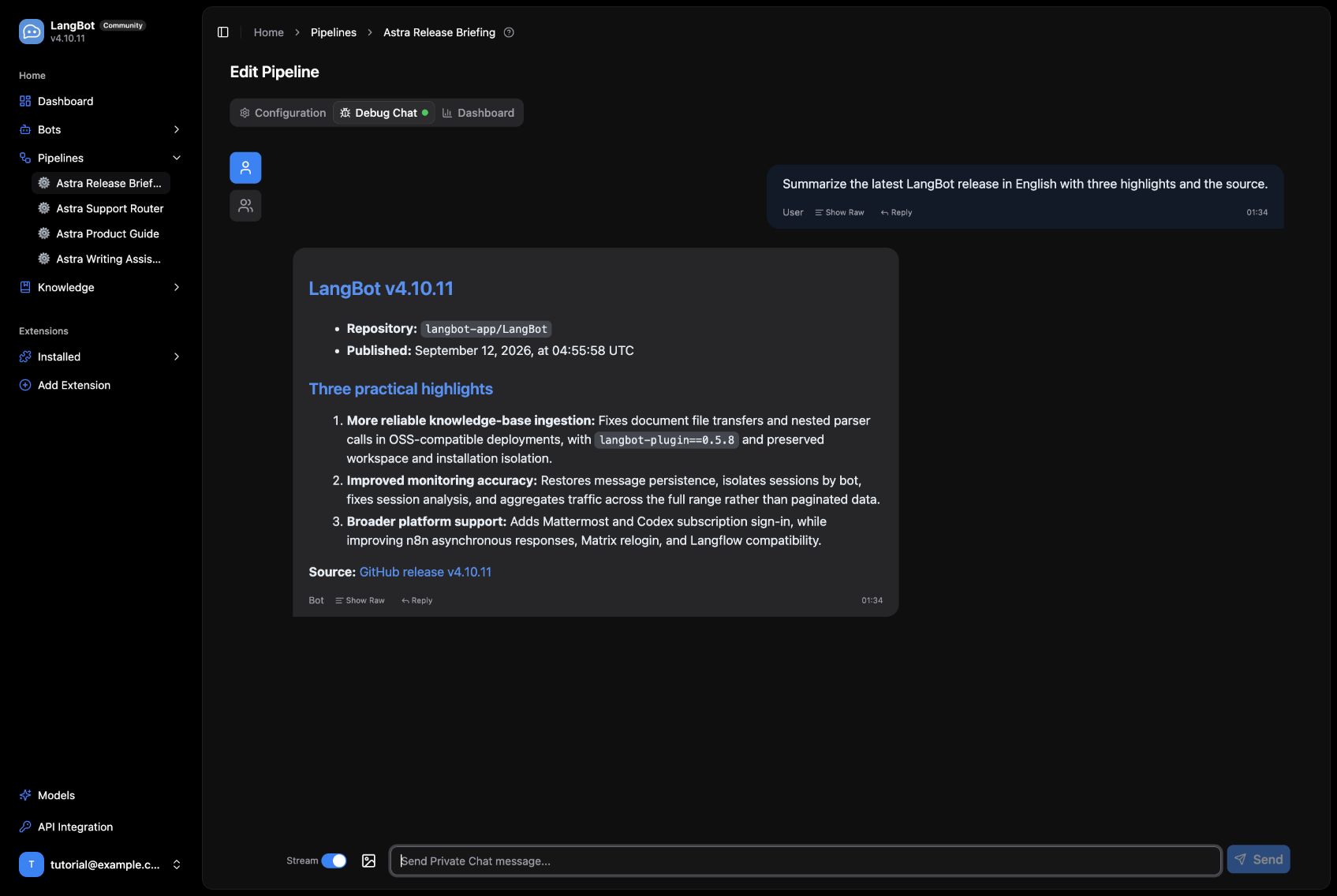
The workflow summary returned through LangBot.
For Telegram or a Discord project channel, start with an on-demand command or mention trigger. This workflow reads the release when someone asks; scheduled delivery requires an additional scheduler and sending step.
To cover another repository, first duplicate the app and change the fixed API URL. Add a validated repository parameter only when you actually need it. A short, predictable integration is much easier to operate than an unrestricted URL-fetching bot.
Choose Create Bots in LangBot, select your adapter, and enter credentials from that platform. After creating the bot, select the pipeline you just built. Check the pipeline's trigger rules for direct messages, group messages, and mentions before inviting it into a channel.
The measured path in this walkthrough is LangBot → Dify → GPT-6 Astra → LangBot. We inspected the real adapter forms below; we did not authorize a live Slack workspace, Discord server, Telegram bot, or LINE account for this demo.
| Platform | Setup path |
|---|---|
| Slack | Create a Slack app, grant the required bot scopes, install it to the workspace, and enter the Bot Token and Signing Secret in LangBot. Configure event subscriptions with the public HTTPS callback from the bot setup, verify it, and invite the bot to the intended channel. |
| Discord | Create an application and bot in the Developer Portal. Enter Client ID and bot Token, enable the required message intents, then invite the bot with the appropriate channel permissions. |
| Telegram | Create a bot with BotFather and enter its token. Start with a direct message; for groups, invite the bot and configure privacy mode and LangBot's trigger rules for the messages it should receive. |
| LINE | Create a Messaging API channel. Enter the Channel access token and Channel secret, configure the public HTTPS webhook, enable webhook delivery, and avoid conflicting automatic replies. |
| Mattermost | Enter the server URL and a Bot Account access token, then add that account to the relevant teams and channels. The adapter uses REST and WebSocket APIs. |
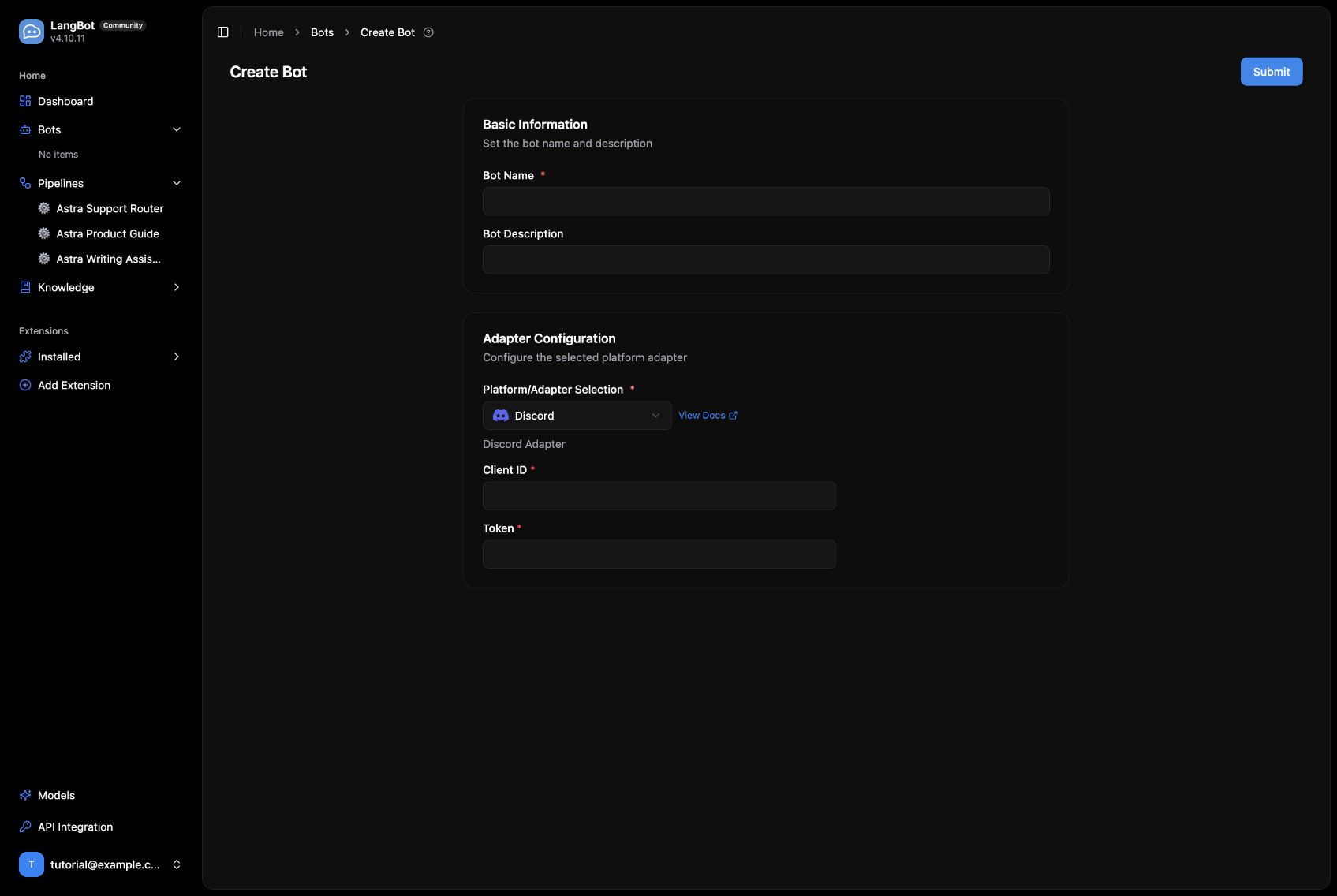
The Discord adapter uses the application Client ID and bot token.
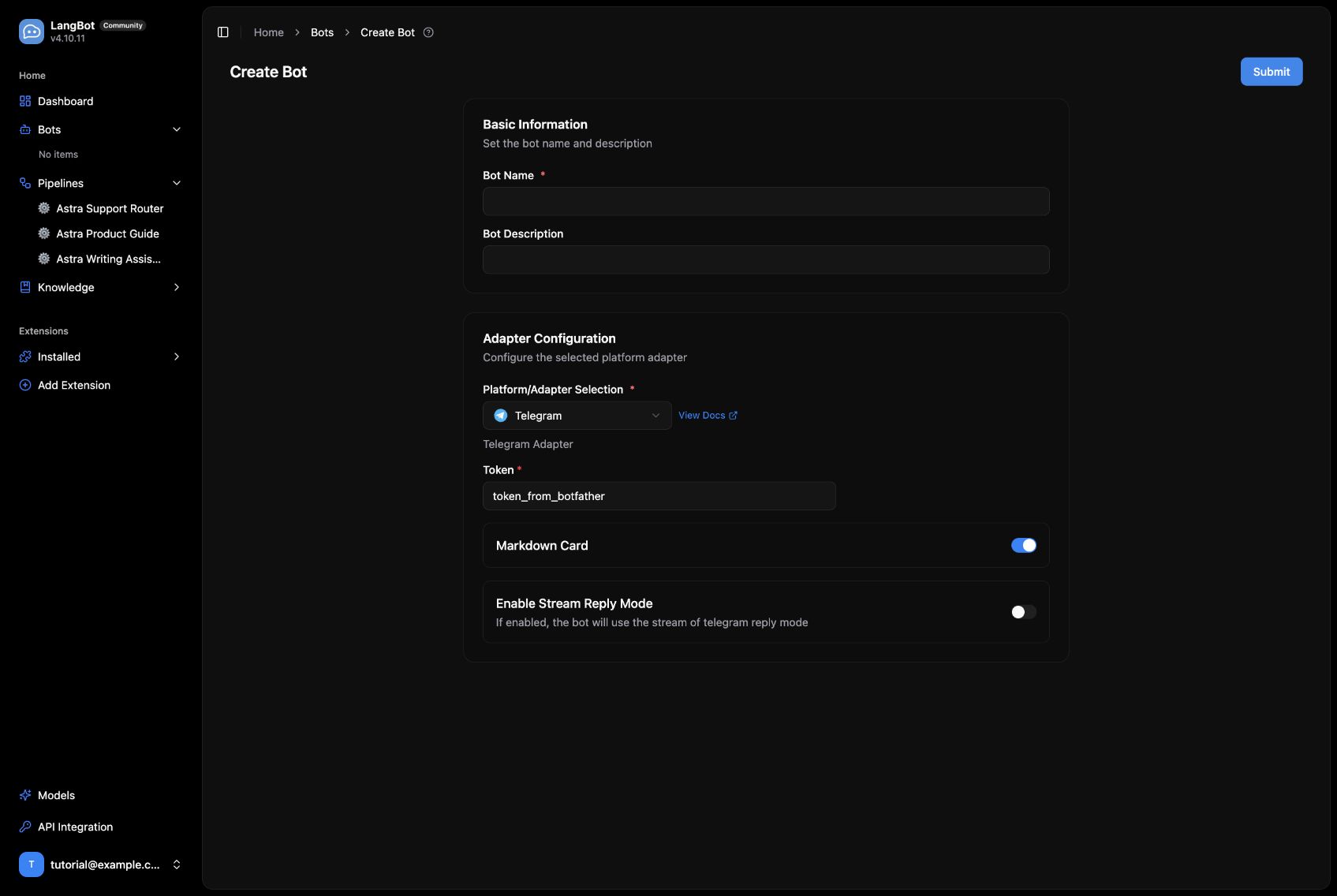
The Telegram adapter uses a BotFather token and exposes reply options.
The catalog also includes Matrix, Lark, DingTalk, WeCom, WeChat-related adapters, QQ, KOOK, OneBot v11, Satori, HTTP Bot, and Page Bot. See the platform-specific LangBot guides for the permissions and networking required by each adapter. In particular, the local-only deployment above needs a suitable public HTTPS endpoint for webhook-based integrations such as Slack and LINE.
When something fails, check the path in order: Dify preview, the published app version, LangBot's /v1 base URL and app type, then the platform's event delivery. If you change Dify service passwords, keep Redis and Celery credentials aligned, and do the same for Sandbox and its code-execution client.
Our local proxy initially returned fake DNS addresses that Dify's SSRF proxy rejected. Correcting DNS fixed the plugin download without disabling network protections. For external API calls, inspect the run record after a retry rather than assuming that a transport error means the app configuration is wrong.
Project sources: LangBot and Dify. The deployment and screenshots are from September 16, 2026; later versions may move some controls.