Repository navigation
en usage platforms mattermost
Note
The screenshots below use the Chinese interface. Follow the corresponding menu items and fields described in the text.
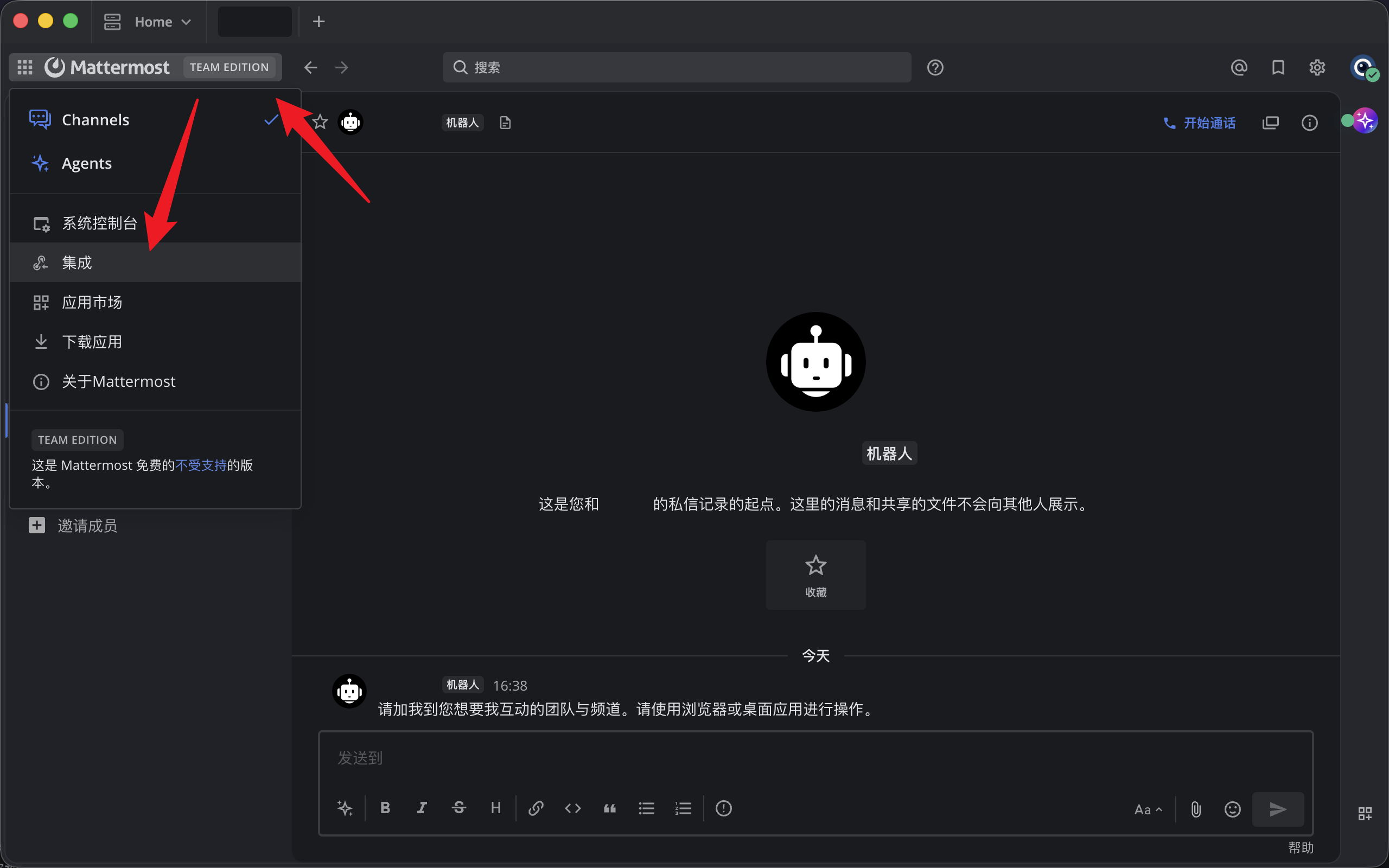
Log in to your Mattermost instance (self-hosted or hosted by Mattermost). Click the Mattermost icon in the upper-left corner and select Integrations from the menu.
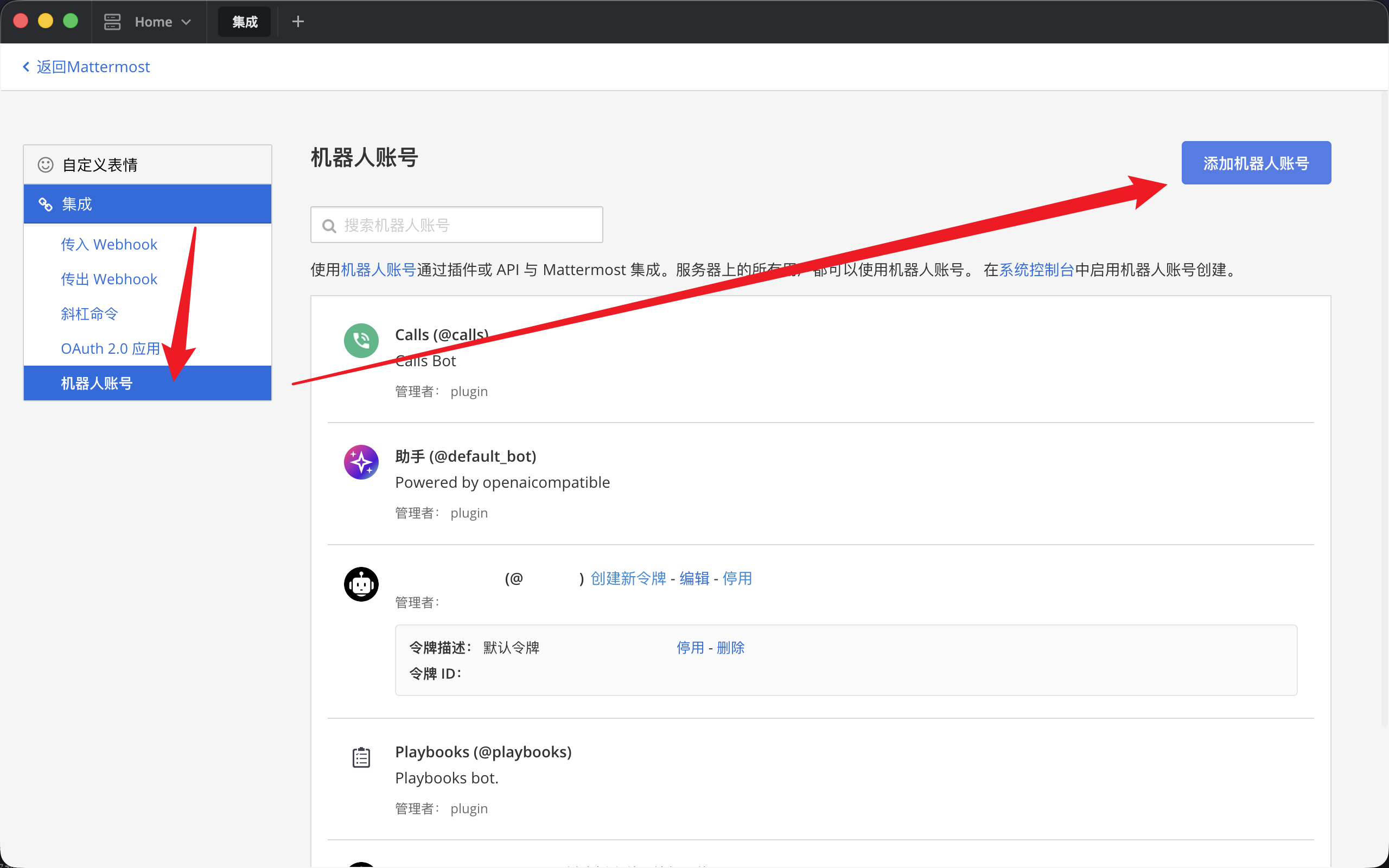
On the Integrations page, select Bot Accounts in the left menu, then click Add Bot Account in the upper-right corner.
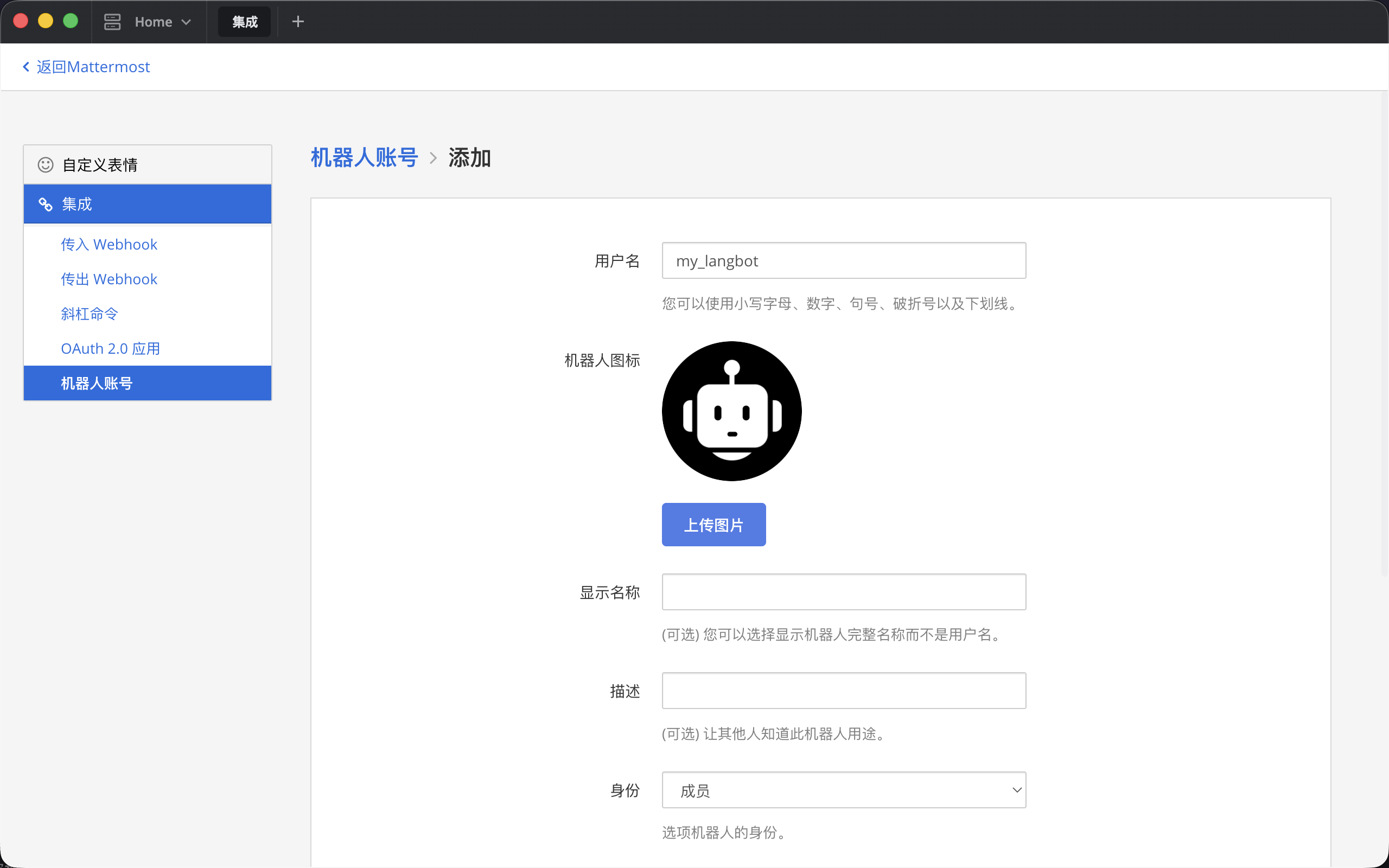
Choose a username for the bot.
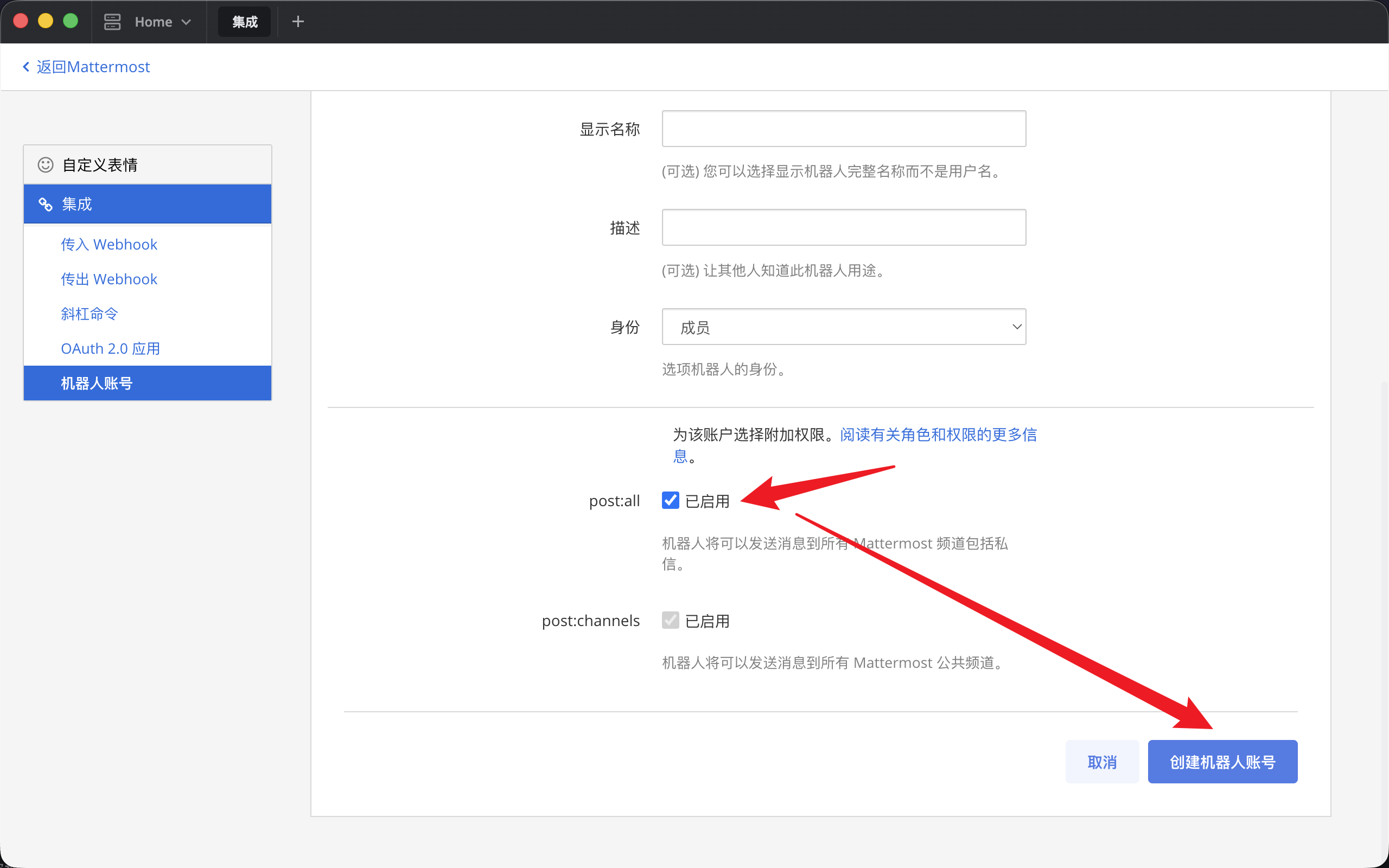
Set the role to Member (administrator-related features are not currently supported). Select post:all if you need direct messages, or select only post:channels if you only need public channels. Then click Create Bot Account in the lower-right corner.
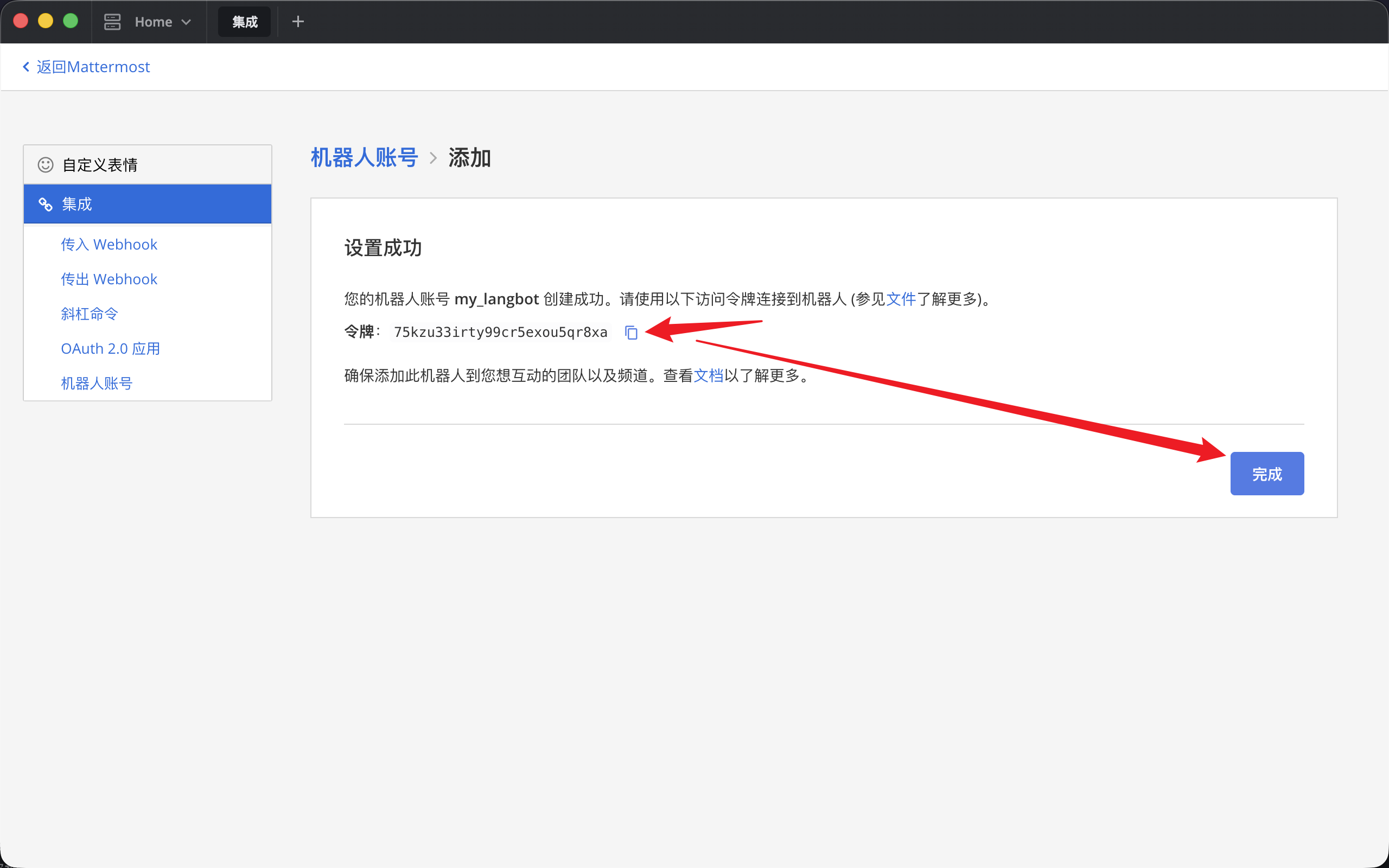
Click the button to copy the token. It is shown only once, so save it securely. Then click Done in the lower-right corner.
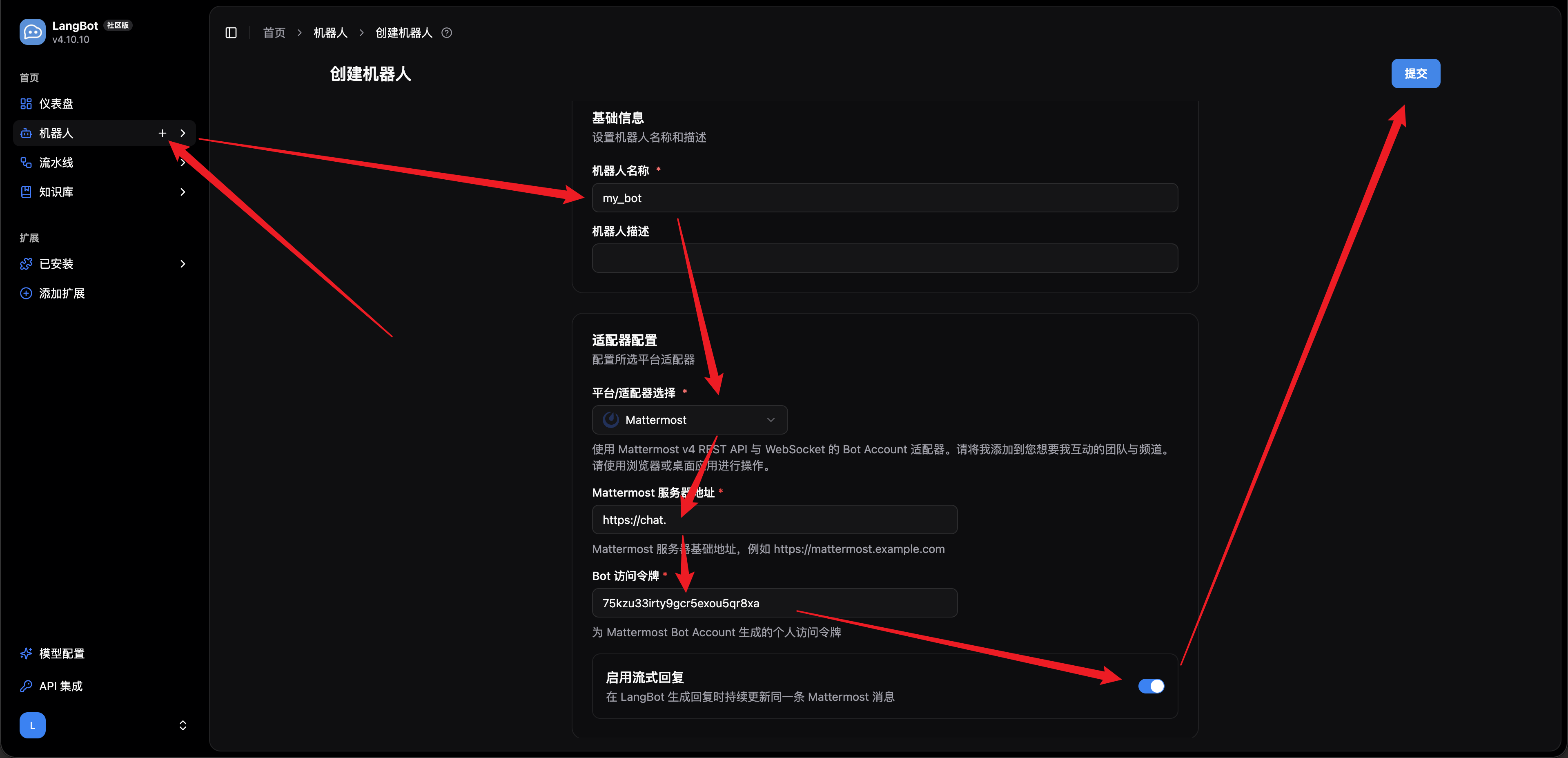
Open LangBot Cloud or your self-hosted LangBot instance and follow the red arrows in the screenshot below:
- Hover over the
Botstab on the left and click the+icon that appears. - Enter a name in the
Bot Namefield. - Open the platform adapter dropdown and select
Mattermost. - Enter the address of your Mattermost instance and the token for the bot account you just created.
- (Optional) Disable streaming output if your pipeline or AI provider does not support it.
- Click
Submitin the upper-right corner to open the bot editing page.
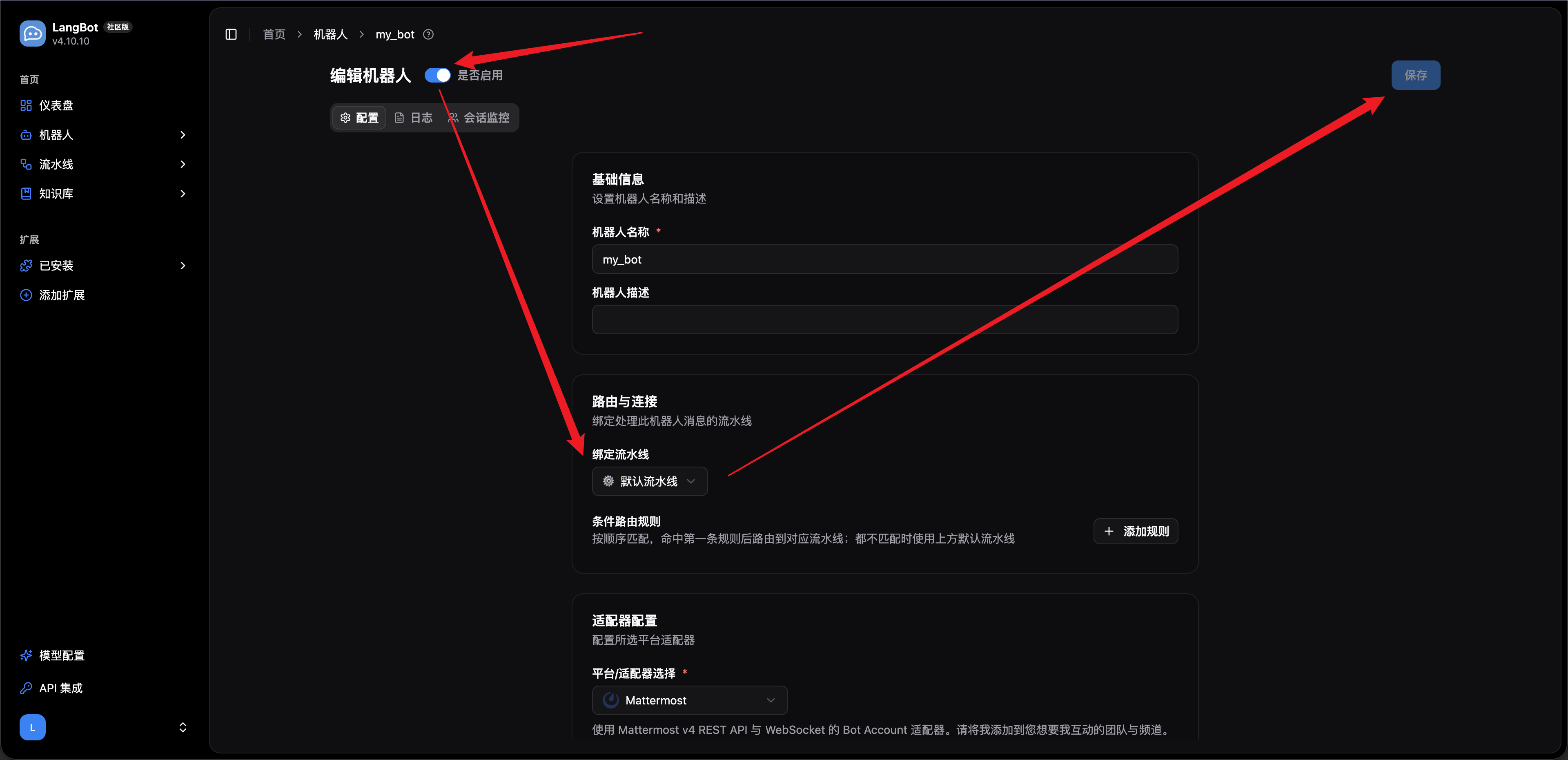
Bind an existing pipeline, configure routing if needed, and click Save in the upper-right corner.
Automatically synchronized from langbot-app/langbot-docs.
简体中文
指南
开发者
- 插件开发
- 插件 SDK API
- 核心开发
文章
- 浏览
- 产品动态
- 在线体验
- 技术解析
- 教程与集成
- 公告
API 参考
- Service API
English
Guides
- Quick Start
- Installation
-
Configure Bots
- Bots
- Discord
- Telegram
- Slack
- Mattermost
- LINE
- Web Page Bot
- HTTP Bot
- KOOK
- Feishu
- DingTalk
- WeChat Official Account
- QQ (OneBot v11)
- Satori (QQ & Multi-Platform)
- QQ Official Bot
- WeCom (Enterprise WeChat)
- AI Configuration
- Advanced Operations
- Using Plugins
- Enterprise support
Developers
-
Plugin Development
- Plugin Development Tutorial
- Completing Plugin Configuration Information
- Plugin Directory Structure
- Component Development
- Code Style Guide
- Certified plugins and shared runtime
- Publish Plugin
- Migration Guide
- Plugin SDK API
- Core Development
Articles
- Browse
- Product Updates
- Engineering
-
Tutorials & Integrations
- LangTARS: Open-Source AI Agent for Remote PC Control — Works with Dify, n8n & 10+ Messaging Platforms
- How to Connect DeepSeek R1 to WeChat, Discord & Telegram in 5 Minutes (FREE)
- Deploy Your Own AI Bot to Discord, Telegram & WeChat in 5 Minutes
- Finally Got My Dify Agent Working in Discord, Telegram and Slack
- How I Built a Multi-Platform AI Bot with Langflow's Drag-and-Drop Workflows
- How I Built a Multi-Platform AI Chatbot with n8n and LangBot
- LangBot 4.6.0 External Knowledge Base Tutorial: Integrating Dify with LangBot for RAG-powered Conversations
- Announcements
API Reference
- Service API
Other pages
日本語
ガイド
開発者
- プラグイン開発
- プラグイン SDK API
- コア開発
記事
- 一覧
- 製品アップデート
- エンジニアリング
-
チュートリアルと連携
- LangTARS:Dify・n8n と連携するオープンソース PC 操作 Agent
- DeepSeek R1 を WeChat・Discord・Telegram に5分で接続する方法
- AI Bot を Discord・Telegram・WeChat に5分でデプロイ
- Dify Agent を Discord・Telegram・Slack で動かす
- Langflow のドラッグ&ドロップでマルチプラットフォーム AI Bot を構築
- n8n と LangBot でマルチプラットフォーム AI Chatbot を構築
- LangBot 4.6.0 外部ナレッジベース入門:Dify と連携した RAG 会話
- お知らせ
API リファレンス
- Service API