Repository navigation
zh articles dify agent discord telegram slack
本文同步自 LangBot Blog。 阅读 Blog 原文.
发布于 2025-12-11 · 作者:LangBot Team
想让你的 Dify Agent 突破浏览器限制,直接在 QQ、微信、Telegram 里对话?LangBot 配合 Dify,十分钟就能搞定。
LangBot 是目前最强大的开源多平台聊天机器人框架,支持国内主流 IM(QQ、微信、飞书、钉钉)以及国际平台(Telegram、Discord、Slack、LINE)。它的核心能力就是把各种 AI 后端接入到聊天软件里。
Dify 是当下最火的 AI 应用开发平台,提供可视化 Agent 编排、50 多个内置工具、RAG 知识库等功能。两者结合,可以快速打造跨平台 AI 助手。
用 uvx 三行命令搞定:
mkdir langbot-instance
cd langbot-instance
uvx langbot@latest访问 http://127.0.0.1:5300,注册管理员账号:

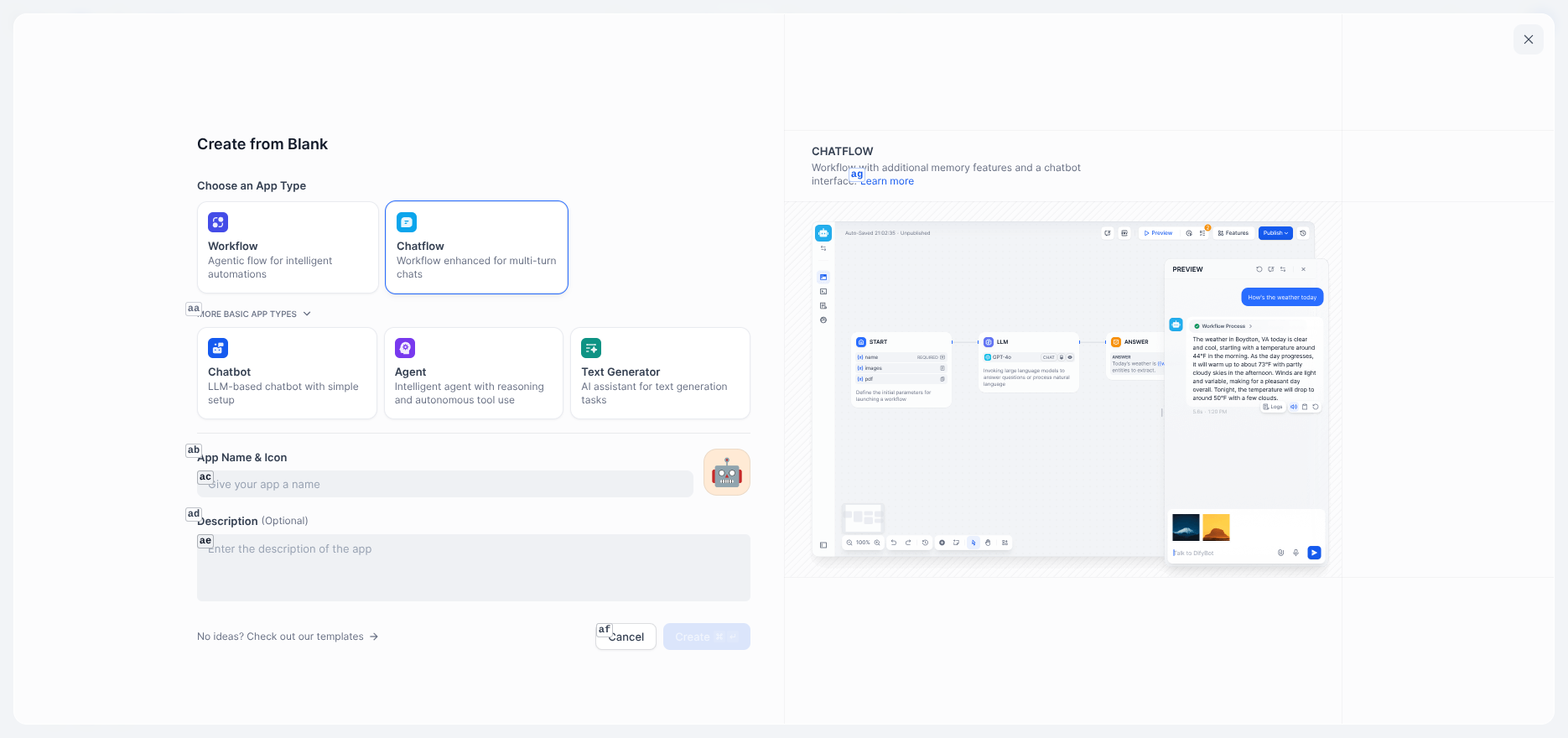
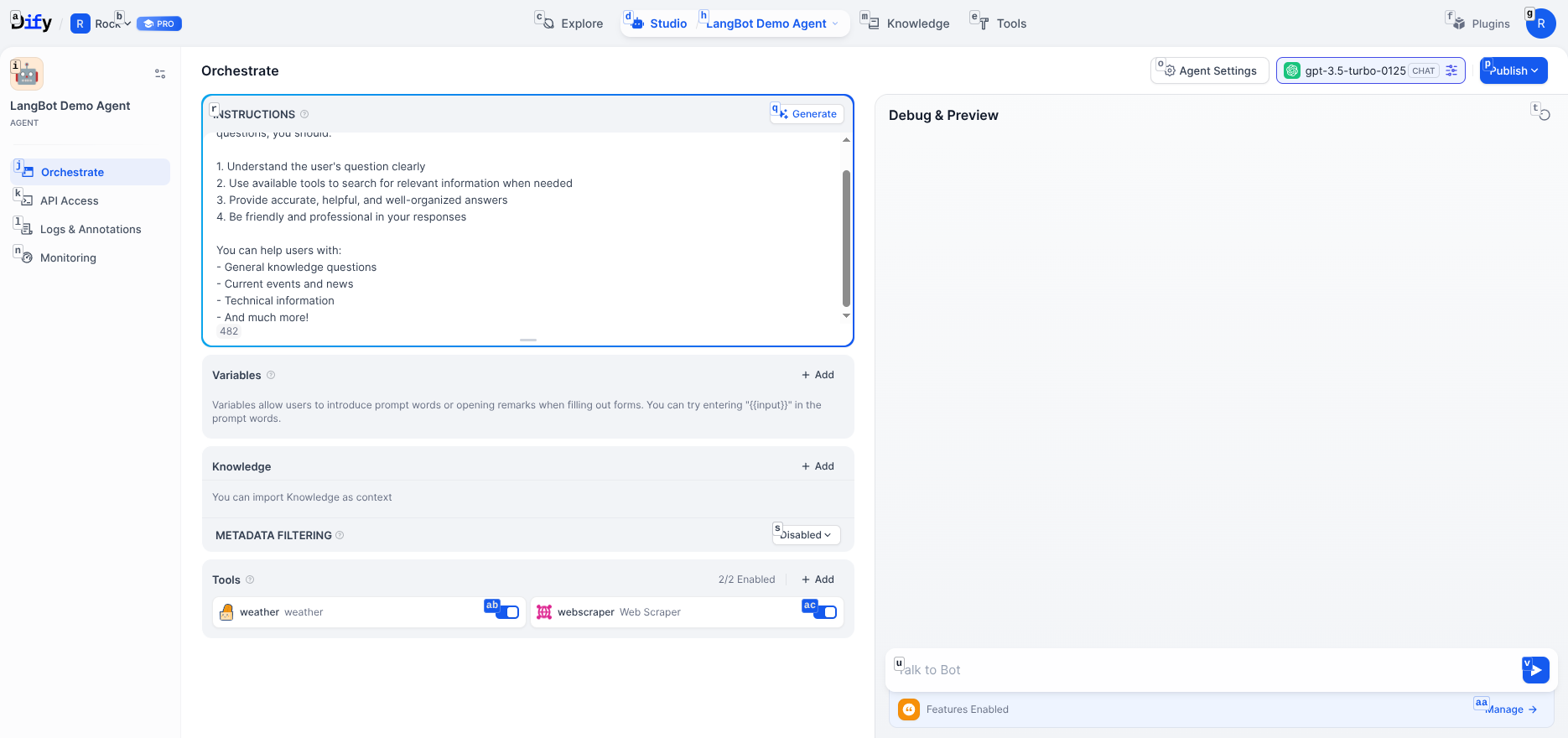
登录 cloud.dify.ai 创建新应用。选择 Agent 类型——与普通聊天应用不同,Agent 可以自主推理并调用工具完成复杂任务。
在编排界面配置:
System Instructions - 定义 Agent 角色:
You are an intelligent assistant that helps users complete various tasks. You have the following capabilities:
1. Answer various user questions
2. Query weather information
3. Retrieve webpage content
Please always maintain a friendly and professional attitude. If you need to use tools to get information, proactively call the relevant tools.
添加工具 - 从 Dify 的 50+ 内置工具中选择,比如天气查询和网页抓取:
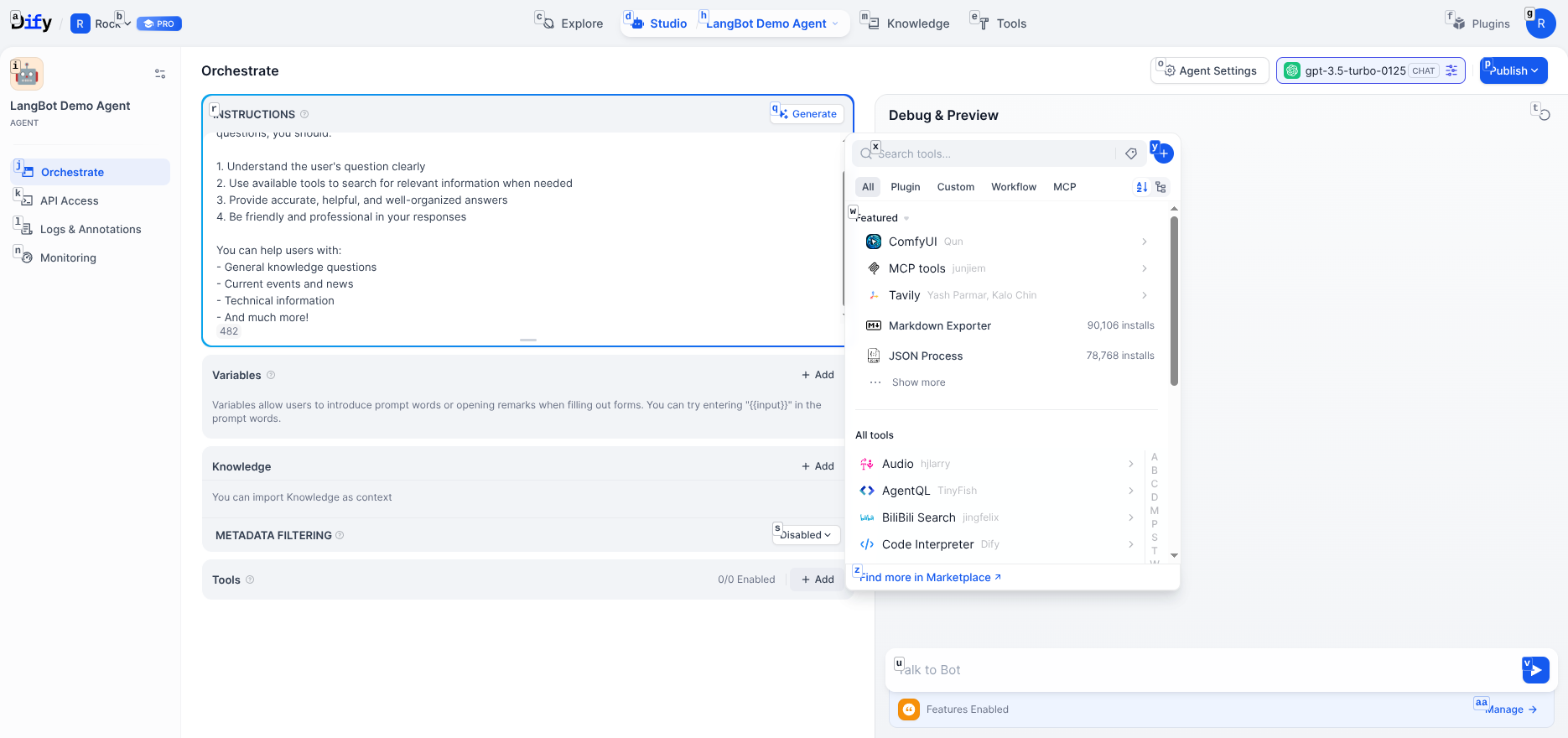
选择模型 - 支持 GPT、Claude、Gemini、DeepSeek 等主流 LLM。
配置完成效果:
点击"发布",然后进入"访问 API"创建密钥:
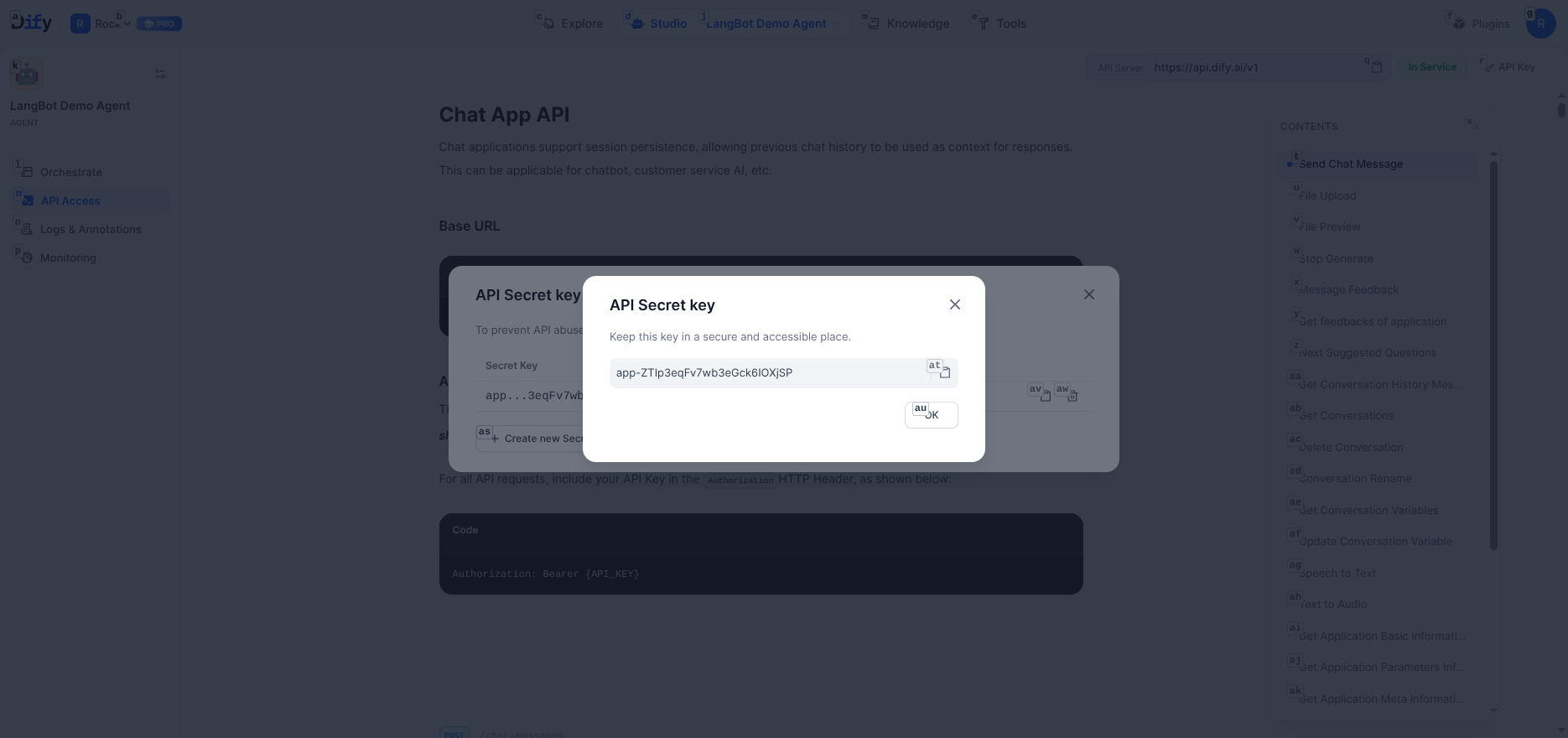
保存好 API key 和服务器地址 https://api.dify.ai/v1。
回到 LangBot,进入 Pipelines > ChatPipeline > AI 能力:
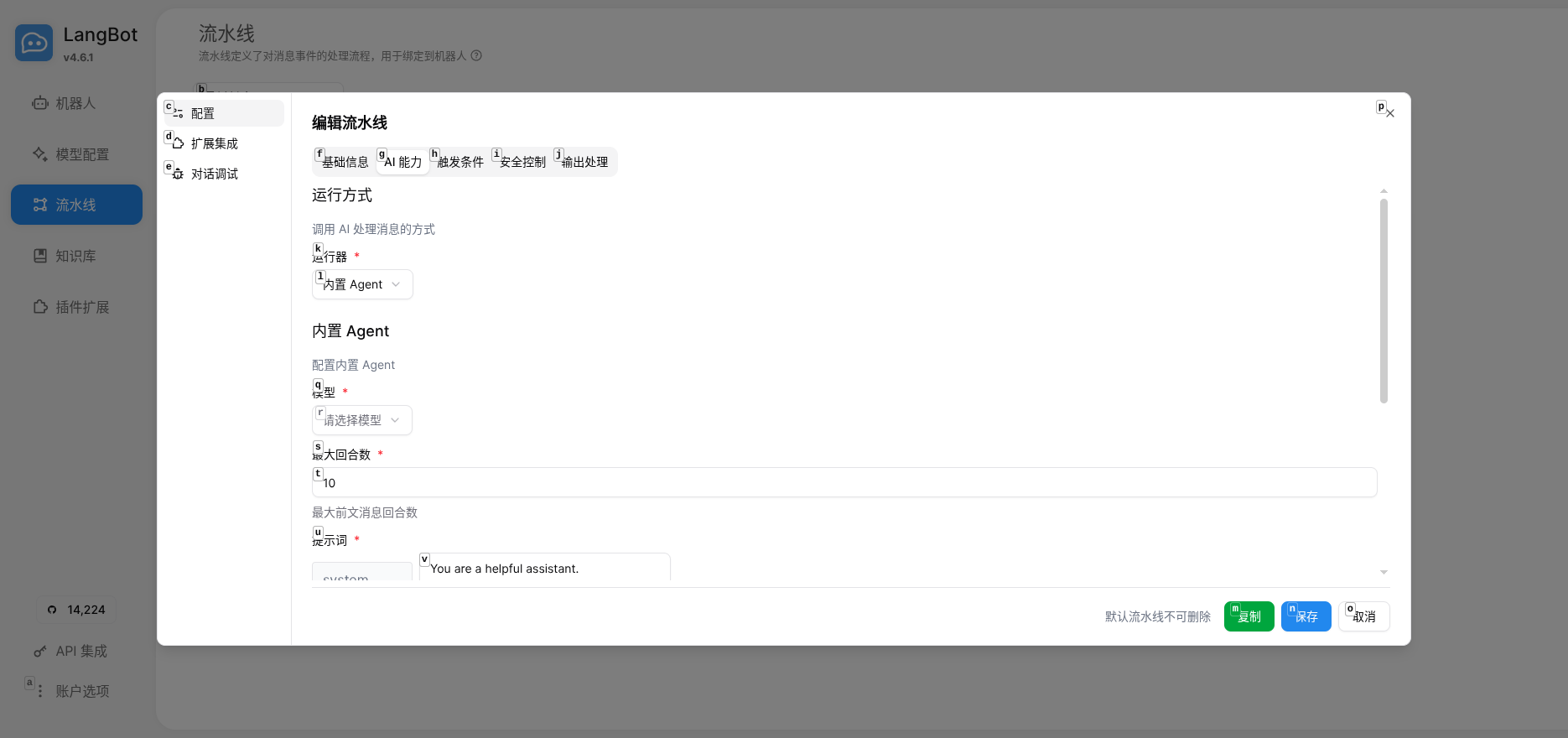
选择 Dify Service API 作为运行器:
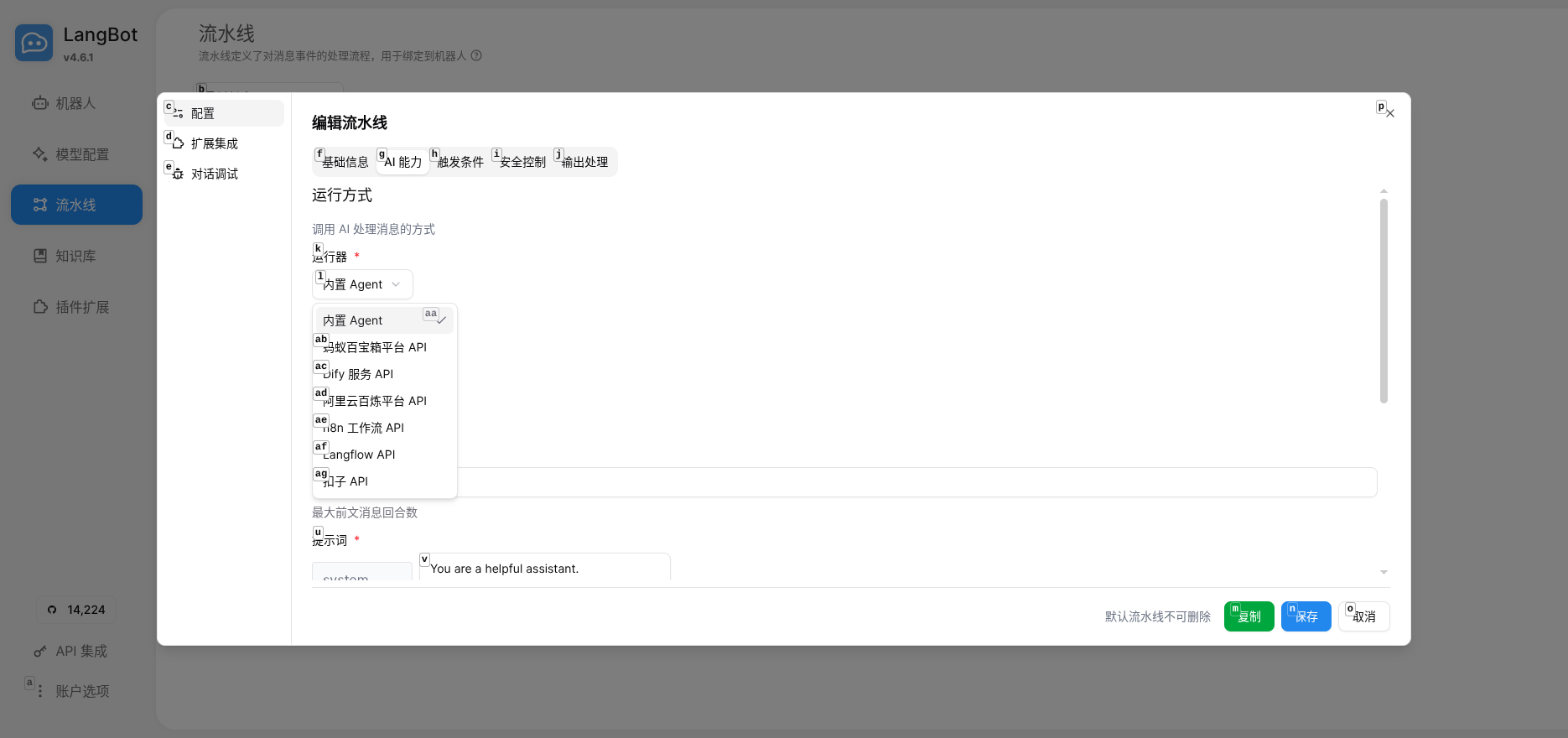
填写配置:
-
Base URL:
https://api.dify.ai/v1 - API Key: 刚才创建的密钥
- App Type: Chat(包括 Chatflow)
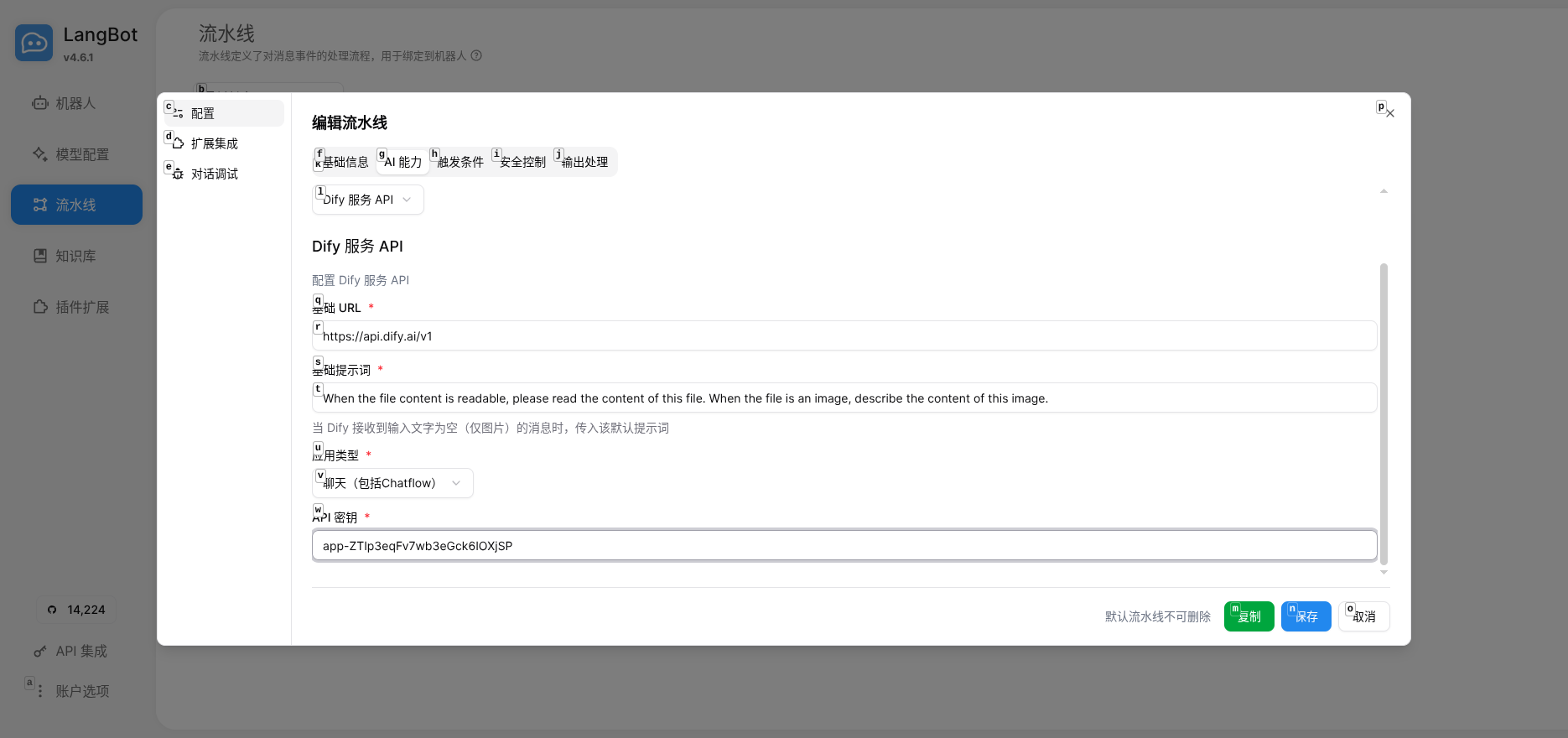
保存后点击"调试对话"测试:
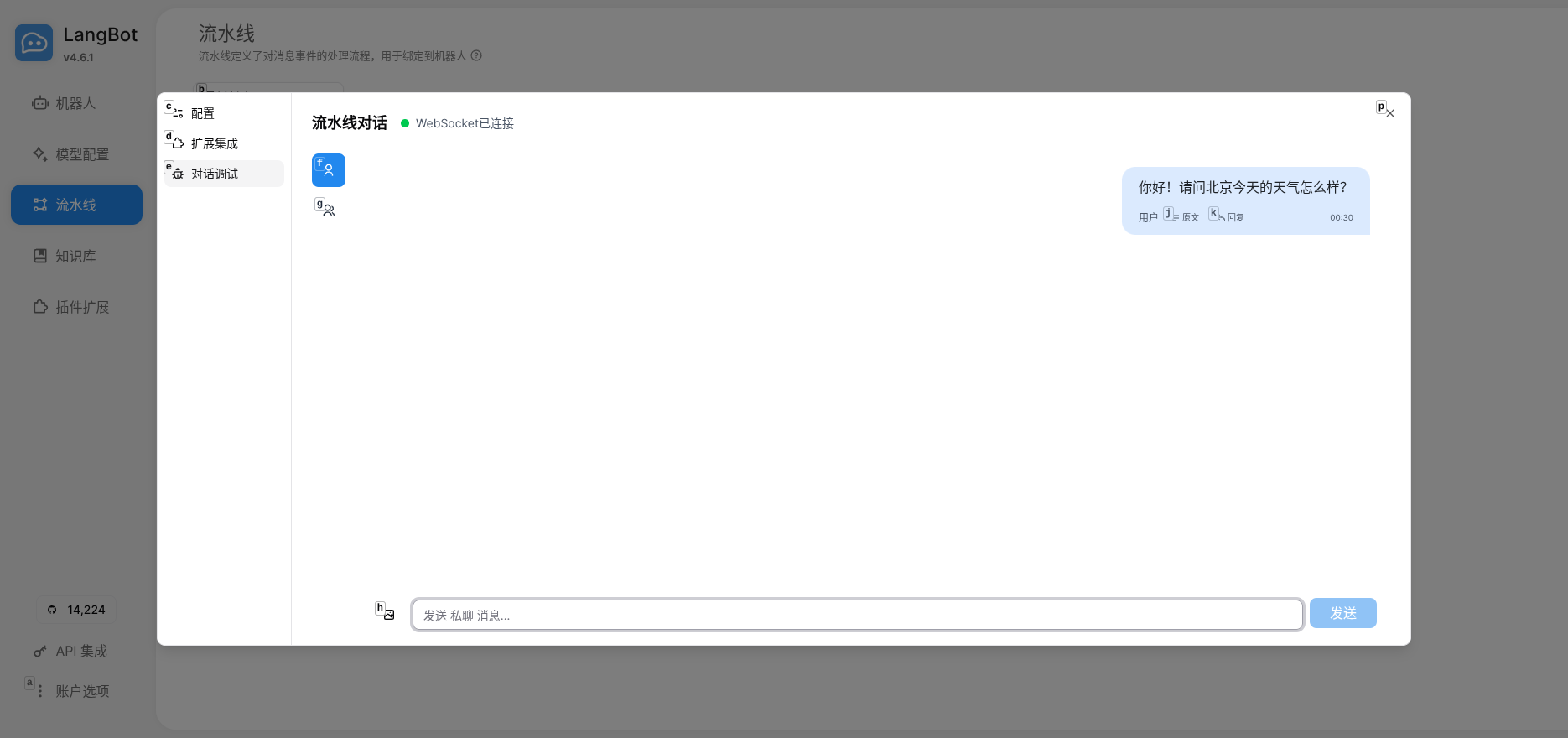
如果 Agent 能正确回复并调用工具,说明集成成功。
- 解耦设计:Agent 能力在 Dify 中维护,LangBot 负责消息路由,各司其职
- 一份配置,多端生效:同一个 Agent 可以同时服务 QQ、微信、Telegram 等多个平台
- 易于扩展:后续可以在 Dify 中添加 RAG 知识库、工作流编排、更多工具等
- 在 LangBot 中配置消息平台(QQ 机器人、微信个人号等)
- 在 Dify 中添加更多工具(数据库查询、API 调用等)
- 尝试 Dify Chatflow 实现更复杂的对话流程
如果你在用 n8n、FastGPT、Coze 或 Langflow,LangBot 也都支持。
相关资源
- LangBot 文档 | GitHub
- Dify 文档 | 云端平台
Automatically synchronized from langbot-app/langbot-docs.
简体中文
指南
开发者
- 插件开发
- 插件 SDK API
- 核心开发
文章
- 浏览
- 产品动态
- 在线体验
- 技术解析
- 教程与集成
- 公告
API 参考
- Service API
English
Guides
- Quick Start
- Installation
-
Configure Bots
- Bots
- Discord
- Telegram
- Slack
- Mattermost
- LINE
- Web Page Bot
- HTTP Bot
- KOOK
- Feishu
- DingTalk
- WeChat Official Account
- QQ (OneBot v11)
- Satori (QQ & Multi-Platform)
- QQ Official Bot
- WeCom (Enterprise WeChat)
- AI Configuration
- Advanced Operations
- Using Plugins
- Enterprise support
Developers
-
Plugin Development
- Plugin Development Tutorial
- Completing Plugin Configuration Information
- Plugin Directory Structure
- Component Development
- Code Style Guide
- Certified plugins and shared runtime
- Publish Plugin
- Migration Guide
- Plugin SDK API
- Core Development
Articles
- Browse
- Product Updates
- Engineering
-
Tutorials & Integrations
- LangTARS: Open-Source AI Agent for Remote PC Control — Works with Dify, n8n & 10+ Messaging Platforms
- How to Connect DeepSeek R1 to WeChat, Discord & Telegram in 5 Minutes (FREE)
- Deploy Your Own AI Bot to Discord, Telegram & WeChat in 5 Minutes
- Finally Got My Dify Agent Working in Discord, Telegram and Slack
- How I Built a Multi-Platform AI Bot with Langflow's Drag-and-Drop Workflows
- How I Built a Multi-Platform AI Chatbot with n8n and LangBot
- LangBot 4.6.0 External Knowledge Base Tutorial: Integrating Dify with LangBot for RAG-powered Conversations
- Announcements
API Reference
- Service API
Other pages
日本語
ガイド
開発者
- プラグイン開発
- プラグイン SDK API
- コア開発
記事
- 一覧
- 製品アップデート
- エンジニアリング
-
チュートリアルと連携
- LangTARS:Dify・n8n と連携するオープンソース PC 操作 Agent
- DeepSeek R1 を WeChat・Discord・Telegram に5分で接続する方法
- AI Bot を Discord・Telegram・WeChat に5分でデプロイ
- Dify Agent を Discord・Telegram・Slack で動かす
- Langflow のドラッグ&ドロップでマルチプラットフォーム AI Bot を構築
- n8n と LangBot でマルチプラットフォーム AI Chatbot を構築
- LangBot 4.6.0 外部ナレッジベース入門:Dify と連携した RAG 会話
- お知らせ
API リファレンス
- Service API