Installing R Packages on the Server Without Root Access_13697727
Created by Ahmed Raza Hasan, last modified on Jun 25, 2017
There's a huge variety of R packages out there, and most of them are incredibly useful for research purposes. However, not all of them are installed on HPCnode1, which can prove problematic for larger tasks we might want to do that would require server power. It would also be convenient if one could 'test drive' certain packages before committing to them without actually having to bother installing them locally first.
Fortunately, there actually is a way to install R packages in your home directory on the server, after which you could run tasks as usual. One potentially important thing to note, however, is that this method will only install these packages for you, since no one else has read/write access to your home directory.
Let's say we want to install vegan, a package with useful tools for
ecological analyses.
To begin with, make a folder in your home directory where these packages
will go. I'm going to call mine Rpkgs/:
cd ~
mkdir Rpkgs
Then, find the package you want to install on CRAN (the R package directory - CRAN stands for Comprehensive R Archive Network). This is easily done by Googling something along the lines of 'vegan r cran'. The right link should look like this:

The CRAN page should look something like this: (click to enlarge)
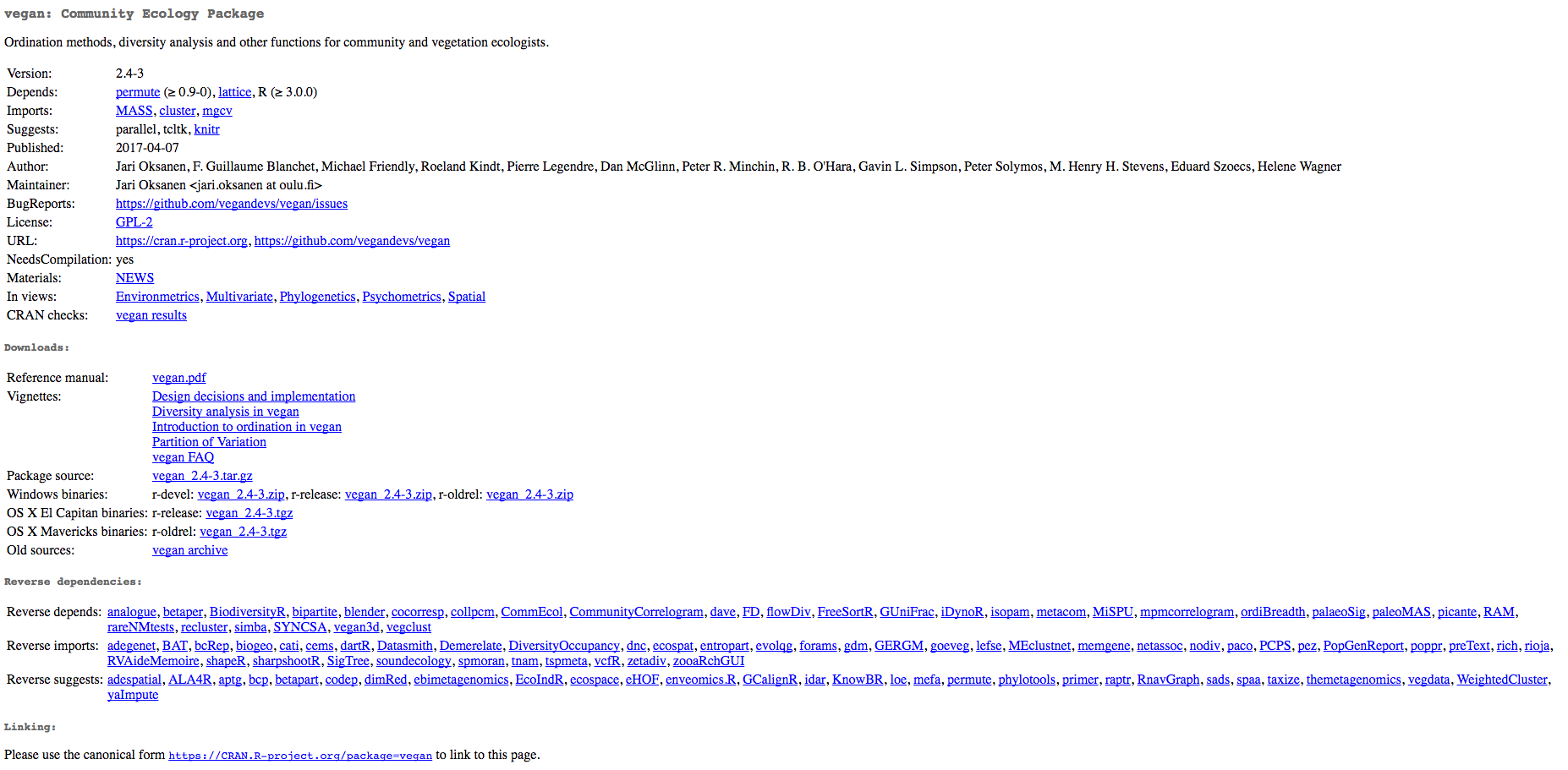
From there, look for 'Package source' under 'Downloads'. This should be a tar.gz file. Once you've found it, right click the link and select 'Copy link address' (or equivalent). Then pull up bash again and run wget on the link, like so:
wget https://cran.r-project.org/src/contrib/vegan_2.4-3.tar.gz
This will download the package's source code to your home directory. But
it's not installed yet! And before we can even get to that stage, we
have to make sure the dependencies are in order. At the top of the CRAN
page, notice the 'Depends' field. These are other packages that vegan
requires in order to function. We can quickly check to see whether
they're installed by pulling up an R console on the server - to do this,
simply type in R at the bash prompt. Then, use the library function
to load in each of the packages, and watch for errors.
> library(lattice) # loads fine
> library(permute)
Error in library(permute) : there is no package called ‘permute’
Uh oh!
This is also easily fixed, however, by doing the same thing for
permute that we did for vegan above. Google 'permute r cran', find
the package source link, and use wget to download it to your home
directory.
wget https://cran.r-project.org/src/contrib/permute_0.9-4.tar.gz
We can now get to installing. Given that vegan requires permute and
not the other way around, it would make sense to install permute
first. Let's run this on the server:
R CMD INSTALL permute_0.9-4.tar.gz -l Rpkgs/
If you named your folder something different, that would be fed to the
-l argument instead.
Anyhow - after permute is done, we can finally install vegan:
R CMD INSTALL vegan_2.4-3.tar.gz -l Rpkgs/
Alright, almost there! Finally, we have to modify our .bash_profile a
bit, so R knows where to find these packages. Head back to your home
directory and add the following to .bash_profile:
R_LIBS=~/Rpkgs
export R_LIBS
Once again, if you've named your package folder something different, then that name would go there instead. Finally, run:
source .bash_profile
And now you should be good to go! Let's run R again and make sure
these are in good working order:
> library(permute)
> library(vegan)
Loading required package: lattice
This is vegan 2.4-3
Enjoy!
Addendum: that final step with your .bash_profile only needs to be done the first time you do this! From there on out, R will know to look for packages you've installed in that folder.
 Screen
Shot 2017-06-23 at 12.03.44 PM.png
(image/png)
Screen
Shot 2017-06-23 at 12.03.44 PM.png
(image/png)
Screen
Shot 2017-06-23 at 12.03.52 PM.png
(image/png)
Document generated by Confluence on May 22, 2024 11:44