Syncing GitHub repos on hpcnode1_24773736
Created by Ahmed Raza Hasan, last modified on May 24, 2018
By default, repos cloned from GitHub don't necessarily play nice with hpcnode1, with pushing commits from the server raising some sort of security error.
The workaround for this involves setting up an SSH key on the server, and then associating that key with your GitHub account.
SSH keys are stored in `~/.ssh`, a hidden folder in your home directory on hpcnode1. First, check to see whether you already have an SSH key there (likely not the case, but can't hurt to be sure).
(Note: for all the following GitHub help pages, make sure the 'Linux' option is selected at the top)
https://help.github.com/articles/checking-for-existing-ssh-keys/#platform-linux
If there isn't one, make a new SSH key:
https://help.github.com/articles/generating-a-new-ssh-key-and-adding-it-to-the-ssh-agent/#generating-a-new-ssh-key
And then navigate over to `~/.ssh` to copy the key and add it to your GitHub. The link below suggests using `xclip`, which is not installed on hpcnode1, but it's just as easy to open the `id_rsa.pub` file with `less`, drag + select the key with your mouse, and copy to clipboard.
https://help.github.com/articles/adding-a-new-ssh-key-to-your-github-account/#platform-linux
Once you've associated the key with your GitHub account, you should see something like this:
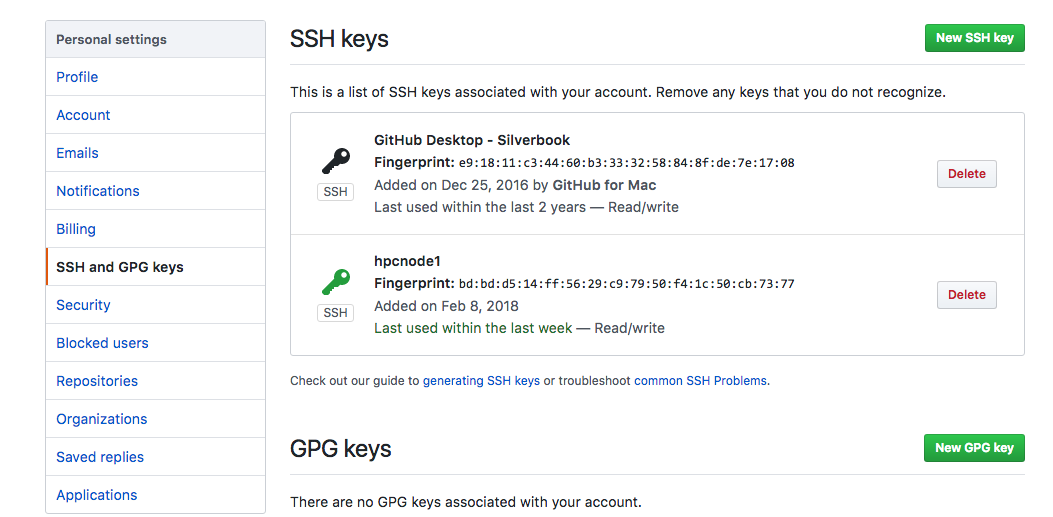
(Click images to enlarge)
And you should now be able to push/pull from hpcnode1:
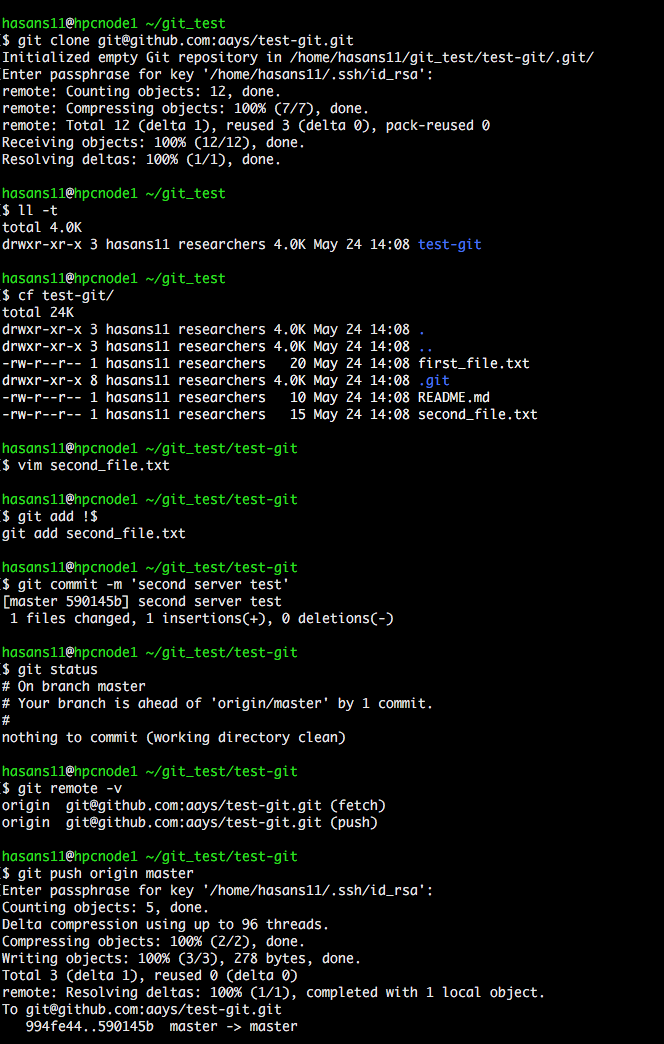
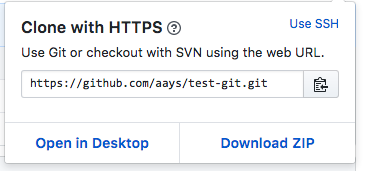
The only thing to note here is that when using `git clone`, make sure to use your SSH key, not an HTTPS link. On a given repo, when you select 'Clone or download', an HTTPS link is shown by default:
If you click on the 'Use SSH' link on the top right, you should see a slightly different link:
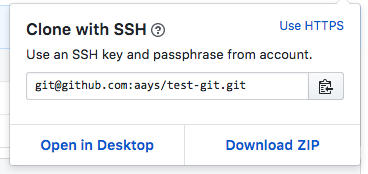
Copy this link to your clipboard instead and use it to `git clone` your repo onto the server. Doing so will prompt you for your GitHub password, as will pushing and pulling from this repo from here on out - while a bit inconvenient, it's a necessary part of the added security that SSH brings.
Enjoy!
 [5BBC95A1-73B1-4595-8925-5B9EFBC62BC3.png](attachments/24773736/24773732.png)
(image/png)
[41BB53C0-CBFE-47B1-9AF8-003FEF4A0088.png](attachments/24773736/24773733.png)
(image/png)
[C531CB7B-E0BF-427D-8C4C-395D78C9D46D.png](attachments/24773736/24773734.png)
(image/png)
[7E6A3225-C8BE-4E36-B794-02497CEBEC08.png](attachments/24773736/24773735.png)
(image/png)
[5BBC95A1-73B1-4595-8925-5B9EFBC62BC3.png](attachments/24773736/24773732.png)
(image/png)
[41BB53C0-CBFE-47B1-9AF8-003FEF4A0088.png](attachments/24773736/24773733.png)
(image/png)
[C531CB7B-E0BF-427D-8C4C-395D78C9D46D.png](attachments/24773736/24773734.png)
(image/png)
[7E6A3225-C8BE-4E36-B794-02497CEBEC08.png](attachments/24773736/24773735.png)
(image/png)
Document generated by Confluence on May 22, 2024 11:44