Bounty Board
Some jobs aren't chores. Nobody washes the car every Tuesday, but when it needs doing you'd happily pay for it. Post it as a bounty: a one-off job with a fixed number of points that any eligible child can claim. The first to claim it gets it, finishes it, and it goes through your normal approval queue.
New in v6.0.0
- You post a bounty — "Wash the car — 50 points" — from the Bounties page in the TaskMate panel.
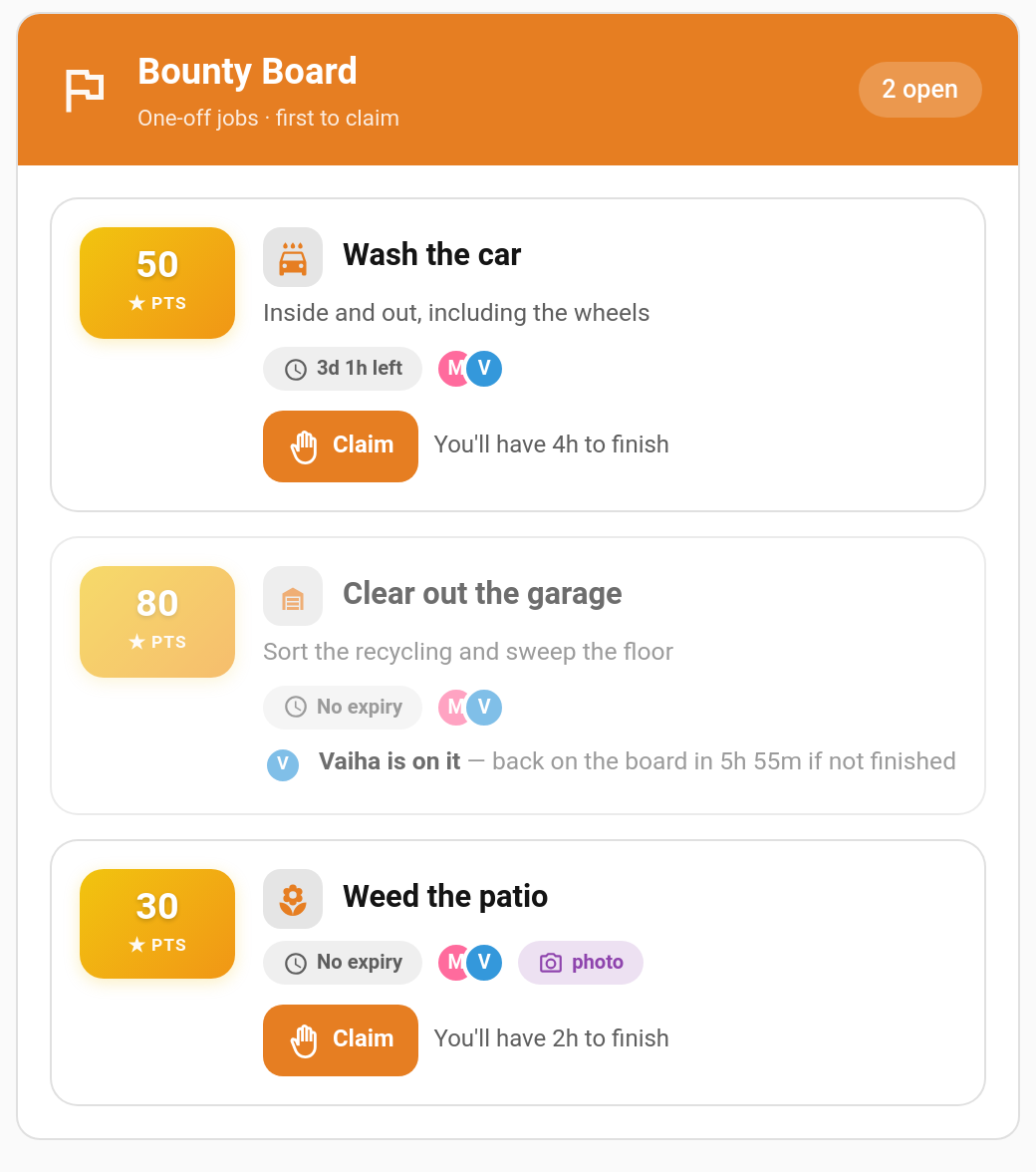
- A child claims it. It is now locked to them for the claim time (2 hours by default). Their siblings see "Vaiha is on it" with the time left.
- They finish and tap Done. The job lands in your approval queue like any chore completion, with a photo if you asked for one.
- You approve, and the points are paid.
If the claim runs out before the child taps Done, the bounty goes back on the board for anyone to claim. A bounty nobody claims closes when it expires.
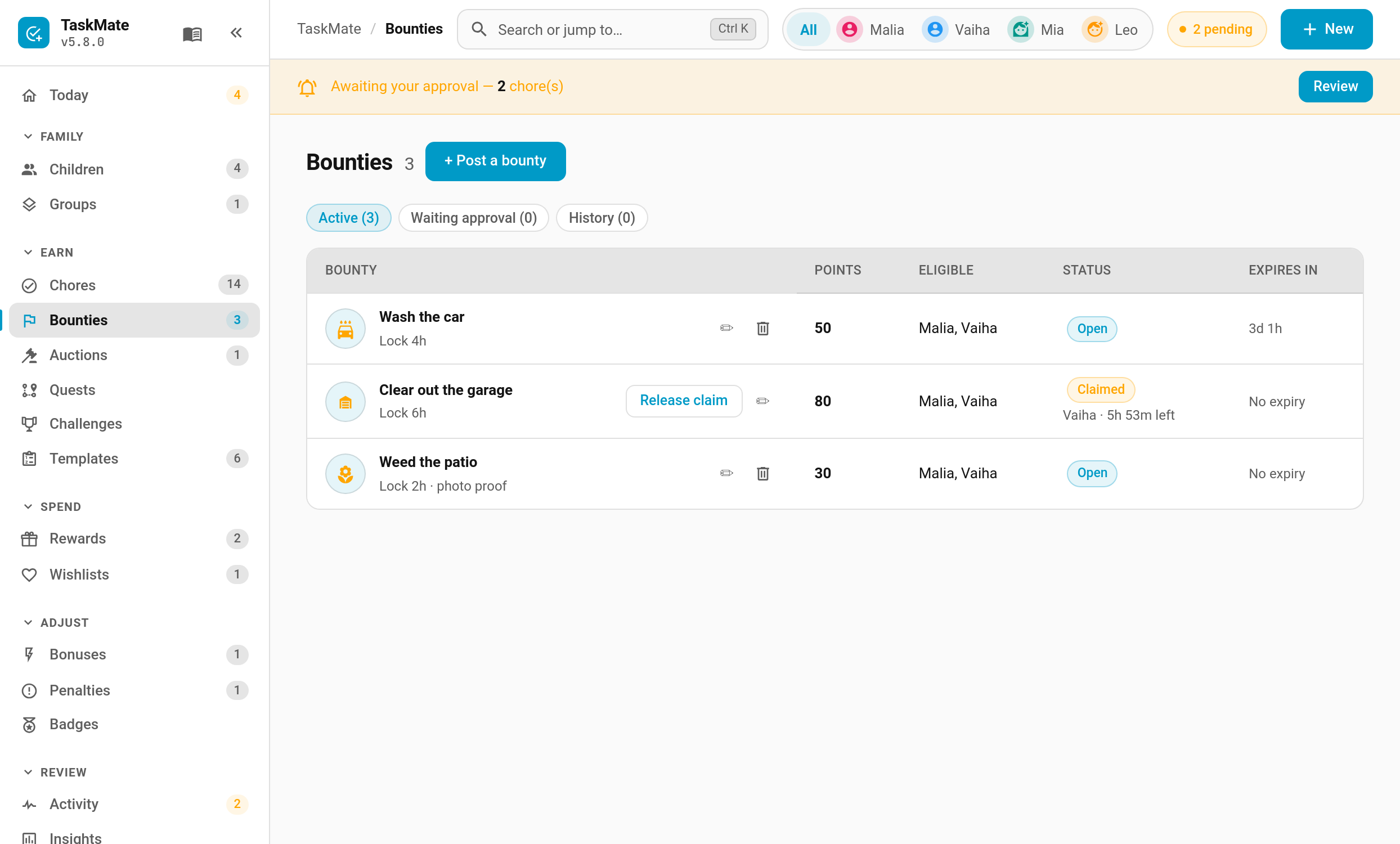
TaskMate panel → Bounties → + Post a bounty (or New → Bounty, or New bounty under Quick actions on the Today page)
| Field | Default | Description |
|---|---|---|
| Title | — | What the job is, e.g. "Clear out the garage" |
| Description | — | Optional detail: what "done" looks like |
| Points | — | What it pays. Quick picks are offered |
| Icon | — | Any MDI icon |
| Claim lock | 2 hours | How long a child has to finish once they claim it (1–48 hours). Never runs past the expiry |
| Expires | never | Quick picks or a date. An unclaimed bounty closes at this time |
| Who can claim | everyone | Limit it to particular children |
| Photo proof | off | The child must attach a photo when they finish |
| Notify eligible children | off | Sends the Bounty posted notification |
The page has three tabs: Active, Waiting approval and History. From Active you can edit a bounty, remove it, or Release claim to hand a claimed bounty back to the board.
- One claim at a time. A child can only hold one bounty at once, so nobody hoards the good ones.
- Rejecting gives it back to the same child with a fresh claim lock, even if the bounty has since expired. They have work to redo, so it stays theirs.
- Claims that run out return to the board. There's no cool-down; the same child can claim it again.
- Editing. While a bounty is open you can change anything. Once it's claimed, only the points and expiry can change. Raising the points while it waits for approval changes what the approval pays.
- Removing. A bounty can't be removed while a finished job is waiting for your approval. Approve or reject it first.
- Children who can't claim don't see it. A bounty limited to one child doesn't appear on the other children's cards.
- It counts like a chore. An approved bounty counts toward streaks, badges, challenges and recaps.
Each child gets their own view of the board. The card shows:
- Open bounties they can claim, with points, expiry, who else can claim it and a Claim button
- Their claimed bounty, with a countdown bar and Done / Give back buttons
- Bounties a sibling is on, greyed out with the time left on the claim
- Jobs waiting for approval, with an undo while the child undo window allows
- Recently completed bounties from the last 24 hours
type: custom:taskmate-bounty-card
entity: sensor.taskmate_overview
child_id: b803da068e6a4b21| Option | Type | Default | Description |
|---|---|---|---|
entity |
string | required | The TaskMate overview sensor |
child_id |
string | required | Whose board this is. Find IDs in the panel with Show IDs switched on |
title |
string | Bounty Board |
Card header title |
card_design |
string | global default |
classic, playroom, console, cleanpro, accessible or graphite
|
header_color |
string | #e67e22 |
Header banner colour |
Both are off until you switch them on under Notifications:
| Type | Sent to | When |
|---|---|---|
| Bounty posted | Eligible children | You post a bounty with Notify eligible children on |
| Claim about to lapse | The child holding the claim | 15 minutes before their claim runs out |
| Service | Who | Description |
|---|---|---|
taskmate.post_bounty |
Parent | Post a bounty. title and points are required; description, icon, expires_at, eligible_child_ids, claim_hours, require_photo and notify_children are optional |
taskmate.update_bounty |
Parent | Change a bounty by bounty_id, same fields as above |
taskmate.remove_bounty |
Parent | Remove a bounty |
taskmate.claim_bounty |
Child | Claim a bounty (bounty_id, child_id) |
taskmate.give_back_bounty |
Child | Hand a claim back to the board |
taskmate.complete_bounty |
Child | Mark it done. photo_url is required when the bounty asks for photo proof |
The new sensor.taskmate_bounties sensor's state is the number of open bounties.
Every step fires a taskmate_bounty_* event you can automate on: posted, updated, removed, claimed, given_back, claim_lapsed, completed, approved, rejected, released, withdrawn and expired.
| Bounty | Points | Claim lock |
|---|---|---|
| Wash the car | 50 | 4 hours |
| Clear out the garage | 80 | 6 hours |
| Weed the patio (photo proof) | 30 | 2 hours |
| Help carry the shopping in | 10 | 1 hour |
- Chore Auctions — the other way to shift a job nobody wants
- Chores — regular, recurring jobs
- Photo Proof — how evidence photos work
- Managing Rewards — the approval queue
- Automations — every TaskMate bus event