Quality Ratings
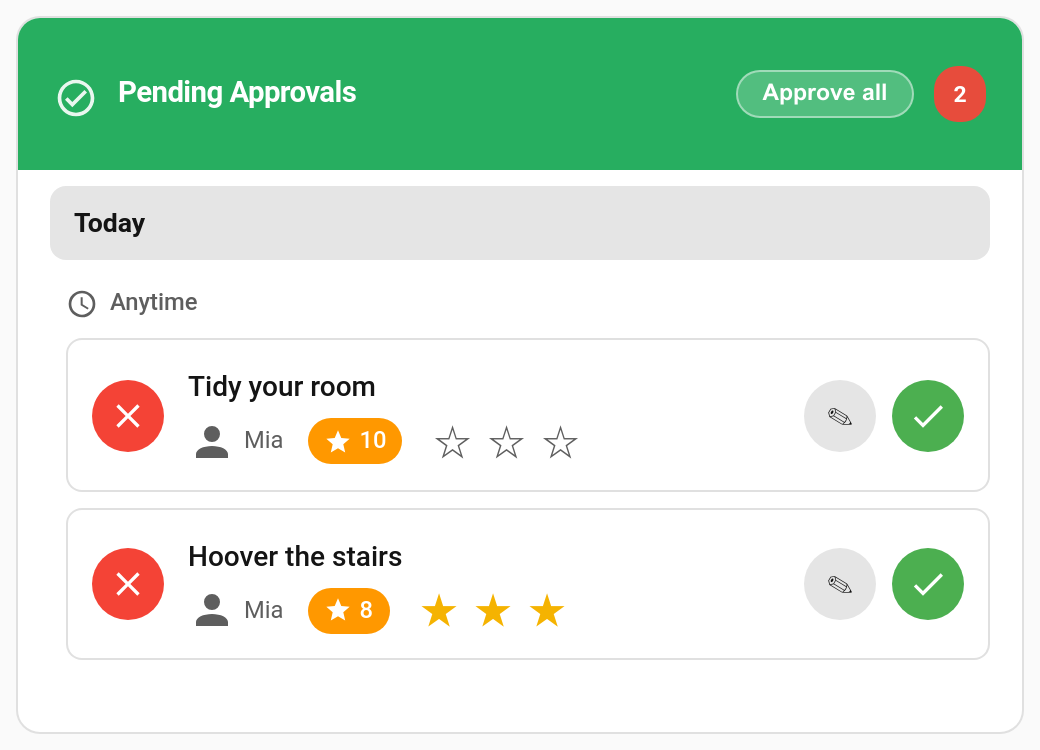
Not every "done" is equal. A bedroom that's genuinely spotless deserves more than one where everything was shoved under the bed. With quality ratings on, you give each approved chore 1 to 3 stars, and the points scale with the rating.
New in v6.0.0
When you approve a chore, pick a rating first:
| Rating | Pays (default) |
|---|---|
| ★ | 75% of the points |
| ★★ | 100% of the points |
| ★★★ | 125% of the points |
| No rating | 100%, the same as before |
Picking a star is only a selection. Tap Approve to pay it. Tap the same star again to clear it.
Because an unrated approval pays 100%, turning the feature on changes nothing until you actually pick a star.
TaskMate panel → Settings → History & streaks
| Setting | Default | Description |
|---|---|---|
| Quality ratings | Off | Show the star picker when approving chores. |
| Star multipliers |
0.75 / 1.0 / 1.25
|
What each rating pays, as a multiple of the chore's normal points. |
- Approvals card: a star picker on every pending chore, in every card design, and in the review sheet.
- TaskMate panel: the same picker in the approval queue.
- Phone approval notification: with ratings on, a chore approval push offers ★, ★★, ★★★ and Reject instead of Approve and Reject. Android shows three actions at most, so the ratings come first there.
Reward claims are never rated.
The rating scales the chore's base points, the amount the child was promised when they submitted it. Streak and weekend bonuses are then added on top as usual. The result is rounded to the nearest whole point.
Example: a 10-point chore rated ★★★ with the default multipliers pays 12.5, rounded to 13 before any streak or weekend bonus.
If you type a different number of points in the approvals card's review sheet, that exact number is paid and the rating is only recorded. Picking a star in the review sheet updates the points box first, so the number you confirm is always the rated one.
Undoing or rejecting a rated chore takes back exactly what the rating paid. Undo also clears the rating, so a re-approval is rated fresh.
- The Activity card shows the stars on rated completions.
- TaskMate panel → Insights → Quality shows the average rating overall, per child and per chore, with a breakdown of how many of each star were given. Unrated approvals are left out of the averages rather than counted as ★★. See Insights.
taskmate.approve_chore and taskmate.approve_all_chores take an optional rating from 1 to 3:
action: taskmate.approve_chore
data:
  completion_id: f5548687
  rating: 3
With quality ratings switched off, the rating field is ignored.
The taskmate_chore_approved event includes quality_rating when a rating was given.
- Explain the stars to your children first. "Three stars means I didn't have to check anything."
- Keep ★ for "done, but not properly". For "not done at all", reject it with a reason instead. See Reject Reasons.
-
Adjust the multipliers if 75% feels too harsh.
0.9/1.0/1.25keeps the incentive while softening the downside.
- Approvals Card — approving chores from a dashboard
- Reject Reasons — telling a child why a chore was sent back
- Insights — the Quality view
- Points Economy — how points are calculated