Teamwork Chores
Some jobs are meant to be done together: washing the car, clearing the garden, carrying the shopping in. A teamwork chore only counts once a set number of children have joined it. Each child taps to join, and when the team is full, everyone gets the credit at once.
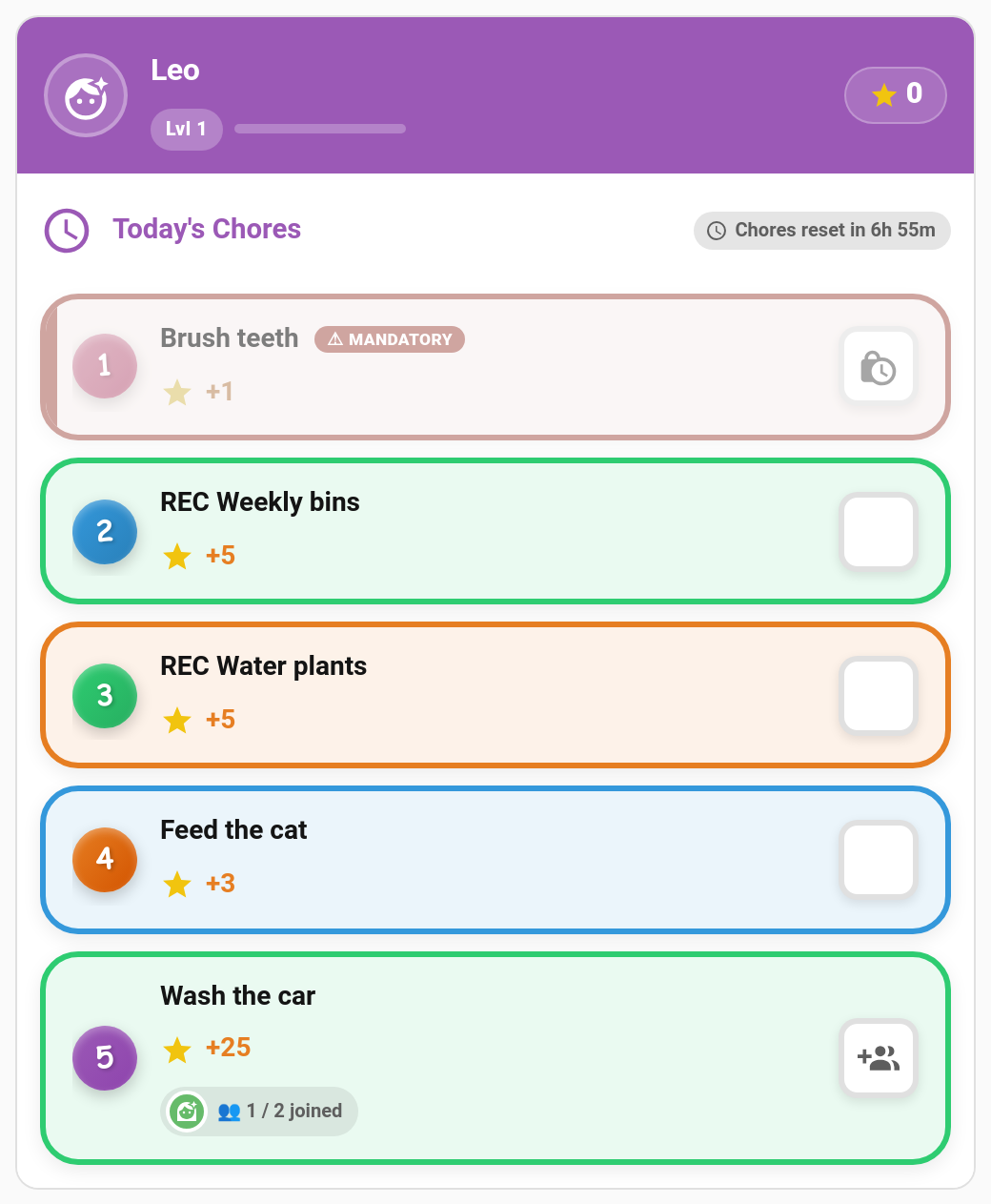
New in v6.0.0
Mia taps Join (1 / 2 joined) → Leo taps Join → team full → both get a completion
- Each child's tap joins the team. A join on its own records nothing and pays nothing.
- The tap that fills the team records a completion for every member together.
- Those completions follow the chore's normal approval setting. If it needs approval, they all land in the approval queue together.
- If a parent completes it on a child's behalf and that fills the team, it's approved straight away, as with any chore completed by a parent.
TaskMate panel → Chores → edit a chore → More options → Teamwork (optional)
| Field | Default | Description |
|---|---|---|
| Team size (0 = off) | 0 |
How many different children must join, from 2 to 10. 0 makes it an ordinary chore. |
| Team points | Everyone gets the full points | Everyone gets the full points, or Split the points evenly (rounded down). |
| Team bonus (per child) | 0 |
Extra points for each member when the team completes it. |
Teamwork chores show a Team of N pill in the chore list.
A 20-point chore with a team of 2 and a team bonus of 5:
| Team points | Each child gets |
|---|---|
| Everyone gets the full points | 20 + 5 = 25 |
| Split evenly | 10 + 5 = 15 |
The child card quotes each child their own share, so the number they see is the number they'll get. Rewards are unaffected: reward costs are always fixed.
A teamwork chore shows how the team is filling up, for example 1 / 2 joined, with the avatars of the children who have joined. Once a child has joined, it also says You're in.
| Button | What it does |
|---|---|
| Join | Adds the child to today's team. |
| Leave | Takes them back out, as long as the team isn't full yet. |
A join that doesn't fill the team doesn't play the "done" celebration. That happens when the team completes it. This works in every card design and in pre-reader mode.
On the kiosk card, a child who has joined sees "Waiting for your team".
Joins belong to today's occurrence of the chore. A half-formed team resets at midnight, so nobody is left waiting from yesterday. Editing the chore never clears today's joins.
A teamwork chore has to use the normal everyone assignment, where every assigned child sees the chore and can join. So it can't also be:
- First-come or any rotation mode (alternating, random, balanced). Those give the chore to one child, so a team could never form.
- Open-ended
- A timed task
The chore editor, the WebSocket API and the add_chore service all refuse these combinations.
Photo proof still works: each child's join goes through the usual checks, including the photo.
taskmate.add_chore accepts team_size, team_points_mode (each or split) and team_bonus.
A child can leave a team with taskmate.leave_team_chore:
| Field | Required | Description |
|---|---|---|
chore_id |
Yes | The teamwork chore |
child_id |
Yes | The child leaving |
| Event | When |
|---|---|
taskmate_team_chore_joined |
A child joins a team that isn't full yet |
taskmate_team_chore_completed |
The team fills and completions are recorded |
The usual taskmate_chore_completed event also fires once for each member.
- Washing the car: two children, split the points, add a team bonus
- Garden clear-up: three children, everyone gets the full points
- Unloading the shopping: a quick team of two
- Tidying the playroom that everyone made a mess of
- Chores — creating and configuring chores
- Chore Scheduling — assignment and rotation modes
- Family Goals — a shared points target for the whole family