Kiosk Mode
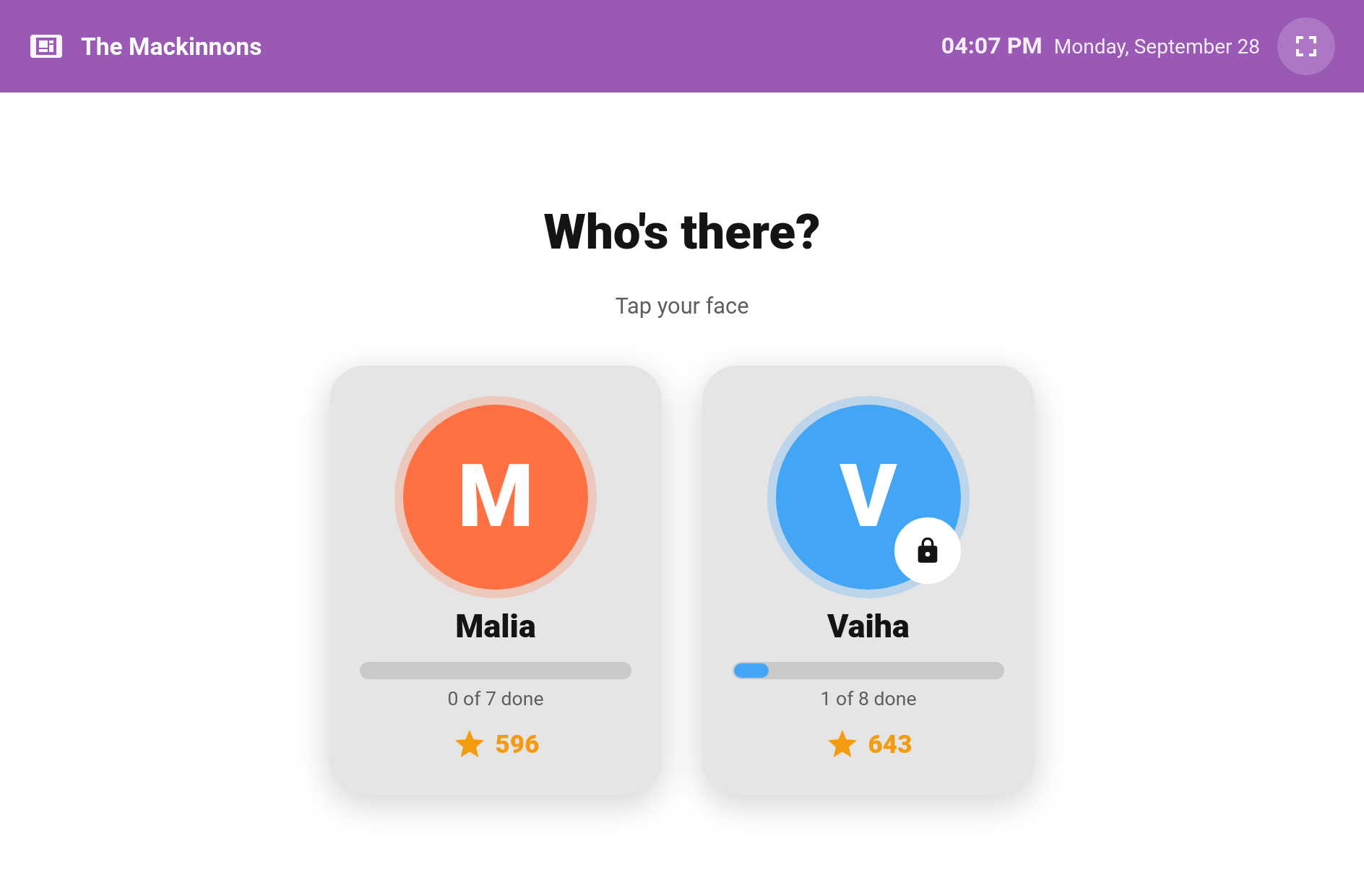
Turn a spare tablet on the kitchen wall into the family's chore station. The Kiosk card shows a picker of your children's faces. A child taps theirs, types a 4-digit PIN if they have one, and sees only their own chores for today with big Done buttons, their points, streak and progress towards the next reward. After a spell without a tap, it goes back to the picker, ready for the next child.
New in v6.0.0
- Pick a face. The picker shows each child with today's progress ("3 of 6 done") and their points. A padlock marks a child who needs a PIN.
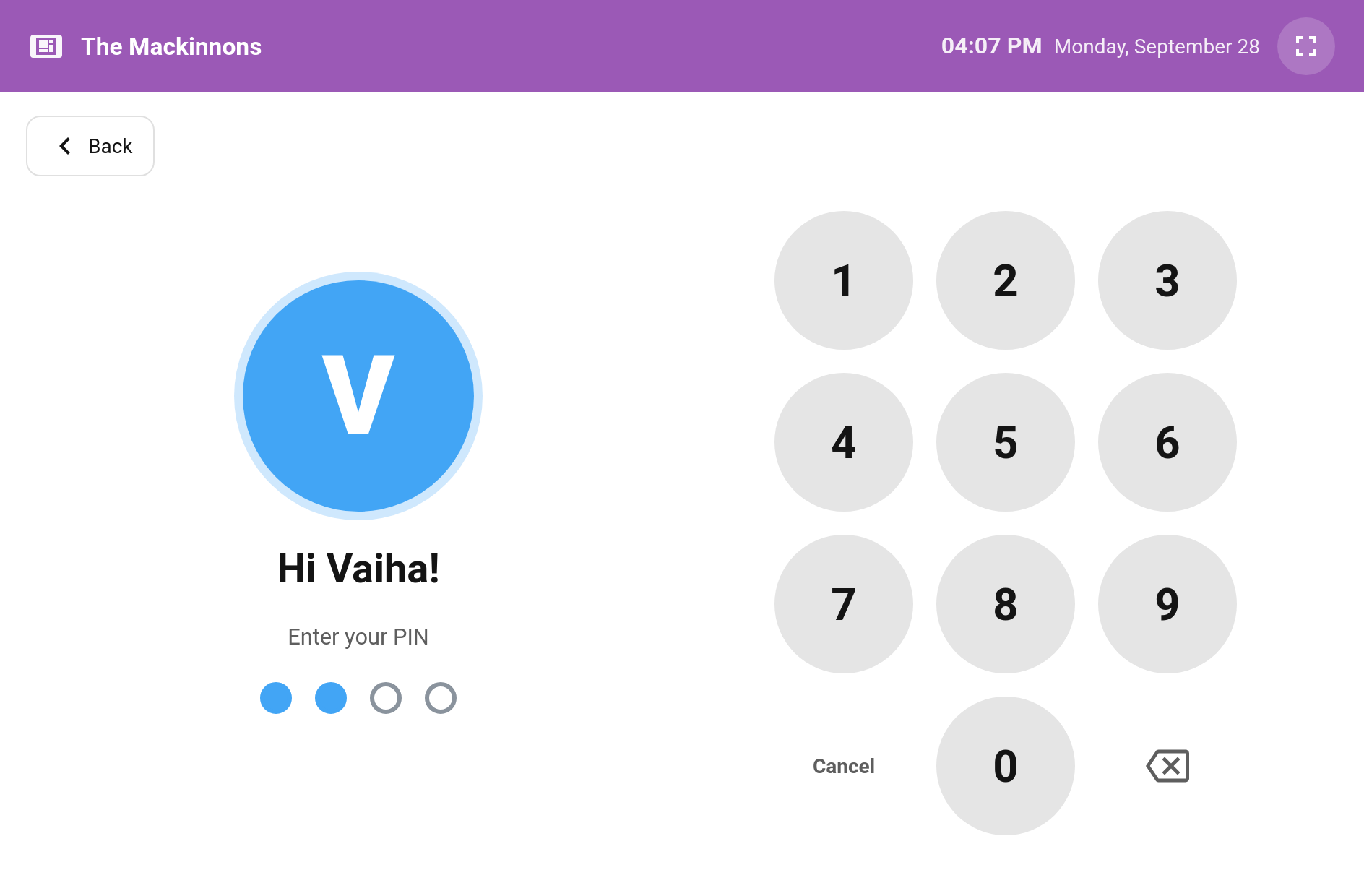
- Enter the PIN (only if one is set). The pad submits on the 4th digit. A wrong PIN shakes and asks them to try again.
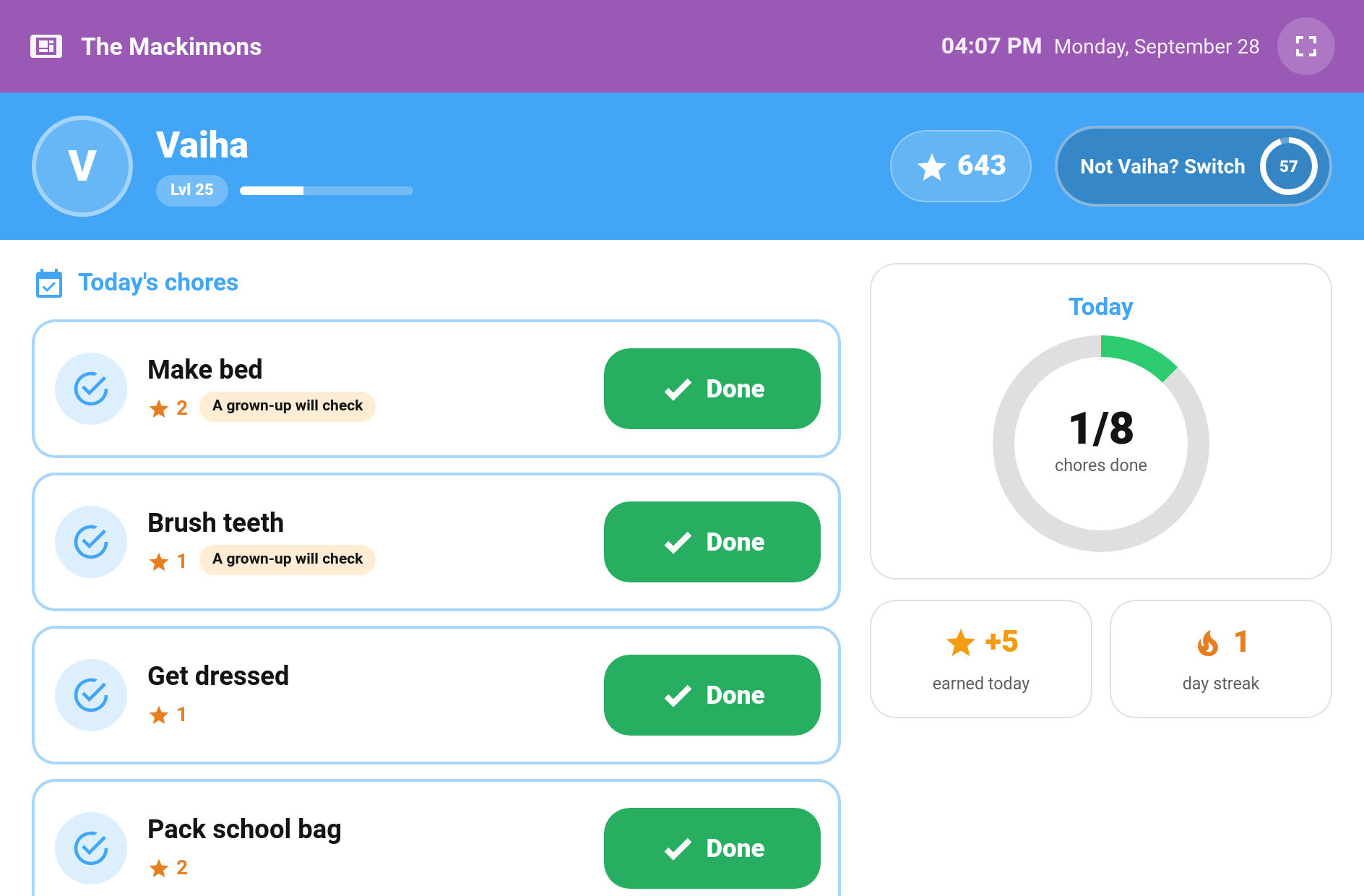
- Tick things off. The child sees today's chores with a large Done button each, a done/total ring, stars earned today, their streak, and how close they are to the cheapest reward they can't afford yet.
- Back to the picker. After the idle timeout (60 seconds by default), straight after the "all done" celebration, or when someone taps Switch in the child's header ("Not Mia? Switch").
For the last 10 seconds before it returns, a full-screen Still there? countdown gives the child a chance to carry on. Leaving the dashboard also locks the kiosk again.
Edit dashboard → + Add Card → Custom: TaskMate Kiosk Card
type: custom:taskmate-kiosk-card
entity: sensor.taskmate_overview
title: The Mackinnons
timeout: 90
children:
  - child_id: b803da068e6a4b21
    require_pin: false
  - child_id: 8e16ad66b23f404e
    require_pin: true
The card works best in a Panel view, so it fills the screen. The full-screen button in its top bar hides the browser's own chrome. To also hide Home Assistant's sidebar and header on the tablet, pair it with the kiosk-mode plugin from HACS.
| Option | Type | Default | Description |
|---|---|---|---|
entity |
string | sensor.taskmate_overview |
The TaskMate overview sensor |
title |
string | TaskMate |
Shown in the top bar, e.g. your family name |
card_design |
string | global default |
classic, playroom, console, cleanpro, accessible or graphite. See Card Design Styles
|
header_color |
string | #9b59b6 |
Colour of the top bar |
timeout |
number | 60 |
Seconds without a tap before it returns to the picker (15–600) |
warn_before_return |
boolean | true |
Show the full-screen "Still there?" countdown for the last 10 seconds |
show_points |
boolean | true |
Points and level in the child's view |
show_streak |
boolean | true |
Streak in the child's view |
show_reward_progress |
boolean | true |
Progress towards the next reward |
show_picker_progress |
boolean | true |
"3 of 6 done" under each face on the picker |
children |
list | all children | Which children appear on the picker, in order. Each entry is child_id plus an optional require_pin (default true) |
Leave children out and every child is shown (guest profiles excepted), with a PIN asked for wherever one is set. The visual editor lists each child with a tick box to show or hide them, up/down arrows to set the order, and a Require PIN switch. That switch is greyed out ("No PIN set — goes straight in") until you give the child a PIN.
TaskMate panel → Children → edit a child → Kiosk PIN

Type four digits and save. Leave the field blank to keep the current PIN, or turn on Remove the kiosk PIN to clear it.
- PINs never go in the card's YAML. They are stored hashed on the server, so they can't be read back, not even by you. If a child forgets theirs, just set a new one.
- Five wrong tries lock the pad. The first lock lasts 30 seconds and each one after doubles, up to 15 minutes. A correct PIN clears the count.
- A PIN only decides which sibling is holding the tablet. It is not a permission and unlocks nothing else.
The kiosk is for children. There is no option to add any of these:
- No parent controls. No approve or reject, no completing on a child's behalf, no points adjustments, no settings.
- No reward claiming. Children see how close they are, but claim on their own device or ask a grown-up.
Some chores need more than a tap, so they are shown greyed out under Do these on your phone:
| Chore type | Why |
|---|---|
| Photo proof | Needs a camera |
| Timed tasks | Needs a running timer |
| Open-ended chores | Needs a description |
These don't count against "all done", so a child with one of them still gets the celebration.
Chores that need approval show A grown-up will check and change to Waiting for a grown-up once ticked. A teamwork chore shows Waiting for your team after the child joins. If the child undo window is switched on, a child can take back a mistaken tap from the kiosk too.
Ticking a chore from the kiosk goes through exactly the same checks as ticking it anywhere else, using the tablet's Home Assistant account:
| Setup | What the kiosk can do |
|---|---|
| Children not linked to any account (the usual family set-up) | Tick chores for every child |
| A child linked to their own account | Can't tick that child's chores unless the tablet is signed in as an admin |
| Require a linked account per child switched on | Can only tick chores if the tablet's account is a TaskMate parent or an admin |
When the kiosk isn't allowed to act for a child, their face shows Ask a grown-up, and tapping it explains why. It never shows buttons that would fail. See Parent Access for linking accounts.
- Children — where kiosk PINs are set
- Routine Mode — a guided, one-chore-at-a-time view for a single child
- Card Design Styles — the six designs the kiosk follows
- Parent Access — linked accounts and parent permissions