Child Undo Window
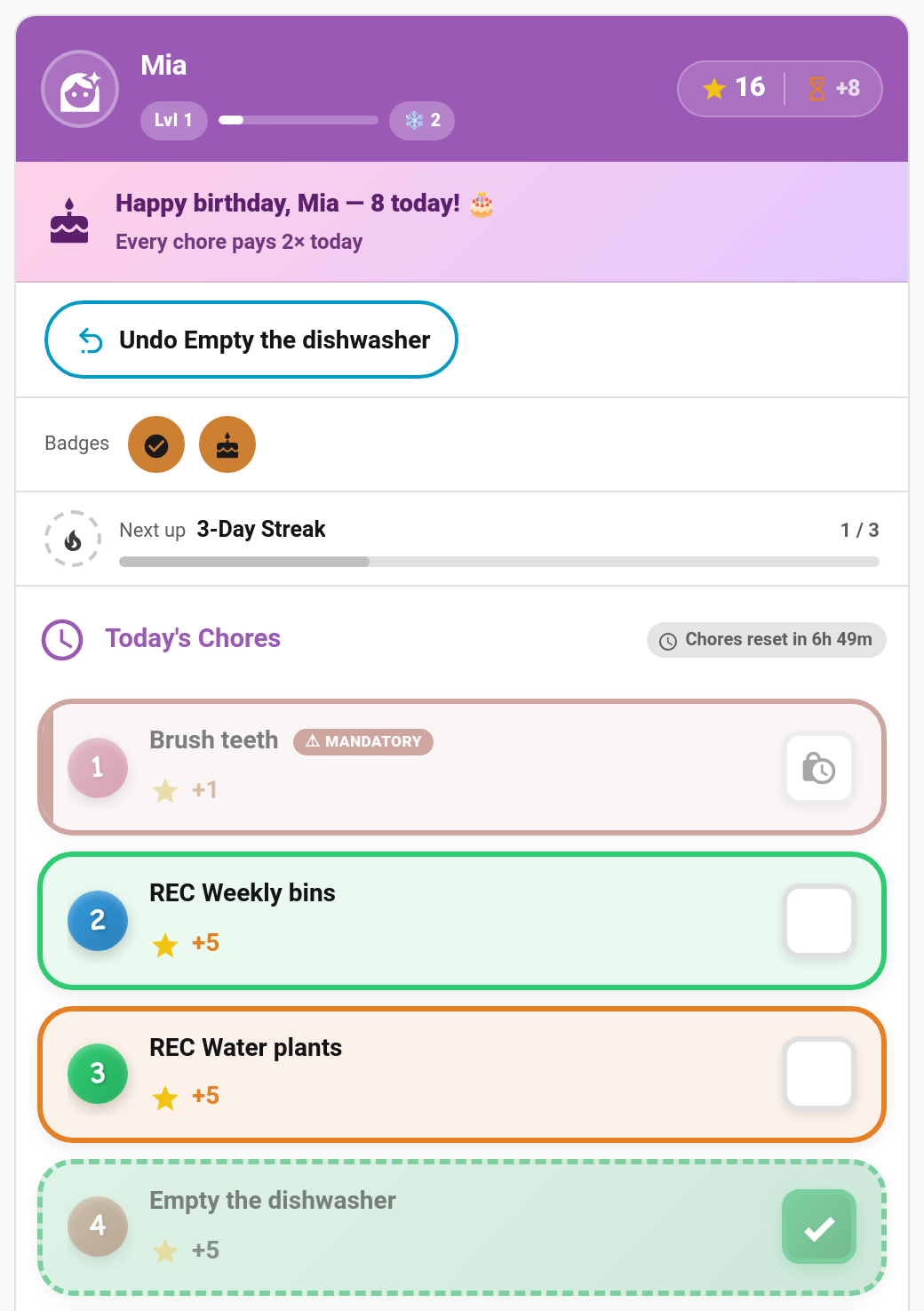
Children tap the wrong chore. Before, only a parent could undo it. With the child undo window switched on, a child can take back their own mistake: an Undo button appears on their card for a short while after they tick something off.
New in v6.0.0. Off by default.
TaskMate panel → Settings → Parents (no admin rights) → Child undo window (seconds)
| Setting | Default | Description |
|---|---|---|
| Child undo window (seconds) | 0 |
How long a child can undo an automatically approved chore, from 0 to 3600 (one hour). 0 turns child undo off. Only parents can undo. |
A value between 60 and 300 seconds covers most "oops, wrong one" taps.
| The chore is… | The child can undo it… |
|---|---|
| Waiting for approval | Any time until a parent reviews it. This withdraws the submission. |
| Approved automatically (the chore doesn't need approval) | Within the undo window, counted from when they ticked it off. |
| Reviewed by a parent (approved, or its approval undone) | Never. Only a parent can undo it. |
Some completions always stay parent-only:
- Chores completed while the window was
0, including everything from before v6.0.0 - Chores a parent completed on the child's behalf
- Bonus ticks added from the admin panel
Turning the window on later doesn't open up older completions.
While a completion can be undone, the card shows an Undo chore name button near the top. It disappears on its own as soon as the window closes; the child doesn't need to refresh anything. Tapping the done chore itself (or its chip, or a done bonus sub-task) does the same thing.
Once the window has passed, tapping a done chore shows the usual "Only a parent can undo a completed chore." message instead.
This works in every card design, in pre-reader (picture) mode, and on the routine card, where a step you've just finished shows Undo while the window allows it.
Parents tapping a done chore still reject it as before.
A child's undo reverses the completion completely: the points, the chore count, the streak and the leaderboard score all go back to how they were. Bonus sub-tasks completed on that chore are undone with it.
The new taskmate.undo_chore service works out the child from the completion itself, not from the caller. Then it applies the usual linked-account rule for that child:
- A child can't undo a sibling's chore.
- With Require a linked account per child switched on, only the child's own Home Assistant user (or an admin) can undo it.
- The window applies to everyone using this route, admins included. Parents keep their own undo and reject buttons for anything outside the window.
action: taskmate.undo_chore
data:
completion_id: f5548687| Field | Required | Description |
|---|---|---|
completion_id |
Yes | The completion to undo |
A child's undo fires taskmate_chore_undone rather than taskmate_chore_rejected, so your automations can tell the two apart.
- Parent Access — what parents and children can each do
- Approvals Card — how parents review and undo chores
- Reject Reasons — sending a chore back with an explanation
- Services — full service reference