Exploration and navigation
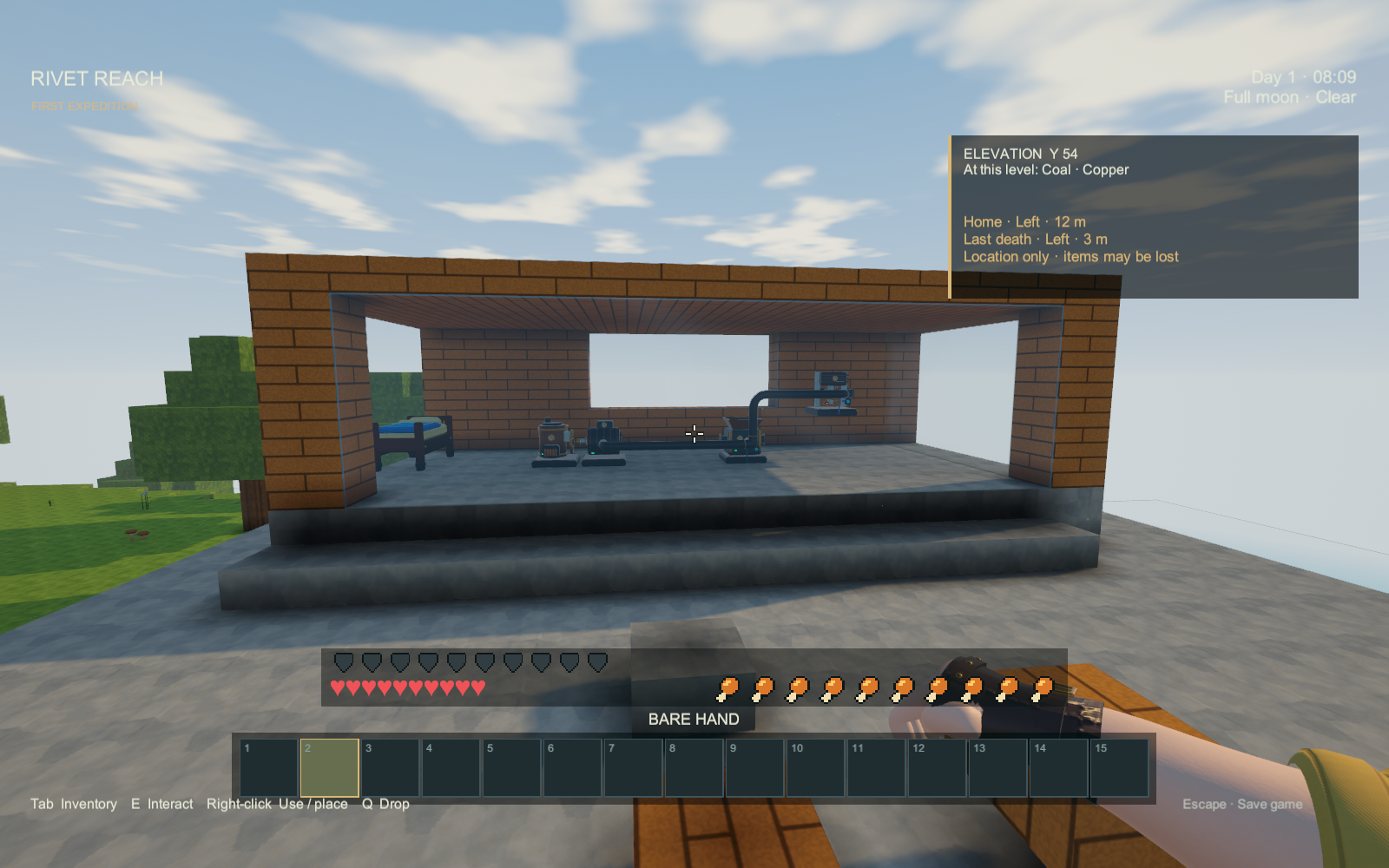
The play HUD shows your Elevation Y and which ores can occur at that height. Elevation is the world's vertical coordinate, not metres below the local surface. A matching band means ore is possible; it does not reveal nearby deposits.
Open an ore's page in the item browser for its height range, richest height and minimum pickaxe tier. Point at an ore in the world to check whether your selected tool can mine it. “Ready” means the tool meets the requirement.

Use a placed Bed to bind Home. The HUD shows a relative direction, horizontal distance and vertical difference when the target is at least three blocks above or below you. Turn until the direction reads Ahead. Here means you are close.
A Survival death records Last death, which remains after respawning and saving/loading. This marks the location only: it cannot guarantee your dropped items survived. A later death replaces it. Choose Escape → Clear death marker when you no longer need it.
Home follows the identity of your bound bed. Removing that bed invalidates the destination; another bed placed in the same position does not silently become home. Old saves start without a death marker. The aid does not load distant terrain or reveal mines.
Actual Windows player captures, October 2, 2026. The focused fixture uses a real bed interaction and Survival death.