Machine setup feedback
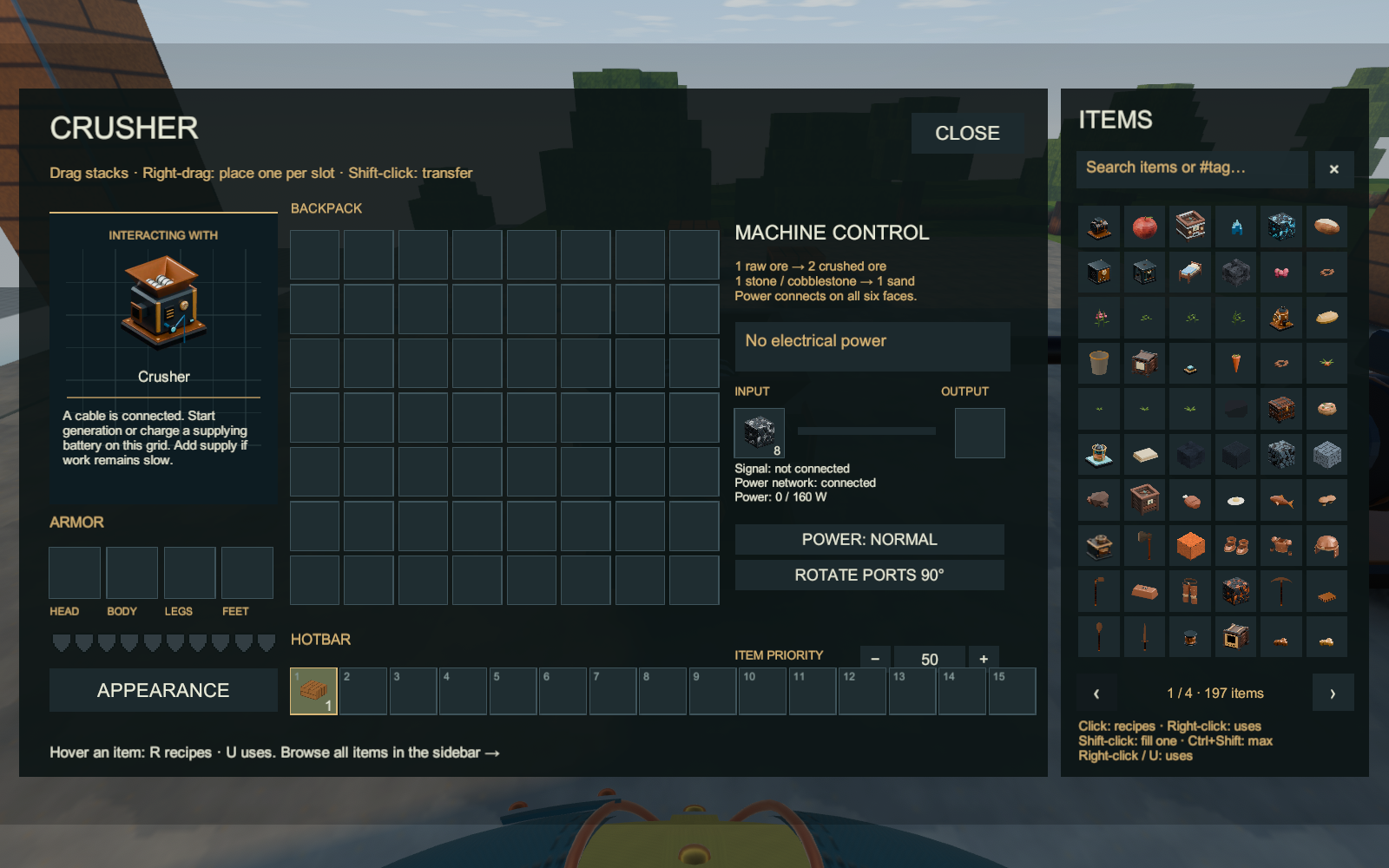
Open a machine with Use or your bound Interact action. The left panel pairs its illustration with setup advice that follows its current state. It explains likely next steps while the existing input, output, power and signal readouts show the exact operating state.
An unconnected machine asks for a cable or fitted power connection. A connected cable with no supply asks you to connect a working generator or a discharging battery. Low power asks for more supply or less shared demand. A full output asks for room or an output pipe. If Blue Signal disables the machine, switch the signal on or remove that control.
For item and fluid pipes, a selected Wrench cycles the machine-facing end through blue Input, red Output, and No connection. A machine output needs a red end; its destination needs a blue end. Electricity and Blue Signal remain separate connections.
The Boiler guide identifies its rear fuel inlet, water requirement and right-side shaft. Place an aligned Alternator beside that shaft and connect its electrical cable to your consumers. The Alternator reports a missing, misaligned or inactive Boiler.

The ordinary Pump draws source water directly below it and needs no electricity. A Ranged Liquid Pump searches for compatible liquid sources in its reach. Their feedback also calls out a full buffer or signal stop. A Drill needs a mineable deposit below it; extraction is finite.
Actual Windows player captures, October 2, 2026. The supplied fixture first checks a connected but unpowered Crusher, then runs a Boiler/Alternator supply to produce crushed output.
Pipes and wrench · Electricity and batteries · Machine interfaces · Home