Repository navigation
Mod Portal
Also on the Cuebot Docs site.
The mod portal lets your moderators help with your stream from anywhere: from their phone or their browser, without being at your computer. You decide what each mod may do. They might run actions, change chat commands, set up sound alerts, or more.
Coming in a later update: Signing in is not finished yet, so mods cannot join yet. You can already open the portal and set up roles and invites on the Mod portal page, so everything is ready when it arrives.
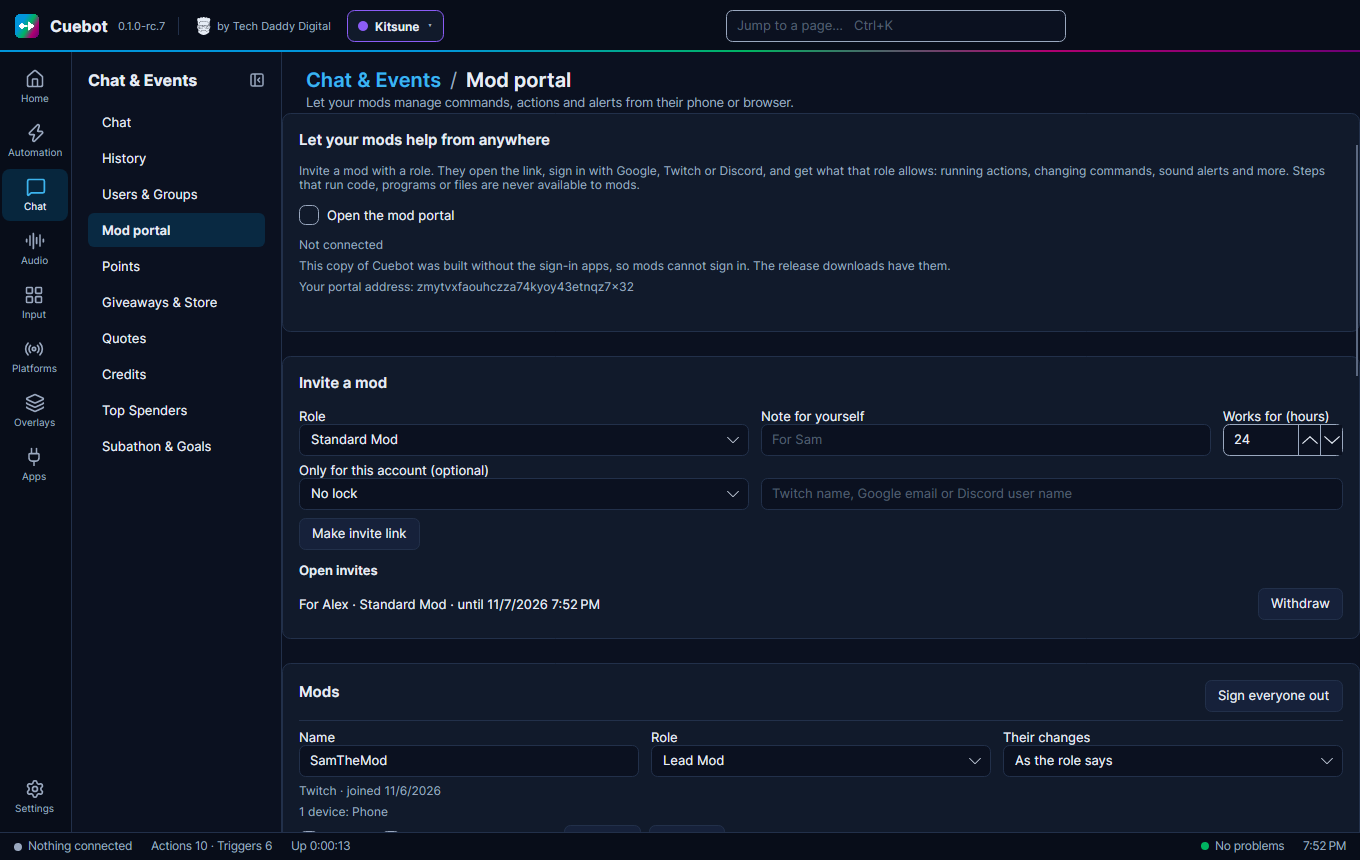
- You tick Open the mod portal. Cuebot stays connected to the portal relay while it runs.
- You make an invite on Chat & Events > Mod portal and choose a role for it.
- You send the link to your mod privately.
- The mod opens it and signs in with Google, Twitch or Discord. They get the role you chose.
- From then on, they sign in with that same account. The link is used up.
You can change a mod's role, pause them or remove them at any time. A change applies at once.
Cuebot starts with three roles. You can rename them, change them, or add your own with + Role.
| Standard Mod | Lead Mod | Tech Lead | |
|---|---|---|---|
| Highest level | 1 | 3 | 4 |
| Commands | Create, change | Create, change, delete | Create, change, delete |
| Actions | Run | Create, change, delete | Create, change, delete |
| Their changes | Need your approval | Live, and you get a notice | Live |
The level decides which steps a mod may add or change:
| Level | Steps |
|---|---|
| 1 Basic | Chat messages, sounds, alerts, text-to-speech, delays, If and other logic |
| 2 Stream control | Scenes and sources, audio levels, raids, ads, polls, timeouts |
| 3 Show-critical | Going live or ending the stream, bans, title and category |
| 4 Trusted tech | Variables, web requests, decks, MIDI, devices and other apps |
Never, for anyone: steps that run code (C# or Python), run programs, or read and write files. Mods cannot add them. They also cannot change an action that already has one, or a command that starts one. And whatever a mod changes can never reach those steps, not even through a variable: such a step refuses to run with what a mod set.
A role can also be limited to some groups of actions and commands, like "Mod tools".
- Live: the change applies at once.
- Live and tell me: it applies at once, and you get a notice.
- Needs approval: it waits under Waiting for your approval until you approve or reject it. A change nobody answers expires after 7 days.
Every role has one of these. You can set a different one for a single mod under Their changes.
Under Recent changes by mods, Undo puts back what was there before. If it changed again since, Cuebot asks you to press Undo once more to be sure.
- An invite works once, for the hours you choose (24 by default, at most 30 days).
- Only for this account locks it to one Twitch name or Google email, so a leaked link is useless to anyone else.
- Withdraw stops an open invite at once.
- A mod who lost their account: remove them and send a new invite.
The connection between your mods and your Cuebot is encrypted end to end. The portal service in between only
passes it along and stores nothing about you or your mods. Your mods' details stay on your computer, in
portal.json.