Repository navigation
Moving from Streamer bot
Also on the Cuebot Docs site.
Cuebot works the way Streamer.bot does: actions, sub-actions, triggers, %arguments%, ~globals~ and queues. You
can bring your Streamer.bot actions across. Text-to-speech is built in, so you do not need Speaker.bot either.
Note: Cuebot is its own project, written from scratch. It is not made by the Streamer.bot team.
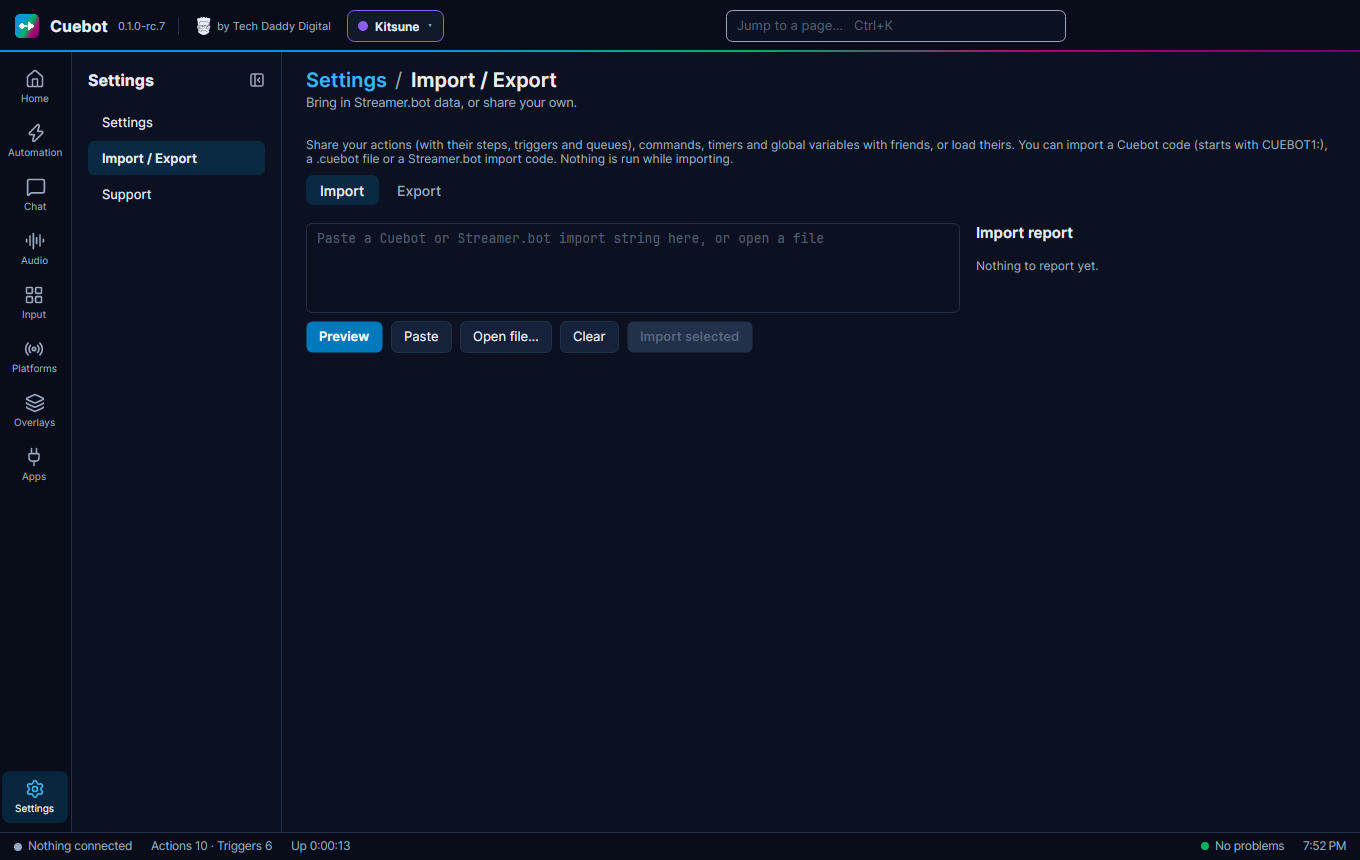
- In Streamer.bot, right-click the actions you want, choose Export, and copy the export text.
- In Cuebot, go to Settings > Import / Export, tab Import.
- Paste the text into the big box (or click Paste). You can also load a file with Open file….
- Click Preview. Nothing runs while you import.
- Tick what you want and click Import selected.
Imports bring actions (with their sub-actions, triggers and queues), commands, timers and global variables.
After an import, the Import report has three lists:
- Converted: brought across and ready.
- Kept as disabled placeholders: things Cuebot does not have yet. They are kept, switched off, with all their settings, so nothing is lost.
- Please check: things that may not fit your new setup, like a file path that only exists on your old computer.
- Sign in again. Streamer.bot sign-ins do not come across. Sign in on each page under Platforms (see Connecting your platforms).
- Connect OBS on Apps > Stream apps (see Stream apps and devices).
- Test your most important actions with Test trigger….
- The same variable signs:
%user%,%input0%,~myGlobal~and functions like$math()$. See Variables. -
Run C# code (Streamer.bot's "Execute C# Code") runs your C# code, with Streamer.bot's
CPHmethods. Almost all of them work. - Cuebot's WebSocket server (Streamer.bot API) on Apps > Servers speaks Streamer.bot's language, so overlays and tools made for Streamer.bot keep working. Turn it on there first.
- The start options
/headlessand/resetwindowwork (see Command-line options).
- Cuebot runs on Linux as well as Windows.
- Every action can also be seen and edited as a flowchart.
- Commands are made on Automation > Commands and linked with the Command triggered trigger (see Chat commands).
- Cloud backups go to your own Google Drive (see Backups and your data).
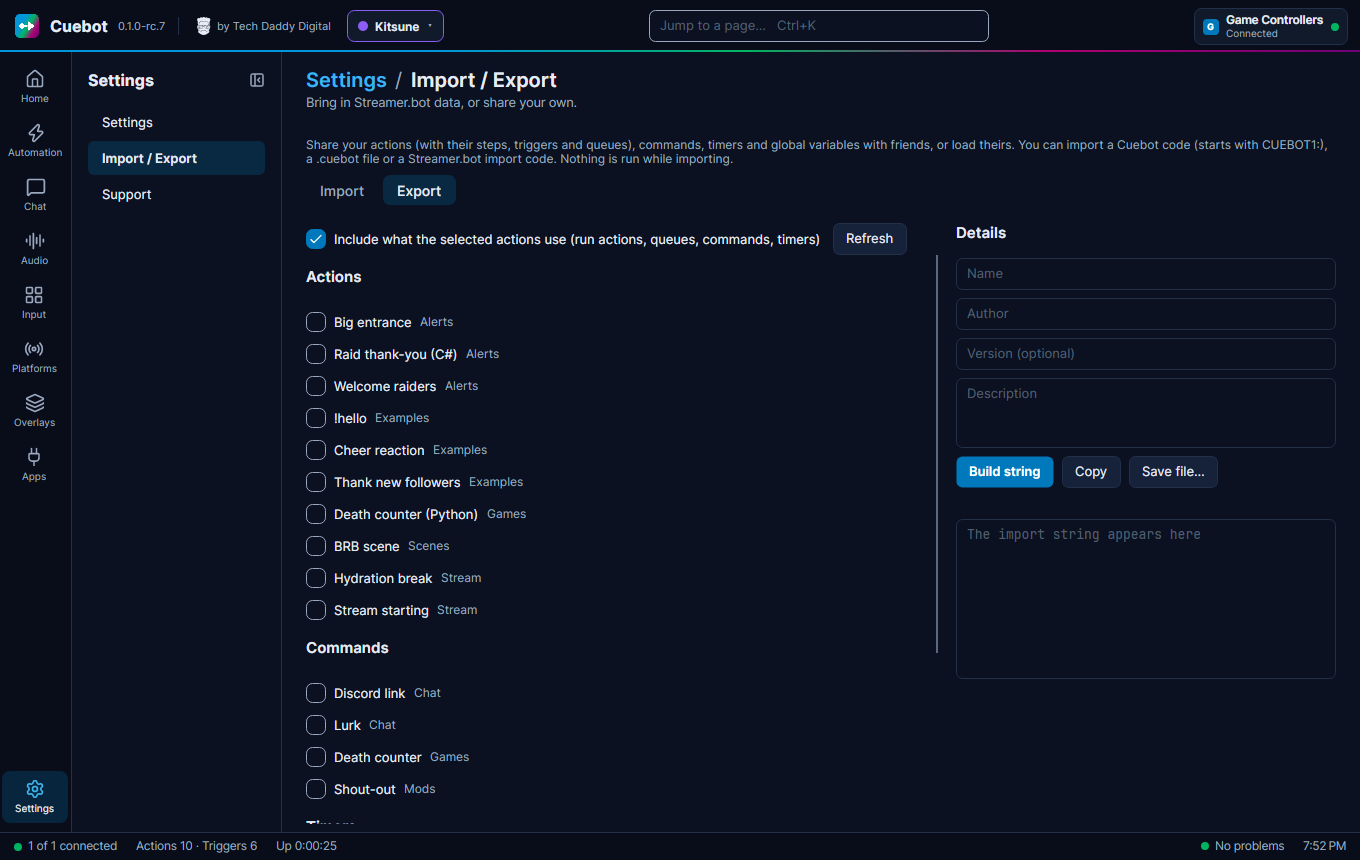
Settings > Import / Export, tab Export: tick the actions, commands, timers and global variables you want, and
click Build string. You get a code that starts with CUEBOT1:. Click Copy to share it, or Save file… for a
.cuebot file. Tick Include what the selected actions use so your friend gets everything they need.