Repository navigation
Investment journal
"Records → Investment journal". Write down why you bought and why you sold, to look back on later. Each account has its own, not split by securities account (you see everything whichever account is chosen at the top right).
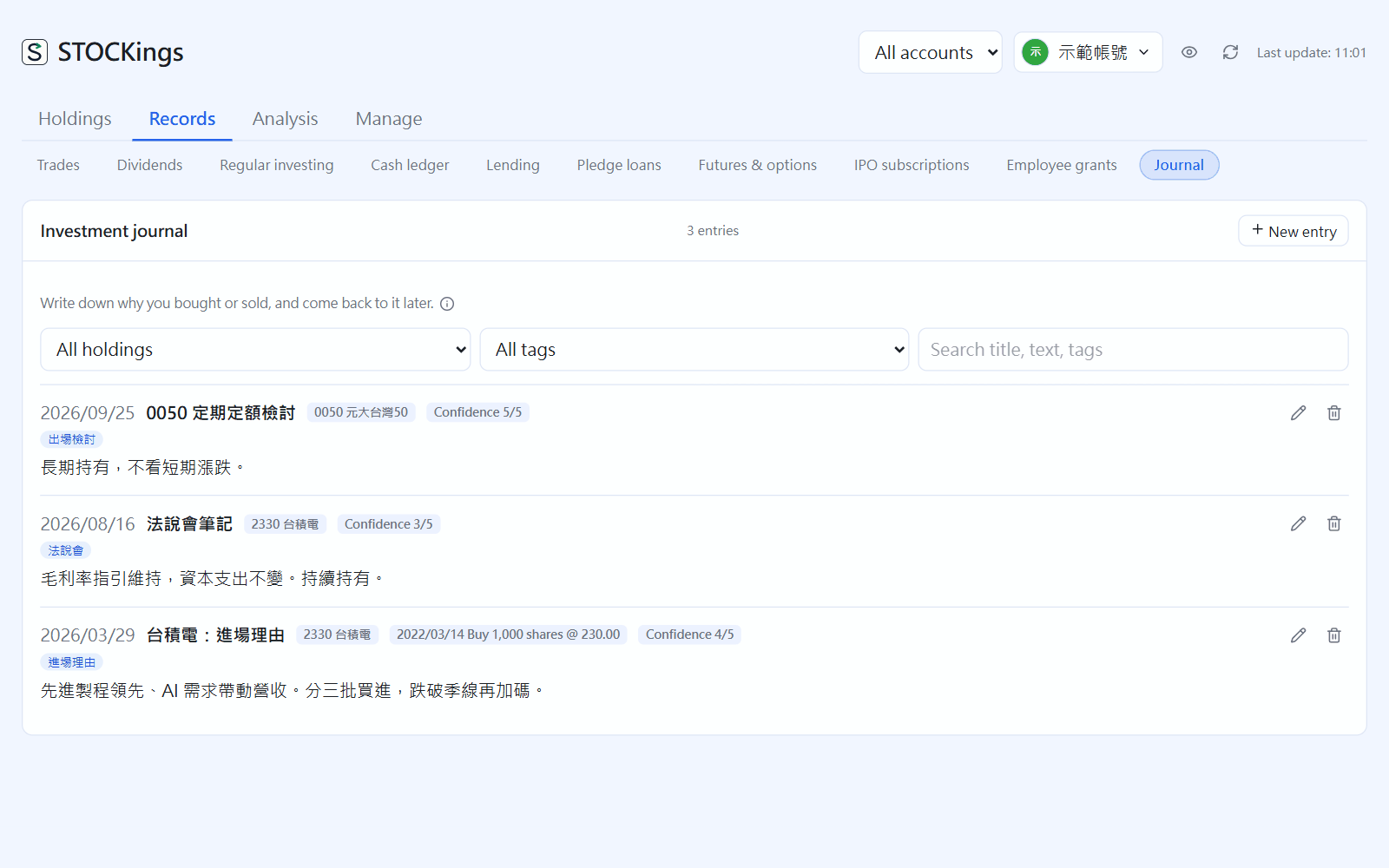
Investment journal: filter by instrument or tag, or search, at the top(click the image to enlarge)
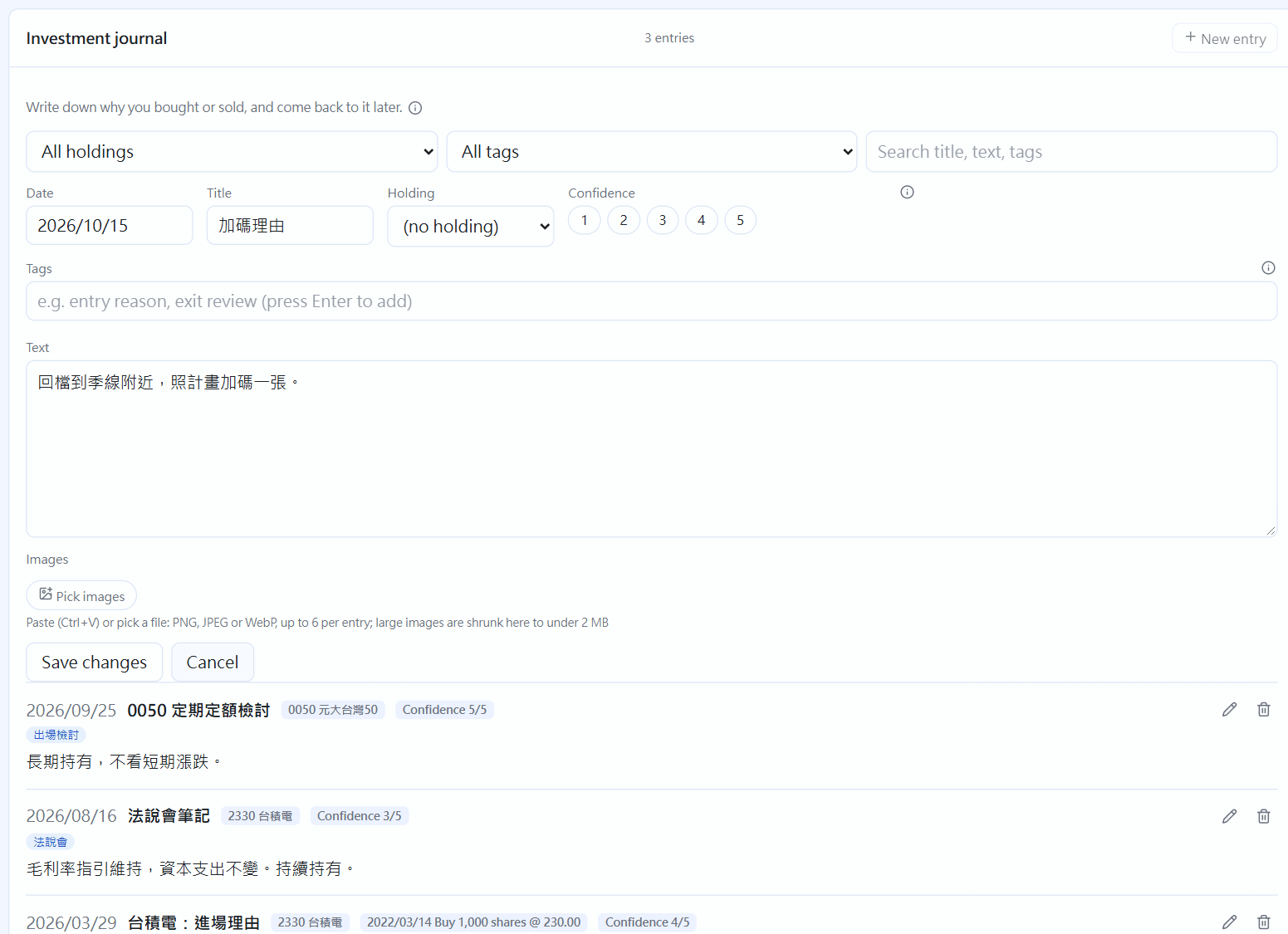
Writing an entry(click the image to enlarge)
- Write one: click "New entry", enter the date (default today), a title (may be empty) and the body; you can link it to one instrument
- Tags: the journal's own categories (for example "Entry reason" or "Exit review"); press Enter to add one, and ones used before are suggested; they are separate from the Instruments tags
- Confidence: your confidence or mood at the time, 1 lowest and 5 highest, optional; clicking the same number again clears it
- Pictures: paste (Ctrl+V, for example a chart you just captured) or click "Pick images"; PNG, JPEG and WebP all work, up to 6 per entry. Each is limited to 2 MB, and larger ones (for example phone photos) are first shrunk on this computer and then saved; click a thumbnail to see it large, click again to close
- Find: filter by instrument or tag at the top, or type to search titles, bodies, tags and symbols
Writing a note from a trade: at the far right of each trade in "Trades" there is "Write a note" (a pen icon), which opens an entry linked to that trade with the instrument and date filled in; a trade you have written about shows the icon in the accent colour, and clicking again edits the latest entry. An entry linked to a trade takes its instrument from that trade; click the icon beside the link to remove the link.
Seen elsewhere: "Stock detail" lists this instrument's entries at the bottom (you can write directly there too); the price chart in "Technical analysis" marks a dot on the day you wrote an entry, and when the mouse moves to that day the entry's title appears at the top (entries written on weekends or holidays are marked on the previous trading day).
Deleting a trade or instrument keeps the journal, which just no longer links to it. Deleting an entry does not touch trades. Exports (CSV, Excel) carry the journal's text, but pictures travel only with cloud backup (not in CSV or Excel); see "Import and export" and "Cloud backup".
← Watchlist | Contents | Futures and options →