Repository navigation
Pledge loans
Borrow from the broker with your holdings as collateral, and use the money for other things. Go to "Records → Pledge loans":
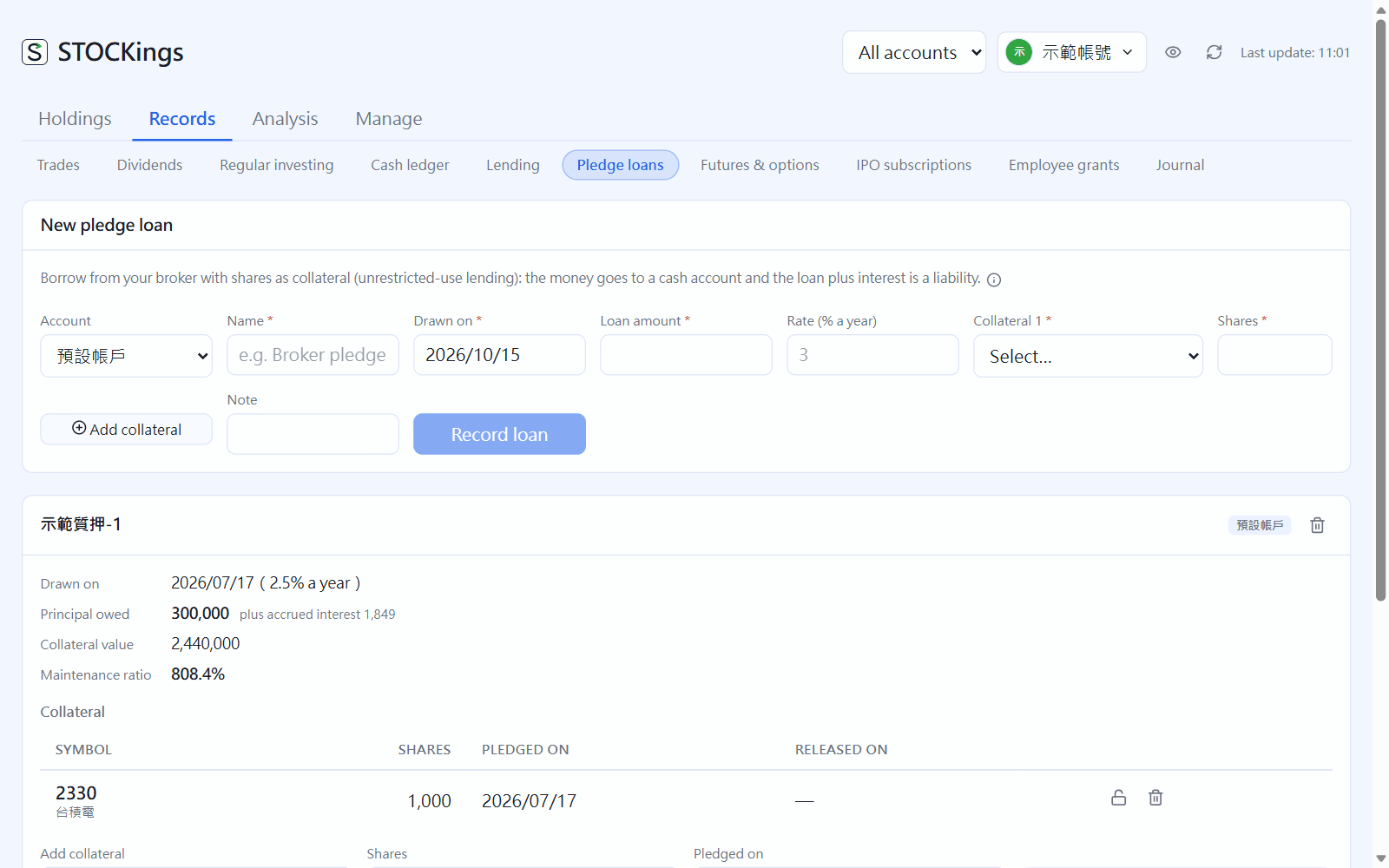
Pledge loans: each loan's principal outstanding, collateral value and maintenance ratio(click the image to enlarge)
- Add: a name (for example "Yuanta pledge-1"), the draw date, the loan amount and the annual rate, then choose the collateral stocks and shares (several allowed). Only Taiwan cash-account shares can be collateral — shares bought on margin, lent out or already pledged cannot be pledged again. The money goes into the securities account's settlement account (or the cash account you chose), and the cash ledger records a "Pledge loan" (not a deposit: borrowed money does not count as principal)
- Repay, pay interest, draw more: under each loan choose "Repay principal", "Pay interest" or "Draw" and enter the amount and date. When the principal is fully repaid the collateral is released automatically; a wrong entry can be deleted and the cash flow is deleted with it
- Add or release collateral: if the share price falls and the broker asks you to add, use "Add collateral"; release it with the lock button
- The loan (principal + accrued interest counted by days) is a liability: it is deducted from "Liabilities" on the summary cards, "Securities-backed loans" in the account overview and the asset trend
- The collateral stocks still count as assets (valued at market) and Positions marks "Pledged 1,000"; while pledged they cannot be sold, lent out or moved out
- Each loan's maintenance ratio = collateral value ÷ (principal + accrued interest); below the securities account's reminder line (default 130%) it warns you, and "Margin & short sales" on the "Dashboard" lists it too. For reference only; follow the broker's notices
← Regular investing and dividend reinvestment | Contents | Watchlist →