Home

Make your workspace yours. Nexus Theme is one Frappe app with three tools inside it. Install it once and every feature is ready; nothing needs to be switched on.
| Tool | Who it is for | What it does |
|---|---|---|
| Theme Studio | Everyone who uses the Desk | Pick one of 17 ready-made themes or build your own with a live preview, generate a theme from one brand colour, pair a light and a dark theme, share themes with the team, export and import themes as files. |
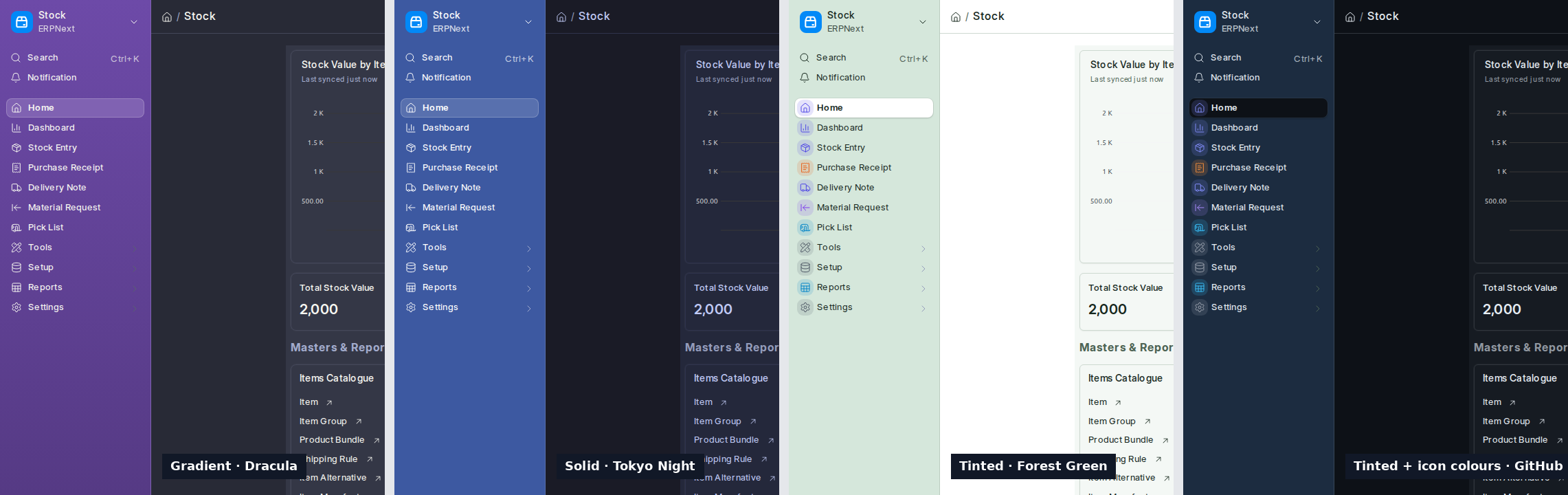
| Sidebar Skins | Everyone who uses the Desk | New in 2.1. Tinted, Solid or Gradient sidebars with an optional pattern and module icon colours, part of each theme. |
| Mini Rail | Everyone who uses the Desk | New in 2.1. Ctrl+Shift+B folds the sidebar to its icons; hover to peek. |
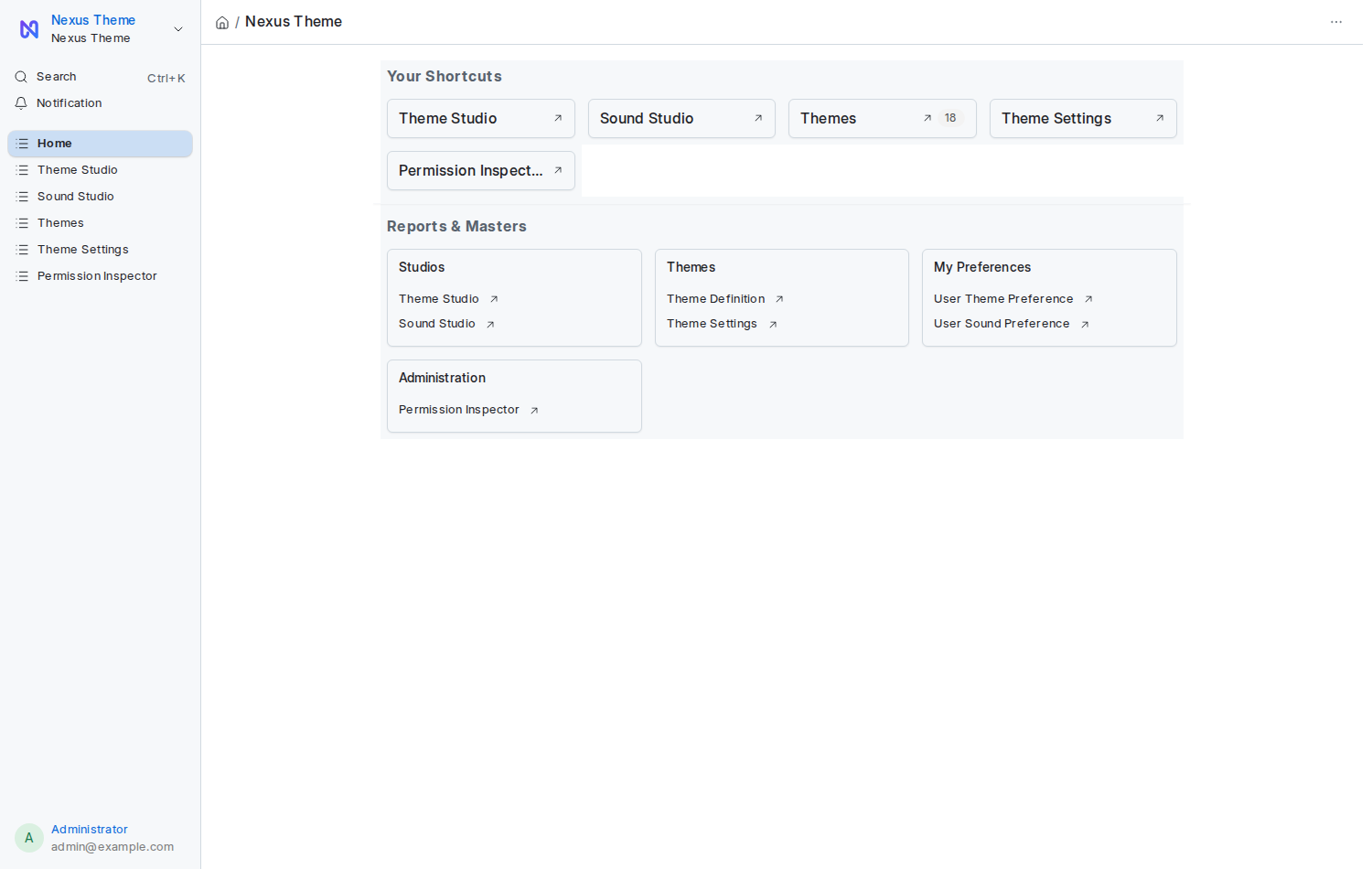
| Home Page | System Managers switch it on | New in 2.1. A landing page with a greeting, shortcuts and a tile for every workspace you can open. |
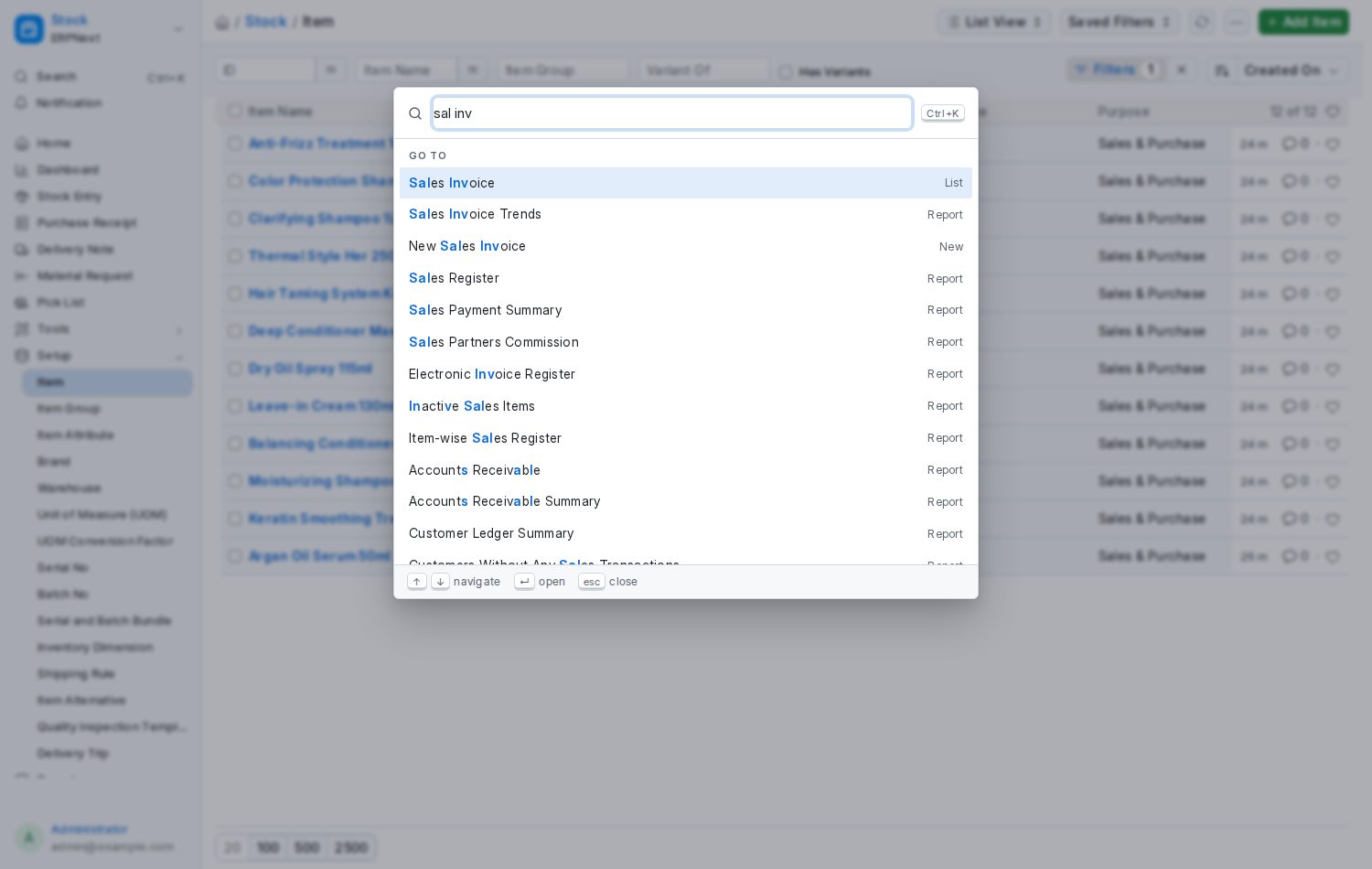
| Command Palette | Everyone who uses the Desk | New in 2.0. Ctrl+K / ⌘K. Type a few letters to go anywhere on the Desk, search documents, switch your theme or density, or open the studios. |
| Density | Everyone who uses the Desk | New in 2.0. Compact, Comfortable or Spacious spacing for rows, fields and buttons, chosen per person in Theme Studio. |
| Sound Studio | Everyone who uses the Desk | Choose the sound the Desk plays on login, save, submit, cancel, delete, errors, email, alerts and notifications. Use a bundled preset or upload your own, set the volume, or mute everything. |
| Permission Inspector | System Managers | Pick a person or a role and see, record type by record type, what they may View, Edit, Create, Delete, Submit and Cancel, which role gives them that, and change it safely from the same screen. |
| Theme Settings | System Managers | Site-wide controls: a default theme for everyone, an allowed list, whether people may build or share themes, the company logo and favicon, and a master switch for sounds. |
| Login Page | System Managers switch it on | A two-column sign-in screen in your theme's colours, with your logo, headline and points. Off by default. |
Everything is per user. Your theme and sounds are yours; nobody else sees them unless you share a theme on purpose.
Which version? There is one branch per framework: install version-16 on Frappe /
ERPNext 16 and version-15 on 15. See Installation for the exact
command.
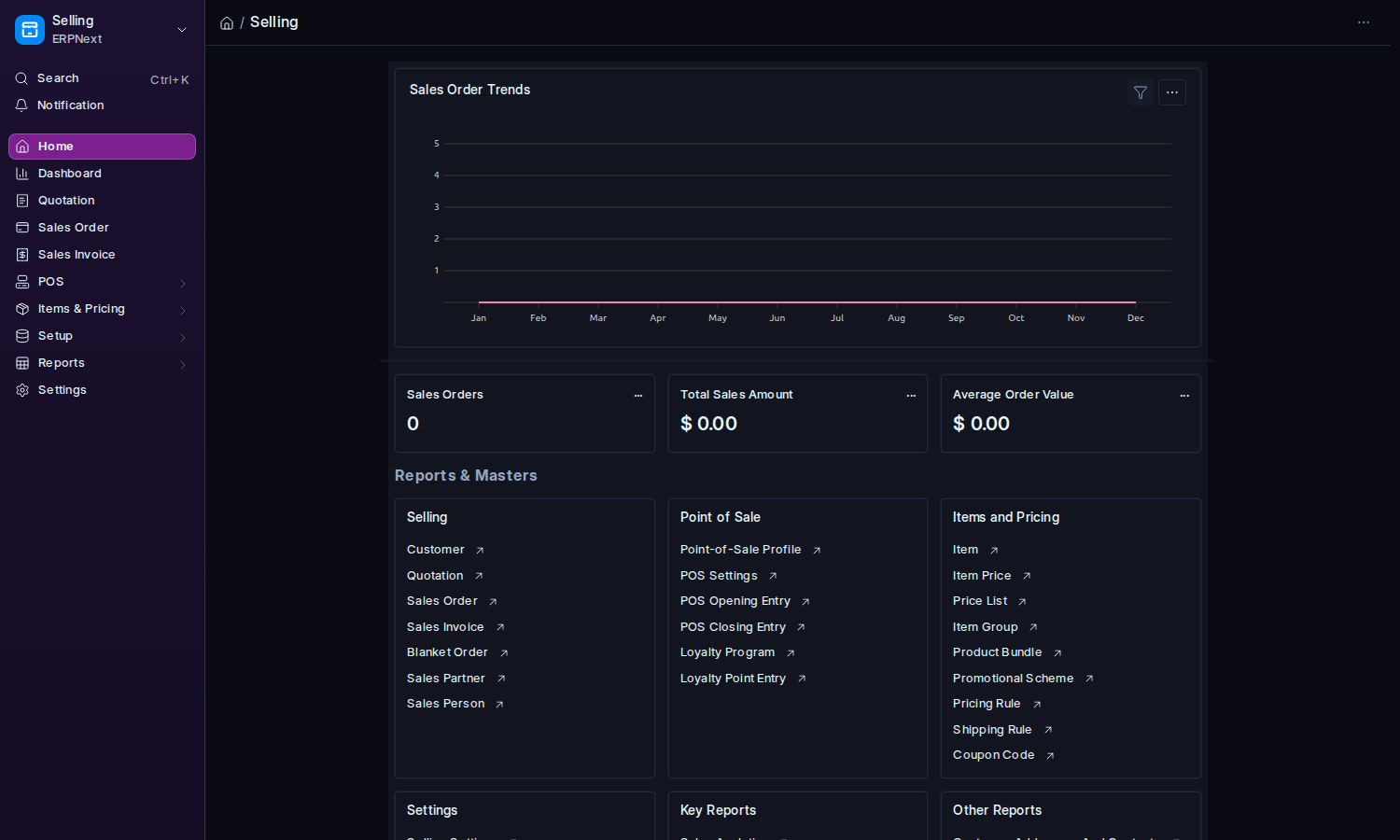
A theme repaints the whole Desk, not only the app's own screens. ERPNext's Selling workspace in Cyberpunk Neon:
New in 2.1: sidebar skins, the mini rail (Ctrl+Shift+B) and an optional home page.
New in 2.0: press Ctrl+K anywhere on the Desk.
- Installation: one command on your bench, or one click on Frappe Cloud.
- Getting Started: where everything is on the Desk and what to do in your first five minutes.
- Then pick the tool you need from the sidebar.
| Page | Read it when |
|---|---|
| Theme Studio | You want to change how the Desk looks |
| Sidebar Skins | You want a coloured sidebar |
| Mini Rail | You want the sidebar out of the way |
| Home Page | You want the Desk to open on a home page |
| Command Palette | You want to reach anything on the Desk from the keyboard |
| Density | You want more rows on the screen, or more air |
| Sound Studio | You want to change what the Desk sounds like |
| Permission Inspector | You need to know or change who can do what |
| Theme Settings | You administer the site: default theme, branding, allowed themes, sounds on or off |
| Login Page | You want your own sign-in screen |
| Recipes | You have a task in mind and want the exact clicks |
| FAQ and Troubleshooting | Something does not look right |
| How It Works | You are curious what happens under the hood |
| Developer Guide | You want to call the app's API, run its tests or extend it |
| Release Notes | You want to know what changed between versions |
- Frappe 16 or ERPNext 16. ERPNext is optional; the app runs on plain Frappe too.
- A MariaDB database with InnoDB.
- Any modern browser with audio support.
MIT licence for the code, every bundled theme and palette, the logo set and all synthesised sounds.
Source code: https://github.com/abbas0444/nexus_theme