Density
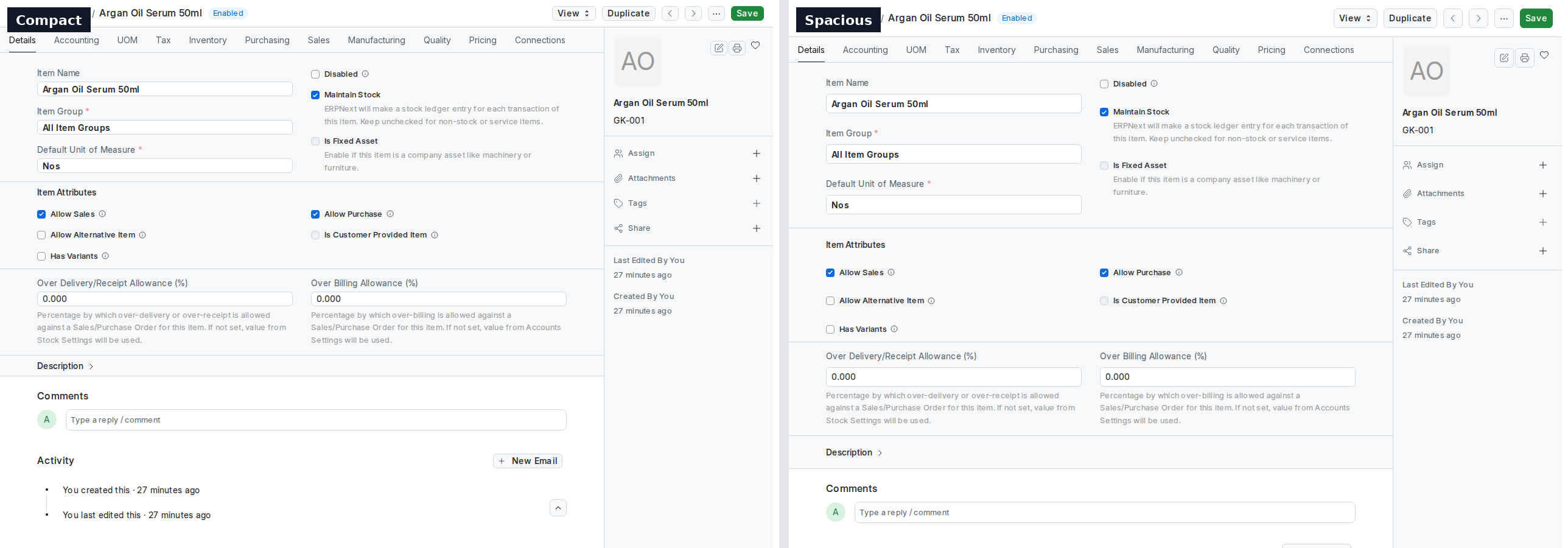
New in 2.0. How much vertical room the Desk gives everything — list rows, grid rows, form fields, buttons, inputs, sidebar items, dropdown entries. Three positions, and nothing else changes: no colours, no font sizes, no widths.
| Mode | For whom |
|---|---|
| Compact | People who live in lists and grids and want more rows on the screen. About a fifth less height everywhere. |
| Comfortable | Frappe's own spacing, exactly as it is today. The default. |
| Spacious | More air in forms, easier to read on a large screen or with a touch screen. About a fifth more. |
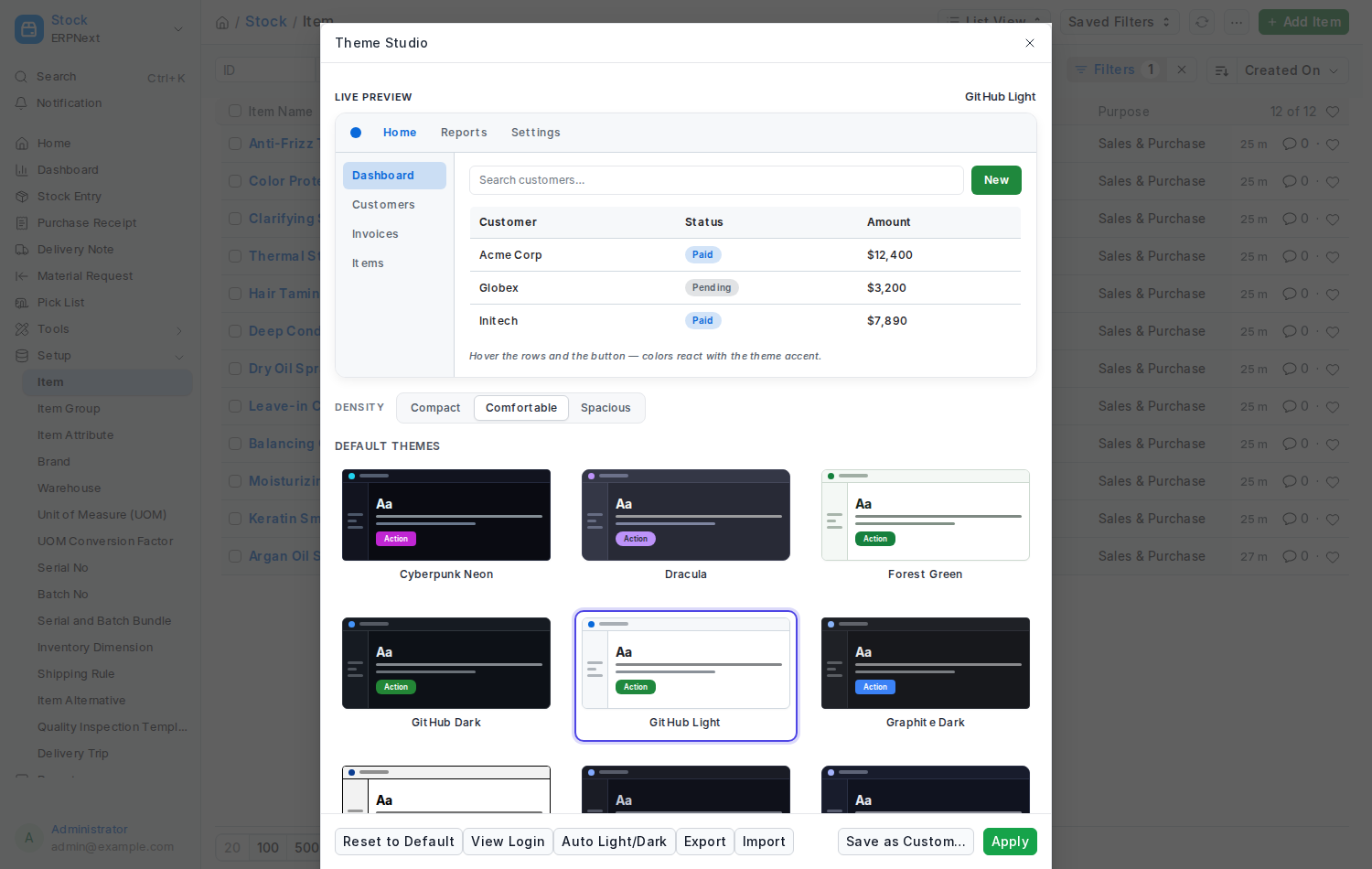
Open Theme Studio and look just under the preview: a Density switch with the three positions. Click one and the whole Desk changes at once, and stays that way on every device you sign in from.
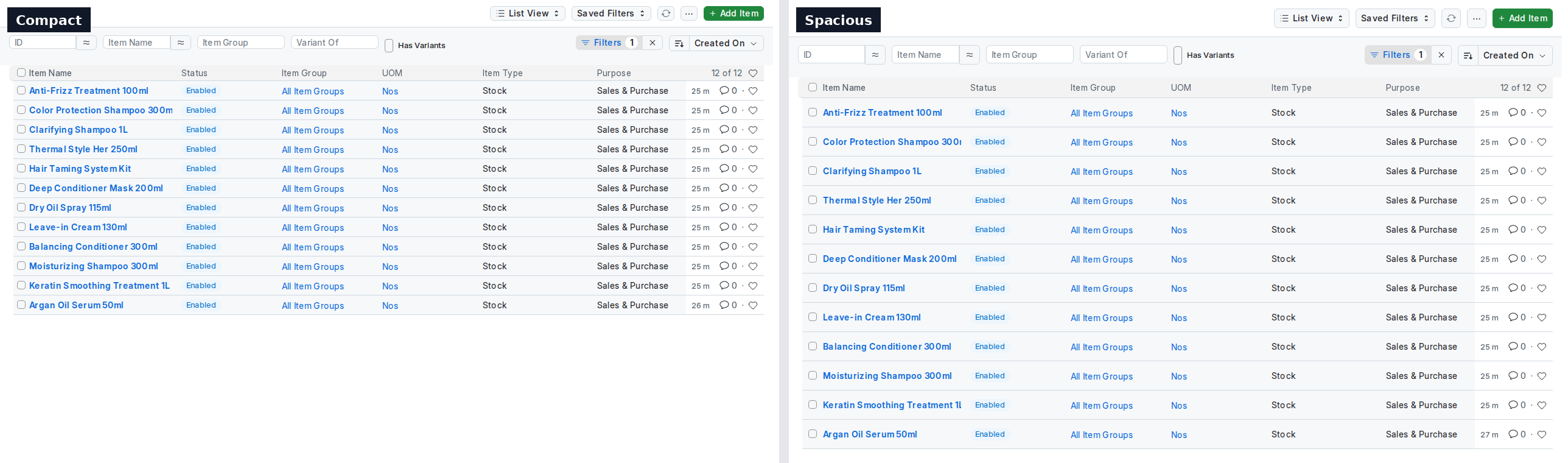
The Item list at Compact (left) and Spacious (right): the same twelve rows, a fifth less height or a fifth more.
From the Command Palette: press Ctrl+K, type compact, comfortable or spacious, and press Enter.
Density is independent of the theme. You can be on Frappe's own look and still be Compact, and switching themes never touches it.
Default Density in Theme Settings is the site's starting point. Everyone who has not chosen a density of their own follows it, and changing it later changes their Desk too. Someone who picked a density keeps it whatever the site default does.
Each person's choice is the Density field on their User Theme Preference row. Empty means "follow the site default". A row may hold only a density and no theme.
- Installing 2.0 changes nothing on screen: Comfortable is the spacing you had before, and it is what everyone gets until they, or an administrator, choose otherwise.
- The change is vertical only, so column layouts, print formats and reports keep their widths.
- Modals, the grid editor and Theme Studio itself follow the density too.
NexusDensity.modes();           // [{ key, label, description }, …]
NexusDensity.get();             // "comfortable"
NexusDensity.set("compact"); // applies and saves; returns a Promisenexus_theme.api.get_density() # {"density": "compact", "source": "user" | "site_default" | "default"}
nexus_theme.api.set_density("compact") # key or label; empty means "follow the site default"The page carries html[data-density="compact"] or "spacious" (Comfortable sets no attribute), so your own stylesheet can follow it. A change raises a nexus-density-change event on document with { detail: { density } }.