Sound Studio
Sound Studio is where you choose what the Desk sounds like. Open it from the avatar menu as Sound Settings, from the Nexus Theme workspace, or at /app/sound-studio.
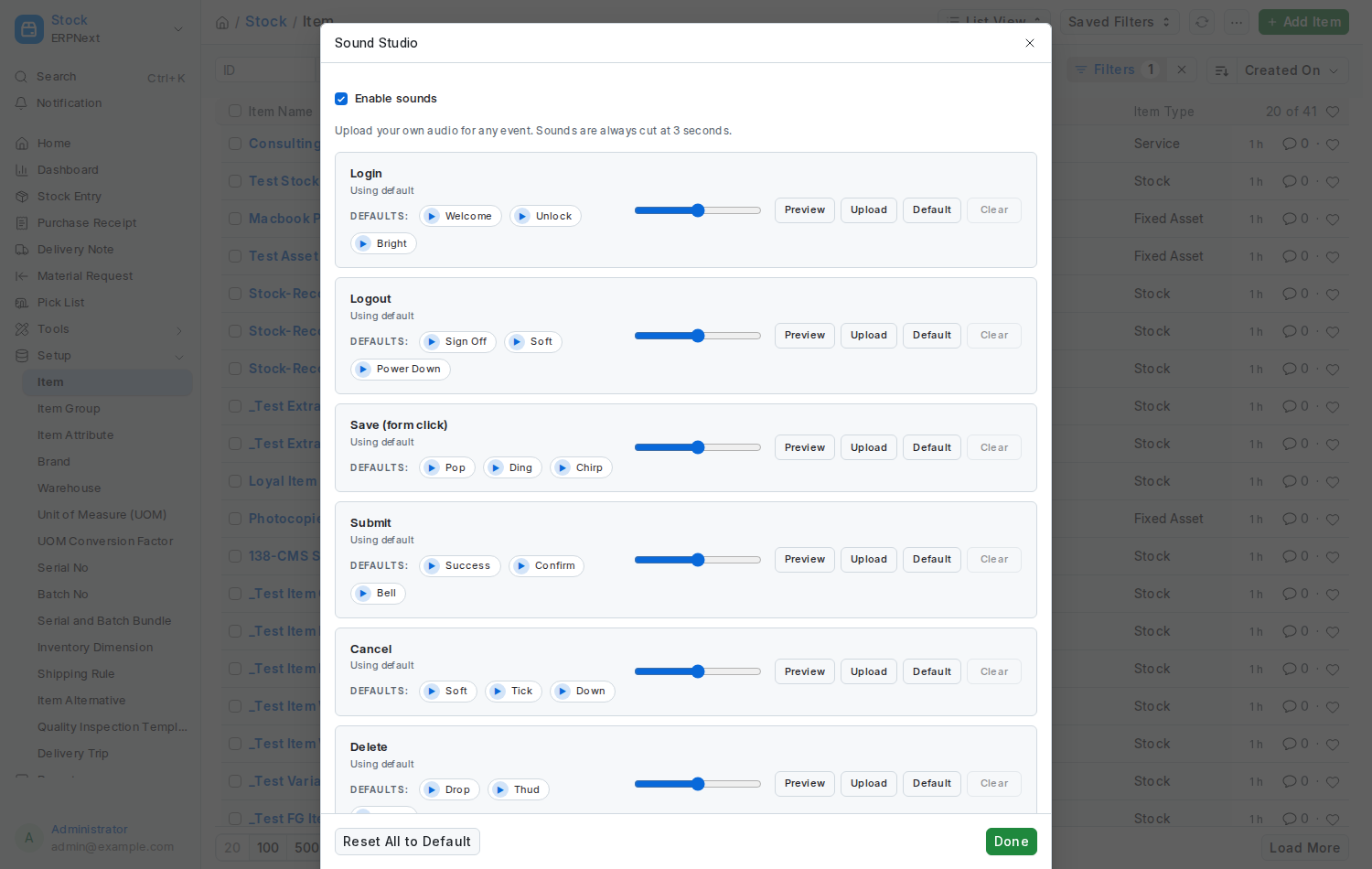
The first events and the master switch.
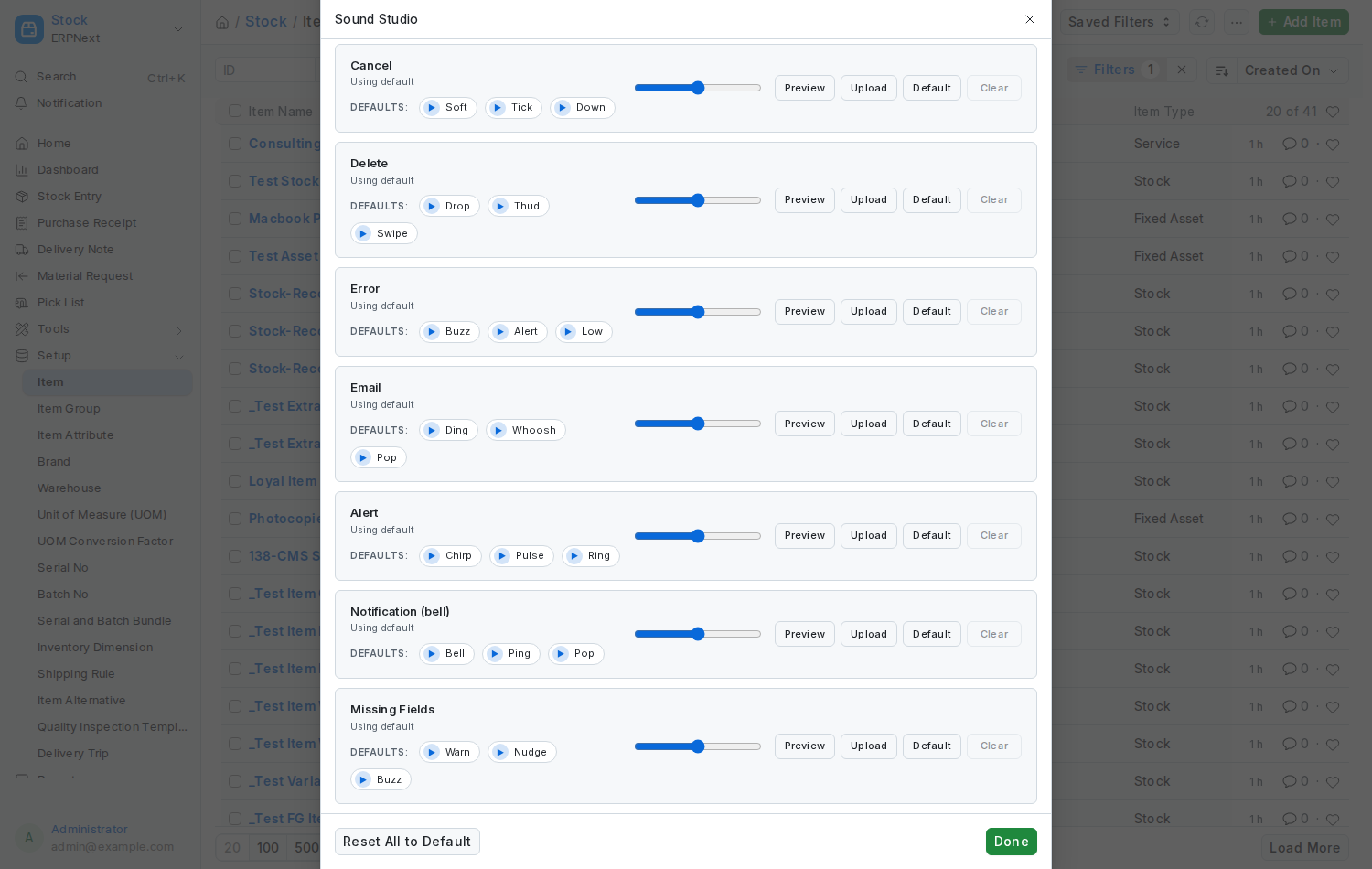
- Click your avatar and choose Sound Settings (or open the Sound Studio shortcut in the workspace).
- Each row is one event. Press Preview to hear its current sound.
- Choose one of the three preset chips, or press Upload to use your own
.mp3or.wav. - Drag the volume slider for that event.
- Everything saves as you go. Close the dialog when you are done.
| Event | Plays when | Presets |
|---|---|---|
| Login | You arrive on the Desk | Welcome, Unlock, Bright |
| Logout | You sign out | Sign Off, Soft, Power Down |
| Save | You save a form | Pop, Ding, Chirp |
| Submit | You submit a document | Success, Confirm, Bell |
| Cancel | You cancel a document | Soft, Tick, Down |
| Delete | You delete something | Drop, Thud, Swipe |
| Error | Something goes wrong | Buzz, Alert, Low |
| An email is sent | Ding, Whoosh, Pop | |
| Alert | A notification banner appears | Chirp, Pulse, Ring |
| Notification | A real-time message arrives (the bell) | Bell, Ping, Pop |
| Missing Fields | You save with a required field empty | Warn, Nudge, Buzz |
The Save row also covers Frappe's click sound, which is why the row is labelled Save (form click).
On each row: Preview plays the current sound, Upload takes your own file, Default switches that event back to Frappe's own sound, and Clear removes your custom file. The three chips under Defaults: are the bundled presets; a Custom uploaded tag shows when your own file is in use.
At the bottom of the dialog:
- Enable sounds switch: mute every sound without losing your choices.
- Reset All to Default: asks for confirmation, then removes every custom sound so the defaults play again.
- Done closes the dialog. Every change was already saved as you made it.
- Every sound is cut at three seconds, so a long file never becomes a nuisance.
- Uploaded files are ordinary Frappe files and are included in your normal backups.
- The login sound may be skipped: browsers block audio until you interact with a page. Every other sound plays after your first click.
- An administrator can switch sounds off for the whole site in Theme Settings. Your choices are kept for when they are switched on again.
- All 36 bundled sounds are synthesised from scratch by the app's own script, so there are no licensing worries.