Getting Started
| Place | What you will see |
|---|---|
| Avatar menu (top-right) | Theme Studio, Sound Settings |
Apps screen (the grid icon or /apps) |
A Nexus Theme tile that opens the workspace |
Nexus Theme workspace (/app/nexus-theme) |
Shortcuts to Theme Studio, Sound Studio, Themes, Theme Settings and Permission Inspector, plus cards for every record type the app owns |
| Command palette (Ctrl+K / ⌘K, or Ctrl+Shift+P) | Type theme, sound, permission or settings and press Enter — see Command Palette
|
| Frappe's own Switch Theme dialog (avatar menu, Toggle Theme) | Every Nexus theme is listed there too, next to Frappe Light and Timeless Night |
| Direct links |
/app/theme-studio, /app/sound-studio, /app/nexus-permission-inspector, /app/theme-settings
|
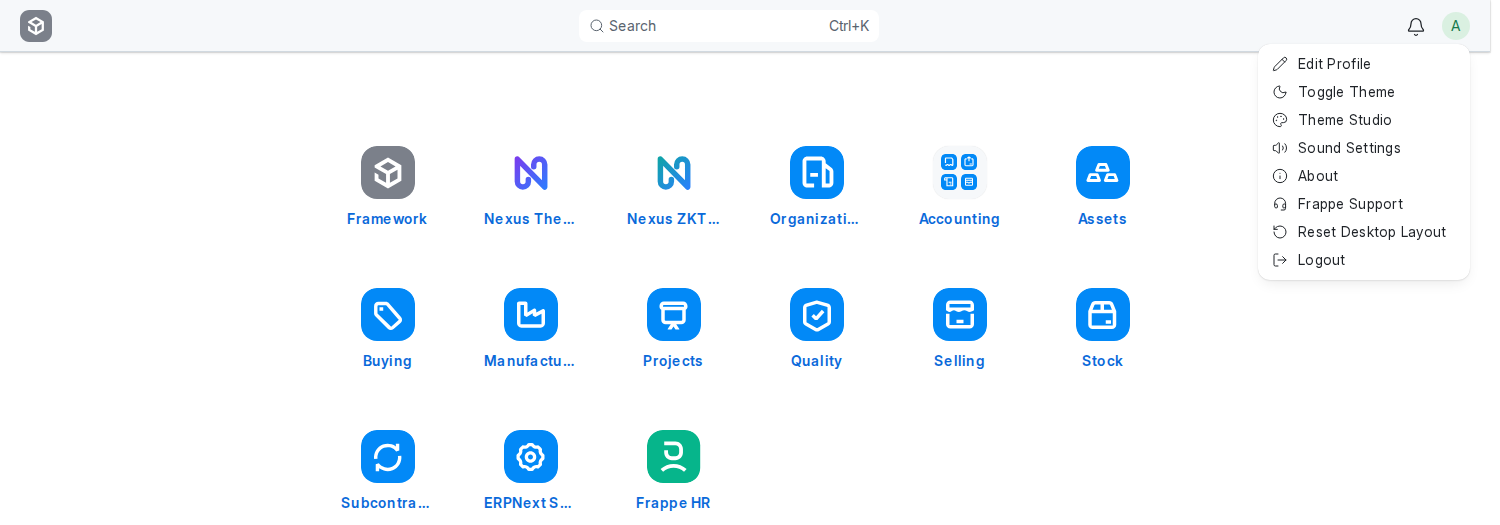
- Click your avatar (top-right) and choose Theme Studio.
- Click any theme card and watch the Live Preview.
- Press Apply. The whole Desk changes at once, on every device you log in from. While you are there, try the Density switch under the preview: Compact fits more on the screen, Spacious gives forms more air. See Density.
- Open the avatar menu again and choose Sound Settings.
- Press Preview on any row, pick a preset chip you like, and close the dialog. Everything saved as you went.
- Press Ctrl+K anywhere and type the first letters of a record type, a report or a theme. See Command Palette.
That is all most people ever need. When you want more, read Theme Studio and Sound Studio.
- Open Nexus Theme → Theme Settings. Every option is off, so nothing has changed on your site yet. Decide whether you want a Site Default Theme, your Navbar Logo and Favicon, and whether people may build and share their own themes. See Theme Settings.
- Open Nexus Theme → Permission Inspector, choose A person, and type a colleague's name. Read the plain-language summary and the table. Nothing changes until you press Change permissions, then Save changes, then confirm. See Permission Inspector.
| Feature | Needs |
|---|---|
| Theme Studio, Sound Studio, personal preferences | Theme User (granted automatically to every Desk user) |
| Theme Settings, Themes list edits, deleting other people's themes | System Manager |
| Permission Inspector | System Manager, checked on the server for every request |
| Website users (portal logins) | Nothing. They never see the Desk tools and never receive the Theme User role. |