Command Palette
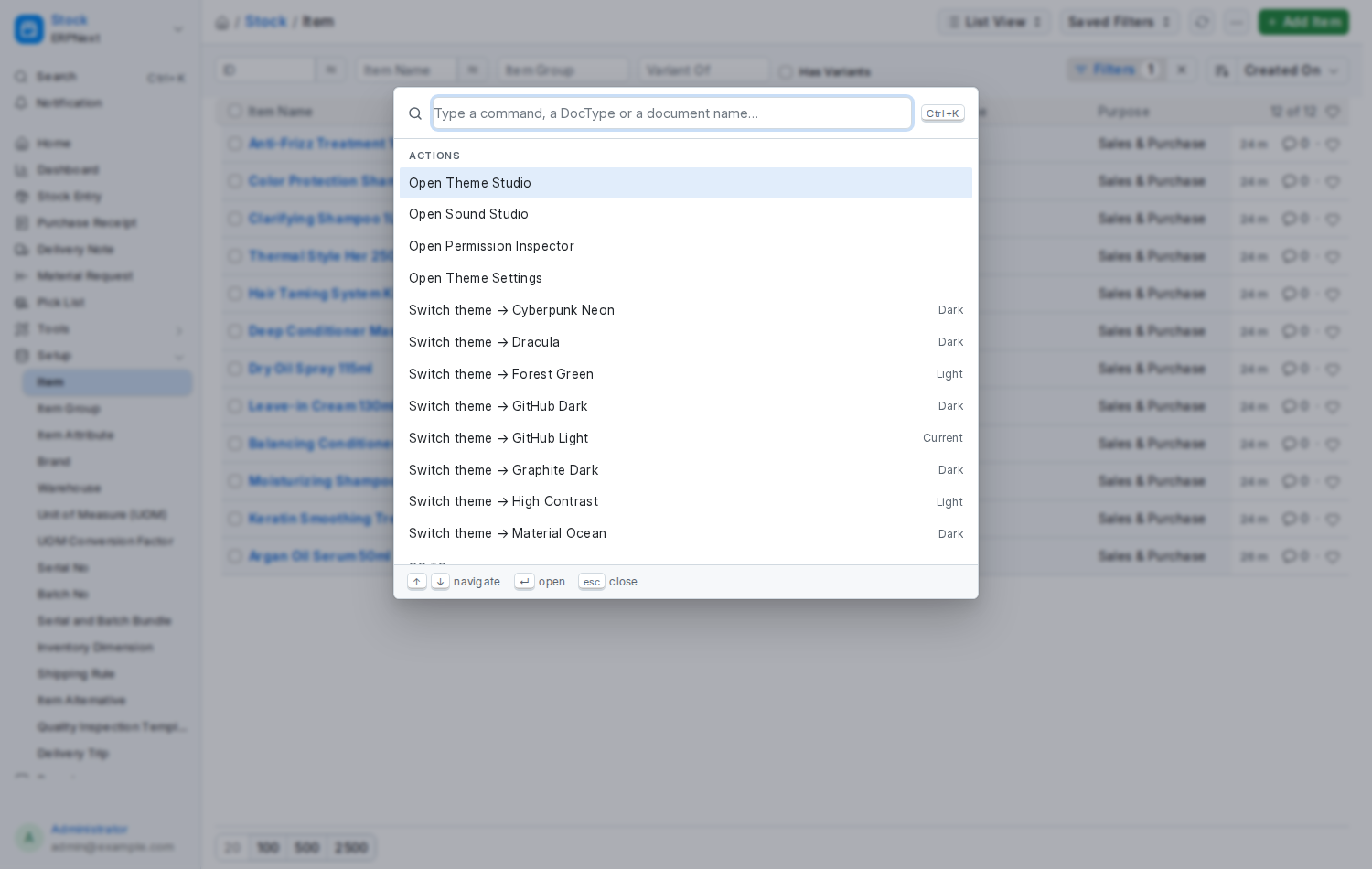
New in 2.0. Press Ctrl+K (⌘K on a Mac) on any Desk page, or Ctrl+Shift+P. A box opens with a search field and, before you type anything, the documents you had open most recently. Start typing and the list narrows as you go; the letters that matched are highlighted. ↑ ↓ move, Enter runs, Esc closes.
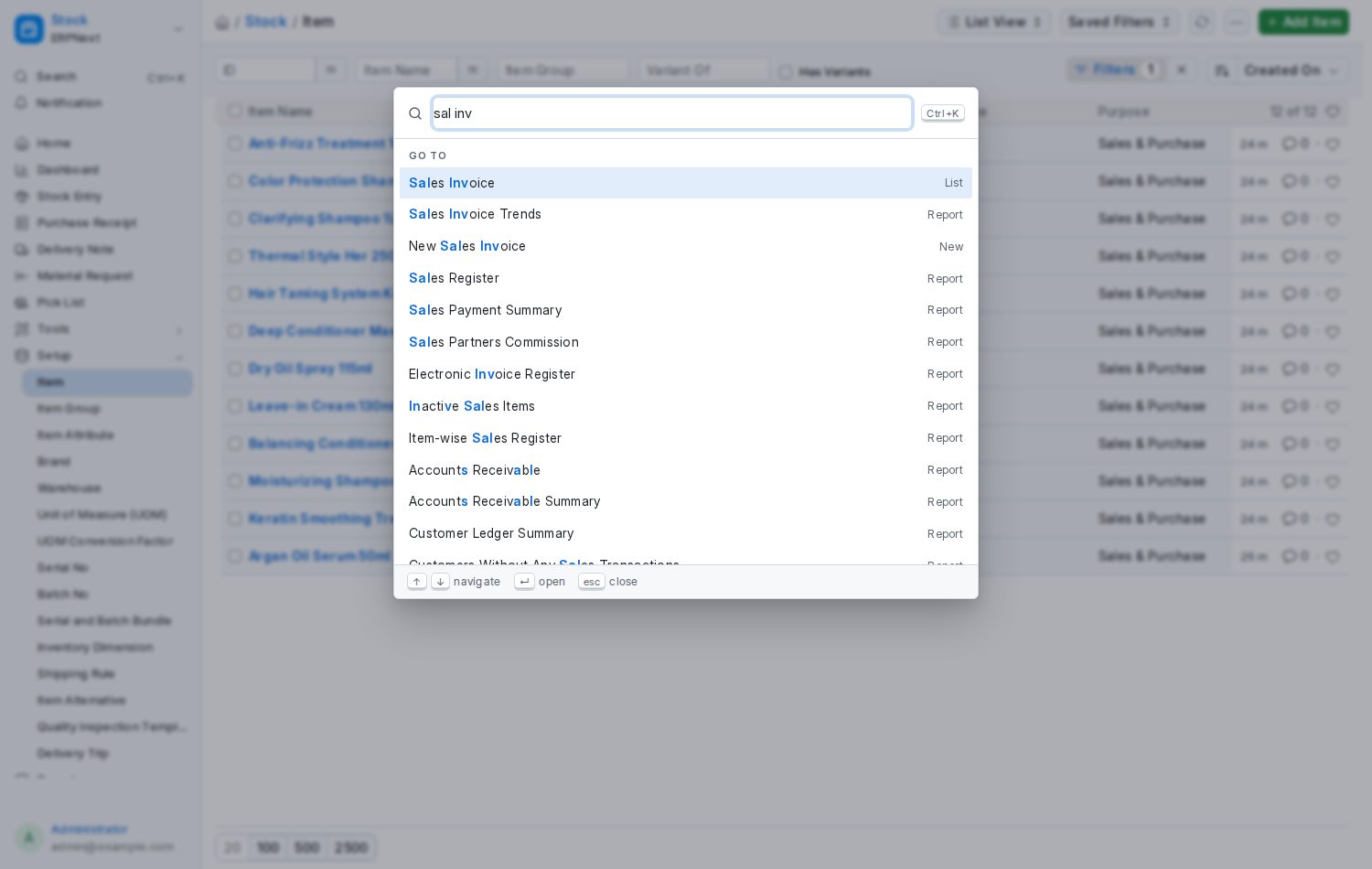
Type sal inv: Sales Invoice, its reports, and New Sales Invoice, with the matched letters highlighted.
| Group | What is in it |
|---|---|
| Recent | The last documents you opened, from this session and from Frappe's own recent list |
| Actions | Open Theme Studio, Sound Studio, the Permission Inspector or Theme Settings (the last two for System Managers); Switch theme → every theme you may use, with your current one marked; Use Frappe's own theme; Density → Compact, Comfortable or Spacious; Mute or Unmute sounds; Reload; Log out; What's new in Nexus Theme; and anything another app registers |
| Go to | Every record type you may read (and New … for the ones you may create), every report, page and workspace |
| Search | Once you have typed two letters or more, matching documents from Frappe's global search — the same results, and the same permissions, as the search bar |
- Matching is forgiving:
odfinds Order Delivery and Sales Order,pifinds Purchase Invoice. - Words may come in any order:
inv salandsal invboth find Sales Invoice. - Put
newin front to create:new sal inv. - Type
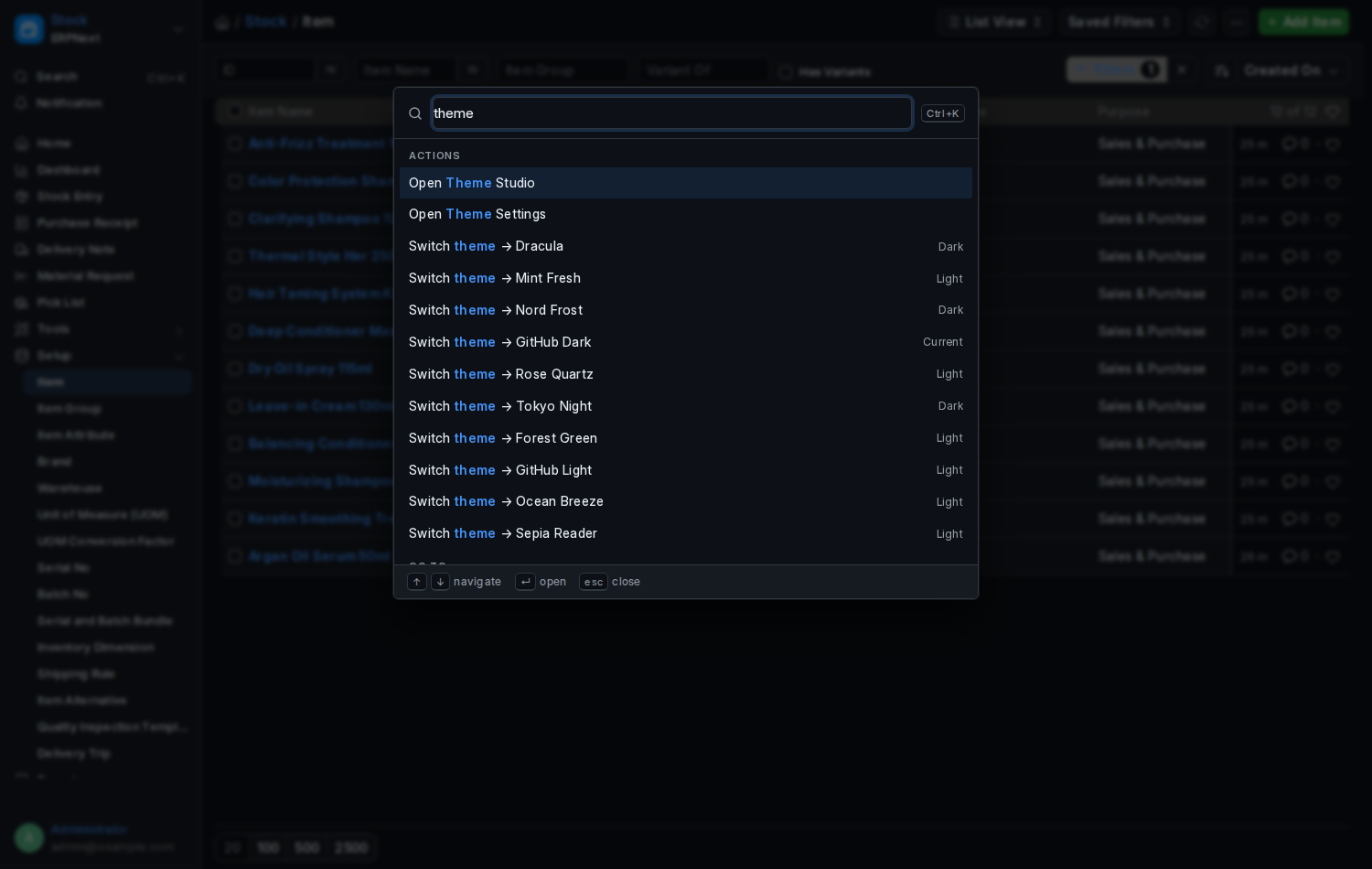
themeto see every theme you can switch to;densityfor the three density modes;muteto silence the Desk. - Nothing is stored between openings; each one starts empty.
- On Frappe 16 the Desk used Ctrl+K for its own search bar; the palette takes that shortcut over. Ctrl+G still opens Frappe's global search, and the search bar itself is where it always was. On Frappe 15 Ctrl+K was free.
- The palette only ever shows what you are allowed to open. Record types, reports and workspaces come from your own permissions, and document search runs through Frappe's global search with your permissions applied.
- It works whether or not you use a Nexus theme, and follows the theme's colours when you do.
window.openCommandPalette();          // open it
NexusCommandPalette.register({        // add a command; returns an unregister function
	label: "Close the month",
	hint: "Accounts",
	keywords: ["period", "closing"],
	run: () => frappe.set_route("period-closing-voucher", "new"),
});
Registered commands appear under Actions. See the Developer Guide for the rest of the JavaScript API.