2.1.17 Frontend LobeHub
Handle:
lobehub
URL: http://localhost:34960
LobeHub is the server-database successor to LobeChat. This separate Harbor service stores chats and accounts in PostgreSQL and uploaded knowledge files in S3-compatible storage. The existing lobechat handle remains the browser-storage variant; starting this service does not migrate its data.
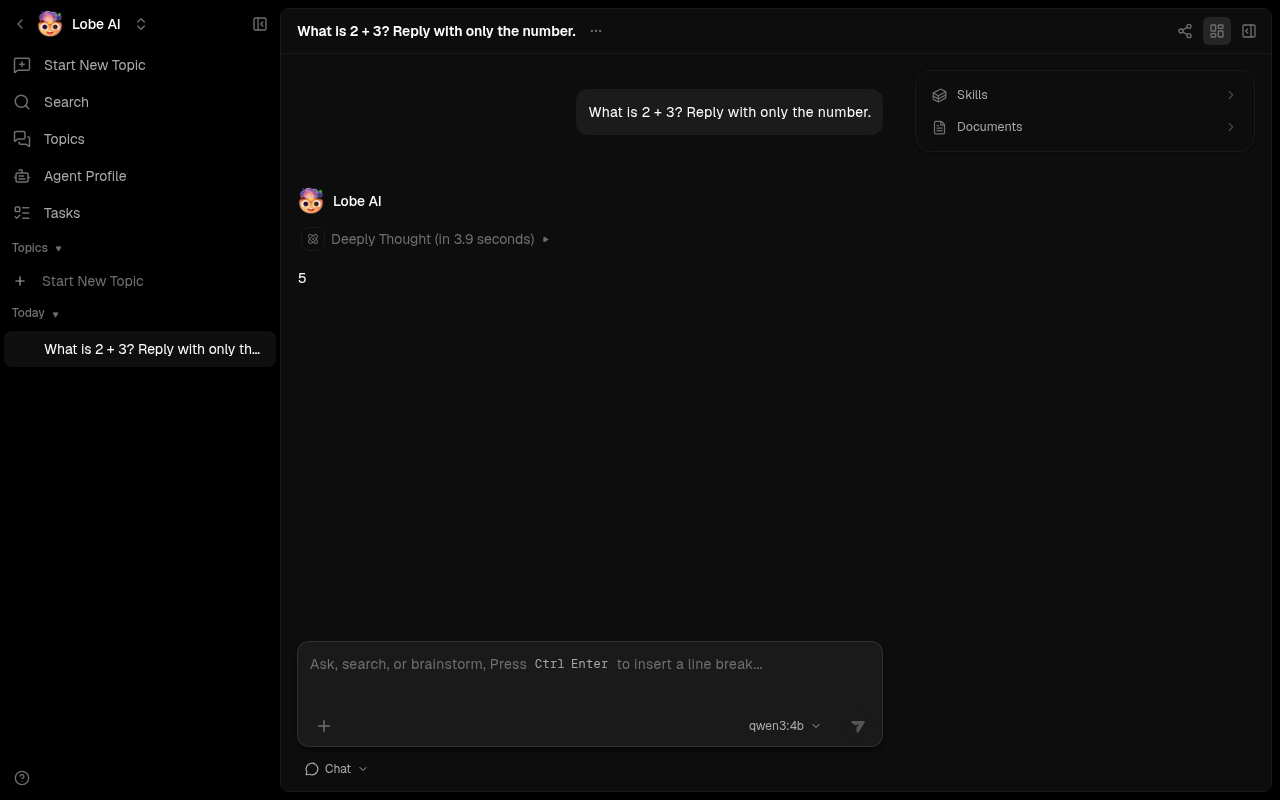
Set five unique secrets before first start. The preflight container rejects missing or short values rather than booting a database with a public default password. Keep the resulting .env private and back it up alongside the data volumes. harbor config set normally echoes the new value, so redirect its output when setting secrets.
harbor pull lobehub
harbor config set lobehub.auth_secret "$(openssl rand -hex 32)" >/dev/null 2>&1
harbor config set lobehub.key_vaults_secret "$(openssl rand -base64 32)" >/dev/null 2>&1
harbor config set lobehub.db_password "$(openssl rand -hex 32)" >/dev/null 2>&1
harbor config set lobehub.s3_secret_key "$(openssl rand -hex 32)" >/dev/null 2>&1
jwks=$(docker run --rm --entrypoint /bin/node lobehub/lobehub:latest -e 'const c=require("crypto");const k=c.generateKeyPairSync("rsa",{modulusLength:2048}).privateKey.export({format:"jwk"});process.stdout.write(Buffer.from(JSON.stringify({keys:[{...k,alg:"RS256",kid:c.randomBytes(8).toString("hex"),use:"sig"}]})).toString("base64"))')
harbor config set lobehub.jwks_key_b64 "$jwks" >/dev/null 2>&1
unset jwks

harbor up lobehub --open
Create an email/password account in the UI. To restrict registration to chosen addresses, set lobehub.allowed_emails to a comma-separated list before starting. LobeHub does not inherit chats or accounts from the old lobechat service.
For local Ollama chat and knowledge-file indexing, start both handles so Harbor applies the Ollama integration and pulls the configured chat and embedding models:
harbor up lobehub ollama --openThe LobeHub image also supports cloud-provider keys through services/lobehub/override.env. That file uses KEY=value lines; keep credentials out of committed files.
The defaults live in services/lobehub/default.env and can be changed with harbor config set:
| Setting | Default | Purpose |
|---|---|---|
lobehub.host_port |
34960 |
Web UI host port |
lobehub.s3_host_port |
34961 |
Browser-accessible object storage port |
lobehub.bind_host |
127.0.0.1 |
Address used by both published ports |
lobehub.public_host |
localhost |
Hostname in browser-facing app and S3 URLs |
lobehub.image, lobehub.version
|
lobehub/lobehub:latest |
LobeHub image |
lobehub.db_image, lobehub.db_version
|
paradedb/paradedb:latest-pg17 |
PostgreSQL/pg_search image |
lobehub.redis_image, lobehub.redis_version
|
redis:7-alpine |
Redis image |
lobehub.s3_image, lobehub.s3_version
|
rustfs/rustfs:latest |
Object-storage image |
lobehub.s3_init_image, lobehub.s3_init_version
|
rustfs/rc:latest |
Bucket-setup image |
lobehub.auth_secret |
Empty | Authentication signing secret; required |
lobehub.key_vaults_secret |
Empty | Vault encryption key; required; preserve for restore |
lobehub.jwks_key_b64 |
Empty | Base64-encoded private RSA JWKS for file parsing/indexing; required |
lobehub.db_password |
Empty | Alphanumeric database password; required |
lobehub.s3_access_key |
lobehub |
Object-storage access key name |
lobehub.s3_secret_key |
Empty | Object-storage secret; required |
lobehub.allowed_emails |
Empty | Optional comma-separated sign-in allowlist |
lobehub.chat_model |
qwen3:4b |
Ollama chat model pulled by the integration |
lobehub.embedding_model |
mxbai-embed-large:latest |
Ollama file-indexing model; its 1024 dimensions match LobeHub's database schema |
Both published ports bind only to loopback by default. For a trusted LAN browser, set both lobehub.bind_host (for example 0.0.0.0) and lobehub.public_host (the LAN hostname or IP used by the browser) before restarting. The browser must reach ports 34960 and 34961. Put authentication and TLS in front of any internet-facing deployment; do not expose RustFS or LobeHub directly to the public internet.
LobeHub uses named Docker volumes lobehub-db-data, lobehub-redis-data, and lobehub-s3-data. They persist through harbor down lobehub. Back up all three volumes and the five secrets together before changing or replacing the installation. The one-shot lobehub-s3-init container creates the lobe bucket with read access and browser CORS rules on each start; it does not delete existing objects.
- If preflight reports an unset secret, run the corresponding
harbor config setcommand above. Do not put secrets inservices/lobehub/default.env. - If the UI loads but file upload fails, check that the browser can reach
lobehub.s3_host_portand thatlobehub.public_hostis notlocalhostwhen using another device. - If file indexing fails, start
harbor up lobehub ollamaand check thatlobehub.jwks_key_b64is set and the embedding model produces 1024-dimensional vectors. Models with other dimensions cannot be written to the current schema. - If the database is unhealthy, inspect
docker logs harbor.lobehub-db; the image requires its bundledpg_search,pg_cron, andpg_stat_statementspreload list. - After editing distributed defaults in a Git checkout, run
harbor config updatebefore starting.
See the upstream deployment files for additional LobeHub capabilities. Harbor's service keeps the core server-database, Redis, and object-storage path focused; it does not enable the optional agent gateway or Elasticsearch deployment.