Repository navigation
2.3.98 Satellite Latitude
Handle:
latitude
Web UI: http://localhost:34960
API: http://localhost:34961
Trace ingest: http://localhost:34962
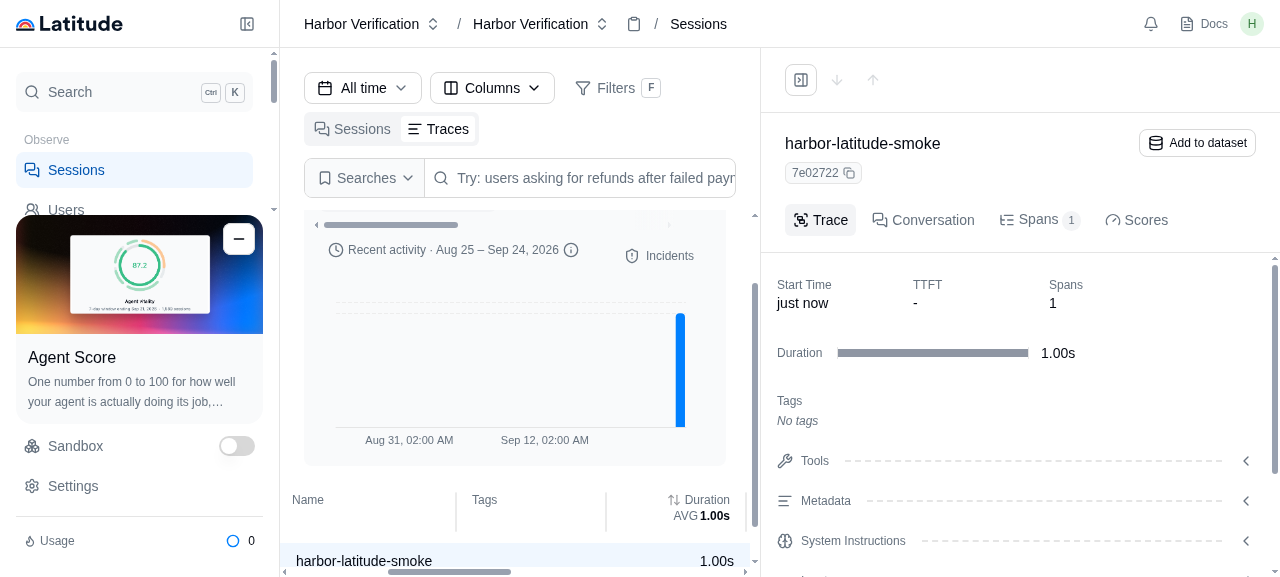
Latitude collects traces from AI agents, groups failures into signals, and supports evaluations and regression testing. Harbor runs the official single-host Latitude images with local datastores and a Mailpit inbox for the sign-in email.
harbor up latitude
harbor open latitude
The first start pulls the application and datastore images and runs PostgreSQL and ClickHouse migrations before the web UI becomes healthy. Open Mailpit after entering your email on the Latitude sign-in page, then follow the magic link in the message to create your first organization. Mailpit is local to this stack; no external mail account is required.
Once signed in, create an API key in Latitude and point an instrumented application at the API and ingest URLs above. The core trace collection and viewing flow works without any AI provider credentials. AI features such as signal summaries and evaluations require a configured provider.
harbor down latitudeThese defaults live in services/latitude/default.env and can be changed with harbor config set. Harbor creates the six blank secrets on the first harbor up latitude and stores them in the active Harbor configuration. Keep those values stable after data has been created.
HARBOR_LATITUDE_IMAGE                       latitudedata/web
HARBOR_LATITUDE_VERSION                     latest
HARBOR_LATITUDE_HOST_IP                     127.0.0.1
HARBOR_LATITUDE_HOST_PORT                   34960
HARBOR_LATITUDE_API_HOST_PORT               34961
HARBOR_LATITUDE_INGEST_HOST_PORT            34962
HARBOR_LATITUDE_MAILPIT_HOST_PORT           34963
HARBOR_LATITUDE_WEB_URL                     auto (localhost + web port)
HARBOR_LATITUDE_API_URL                     auto (localhost + API port)
HARBOR_LATITUDE_INGEST_URL                  auto (localhost + ingest port)
HARBOR_LATITUDE_TRUSTED_ORIGINS             auto (web URL)
HARBOR_LATITUDE_CORS_ALLOWED_ORIGINS        auto (web URL)
HARBOR_LATITUDE_POSTGRES_PASSWORD           generated
HARBOR_LATITUDE_POSTGRES_RUNTIME_PASSWORD   generated
HARBOR_LATITUDE_CLICKHOUSE_PASSWORD         generated
HARBOR_LATITUDE_STORAGE_SECRET              generated
HARBOR_LATITUDE_MASTER_ENCRYPTION_KEY       generated
HARBOR_LATITUDE_BETTER_AUTH_SECRET          generated
The four published ports bind to 127.0.0.1 by default. To expose Latitude to other users, change HARBOR_LATITUDE_HOST_IP, configure a reverse proxy, and set the five public URL and origin keys above to the proxy addresses. See the upstream deployment guide for the required URL relationships.
To use an external email transport instead of Mailpit, set the appropriate LAT_SMTP_*, LAT_MAILGUN_*, or LAT_SENDGRID_* variables in services/latitude/override.env with harbor env latitude. The app services all read that override file. For optional AI features, configure Latitude's LAT_CUSTOM_AI_* variables there, or use any of the provider settings.
Harbor creates Docker volumes for Latitude's PostgreSQL database, ClickHouse data, BullMQ queue, and SeaweedFS object store. They survive harbor down latitude and subsequent starts. SeaweedFS creates the Latitude bucket on startup if it is missing. Back up all four volumes together before upgrading. Redis cache is disposable. The application services are latitude, latitude-api, latitude-ingest, latitude-workers, and latitude-workflows; latitude-migrations runs once at startup. The stack also includes PostgreSQL, ClickHouse, two Redis instances, Temporal, SeaweedFS, and Mailpit.
harbor ps latitude
docker logs harbor.latitude
docker logs harbor.latitude-migrations
docker logs harbor.latitude-postgres
docker logs harbor.latitude-clickhouse
If the sign-in email is missing, check Mailpit and docker logs harbor.latitude-mailpit. If the web UI remains unavailable, inspect the migrations container first: the application services wait for it to finish successfully.