2.1.18 Frontend R2R
Handle:
r2r
Dashboard: http://localhost:34273
API: http://localhost:34272
R2R provides document ingestion, semantic search, and retrieval-augmented answers. Harbor uses upstream's lighter deployment: R2R API and dashboard, a persistent pgvector database, and the graph-clustering service. It does not include the full deployment's Hatchet, Unstructured, or object-storage stack, so advanced extraction and orchestration features may require that upstream deployment instead.
Set three unique secrets. The preflight container rejects empty, short, or non-alphanumeric secrets. harbor config set normally prints values, so redirect its output when setting secrets. Save the three values securely along with database backups; changing them can break access to existing accounts or data.
harbor config set r2r.db_password "$(openssl rand -hex 32)" >/dev/null 2>&1
harbor config set r2r.secret_key "$(openssl rand -hex 32)" >/dev/null 2>&1
harbor config set r2r.admin_password "$(openssl rand -hex 32)" >/dev/null 2>&1
harbor up r2r ollama --open
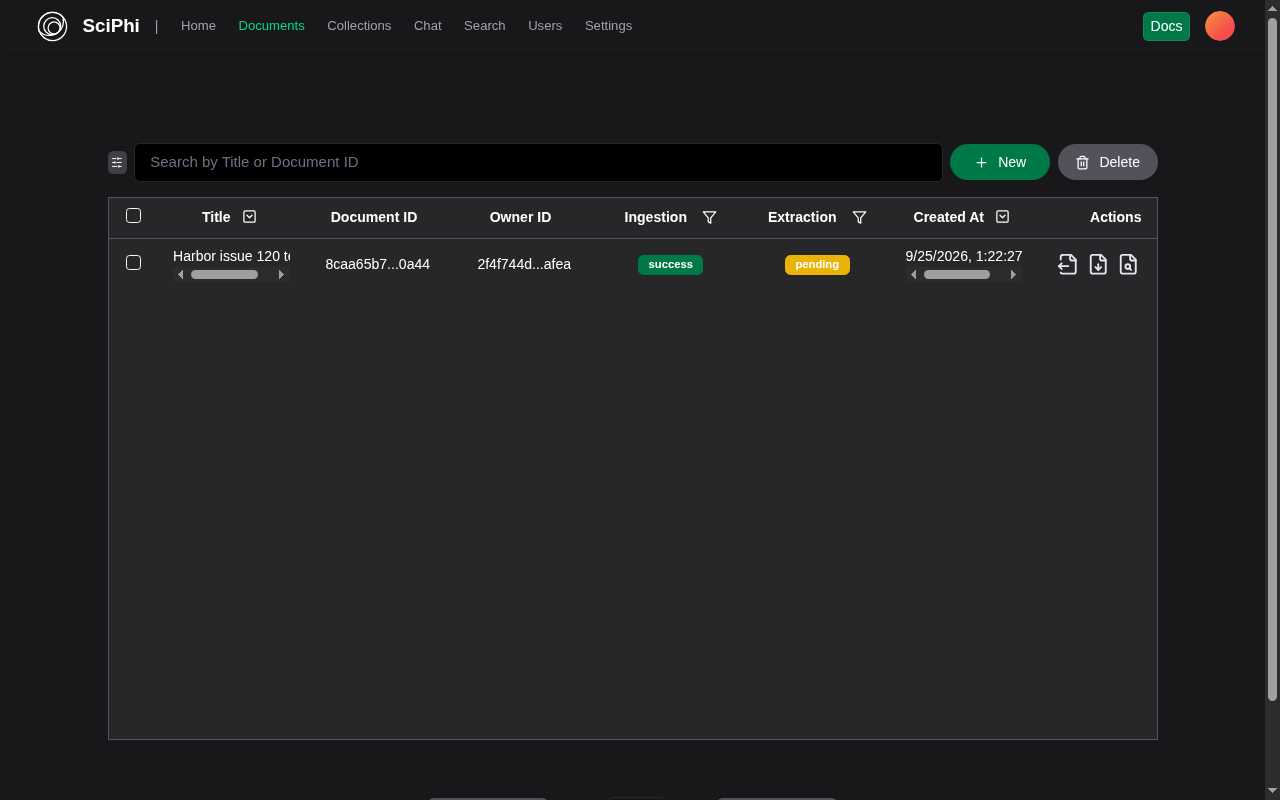
Sign in to the dashboard as admin@harbor.local using the generated r2r.admin_password. The dashboard's deployment URL should show http://localhost:34272. Starting with ollama selects Harbor's local-model profile, pulls the configured chat and embedding models, and points R2R at Harbor Ollama. To ingest a local text document, use the dashboard's Documents page or the API with ingestion_mode=fast; then use Search or Chat. The default chat model is qwen2.5:3b, and the embedding model is mxbai-embed-large (1,024 dimensions). The local profile disables automatic extraction. Image/audio parsing, advanced extraction, and graph workflows are not covered by this local path and may need additional providers or the upstream full deployment.
Starting harbor up r2r without ollama still loads the dashboard and existing data, but ingestion, semantic search, and RAG need ollama running. Harbor keeps the same 1,024-dimensional embedding schema in both startup modes so switching between them does not invalidate the database. Other provider configurations require a custom R2R config and are not part of this service's default setup. Never commit provider keys to the repository.
| Setting | Default | Purpose |
|---|---|---|
r2r.dashboard_port |
34273 |
Browser dashboard port |
r2r.api_port |
34272 |
Browser and SDK API port |
r2r.bind_host |
127.0.0.1 |
Host address for both published ports |
r2r.public_host |
localhost |
API hostname advertised to the dashboard |
r2r.db_password |
Empty | Required database password |
r2r.secret_key |
Empty | Required application cryptographic secret |
r2r.admin_password |
Empty | Required bootstrap admin password |
r2r.chat_model |
qwen2.5:3b |
Ollama chat model for RAG responses |
r2r.embedding_model |
mxbai-embed-large |
Ollama embedding model; must output 1,024 dimensions |
Both ports are loopback-only by default. For a trusted LAN browser, set both r2r.bind_host (for example 0.0.0.0) and r2r.public_host to the address used by the browser, then restart. Do not expose the API or dashboard to the public internet without a trusted TLS/authentication proxy. The r2r-db-data Docker volume persists documents, embeddings, and accounts through harbor down r2r; services/r2r/user_tools/ is a host workspace for optional custom tools. Back up the volume, this directory if used, and the three secrets together.
-
curl http://localhost:34272/v3/healthshould return{"results":{"message":"ok"}}. If the dashboard cannot connect, check its deployment URL and reachability of the API port from the browser. - For local text ingestion, start both
r2randollama. Use fast ingestion to avoid extraction services not included in this deployment. - If RAG returns an empty answer with a reasoning model, switch
r2r.chat_modelto a non-reasoning model such as the defaultqwen2.5:3b, then restart. - After changing a distributed default in a Git checkout, run
harbor config updateto propagate it to the local.env.
See the upstream Docker deployment for full-stack options.