Repository navigation
Backups
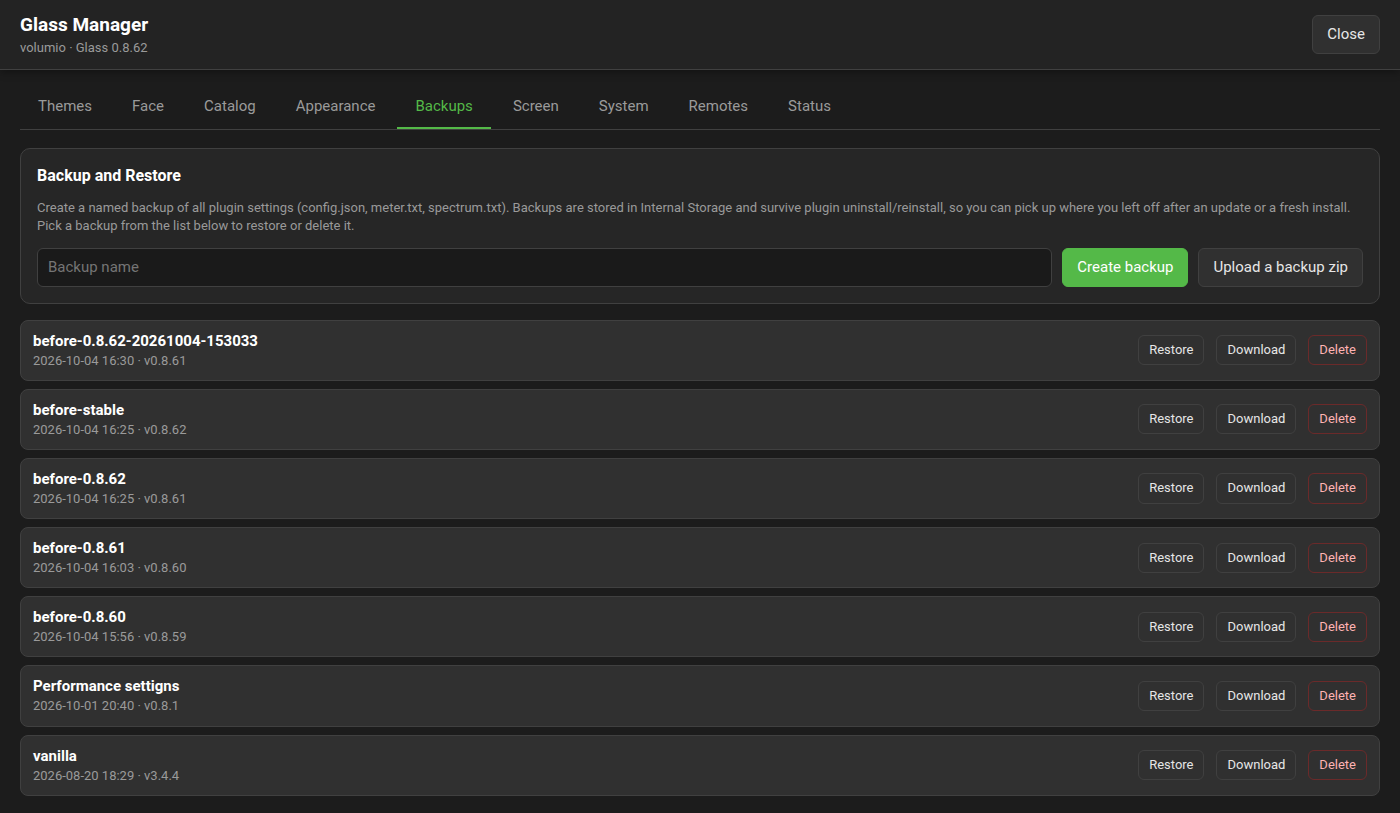
The Backups tab of the Manager keeps named snapshots of the settings: every setting of the settings page and of the Manager, and the two configuration files the display reads. A backup moves as a zip from one player to another.
Backups live in the player's internal storage and stay through every upgrade. They stay through an uninstall of the plugin too (from 0.8.39; before, only with "Do not delete themes" on): a backup is what a player is put back from after one. Download a backup to keep it off the player as well.
| File | What it holds |
|---|---|
config.json |
The plugin's settings: the settings page and the Manager's own. |
peppymeter_config.txt |
The display's meter configuration: the theme on show, the meter selection, rotation, scrolling, animation and gain; each text style's font; the interactive controls; where the picture is placed and whether it is fitted; the frame rate governor; and, for a screen that is Glass's own, its rotation, the pointer, the touch mapping with its calibration, the face size and the look chosen on the Screen tab. |
spectrum_config.txt |
The spectrum configuration. |
manifest.json |
The backup's name, when it was made, and by which version. |
What the Manager keeps as files is not part of a backup: the themes, fonts uploaded to the player, face themes of your own, glass-evo itself. Themes live in their own trees and stay through an uninstall when "Do not delete themes" is on.
Type a name (letters, digits, spaces, dots, hyphens and underscores, up to 64 characters) and press Create backup. A name already taken is refused; nothing is ever overwritten. A backup is refused when less than 10 MB is free.
Restore asks first, then checks the manifest and parses all three files before touching anything, so a damaged backup changes nothing, and a backup made by a newer version of the plugin than the one installed is not restored. On success the display starts again with the restored settings. The Manager's port, the remotes' ports and Car Dash's timer hold from the plugin's next start.
Delete asks first and removes the backup for good.
Backups PeppyMeter Screensaver made are taken over when Glass is first installed, and restore here.
Download writes the backup as glass-backup-<name>.zip. Upload a backup zip takes such a zip on another player (32 MB at most, each file in it 4 MB) and keeps it as a backup there, named after the file without glass-backup- and .zip, with -2, -3 behind it when the name is taken; the four files may sit at the zip's root or under one folder. Restore it, and the second player has the first one's settings.
What does not travel with it: the theme the backup names must be installed on the second player too (the Catalog takes care of that), and a font uploaded on the first player must be uploaded on the second. The screen's rotation, the pointer and a touch calibration do travel; on a player with another panel, set them again on the Screen tab.
Every upgrade or rollback of Glass writes a backup first, named before-<version> after the version about to be installed, with the date and time behind it when that name is taken. The way back to the stable release (from 0.8.52, on the System tab) writes one named before-stable the same way: restoring it brings the settings back as they were before that act. These are kept to the newest five. Backups you make are never touched, whatever their name: from 0.8.41 a backup says in its manifest whether an upgrade wrote it. One made by hand before 0.8.41 under a name of that form, before-1.2.3, still counts as an automatic one.
The Status tab names the newest backup.
/data/INTERNAL/glass/backups/<name>/
An uninstall leaves the directory in place (from 0.8.39), whatever "Do not delete themes" says of the themes beside it. A backup directory copied to the same place on another player appears in that player's list.