Repository navigation
Tailor
A theme is made for one screen size, and screens differ. Tailor is Glass's answer in two halves. The first, on the player, shows any theme on the screen you have: the theme is scaled to the screen as a picture is fitted to a frame, and nothing about the theme changes. The second makes a copy of a theme at another size, every coordinate and every picture scaled, so a creator can start from a working theme instead of an empty folder, and a listener can send the copy to the community collection.
Both halves keep the theme's shape. A 16:9 theme on a 16:10 screen gets a band of the display's background above and below; nothing is stretched unless you ask.
| You want to | Use |
|---|---|
| Show a theme from the Catalog that was made for another screen size | Fit, a setting: the theme is drawn at its own size and scaled to your screen every frame. Nothing to install. |
| Adapt a theme to another screen and then work on it | Tailor, the cutter: a copy at the new size, its own files, editable like any theme. |
| Check a theme someone sent you that was made for a screen you do not have, a 4K theme on a 1280x720 player, say | Tailor: cut it to your size, look, then work on the differences. |
| Send a theme to the collection | Package: the theme, its spectrum twin and a preview in one zip, as the collection takes it. |
Fit is a switch in two places: "Fit to screen" on the plugin's settings page under Display & Activation, and "Fit the theme to the screen" in the Display panel of the Manager's Appearance tab. With it on, the theme on show is scaled to the screen with its shape kept and centred; touches on the theme's controls land where they should, because the display maps them through the same scale. Meter Position beside it says where the frame goes, centred or at a position of your own, and applies to the fitted frame as to a pixel-for-pixel one, so a fitted theme can sit at the top of the screen with the band below if that is what you want.
Before and after, a 3840x2160 theme on a 1280x720 player. Left, Fit off: the theme is drawn at its own size, and the screen is a window onto the middle of it. Right, Fit on: the whole theme, scaled to the screen.

A letterbox, the same way: a 1920x550 theme on the same player. Left, Fit off: its middle shows and its sides are off the screen. Right, Fit on: the whole theme, its shape kept, the display's background above and below.

The scale is the window's own, done on the GPU, so it costs the player nothing worth measuring. The theme's text is drawn at the theme's size and scaled with the picture, so a theme lifted far, a 800x480 theme on a 4K screen, looks soft; for a sharp result at the new size, cut it.
Fit is a player setting. The Face in the Manager is a browser window looking at the same theme, and a browser window has no fixed size: the Face always shows the whole theme sized to the window, and the Fit and Position settings have nothing to act on there.
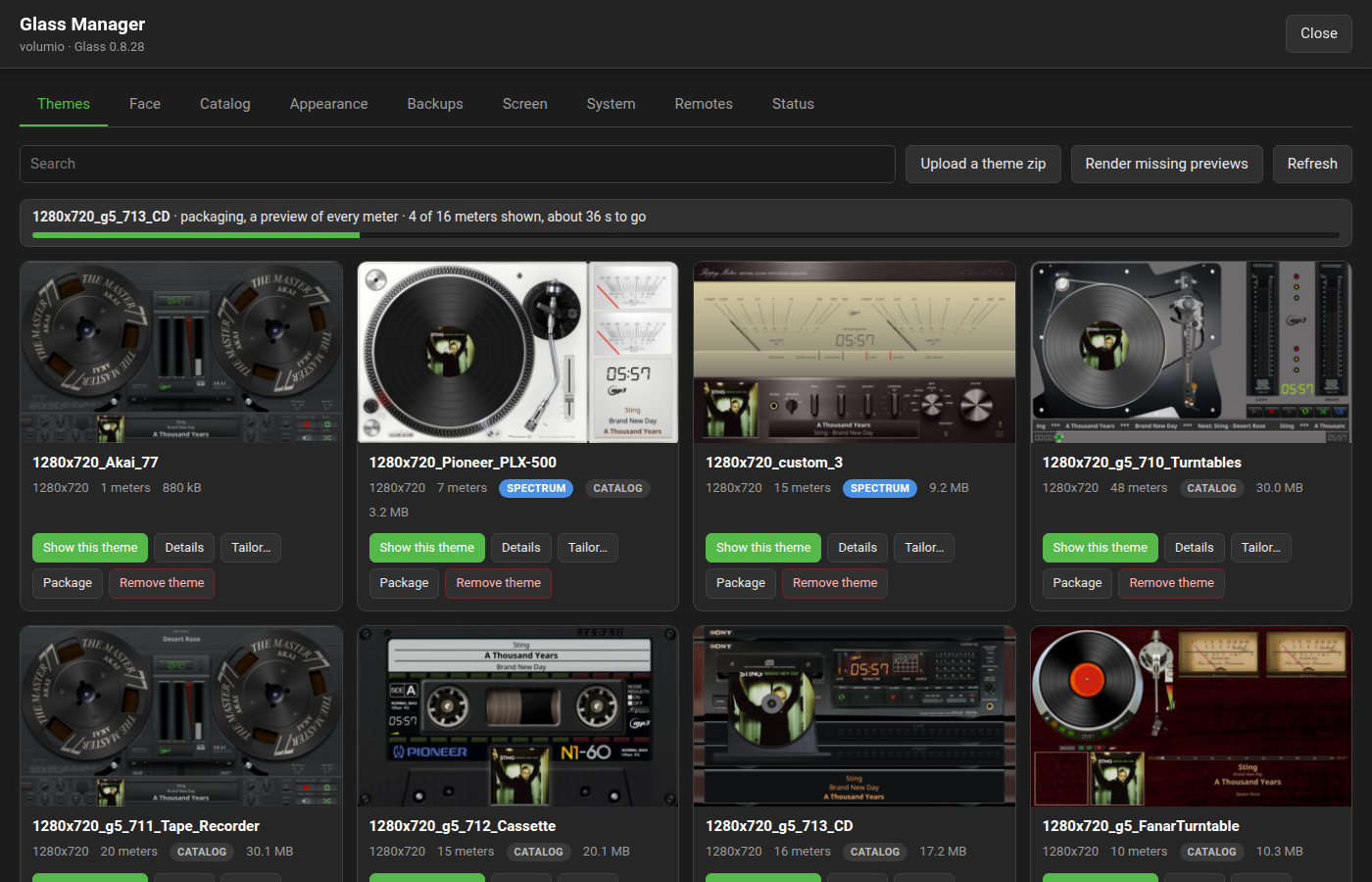
On the Manager's Themes tab every theme's card has Tailor…. It asks for a width from 64 to 7680 and a height from 64 to 4320, offering the theme on show's size first, which is what your screen shows, and a switch to stretch to the screen's shape instead of keeping the theme's. Cut makes the copy on the player and installs it beside the original, named after the new size: 3840x2160_Amber becomes 1280x720_Amber. The tab follows the job and draws the copy's previews when it lands; a copy of that name already there is replaced.


What the cutter does, in order:
-
The text files. Every key in
meters.txtand in the spectrum twin'sspectrum.txtis classified by what its value is. Positions on the screen are scaled and moved by the letterbox offset; positions inside a meter, a picture or a control are scaled only; sizes, lengths, borders, gaps and font sizes are scaled; angles, counts, shares, colours, names and switches stay as they are. Comments, the order of the keys and any key the cutter does not know are kept as written, and the unknown ones are named in the player's journal. -
The pictures. Every picture in both folders is resampled by the same factor, with its transparency handled so needles and masks keep clean edges. JPEGs stay JPEGs, PNGs stay PNGs. The screen's own picture,
screen.bgr, is then laid on a sheet of the new screen's size at the letterbox offset, so the copy's backdrop fills its screen as the original's did. - The rest. Fonts and any other file are copied as they are.
Before and after, a 1920x550 theme on a 1280x720 player, both drawn pixel for pixel. Left, the original: its middle shows and its sides are off the screen. Right, the copy cut to 1280x720: the whole theme, the band above and below in its own screen picture, every position moved with it.

The copy is a starting point, and the last mile is yours: a needle drawn for 4K may want redrawing at a third of the size, pixel art blurs when scaled, a text row that just fitted at one size may run over at another, and a bar's steps (position.regular, step.width.regular) or a spectrum's bar.width and bar.gap are yours to reconsider. Open the copy's meters.txt and work on the differences; nothing in the original was touched.
For the command line, on the player or on any machine with the display binary:
glass --tailor 1280x720 --theme /data/INTERNAL/glass/templates/3840x2160_Amber --out /tmp/cut
--theme takes a folder or an installed theme's name; --stretch fits the screen's shape; --from WIDTHxHEIGHT gives the theme's size, and is needed only where the folder's name does not start with it and meters.txt has no screen.width and screen.height; --spectrum FOLDER names a twin that does not sit beside the theme. The copy lands under --out in templates/ and templates_spectrum/, ready to be copied into a player's theme folders or packaged.
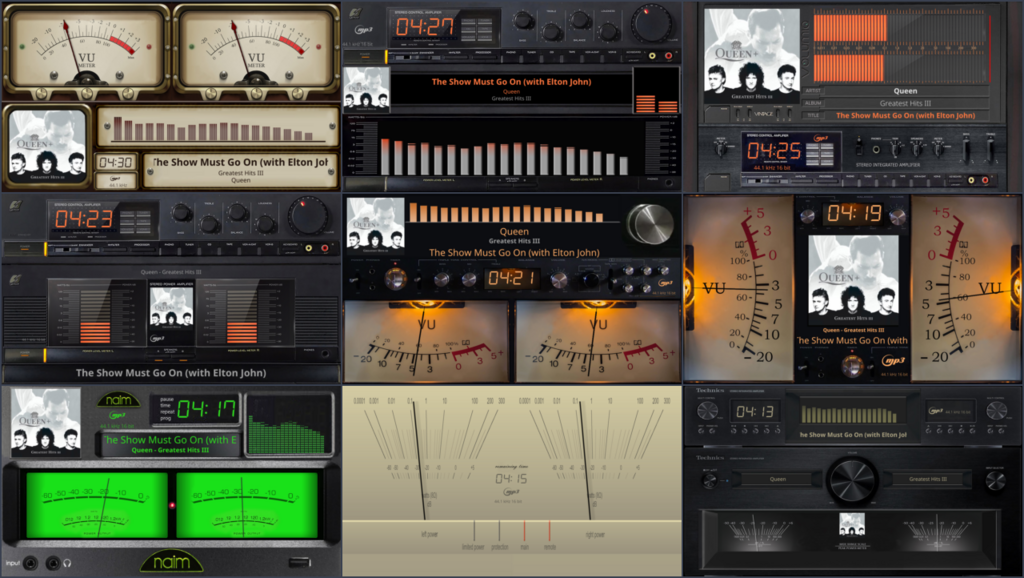
Package on a theme's card makes the zip the Catalog takes: the theme, its spectrum twin and a preview.png. For the preview the display shows every meter of the theme for three seconds, headless, with the player's state and levels as they are, and tiles the pictures, up to three across and nine in all, so start a track you like first. The job row on the tab counts the meters shown and says how long is left; when it is done the zip downloads on its own and a Download link stays in the row.
The zip is what you share. The collection's contributing guide says how a pull request is made; with no GitHub account, post the zip on the community forum and a member with access takes it from there. The command line does the same:
glass --package --theme 1280x720_Amber --out /tmp/pkg --settle 3
and --tailor with --package cuts first and packages the cut, so a theme made for one screen goes to the collection at another in one step.
- The copy is soft or its needle is thin. Pictures were resampled from the original's pixels; a picture drawn for a much larger screen loses detail when shrunk, and one drawn small blurs when lifted. Redraw what matters at the new size; the copy's folder is yours.
-
A text is cut off in the copy. Text widths scale with the theme, but a font's glyphs do not scale exactly with its size. Give the row a little more
maxwidth, or a smaller font size, in the copy'smeters.txt. - The journal says a key was kept as it is. A key the cutter does not know is left untouched and named, so nothing is lost; if it is a coordinate, scale it by hand and say on the forum which key it was, so the cutter learns it.
- Fit does nothing on the Face. See above: the Face fills its own window and has no screen to place the theme on.
- Which is better, Fit or a cut? Fit for looking, at no cost; a cut for keeping, editing and sharing.