This repository was archived by the owner on Oct 10, 2026. It is now read-only.
Repository navigation
Home
Pack Rat is now Is This A Mimic?, a fresh start under a new name. Its guide is at its wiki; this one is no longer updated.
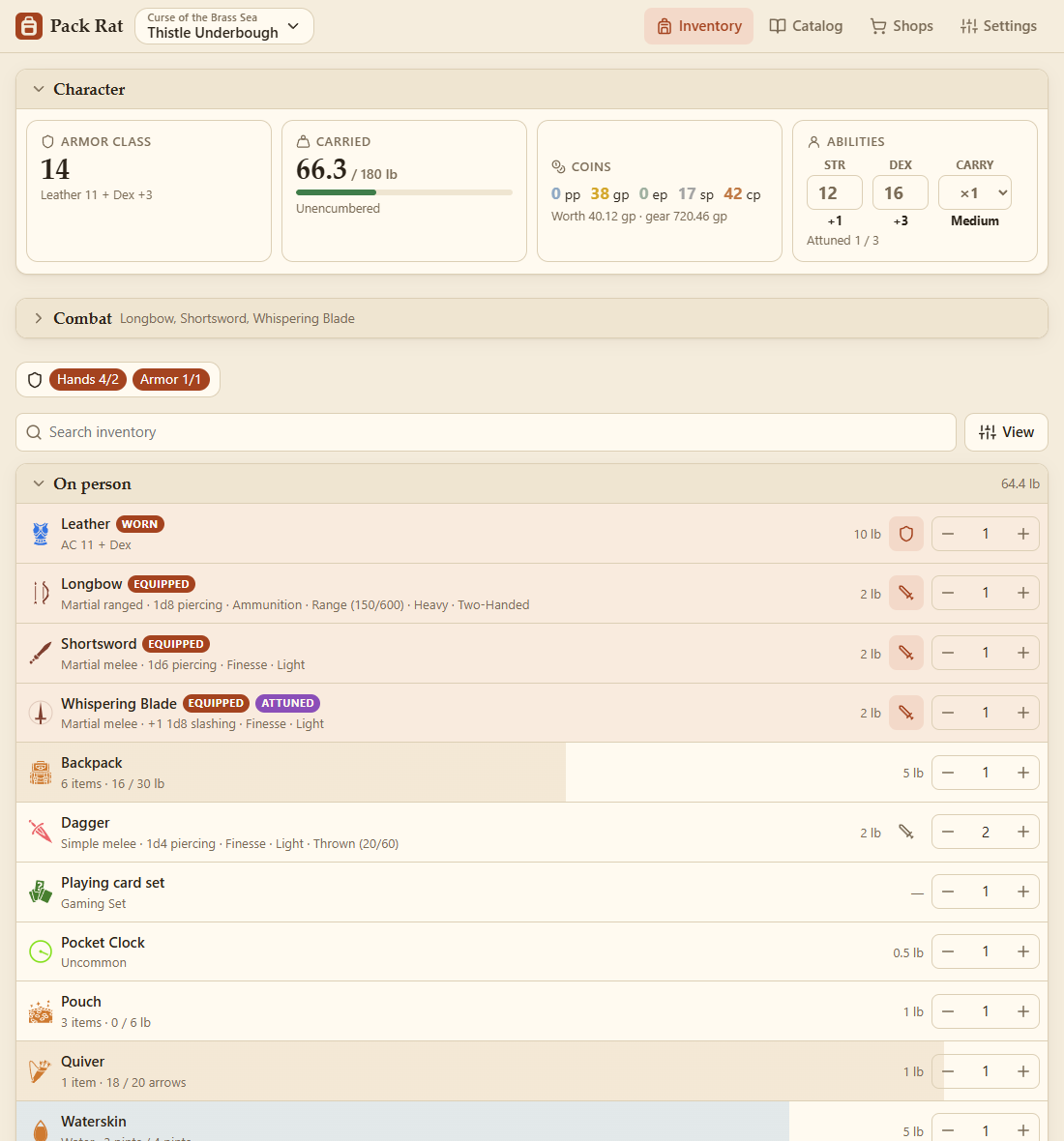
Pack Rat is an inventory manager for tabletop RPGs, with D&D 5e built in. Keep track of what your character carries, where it is and what it weighs. Use it on your own, or run a party where everyone at the table has their own inventory, trades items and buys from the GM's shops.
| Windows | PackRat.exe: one file, nothing to install. |
| Android | PackRat.apk: Android 7.0 or newer. |
| Browser | Open the web app: any modern browser, on PC or phone. |
See Getting Started for installing and your first character.
Playing
- Getting Started: install, your first character, the screens.
- Your Inventory: adding items, list and tile views, filters, stacks, the character panel.
- Containers: backpacks, gear strapped outside, quivers and cases, waterskins.
- Combat: attacks, damage and ammunition at a glance.
- Coins: the coin purse, buying, selling and change.
- Sets and Drawing Cards: decks of cards and other sets, drawing at random.
- Writing and Pictures: letters, books, maps and handouts.
- Campaigns: several games on one device, each with its own characters, shops and rules.
Making things
- Catalog and Custom Items: the item catalog, custom items, templates and colours.
- Item Features: what an item can do: hold things, hold liquid, charges, attunement…
- Item States and Rules: attuned, identified, cursed: what an item becomes in each state, and what happens by itself.
- Drawn Icons: draw your own icons, including live ones that show how full a bag is or tell the time.
Playing together
- Party Play: hosting and joining a party on your network.
- Running the Game: the GM: preparing campaigns, the players at a glance, host and GM roles.
- Trading: swapping items and coins with other players.
- Shops: the GM's shops: buying, selling, stock and money.
- GM Controls: the GM's panels of sliders, switches and maps, the values they set, and what reacts to them.
- Treasure: hoards and treasure tables; giving loot, or sharing it out among the players.
Everything else
- Settings and Backups: this device's mode, role and animations, where characters, rules and backups are.
- Files: everything you've made, and game systems: export, copy, move, delete, import.
- Writing a Game System: for other games: templates, states, money, panels.
- Troubleshooting: install warnings, joining problems, where your data is.
- Developing Pack Rat: running it from source, building the apps, where things are.
Pack Rat includes material from the System Reference Document 5.1 by Wizards of the Coast LLC (CC BY 4.0). It's an unofficial fan tool.