Repository navigation
Treasure
The GM tab's Treasure is for loot: hoards you make (or roll up on treasure tables) and give to a character, or share out among the players.
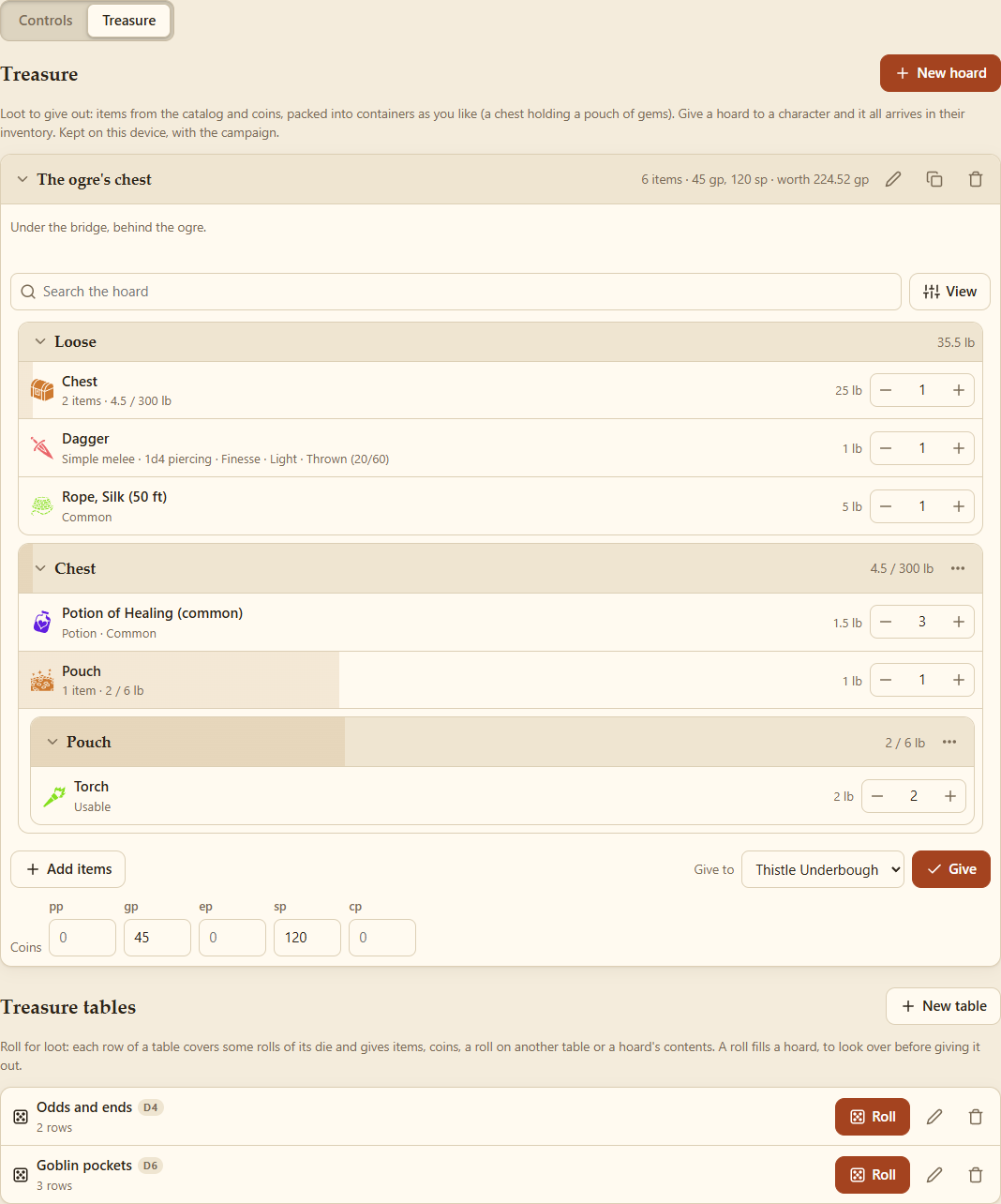
New hoard: a name, and notes only you see ("under the bridge, behind the ogre").
- Add items opens the catalog (the same list as a shop's): search, filter and add. Adding an item again adds more.
- A hoard shows like an inventory, with the same tools (search, sort, list or tiles, filters): what's Loose, then a section for each container. Drag items into containers (a chest holding a pouch), change how many, or open an item to set its Location or Take it out.
- Coins: how many of each coin. (They're items, as in an inventory: giving the hoard moves them once.)
- Its header says how many items, its coins and what it's all worth. Hoards can be renamed, copied and deleted.
Hoards belong to the campaign, on the GM's device. In a party, what players discard arrives in a hoard called Discarded, each item with "Discarded by …" in its history.
Give to a character on this device (in a party, the ones you play): everything moves into their inventory, containers and all. Loose items join matching stacks, coins add to theirs, and the hoard is emptied (Undo takes it back). Items arrive as newly picked up, so their rules fire: a cursed stone curses as it's taken (see Item States and Rules).
Show to players… on a hoard, and tick who takes part. The hoard is locked while it's shown.
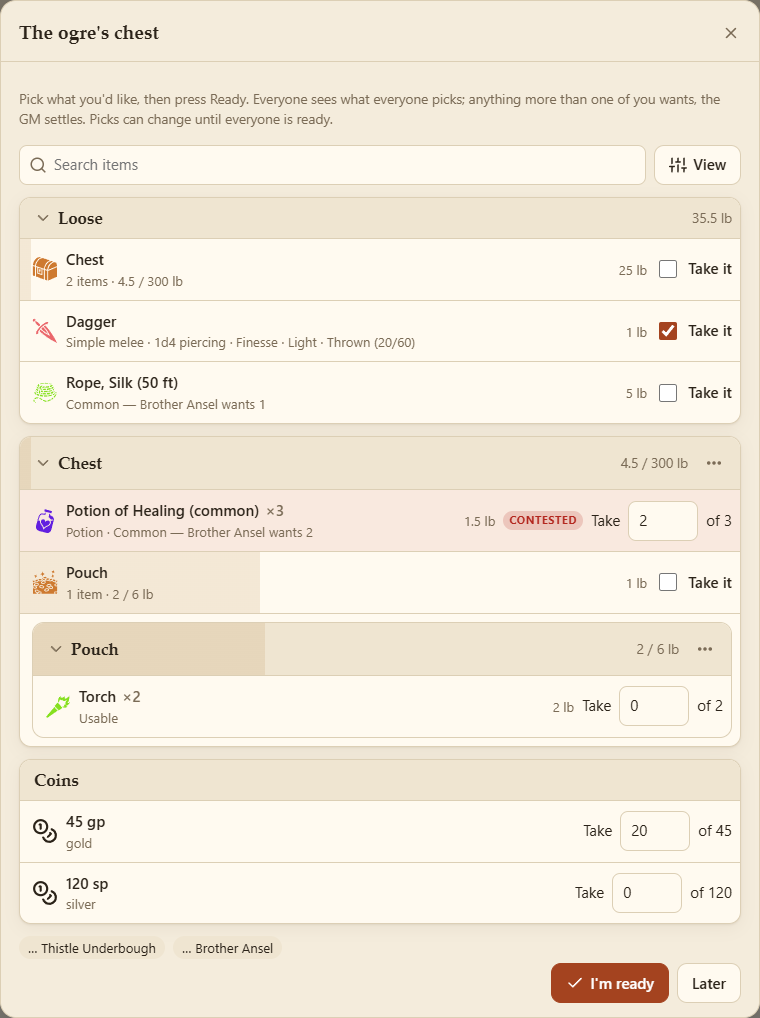
For each player taking part, it pops up as an open container:
- every item (in its containers) and each coin, with Take it (one) or Take _ of N (a stack, or coins);
- what the others want ("Brother Ansel wants 2"). Anything more wanted than there is, is contested;
- who's ready, and I'm ready. Changing a pick makes you not ready again;
- Later puts it away; a banner brings it back.
When everyone taking part is ready, what only one of them wanted is theirs at once. The rest is for the GM to settle.

The GM's Showing section, at the top of the Treasure tab, shows who's ready and who wants what. For each contested item:
- set how many each gets (their picks to start with) and Give;
- or Roll: one of them, at random, gets it all.
While they're still picking, Settle as it stands gives out what isn't contested now, and Close stops it with nothing more given. When it's over, what's left goes back into the hoard, you're told who took what, and each player what they received.
Picking a container takes just the container; what's in it is picked on its own (it stays inside if the same player gets both). A set, like a deck of cards, comes with its pieces.
The party's host needs this version of Pack Rat to share treasure.
Roll for loot instead of choosing it. New table: a name and a die: d20, d100, 2d6, 3d6+2, 3d6×10, or a plain number.
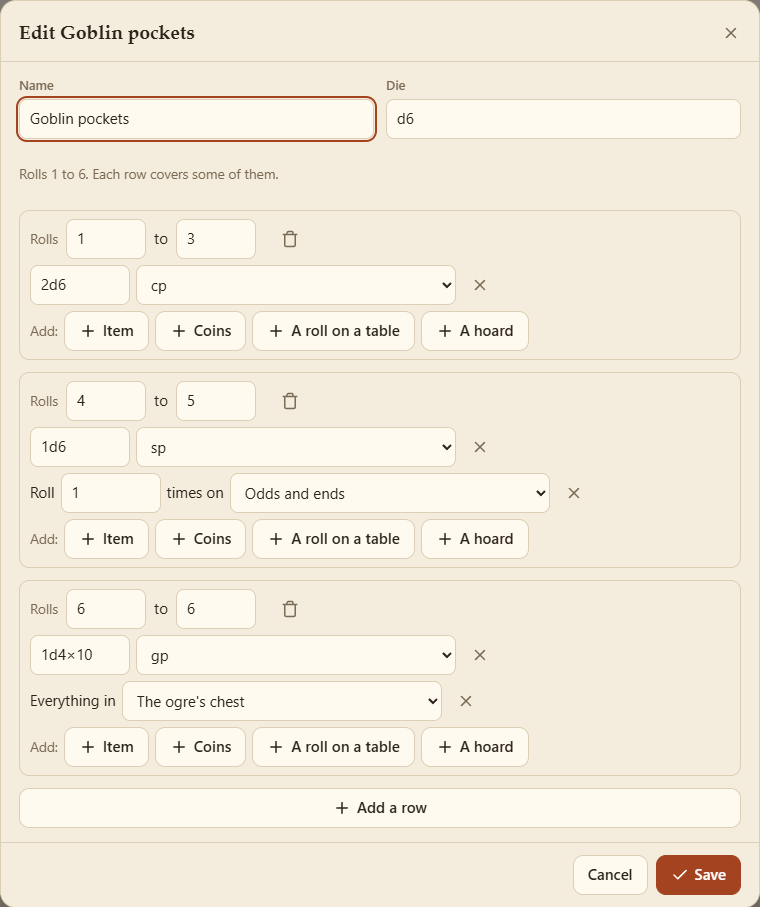
Each row covers some of the die's rolls (from–to) and gives any of:
-
Item: from the catalog, with how many as a number or dice (
1d4potions); -
Coins: an amount as dice (
3d6×10gold); - A roll on a table: another table, rolled once or more (tables can nest);
- A hoard: a copy of everything in one of your hoards (the hoard keeps its own).
The editor warns about rolls no row covers (nothing comes up then) and rolls two rows share (the first is used).
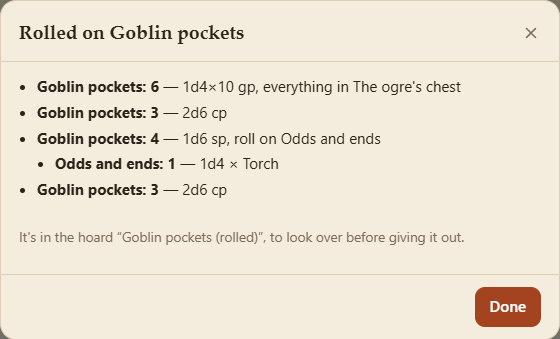
Roll: how many times, and into a new hoard or one you have. A window lists each roll and what it gave. The result is an ordinary hoard: look it over, change it, then give it or share it out.