Admin Configure
The settings of Taranis can be configured through the Taranis web interface or via the configuration files on the Taranis server. This chapter describes the different web-based configuration options Taranis offers.
The configuration of Taranis is opened through the “Configuration” link on top of every page. This chapter will focus on these configuration items only. It depends on the user's rights which configuration options are displayed.
Figure: Configuration options
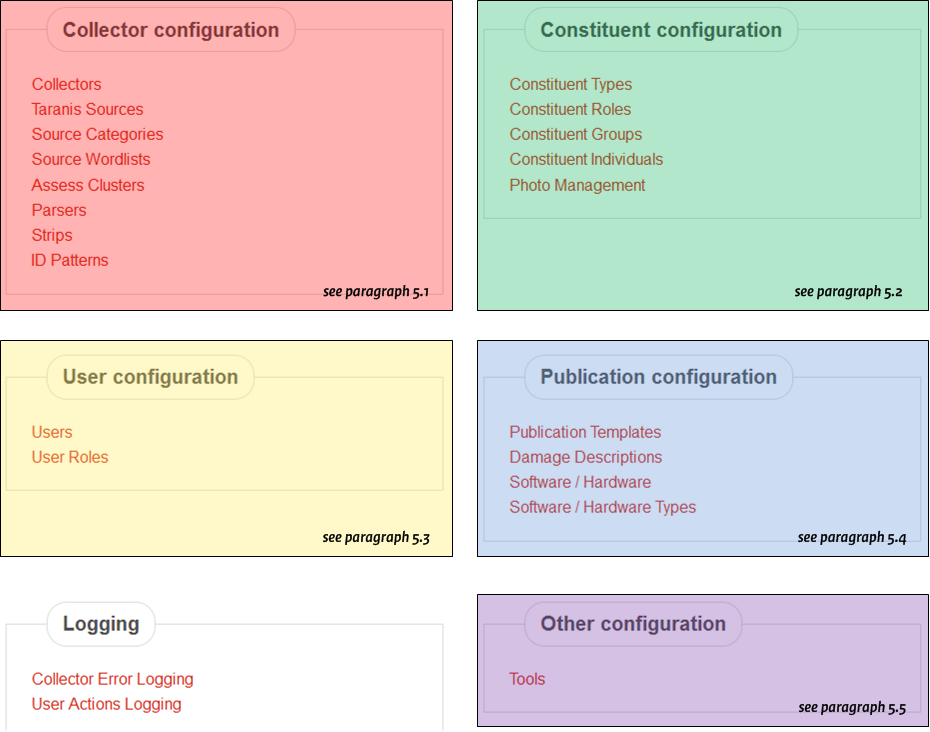
Option blocks:
- configure Users
- configure Collector and Sources
- configure Constituents
- configure Publications
- configure Damage Descriptions
- configure Software, Hardware and Platform names (CPEs)
Access Tokens are used to grant users access to the REST API of Taranis. Use the ‘Add new tokens’ to add them. Select a user and an expire time.
CVE descriptions can be used to translate or describe a CVE once and then use it in multiple advisories. The original descriptions are provided by MITRE. The URL from which these descriptions are downloaded can be managed with the ???-button. This will show the page shown here:
Figure: Manage CVE download files

Use the add URL link to add additional URL’s. The descriptions are downloaded and processed with taranis cve descriptions.
CVE descriptions can be very similar for vulnerabilities that are related to each other. In such a case you can use a CVE Template. A new template can be added with the ???-button.
