Admin Categories
The Personalization tab → Categories section lets you manage global place categories. Categories are shared across all trips and all users on the instance.
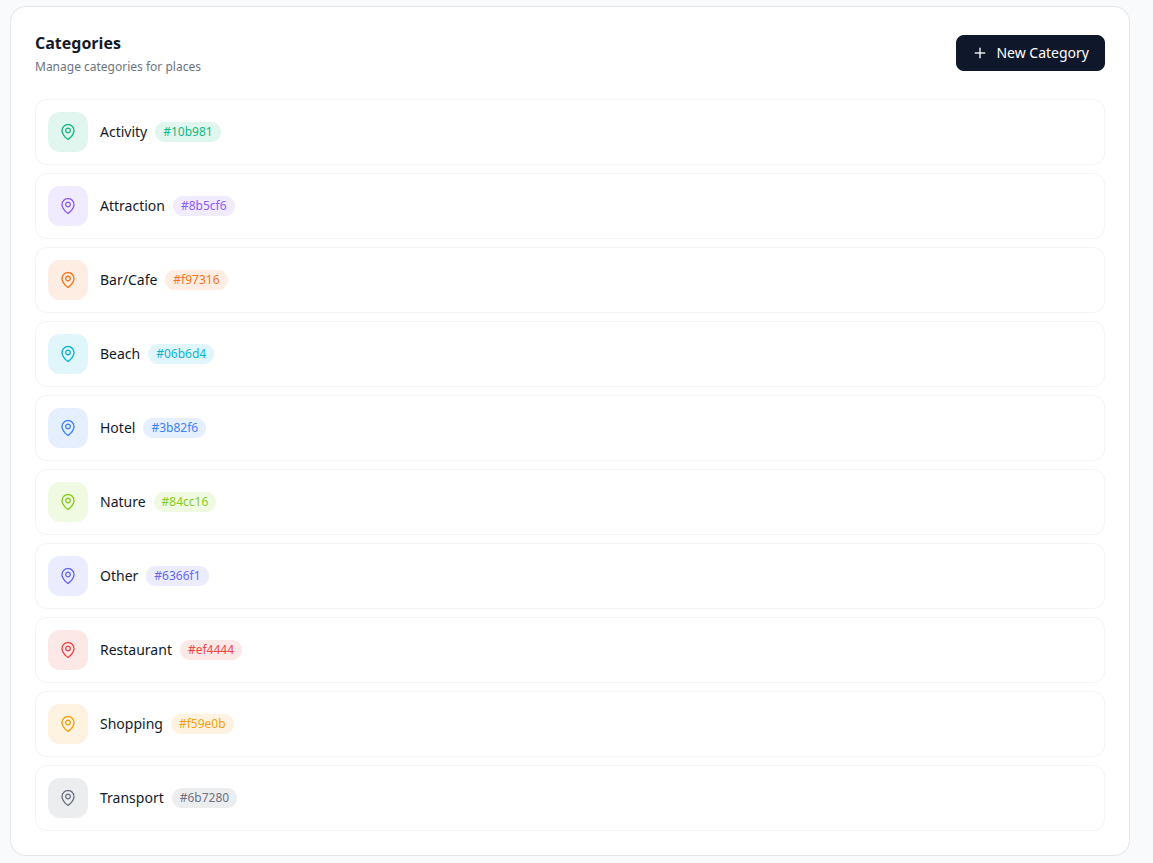
A category is a label consisting of a name, a color, and an icon. Users assign categories to places when creating or editing a place. Categories appear:
- In the place form's category selector
- As colored chips on place cards
- In the places filter panel
- In the map legend
Click New Category (top-right of the category section). A form appears inline:
-
Name — required. Free-text label for the category.
-
Icon — a scrollable grid of ~47 curated Lucide icons (Pin, Hotel, Restaurant, Transport, Nature, etc.). Click any icon to select it. The default icon is
MapPin. -
Color — 12 preset color swatches plus a custom color picker (pipette button). The default color is
#6366f1(indigo). The 12 presets are:#6366f1·#8b5cf6·#ec4899·#ef4444·#f97316·#f59e0b·#10b981·#06b6d4·#3b82f6·#84cc16·#6b7280·#1f2937 -
A live preview chip shows how the category will appear to users as you make selections.
Click Create to save.
Click the pencil icon on any category row. The same form appears in-place with the existing values pre-filled. Change any field and click Update.
Click the trash icon on a category row and confirm. Deletion sets category_id to NULL on any places that had the category assigned — the places themselves are not affected, they become uncategorized.
Categories are always displayed in alphabetical order by name. There is no manual reordering.