Journey Journal
Journey is a photo-first travel journal. Each journey is linked to one or more of your trips and contains per-day entries with text, photos, mood, and weather.
Admin: enable Journey in Admin-Addons.
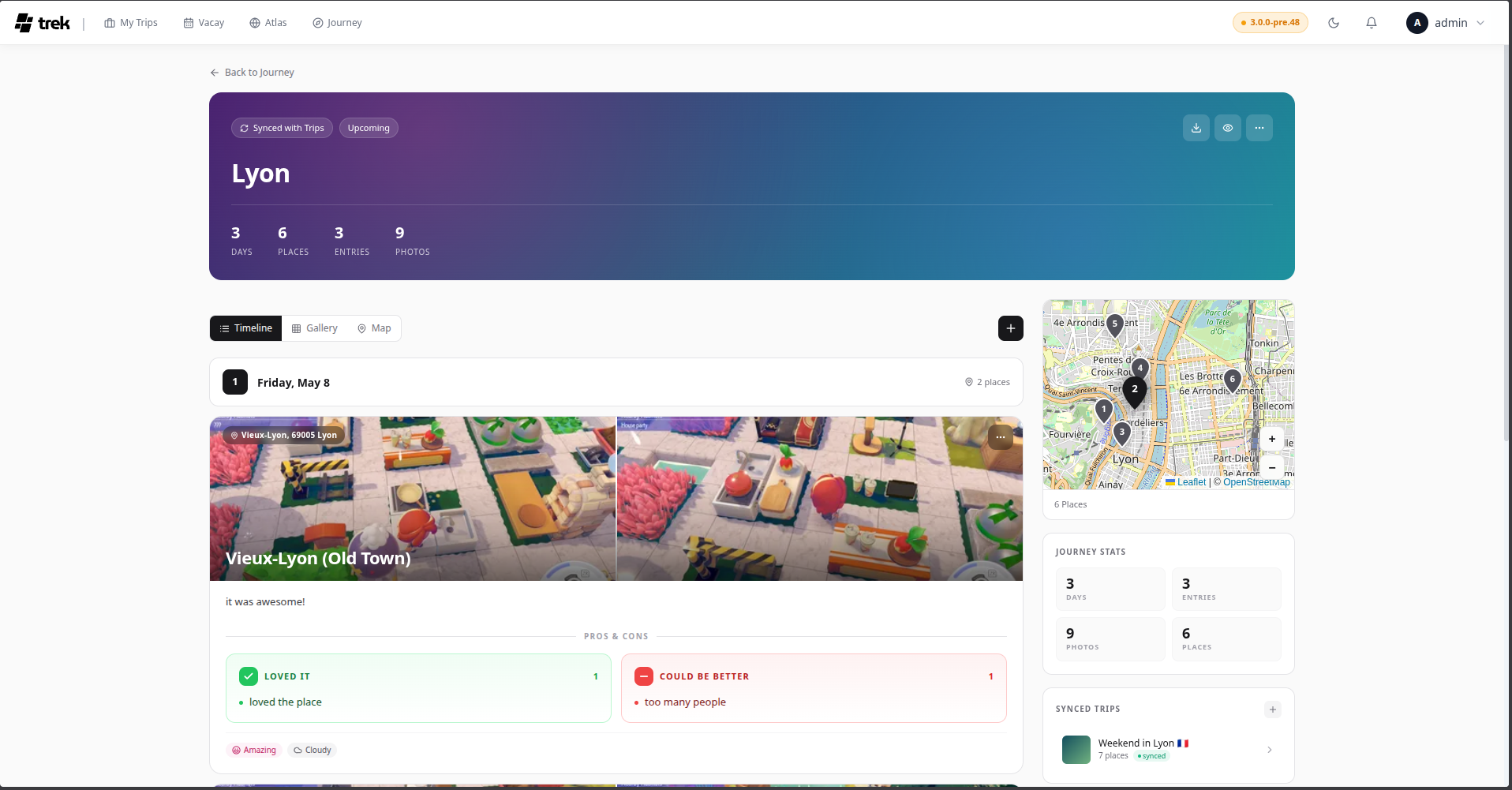
Journey lets you write a narrative account of your travels alongside your trip plan. Entries are tied to specific days and can include prose, photos, a mood rating, weather conditions, and verdict cards. Completed journeys can be shared publicly with a read-only link.
When the admin has enabled the Journey addon, a Journey entry appears in the main navigation. The Journey list page shows all your journals as cards with cover images, entry counts, photo counts, and place counts.
From the Journey list, click Create journey. Give it a title and optional subtitle, then select one or more existing trips to link. Linking a trip imports the trip's places as location anchors for your entries. You can link additional trips later from the journal settings.
Each entry corresponds to a day in your journey. The entry editor provides:
-
Title — a short heading for the day.
-
Story — free-form text that supports Markdown formatting.
-
Mood — choose one of four values:
ID Label Color amazingAmazing Pink goodGood Amber neutralNeutral Grey roughRough Violet -
Weather — choose one of six values: Sunny, Partly cloudy, Cloudy, Rainy, Stormy, Cold.
-
Photos — attach photos to the entry. The first photo becomes the card thumbnail in list views.
Note on HEIC files: HEIC is an Apple-only format that many browsers and platforms do not recognise as an image. To ensure broad compatibility, HEIC/HEIF files are automatically converted to JPEG before upload. This conversion may result in the loss of embedded metadata (EXIF data such as GPS coordinates, camera information, etc.).
-
Pros / Cons — optional verdict cards. Add items to a Pros list (thumbs-up) or a Cons list (thumbs-down) to summarise what you loved or what could have been better. These are stored in the
pros_cons.prosandpros_cons.consarrays on the entry. -
Tags — free-form labels (e.g. "hidden gem", "best meal").
-
Location — pin the entry to a map location.
-
Time — optionally record a time of day for the entry.
On mobile, entries are displayed in a horizontal scrolling timeline of card thumbnails. Tap a card to open the full entry view in a modal sheet. Each card shows the entry's first photo (or a placeholder pin), date, day number, mood icon, and weather icon.
The journey detail page includes a map on the right (desktop) or an integrated map-timeline (mobile) showing all entry locations alongside the places from linked trips.
You can share a journey with a read-only public link. When creating the link you can independently toggle which sections are visible to visitors: Timeline (entries and stories), Gallery (photos), and Map. Visitors can only see the sections you have enabled, and no TREK account is required. See Public-Share-Links for details on the separate journey share token mechanism.