Repository navigation
Database Mail
Under Management, Database Mail shows its status, queues, profiles, accounts and recent failed items. Its context menu configures it, sends a test e-mail, starts or stops it, opens the Database Mail log, and scripts it. The node's label carries its state, re-read in place on refresh, and the folder is hidden on Azure SQL Database, where the service is not there to manage.
Status (started or stopped, and whether Database Mail XPs is on), the external
executable's state, the message queues — unsent, sending, and the failed items with
their error text — and the profile and account list. The log opens in the
Log File Viewer, with its
filter and its export.
Database Mail XPs is the option that trips people up, and the page is explicit about
what it does and does not do: with it off, accounts, profiles and parameters can
still be configured, but no mail is sent and Database Mail cannot be started. Turning
it on starts nothing either — the first message sent does. It is the same setting as
Server Properties ▸ Advanced, and the note says so rather than letting two dialogs hold
two ideas about it.
One dialog that does what SSMS's Configure Database Mail wizard does, in a single Apply.
Database Mail — the status, and the system's configured-versus-in-use state: where a
system parameter is configured one way and running another, the page shows both and
Apply finishes with RECONFIGURE.
System parameters —
| Account retry attempts / retry delay | Per account: a message tries each account of its profile in turn, and the whole list this many times |
| Maximum file size / Prohibited extensions | The attachment cap and the comma-separated list of extensions that may not be attached |
| Default attachment encoding | The encoding an attachment is written with |
| Exe minimum lifetime | How long the Database Mail executable stays resident after the queue empties |
| Logging level | Normal logs errors only, Extended adds warnings and information, Verbose adds success messages |
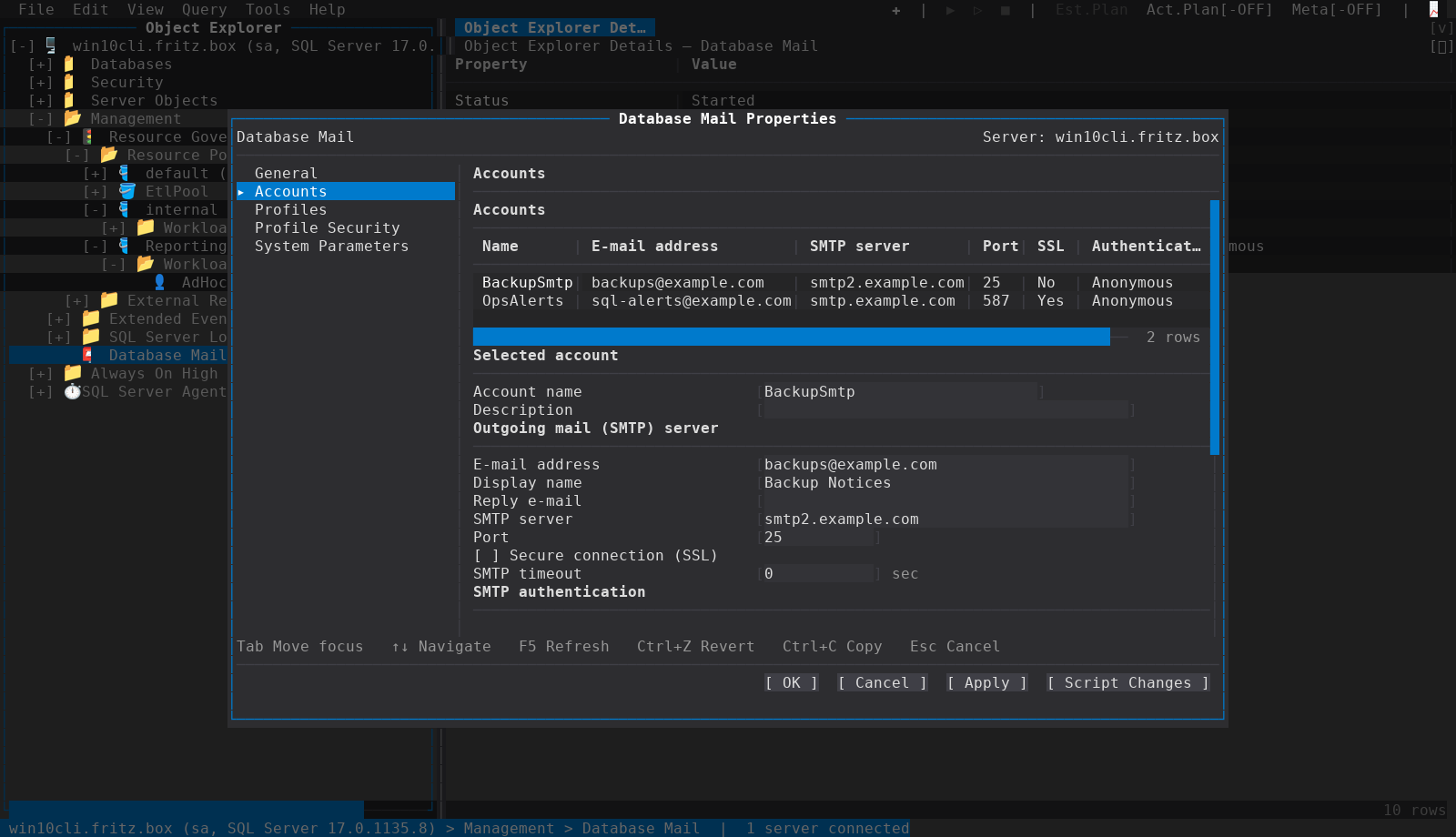
Accounts — add or remove an account and edit the selected one: name, description, e-mail address, display name, reply address; the SMTP server, port, timeout (0 leaves the server's default), Secure connection (SSL); and SMTP authentication — Anonymous, Basic, or Windows (Database Engine service credentials) — with user name and password where the mode takes them.
Two things about an account's password are stated rather than discovered:
- The stored password cannot be read back, so a blank Password field means keep the stored one. Changing the authentication mode or the user name does replace the credential, so Basic then wants the password typed again.
- An account using Basic authentication stores its password as a server credential,
which means changing or deleting it needs
ALTER ANY CREDENTIAL(CONTROL SERVERimplies it). Without it those fields are read-only and the page says why — an existing Basic account cannot be changed or deleted at all, because the change would unlink or orphan its credential. Other accounts remain editable.
Removing an account also removes it from every profile that uses it — the server does not refuse it — and the dialog says so; a new account is offered on the Profiles page immediately.
Profiles — the profiles themselves, each with the accounts it uses in failover order (an ordered list, edited as one), and the security page: which profile is public and which are private to which principals, with the sysmail permission grants.
Apply writes the pages in dependency order — accounts before the profiles that reference
them — and Script Changes shows the whole sysmail_add_* sequence without running
any of it.
Send Test E-Mail… picks the profile, To, Subject and Body, calls
sp_send_dbmail, and then does the part a client cannot shortcut: sp_send_dbmail only
queues the message, so a successful return says nothing about the mail server. The
dialog follows the item and its log rows until it is sent, an error is logged, or it
gives up — and shows you the SMTP error when there is one.
Apply sends and waits in the dialog; OK sends, closes once the message is queued
and reports the outcome on the status bar; Script Changes shows the
sp_send_dbmail call.
- Log File Viewer
- SQL Server Agent — operators notify by Database Mail
-
Server and database properties —
sp_configureoptions, configured vs running