Repository navigation
Server and Database Properties
The two properties dialogs, what each page writes, and what the app shows when a value could not be read.
Tools ▸ Server Properties / Tools ▸ Database Properties, or right-click ▸ Properties... anywhere in the tree.
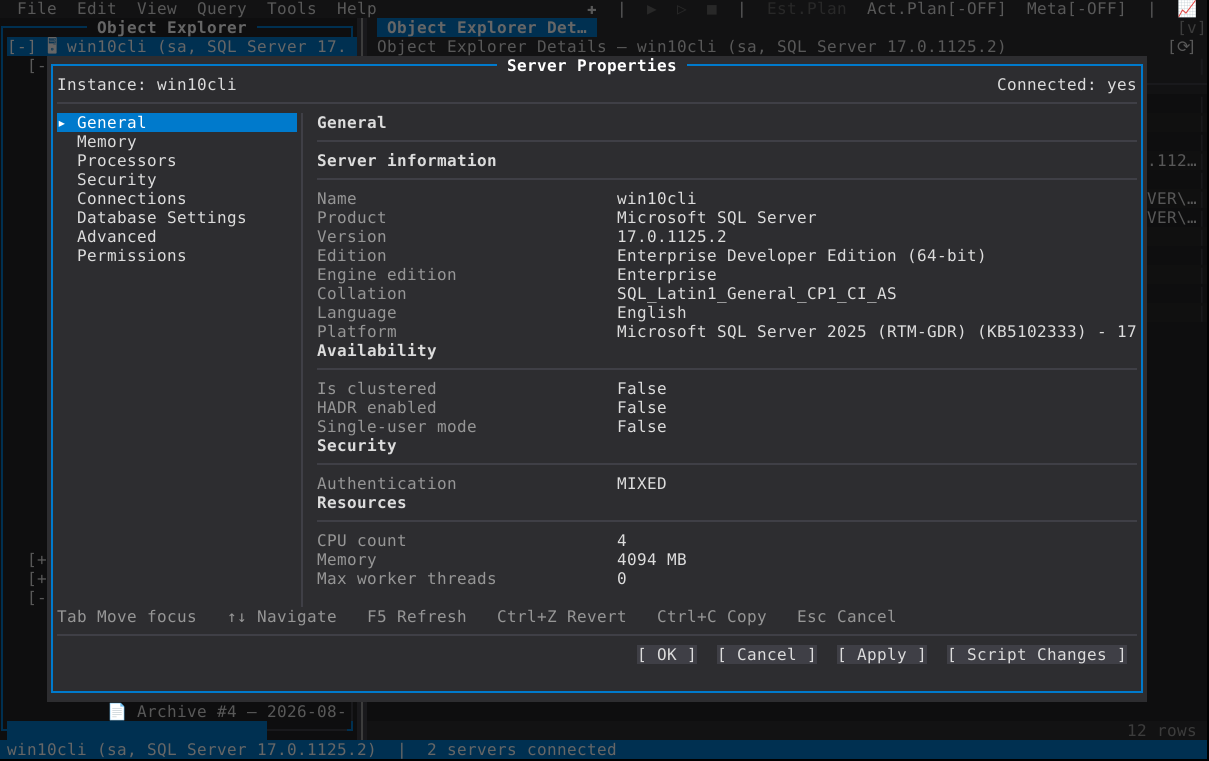
One shell, whatever the object:
| Tab | Move focus: page list → page → buttons |
| F5 | Reload the current page from the server |
| Ctrl+Z | Revert this page to its loaded values |
| Ctrl+C | Copy the focused row's value |
| Esc | Close — or, while OK/Apply/Script Changes is running, stop it |
- OK / Apply / Script Changes. The same pending edits, three outcomes: apply and close, apply and stay, or open the statements in a query window without writing anything. See Scripting.
-
Only what changed is written. A page writes the rows that are dirty and
nothing else, and a page nobody touched writes nothing — so a Server Properties
session spent reading does not leave a trace of identical
sp_configurecalls. - A rename is the last write of an Apply, and the rest of the pages re-read under the new name. This is why the pages of one object share its name: rename a login, and every page of that login is about the login by its new name in the same dialog.
- Multi-page Applies run in dependency order — the resource governor's pools and groups, Database Mail's accounts before its profiles, a New User's General before its schemas and memberships.
- Read-only pages are not a defect and not an invitation to click: on a page the login may not write, the values are shown, Tab still reaches its grids (which scroll and select, and edit nothing), and the reason is on the dialog.
- A long value is not clipped away: a value that will not fit the field is reachable in its own viewer.
| Page | What is on it |
|---|---|
| General | Memory, cores, version and edition, build, collation, service name, and the rest of the instance's identity. Read-only — an information page with no writer at all. |
| Memory | Minimum and maximum server memory, and the locked-PAE-pages / min-memory-per-query options where the platform has them. |
| Processors | Affinity, max degree of parallelism, cost threshold, light-weight pooling, and scheduler-related options. |
| Connections | Remote query/login timeouts, user connections, remote proc transactions, and the network packet size. |
| Database Settings | The instance-wide database defaults: recovery model, compatibility, the containment and secondary-level defaults, and the backup options. |
| Advanced | A group of the commonly-changed sp_configure options as editable rows, over a read-only grid of every remaining option. |
| Security | Authentication mode (Windows / SQL Server and Windows), allowing contained database authentication, cross-database ownership chaining, and C2 audit tracing. |
| Permissions | The server-scope permissions grid: every principal and the server permissions granted to it, with the state cycled on Space / Enter to GRANT or DENY. A database principal's Securables page is the same editor at database scope. |
sp_configure options that are configured one way and running another — because
RECONFIGURE WITH OVERRIDE has not run — show both values beside each other,
so a pending change is visible instead of looking like a failed write. Applying
writes only the rows that differ from what is already configured.
| Page | What is on it |
|---|---|
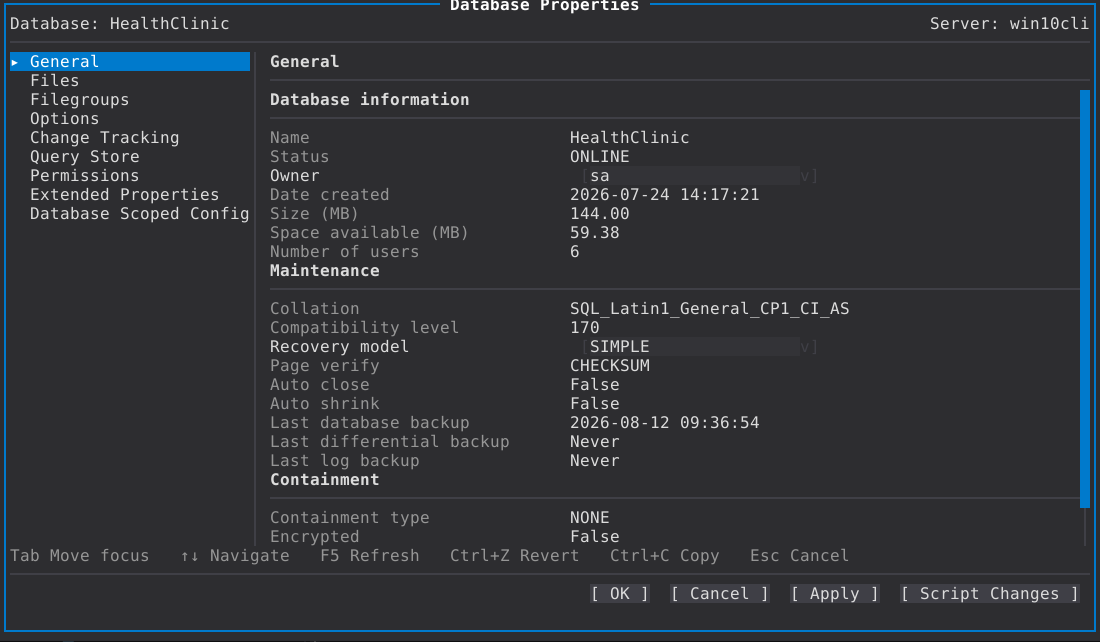
| General | Name, owner, state, creation date, compatibility level, recovery model, the collation, and the rest of what SSMS puts on this page. A database whose owner no longer resolves — one restored from elsewhere — says so instead of showing an unrelated login. |
| Files | Every file: initial size, autogrowth, and the limit. Lowering a size shrinks the file and says where a shrink stopped; raising it grows the file. A snapshot shows its size on disk. |
| Filegroups | Filegroups and their defaults, with the files in each. |
| Options | The database-level SET options SSMS lists on this page — the statistics, cursor, isolation and compatibility switches a database has as ALTER DATABASE … SET — as editable rows, each written only if it changed. |
| Change Tracking | Change tracking on/off and its retention and options. Turning on column tracking for a tracked table asks first; a database that was not tracked starts from the server's defaults rather than a guess. |
| Permissions | The database-scoped permissions grid and the database's roles and users, reached without leaving the dialog. |
| Query Store | Operation mode, data flush interval, statistics and retention intervals, max storage size, query capture mode and the stale-plan-capture threshold — the ALTER DATABASE … SET QUERY_STORE settings. |
| Resource Governance | The database's resource governor / resource governance settings, on the editions that have them. |
| Scoped Configuration | Database scoped configuration options, as editable rows, each written only if it changed. |
| Extended Properties | The database's extended properties: name, value, and the object they hang off. |
Every other node behaves the same way: one dialog, pages, pending edits, the three outcomes. Table, index, statistics, view, procedure, trigger, schema, constraint, key, sequence, synonym, assembly, type, rule, default, plan guide, partition function and scheme, endpoint, credential, audit and specification, full-text catalog and stoplist, Service Broker queue and route, resource pool and workload group, availability group and replica and listener, Agent job and schedule and alert and operator, login, user, role — and the read-only ones, like a security policy or an endpoint, say so on the page rather than letting you type into a field that cannot be written.
Some pages are shared deliberately, because two copies of a mapping would drift: an index-backed PRIMARY KEY or UNIQUE constraint reuses Index Properties' page builders unchanged (minus Included Columns and Filter, which a table-level constraint cannot have), and a server role reuses the database-role dialog's shape wherever the two scopes agree.
Three different answers, and the app keeps them apart:
-
N/A— the login could not read it. Never rendered as0, blank orfalse, which is the mistake that turns a missing grant into a plausible setting. - A greyed page with the right it wants — the gate measured a no, and the name of the missing right is on the item.
- The engine edition's note — what the edition does not implement, which no permission gets past the server. The edition's note wins, because there is no statement to grant.
When you do provoke a refusal from the server, the message names the right that was missing rather than repeating the driver's text.
- Object Explorer — where Properties comes from
- Scripting — Script Changes
- Security — the permission pages in more depth