Repository navigation
Replication
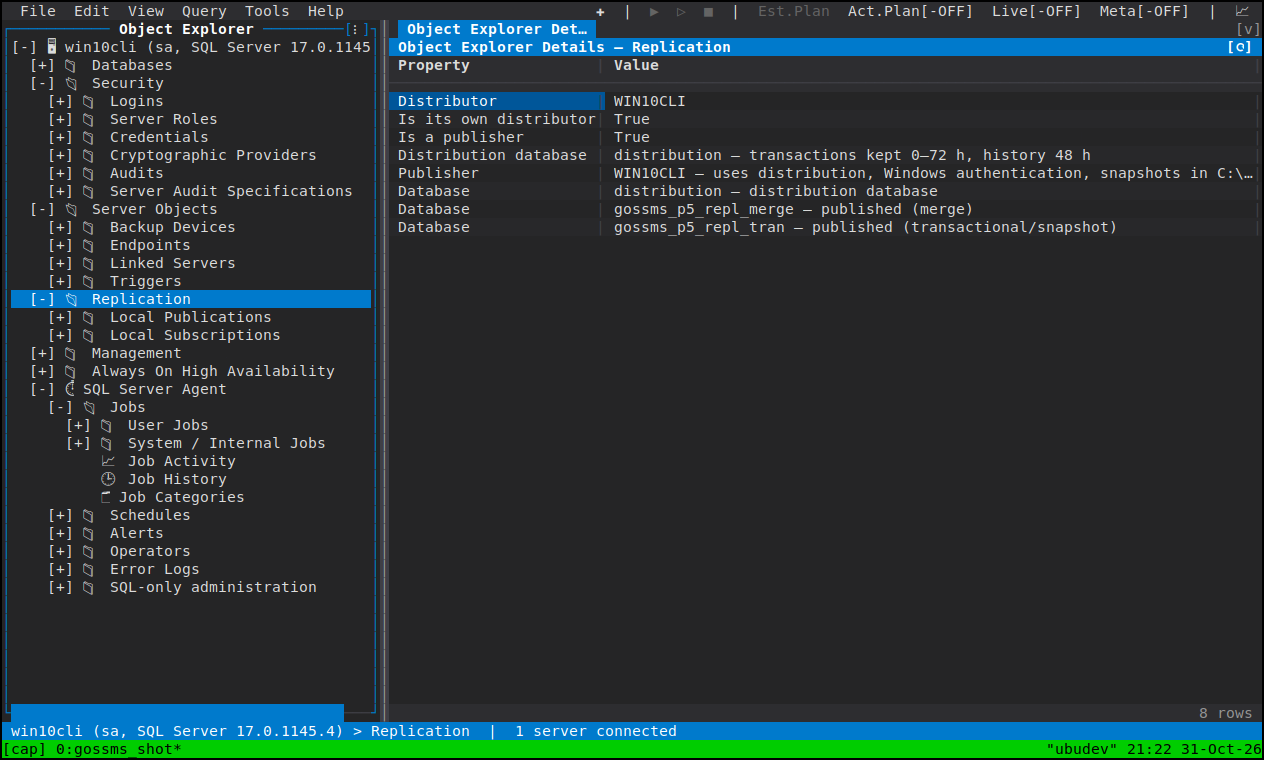
Publications and subscriptions are browsed and monitored in goSSMS, never configured. That is a settled scope decision, not a gap waiting for a vote: there is no create, alter or drop of a publication or subscription, no reinitialise, and no starting or stopping an Agent job — the Replication Monitor reads, and says so.
The Replication folder sits at the instance root, beside Server Objects, and is hidden on Azure SQL Database, which has no replication here.
-
Local Publications — every publication on the instance, named
[database]: publication, with an icon by kind (snapshot, transactional, merge). Where replication is not configured at all, and where a publication exists but the login cannot see it, the folder says which rather than showing an empty node. - Local Subscriptions — the local subscriptions, with their publication, database and status.
Both folders and every leaf have a Details-pane grid, and the same readers back the grid and the Properties dialog, so the pane and the dialog cannot disagree about what a publication or a subscription is.
Properties on a publication or a subscription opens the pages SSMS's own Publication and Subscription Properties have for that kind, every field showing and none of them writing. Every page is read-only, which the dialog states rather than leaving you to discover by typing.
What you do with them is read a configuration, find an article list, or copy the definition out; if you need to change one, that is a call to the deployment tooling that owns your replication.
Tools ▸ Replication Monitor, or Launch Replication Monitor on the Replication folders, a publication, or a subscription: one panel per server, four grids stacked and refreshed on a timer.
Tab          Move focus: publications/subscriptions & agents → the agent's
             sessions → the session's actions
F5           Re-read everything now
Ctrl+Up/Down Resize the panes
Toolbar      Auto refresh rate (or Off), History window, Failed sessions only
Show Value   On an action's Error details cell: the whole error
- The publications the instance distributes.
- The selected publication's subscriptions and agents, with their run state.
- The selected agent's sessions — each run, its duration, its speed, its delivery rate, and whether it ended in a warning or an error.
- The selected session's actions and, behind each failed one, the error text
(
Show Valuegives you the whole of it, not the truncated cell).
Auto refresh takes a rate or Off, History window opens the agent's history, and Failed sessions only filters the sessions grid to the runs worth reading.
The monitor watches the distribution databases on the instance it is opened on. A publisher whose distributor is somewhere else is monitored there — and rather than showing you an empty grid, the panel says exactly that, so an empty grid is never ambiguous.
- Object Explorer
- SQL Server Agent — the Agent jobs the log readers and distribution agent run, seen from the Agent side
- Log File Viewer