Repository navigation
Scripting
Two different things both named "script": the Script as ▸ cascade on Object Explorer nodes, and Script Changes in every write dialog. Both end with T-SQL you can read before anything runs.
Right-click an object and the menu offers the verbs its type supports, each with three destinations:
Script Table as  ▸ SELECT To  ▸ New Query Editor Window | File... | Clipboard
                 ▸ INSERT To  ▸ …
                 ▸ ALTER To   ▸ …
                 ▸ CREATE To  ▸ …
                 ▸ DROP  To   ▸ …
| Verb family | Offered by |
|---|---|
SELECT / INSERT / UPDATE / DELETE To |
Tables and views |
EXECUTE To |
Stored procedures and functions |
ALTER / CREATE / DROP To |
Almost every object with a DDL: databases, tables, views, procedures, functions, triggers, indexes, keys, constraints, statistics, sequences, synonyms, schemas, users, roles, partition functions and schemes, security policies and more |
REBUILD / REORGANIZE To |
Indexes |
UPDATE STATISTICS To |
Statistics |
Each verb is generated on a background goroutine and only then committed to its destination, so a failure neither prompts for a filename you will not use nor overwrites your clipboard. A node type the table has no entry for — a folder, an object goSSMS cannot script — shows no Script item at all rather than one that fails when clicked, and a verb the engine edition refuses is greyed with the edition's note.
File... starts the save prompt on <schema>.<name>.sql, sanitised for the
platform, and a file written from a script panel keeps the encoding and line
endings of the file it came from.
On a database node: one script that recreates that database's roles, users, schemas, role memberships and permissions — the catalog read as T-SQL, opened unexecuted in a query window. It is the read side of Security: the way to move a database's permission model to another instance, or to review it in a diff.
Every write dialog — properties sheets, New Database, New Job, New Certificate, Database Mail Properties, and the rest — has Script Changes beside OK and Apply. It runs the same pipeline as Apply, from the same pending edits, but intercepts every write: nothing reaches the server, and the statements open in a query window in the database they belong to.
That is why Script Changes is worth reaching for by default:
- It shows only what you changed. A page writes the rows that are dirty — added, edited, removed — and a page nobody touched writes nothing. Pending master-detail rows (a step, a schedule, an event, an account) are the unit, so "one new row" scripts one statement, not the whole set.
- It scripts the whole Apply in order. A multi-page Apply runs its writes in dependency order, and a rename is the last write of the run so the statements before it still address the object by the name it has at that moment. Under Script Changes a completed step only records, so the same order survives into the script.
- Confirmation dialogs offer it too. A Delete, Rename, Take Offline or failover asks before it runs and offers the statement instead of running it, so the risky ones can be handed to a change process.
Some dialogs are script-only on purpose. Shrink ▸ Database... and Shrink ▸ Files... offer Script and Cancel and execute nothing: a shrink moves pages, fragments every index it touches and can run for hours, so the statement goes to a window for you to run or schedule.
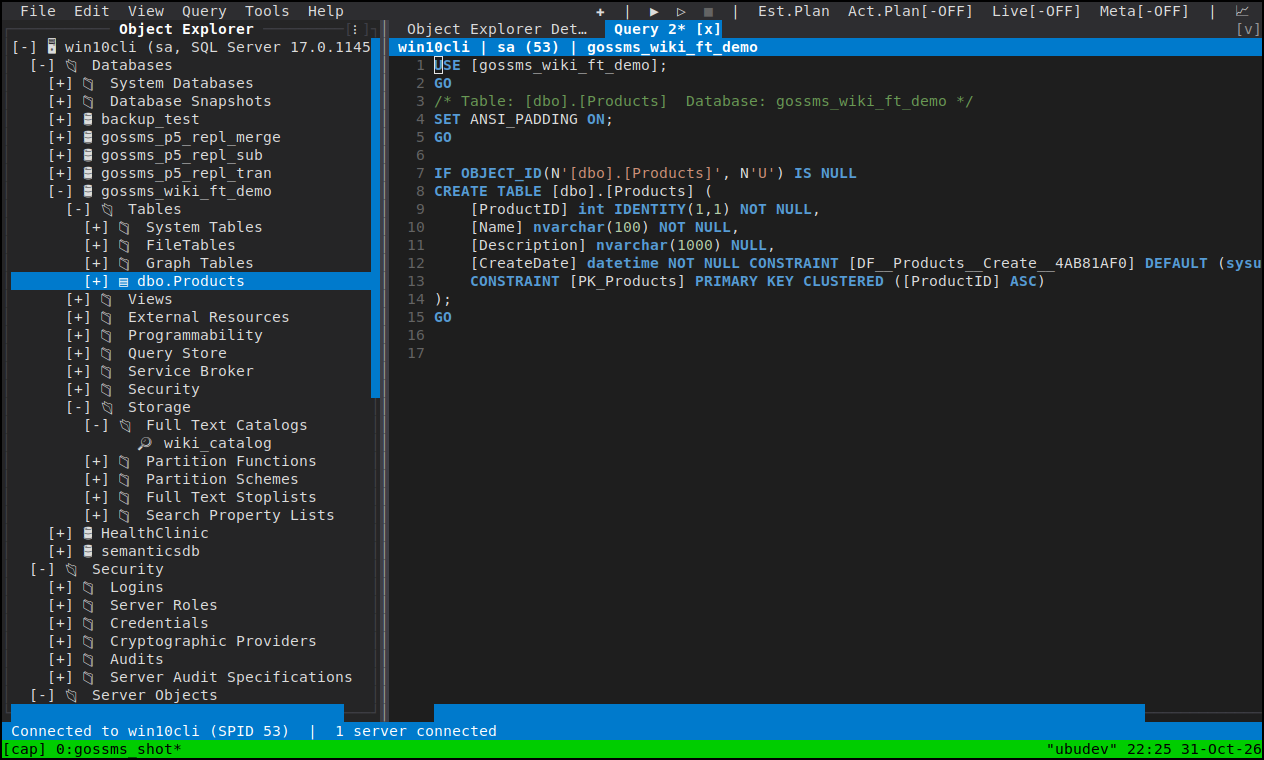
A query panel runs a batch statement by statement on GO lines, so a generated
script behaves as SSMS's output does; Query ▸ Execute at Cursor
(Ctrl+Enter) selects the statement under the cursor first, and a selection
makes F5 run only the selection. An error in the Messages pane jumps to its
line on Enter or double-click.
- Object Explorer — where the cascade lives
- Query Editor — running what you scripted
- Database tasks — the script-only shrink dialogs