Repository navigation
Log File Viewer
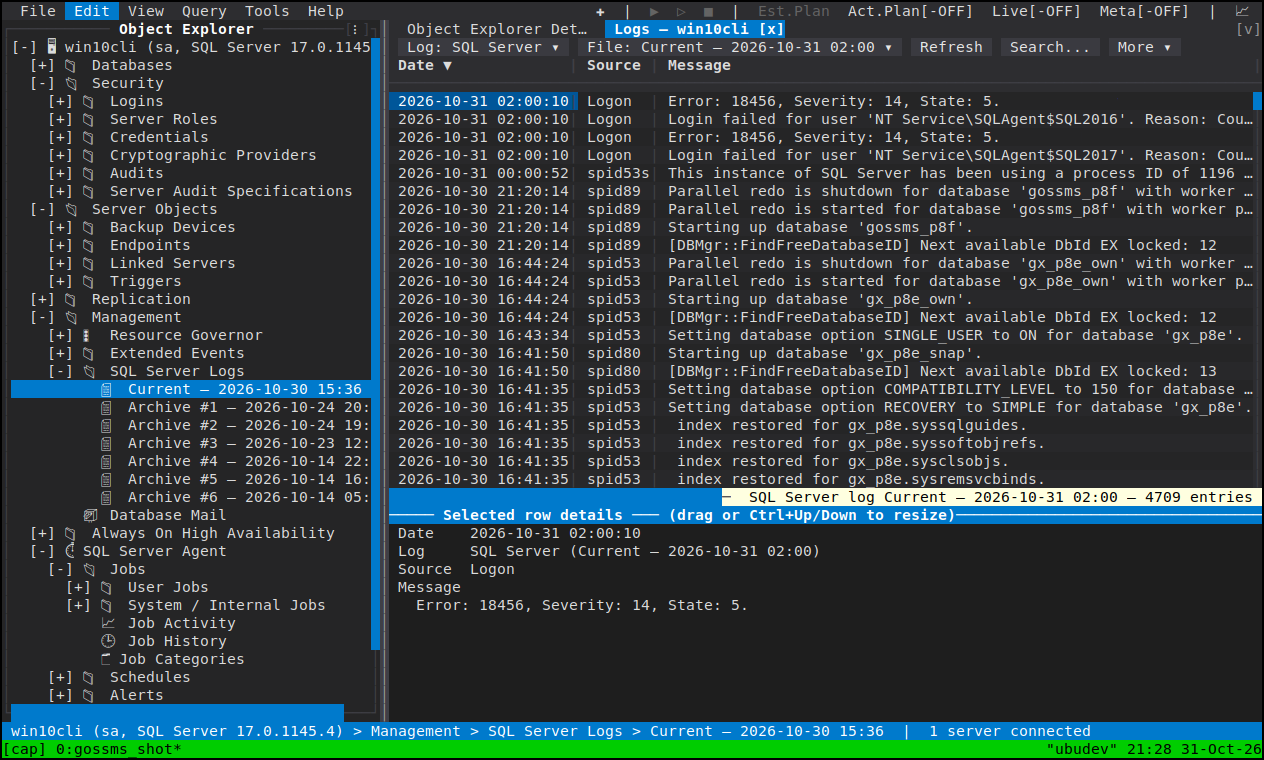
One panel for the server's text logs: SQL Server Logs and the SQL Server Agent error logs (and the Database Mail log, where there is one) — the current file or any archive, filtered in place or searched on the server, with the selected entry's full text in a details pane.
Open it from a log file or a log folder in Object Explorer, from View SQL Server Log on the server node, or from Database Mail's menu; its two selector cells at the left of the toolbar point it somewhere else.
| Log type ▾ | Which log family the panel is pointed at |
| File ▾ | The current file, or one of the archives by its number and date |
| Refresh (F5) | Re-read what the panel is pointed at |
| Search... | The server-side search: change what the server returns |
| Recycle... | Cycle the log on the server — the toolbar's only write |
| Export... | Write the entries on screen out to a file |
| Select Files… / Select All / Clear | Choose several archives at once |
| Filter box | Narrow what has already been read, instantly |
The Filter box is a case-insensitive substring matched over a row's source and its message, applied to what the panel has already read — instantly, with no round trip. It cannot show you something that was never fetched.
Search... edits the four arguments xp_readerrorlog takes: two substrings and a
date range. This changes what the server returns, which is what a log too large to
pull in one go needs — and the status line under the grid names the scope, the search in
force and how many of the read entries match, so "no entries" never reads as "the log is
empty".
The Database Mail log is read filtered to your own mail items, and the status line says so — because an almost-empty log that quietly shows someone else's failures would look like a quiet server.
Select Files… opens the checklist of a log family's files. Choosing several merges them into one date-sorted grid, with every row naming the file it came from — the point being the archive boundary an incident straddled, where the entries you need are split across two files and a per-file reading order is exactly what you did not want. Each file is read concurrently, and the merged view is ordered by the log's own timestamps rather than by the order the reads happened to finish.
The grid carries the standard log columns — date, process, database, text — with the selected entry's full text below it, scrollable with the keyboard or the wheel, because the column that matters on a log row is usually the one that did not fit.
Recycle... is sp_cycle_errorlog: it starts a new current log and pushes the old one
into the numbered archives, then re-reads the list (which is why the numbering after it is
different from the numbering you were reading). It is gated on the right a cycle needs —
and on the Database Mail log the same cell purges it instead — and the gate is applied in
both places it can be invoked, the toolbar and Object Explorer, so an action is never
grey in one and live in the other.
- Extended Events — the next level of detail when a log is not enough
- Replication — the Replication Monitor's own history window
- Object Explorer