Settings
All settings are under Settings → Mod settings. Most apply to the whole map (“Map”), some only to you (“Per player”), one at game start (“Startup”).
Note
In multiplayer only an admin may change them.
| Setting | Default | Effect |
|---|---|---|
| Heartbeat (ticks) | 10 | How many ticks between UTL work steps (1–60). Each step only does a small, fixed amount of work. Higher = less CPU, but slower reactions. |
| Stations per heartbeat | 20 | This many stations are read per heartbeat; all are covered in turn. |
| New deliveries per cycle | 2 | At most this many trains per dispatcher cycle (every 3 heartbeats, so up to 4 per second). Lower = smoother CPU load. |
| Next job right away | on | After unloading (or after a fuel station/cleanup) a train takes a matching delivery right away instead of returning to the depot first. |
| Load only the current job (wagon filters) | on | Wagon filters during a delivery, see mixed providers. Can be switched off per station. |
| Job output at the train stop | on | The small output next to every stop. Off: it disappears. |
| UTL features need research | on | Loading control, network links and storage only after research. Off: everything available right away, up to 3 partners per network. |
| Refuel below (%) | 40 | If a locomotive is below this, the train goes to a fuel station. 0 = off. |
| “No train” alert after (minutes) | 5 | How long a request may stay unserved before an alert. 0 = immediately. |
| Default supply threshold | 1000 | Initial value for new stations. |
| Default demand threshold | 1000 | Initial value for new stations. |
| Loading inactivity (s) | 30 | Seconds without any change to the cargo at the provider, 0 = no condition. |
| Unloading inactivity (s) | 30 | The same at the requester. |
| Cargo and/or inactivity | or | “or”: also leave once nothing has happened for that long – with what is on board. “and”: only leave when full or empty and nothing has happened for that long. |
| Top up while loading | off | see How trains run |
| Cleanup may offer its contents again | on | Allows the checkbox “Offer contents again” at cleanups, see cleanup gives back. Off: no cleanup offers anything. |
| Allow storage stations | on | Allows the role Storage. Off: storages neither offer nor request anything. |
| Drop team leaders after … days offline | 3 | A leader who has not been online this long loses the rights. 0 = never. |
| Debug log | off | Additional messages in factorio-current.log. Only for troubleshooting. |
What inactivity does exactly is explained under How trains run.
Saves in which “Unified Train Logistics” was already researched get newly added UTL research automatically.
| Setting | Default | Effect |
|---|---|---|
| Alert: no suitable train | on | Alert when a station needs something and a provider has it, but there is no free or no fitting train. |
| Alert: leftover and missing cargo | on | Train with leftover cargo in the depot, not empty at the requester, loaded less at the provider. |
| Alert: train problems | on | No path, no free depot, refueling failed, delivery cancelled. |
| Update notes in chat | on | After a UTL update, one short chat line about what is new, with a link to the tips & tricks page “New in UTL”. |
| Setting | Default | Effect |
|---|---|---|
| Own “Trains” tab | on | Rails, elevated rails, signals, train stops, locomotives, wagons and train combinators – including other mods' – get their own tab in the crafting menu. |
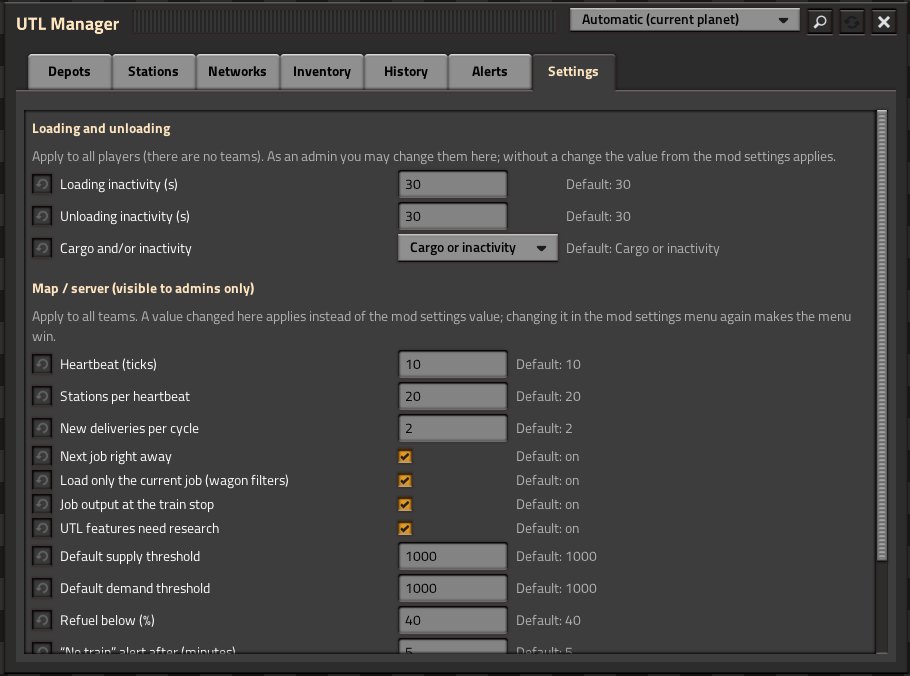
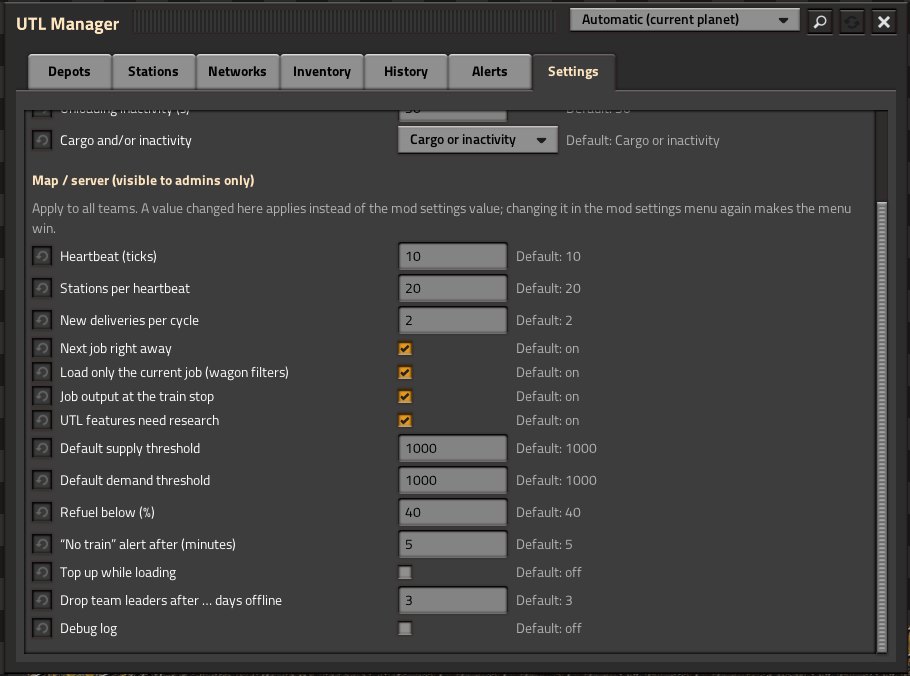
The three loading values (loading inactivity, unloading inactivity, cargo and/or inactivity) and topping up can also be changed in the UTL Manager, “Settings” tab – without leaving the game. Below them, admins also see all other map values (“Map / server”); other players do not see that part.
All players are in one team. The tab shows the values for everyone; only an admin may change them. A value changed there applies instead of the value from the mod settings (the tab shows both); changing it in the settings menu again makes the menu win.
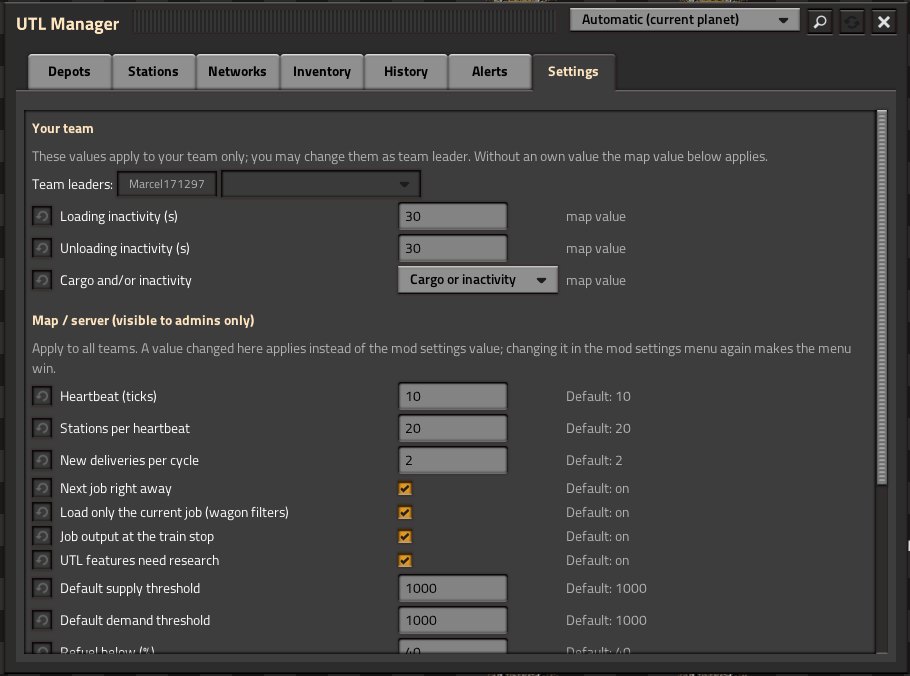
As soon as players are on several forces (or in an own one), each team has its own values.
- Whoever joins a team first is its team leader.
- Leaders (and admins) may change the values, appoint further leaders and take the rights away again – one leader always stays.
- When the last leader leaves the team, the longest-serving member takes over.
- A leader who has not been online for 3 days (setting “Drop team leaders after … days offline”; game time while the server runs; 0 = never) loses the rights, and the longest-serving active member takes over.
- Without an own value the map value applies.
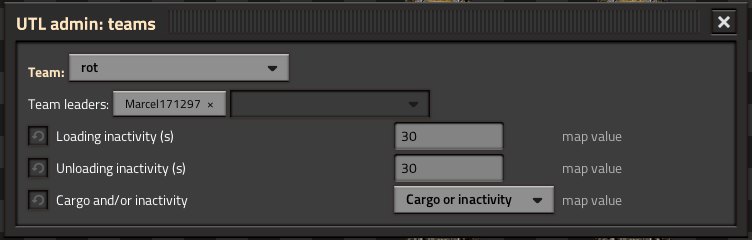
The command /utl-admin opens a window in which an admin can pick any team and change its
leaders and values – for when a team is stuck.
| Command | Who | Effect |
|---|---|---|
/utl-status |
everyone | version, heartbeat, stations, trains in depot, running deliveries |
/utl-admin |
admins | window for team leaders and team values |
Measured headless (no graphics, so no FPS) with the load test scenario:
| Network | Run | UTL per tick (avg.) | whole game per tick (avg.) | ticks below 60 UPS |
|---|---|---|---|---|
| 9 × 9, 180 trains, 340 stations | 40 min, ~1300 deliveries | 0.045 ms | – | 0 |
| 12 × 12, 384 trains (24 fluid), 496 stations | 10 min | 0.067 ms | 3.6 ms | 36 of 36,000 |
UTL itself peaks at about 15 ms when it sends trains (sending triggers the game's pathfinding). Most of the time is spent by the game's own trains.
Important
The test map is otherwise almost empty – no factory, no biters. In a real save the factory costs extra; the numbers show what UTL and the trains themselves need.
Tip
Tuning for very large networks: a higher “Heartbeat” (e.g. 20) and a low “New deliveries per cycle” spread the work even more evenly – UTL then reacts a bit more slowly.