How trains run
Note
UTL does not overwrite any schedule. When a train gets a job, UTL inserts provider and requester as temporary stops into the existing schedule. They vanish by themselves after departure. Train groups and interrupts are kept; temporary stops only apply to this one train, even if it is in a group.
In front of every stop, UTL also sets a rail waypoint. That way the train goes to exactly the right stop, even if several share the name – so you can call many stations “Iron”.
- Demand appears: a requester needs at least as much as its request threshold asks for (see Stations and roles). If several requesters are waiting, the one with the highest request priority goes first; on a tie the one waiting longest.
- Pick a provider: among the providers in the same network (or the linked star), UTL takes the one with the highest provide priority; on a tie the one with more goods, then the nearer one.
- Pick a train: among the free trains, one that carries as much as possible in one go (few trips) and is close. Trains whose length does not fit provider or requester are left out. UTL checks with the game's pathfinder that a path really exists.
- Reserve: the amount is reserved at the provider and counted as “in transit” at the requester. That way no second train is sent for the same demand.
- Load: the train waits at the provider until the ordered amount of each good is on board.
- Unload: at the requester it waits until it is empty.
- Next: straight to the next job, to a fuel station, to a cleanup or back to the depot.
UTL only sends a few new trains per cycle (map setting “New deliveries per cycle”, default 2, one cycle every 3 heartbeats). That keeps the load even; with many open requests it takes a few seconds until all trains are on their way.
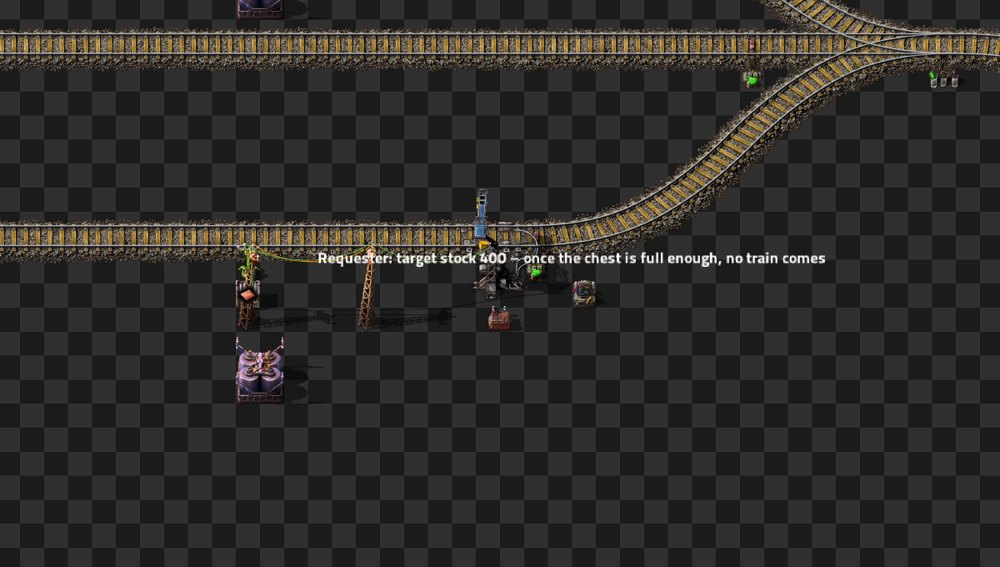
- Several goods in one train: if the same provider has more goods the same requester needs, the train loads them as well while there is room.
- Fluids: trains with fluid wagons deliver fluids, one kind per delivery. Cargo trains get no fluid jobs and vice versa.
Normally the train leaves the provider when everything is loaded and the requester when it is empty. So that it does not wait forever (chest empty, target chest full), there is inactivity – seconds without any change to the cargo, like the vanilla wait condition:
| Setting | Default | Effect |
|---|---|---|
| Loading inactivity (s) | 30 | at the provider; 0 = no condition |
| Unloading inactivity (s) | 30 | at the requester; 0 = no condition |
| Cargo and/or inactivity | or | how both are combined |
-
Cargo or inactivity (default): the train also leaves once nothing has changed for that long –
with what it has.
- At the provider the delivery is shortened to what was really loaded; the requester orders the rest again. If the train loaded nothing at all, the delivery is cancelled and it goes back to the depot.
- At the requester it moves on after that; anything left goes to a cleanup.
- Cargo and inactivity: the train only leaves when it is full or empty and nothing has changed for that long.
Tip
The three values can also be changed in the UTL Manager, “Settings” tab – per team when there are teams, see Settings.
After unloading (and after a fuel station or cleanup), a train takes a matching delivery nearby right away instead of returning to the depot empty. That saves empty trips. Can be switched off with the map setting “Next job right away”.
If a requester's demand grows while a train for it is still heading to the provider or loading there, the extra amount goes onto the running load list instead of a second trip.
Conditions: the same provider still has the goods, there is room in the train, and the amount is worth it (the requester's request threshold – or the train becomes full with it). Items may be added, fluids only of the same kind.
This saves trains but keeps the train at the provider for longer – so it is off by default. Turn it on in the map settings or in the UTL Manager under “Settings”: Top up while loading. To watch it: scenario “UTL top up”.
Note
Topping up only grows a load list. If the demand drops while the train is on its way, it still brings the ordered amount. If not everything fits at the requester, the rest goes to a cleanup after the unloading inactivity.
Note
New in 0.0.10.
If the best provider does not have enough for the demand, the train picks up the rest at a second provider in the same network: one trip with two loading stops instead of two trips. At the first stop it loads that provider's share, at the second up to the full amount.
Conditions:
- The second provider is on the same surface (not behind a space elevator); at most two providers.
- The detour via it is at most what the map setting Second provider: maximum detour allows (default 50 % of the direct distance, straight line). If it is further off, a second train goes instead.
- The train fits both providers (train length) and can get from the first to the second and from there to the requester. Otherwise it stays with one provider.
If the first provider loads less than planned (inactivity), the train only waits at the second for what is reserved for it there. Topping up and “next job right away” do not apply to such trips.
Switch it on in the map settings or in the UTL Manager under “Settings”: Second provider.

- The stop's train limit (vanilla) is respected.
- “Max. trains” in the “Values” tab additionally limits how many trains may be heading to this station at once.
- Trains sent to a depot, fuel station or cleanup by waypoint also count against the train limit of the target stop.
| Reason | What happens |
|---|---|
| Station removed or without train stop | Delivery gone; a train with cargo goes to a cleanup. |
| Train switched to manual control | Delivery gone; the train is yours again. |
| Train rebuilt (wagons coupled or uncoupled) | Delivery gone. |
| Nothing loaded at the provider (inactivity) | Delivery gone, train back to the depot. |
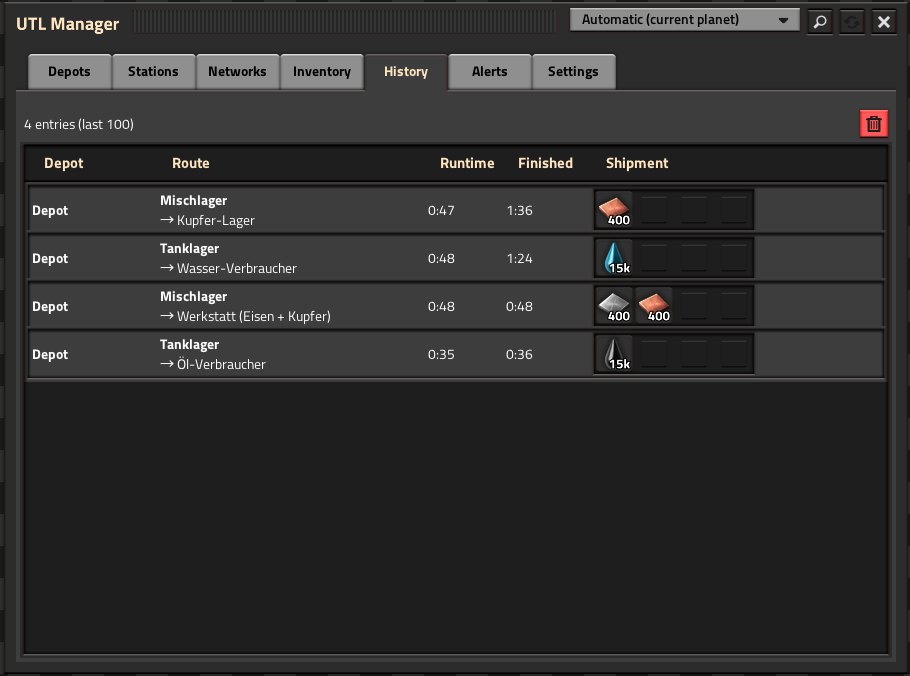
Cancelled deliveries show up in red with the reason in the “History” tab of the UTL Manager and as an alert.