Repository navigation
Explore
Explore plots the matching blocks by hue and lightness so you can see where their colours fall.
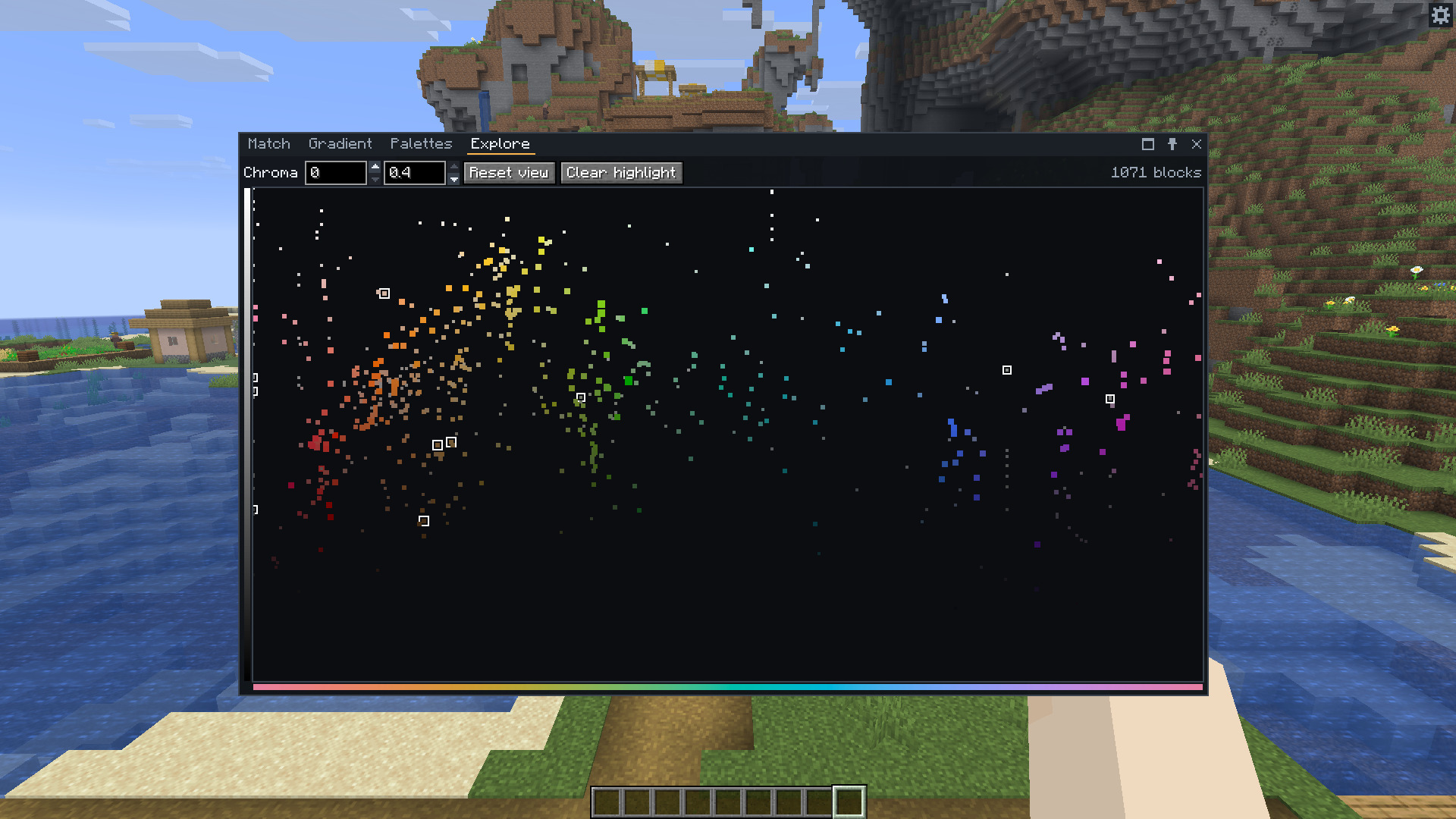
Hue runs across the plot. Lightness increases upward. Each dot has the average colour of its matched face at the current viewing distance and biome.
Scroll to zoom around the pointer. Drag to pan. Reset view returns to the full plot. Hover a dot to see its block's icon and name. Click it to open Match on that block.
The Match filters apply here too. The Chroma minimum and maximum controls change the same chroma filter as Match. A maximum of 0.4 allows any higher chroma.
In Palettes, open Analyse and press Show on Explore to outline that palette's blocks. Clear highlight removes those outlines. Filters can still leave a highlighted block out of the plot.