Repository navigation
Hotbar fill
Hotbar fill puts a palette or gradient's blocks into your hotbar and can restore the slots it replaced.
Open Hotbar in Palettes or Fill hotbar in Gradient, then press Fill. It needs creative mode or operator rights. The control stays greyed out with a reason otherwise.
The first nine entries with items go into the hotbar in order, one item per slot. Unknown blocks and blocks without items, such as water, are skipped. Slots beyond the last entry stay as they were. Weights don't change the items, and placed-state properties don't configure them.
Shulker boxes in the dialog chooses where the blocks past the ninth go. It is the same choice as Shulker boxes in a hotbar fill in Settings, and it starts on Never.
| Choice | What happens to the rest |
|---|---|
| Never | Each block takes a free main-inventory slot, in order. Blocks with no slot are dropped at your feet. |
| When full | The same, while every block has a slot. If they don't all fit, the last free slots hold shulker boxes for the blocks that have no slot. |
| Always | All of them go into shulker boxes, 27 to a box, in as many boxes as that takes. |
A shulker box needs a free slot too. One that has none is dropped at your feet with its blocks inside.
The reply says how many blocks went into the hotbar, into slots and into boxes, and how many blocks or boxes were dropped.
In creative, the mod uses inventory packets, and drops with the packet the creative inventory uses. The game accepts about 70 such drops at once. Any beyond that are left out, and the reply says how many.
For operators in survival, it sends /item replace commands as the player, and /give for what has no slot. /give adds a block to a stack of the same block if one has room, and drops it otherwise. The success replies stay out of chat. Errors still show.
Press Undo in the hotbar dialog to restore every slot the last fill touched, in any mode. That includes the slots it used for blocks and shulker boxes, and a stack /give added to. Only the most recent successful fill can be undone. Leaving the world forgets it. Undo still needs creative mode or operator rights.
Undo restores the saved contents of those slots, so it also replaces items you move into them after the fill. It doesn't collect what the fill dropped. Those items stay on the ground, and you pick them up as usual once you have room.
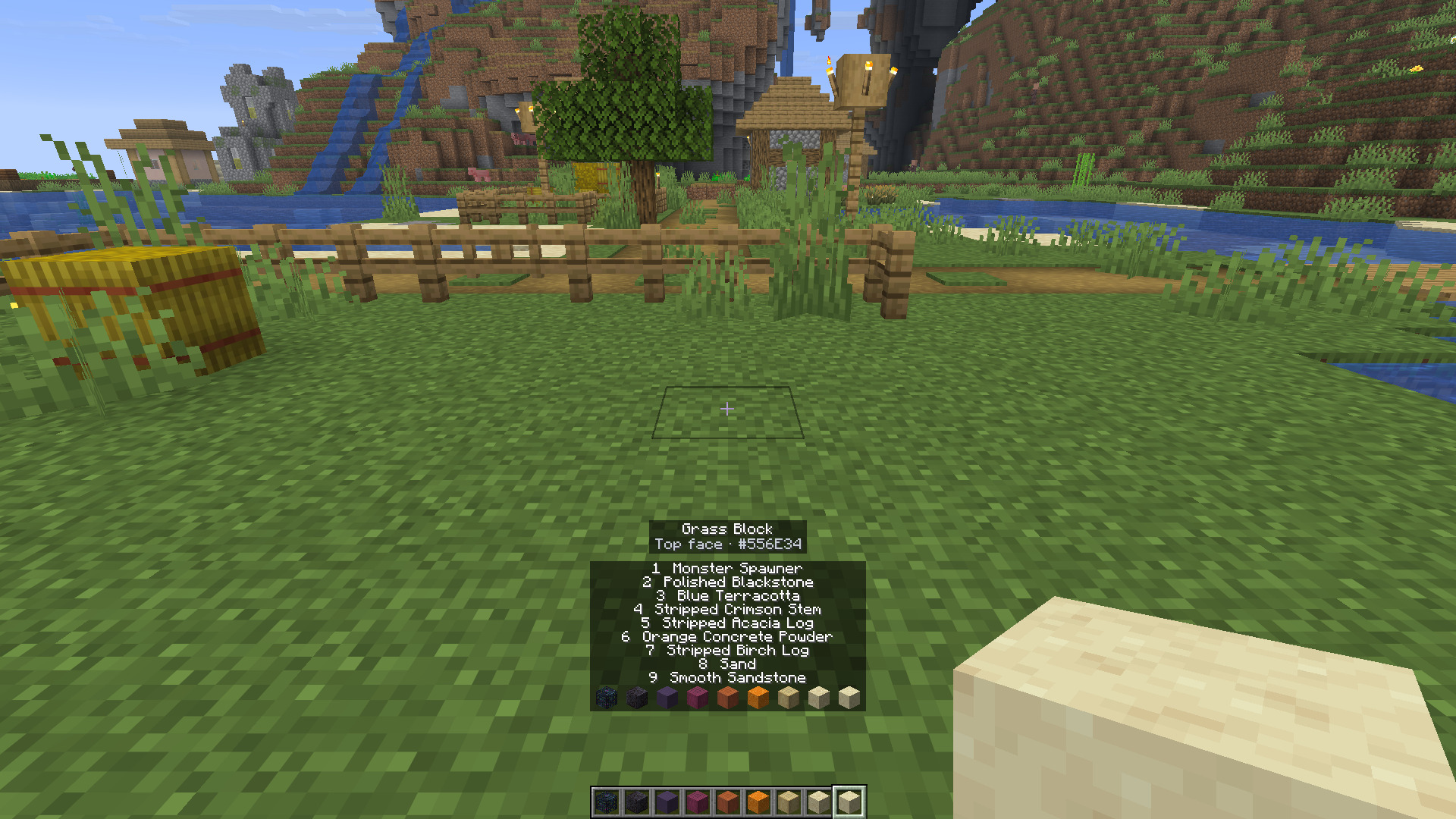
A strip above the hotbar names each filled slot for a few seconds, then fades. When the palette had more than nine blocks, its first line says which Shulker boxes choice the fill used.