Repository navigation
Eyedropper and screen picker
The eyedropper reads a block's indexed texture, while the screen picker reads the picture on your screen.
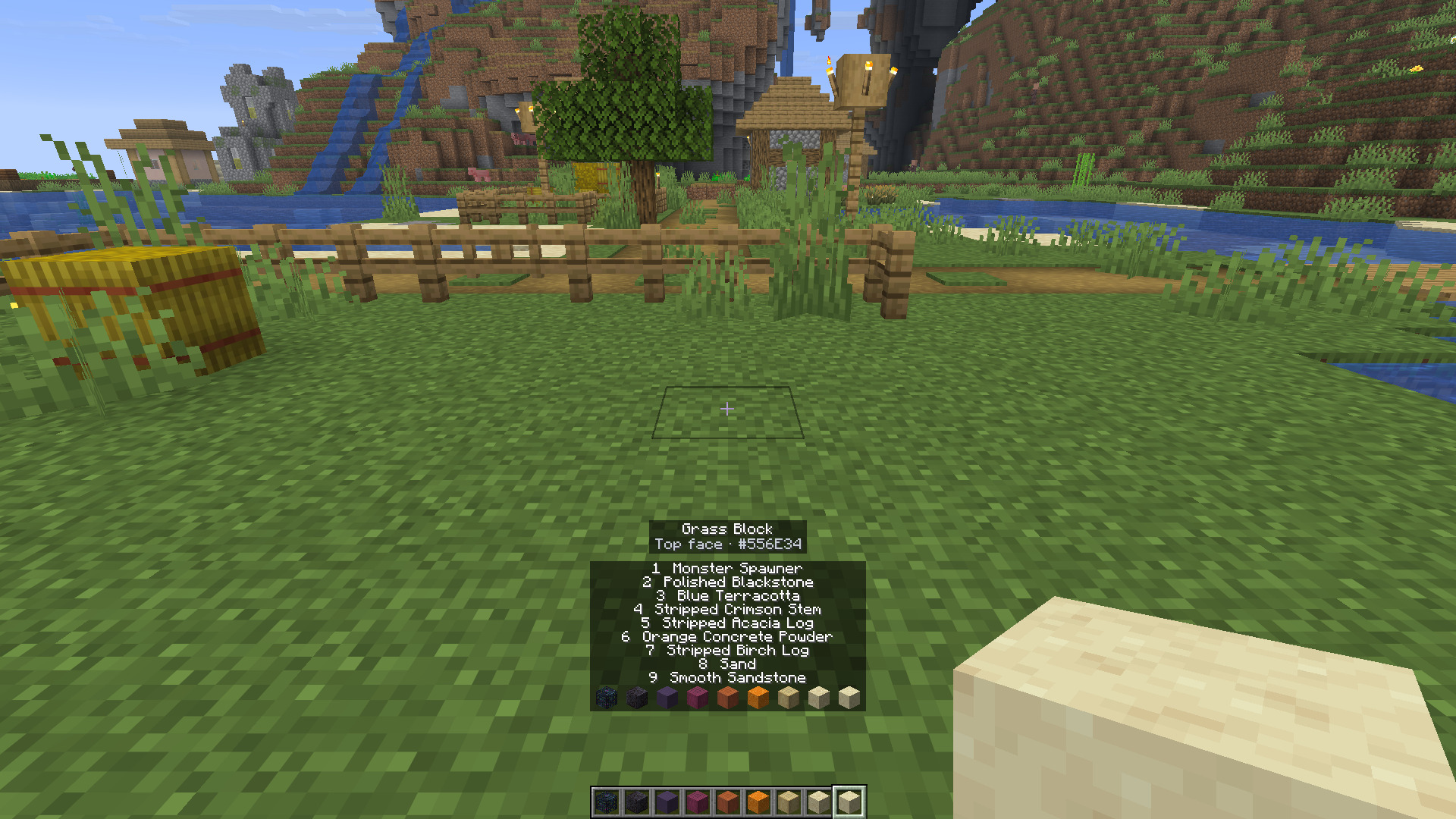
Look at a block within reach and press X. The mod reads the face you hit, the state as placed and the tint at that position. It makes that face the Match target and copies the average colour's hex code.
The readout shows the block name, differing state properties, face and hex. It lasts four seconds by default. Change Readout time in Settings to keep it longer.
Shift and X also opens Match. The Block button in Match closes the window and makes the next successful X press bring it back.
The colour comes from the texture index. World lighting and shaders don't change it. The target keeps the tint at the sampled position, even if you choose another candidate biome afterward. Water and lava can be sampled too.
While Capture is armed, X marks its corners instead of sampling a colour.
Press Screen in Match. The Chroma window steps aside. Move the cursor to see a magnifier and hex preview, then left-click to choose the colour. Escape or another mouse button cancels.
The picker averages a 3 by 3 square of physical screen pixels. It reads the last displayed frame, so lighting, shaders and anything visible there can affect the result. Use it to match the appearance of a build in its lighting. Use X to match the block texture itself.
Dye… in Match gives a new item in the current colour. It offers leather helmet, chestplate, leggings, boots, leather horse armour and wolf armour. Modded items can join through the minecraft:dyeable item tag.
It needs creative mode or operator rights. It gives a new dyed item. It doesn't recolour the armour you already wear. Minecraft 26.3 doesn't supply that tag itself, and the client can't discover extra dyeable items from server crafting recipes.