Repository navigation
Audio Lab
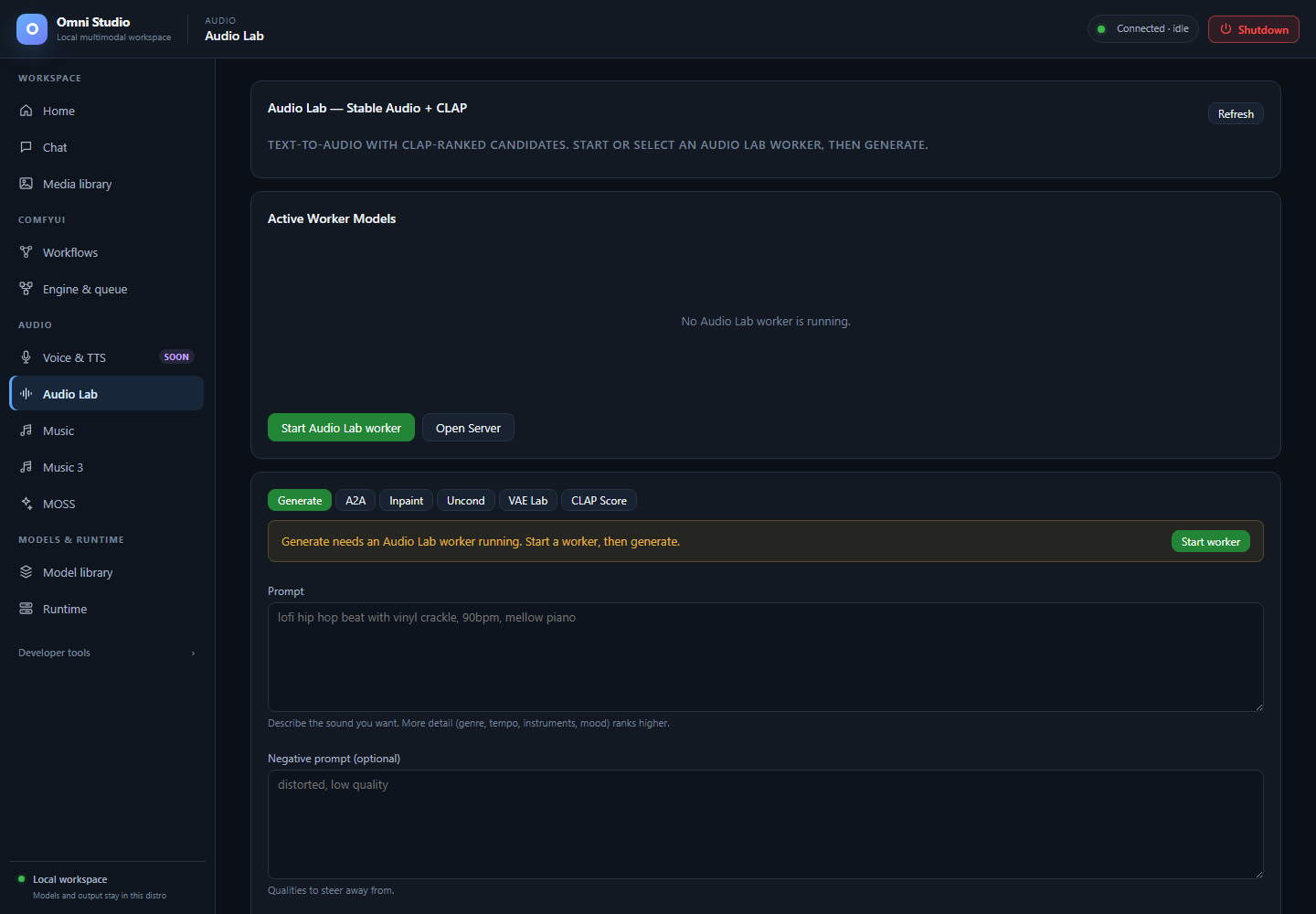
Generate controls with no Audio Lab worker. Load a compatible engine before submitting audio work. Captured September 25, 2026.
Audio Lab is the Stable Audio + CLAP workspace: install weights, load them onto an explicit GPU, then generate, transform, score, or inspect latents. It is not ACE-Step (Music) and not MiniMax (Music 3).
Open Audio → Audio Lab.
- Status — which SA / VAE / CLAP variants are on disk
-
State — whether a worker is running and which components are loaded
(
autospawn=falseis the cheap read; the tab uses that idea) -
Inference — synchronous. The result has a
job_idthat names the output folder. Do not poll the generic jobs table for generate. -
Unload — free
sa,clap,vae, orall, then delete the worker if you need the GPU for Comfy or Music
Cross-tool note: ACE-Step generate-ranked can use a loaded Audio Lab CLAP worker. If CLAP is not loaded, ACE ranking falls back to unranked output and the Music tab shows a notice.
Scroll to the registry cards:
- Stable Audio Models — pick a base. Tier 1 official Stability, Tier 2 vetted community, Tier 3 untested community (may fail to load).
- VAE Swaps — optional autoencoder replacement at load time. Default keeps the model's own VAE.
-
CLAP Scoring Models — used to rank candidates against text.
larger-clap-generalis the default. -
Custom HuggingFace Repo —
org/name, optional local name, kind model/vae/clap. The loader auto-detects diffusers vs native format.
Verified starting recipes:
- Stable Audio Open Small — short effects, duration at or below 11 s, about 8–10 steps
- Stable Audio Open 1.0 — generation/effects up to 47 s, plus A2A and inpaint
- Community models in the confidence matrix (SAO Instrumental, Audialab EDM, Nekochu Music, Infinite Pianos, Vocal Textures) have been cold-loaded for short WAVs; their declared native ceiling is 120 s, but listen before you trust a long take
Official Stability repos are often gated. Save a HuggingFace token on Home and accept the model card first.
Installs return a background job. Poll that job. Deletion of a variant is immediate — unload first.
You can also install from Model library's General view or
omni-cli audio-lab install-model sao-open-small.
The Active Worker Models card shows running / not running and which components are loaded.
Do this:
- Refresh if the card still says Loading.
- Open load controls if they are collapsed.
- Choose an explicit CUDA device with enough free VRAM (do not rely on "whatever is default" when a 12 GB card is already full of Comfy).
- Select an SA variant, optional VAE swap, optional CLAP.
- Load. Wait until the badge shows the components.
If several Audio Lab workers exist, pick the worker id. Pass at least one component on each load call.
Unload / Cancel sit on the same card. Cancel is best-effort: the
current diffusion step may finish, then further candidates abort. After a
server-side timeout the exact worker is retired rather than left ready.
Mode tabs: Generate, A2A, Inpaint, Uncond, VAE Lab, CLAP Score. The active form is the only thing Generate submits.
Text-to-audio/music/effects.
- Write a concrete prompt ("single dry snare hit in a small booth, no reverb tail" not "nice sound").
- Optional negative prompt ("melody, speech, distortion").
- Set duration within the checkpoint's ceiling (11 s Small, 47 s Open 1.0 unless a community model documents more).
- Steps, CFG, sampler (query the sampler list; do not assume one family), optional seed.
- Submit. Wait. The call is synchronous and can be long.
Ranked generation: request N candidates (the API allows a small fanout; the implementation generates sequentially). Load CLAP first. Optional score prompt defaults to the generate prompt. The best file is marked in the results.
Audio-to-audio. Stage an init WAV (upload or Use as init from job
history) and set init_noise_level from 0 (near copy) to 1 (near new).
Audio Lab source URLs currently accept Audio Lab output URLs; otherwise
send the file from the form (base64 under the hood).
Provide source audio plus mask_start_s and mask_end_s. Current
diffusers inpaint regenerates and splices; it is not native latent
masking. Listen to the seam.
Duration and sampler without a text prompt. Useful for latent/VAE experiments, not for "make a song."
Encode, decode, or reconstruct. Reconstruction is lossy and can shorten the waveform slightly. Use RMS diagnostics in the result, then listen.
Score existing audio against a text prompt with the loaded CLAP. This does not generate audio.
The Results card plays the latest run. Job history lists past inference runs with mode, truncated id, optional best CLAP score, prompt snippet, Use as init, ZIP, Open, and delete.
ZIP and Open are how you pull files. They also appear in Media library under Omni (TTS / STT).
Deleting a job deletes its files. Confirm.
- Home: HuggingFace token if the repo is gated.
- Install
sao-open-smallandlarger-clap-general. - Unload Chat/Comfy if the only GPU is 12 GB.
- Load SA + CLAP on that GPU.
- Generate 8 s, 10 steps, CFG 7, a concrete acoustic prompt.
- Play in Results; confirm in Media library.
- Unload all; kill the worker on Runtime if the process remains.
- Music — songs; can consume CLAP from this tab
- MOSS — a second SFX path (different model, 30 s ceiling)
- Feature compatibility
-
Command-line interface —
omni-cli audio-lab generate