Repository navigation
Voice and TTS
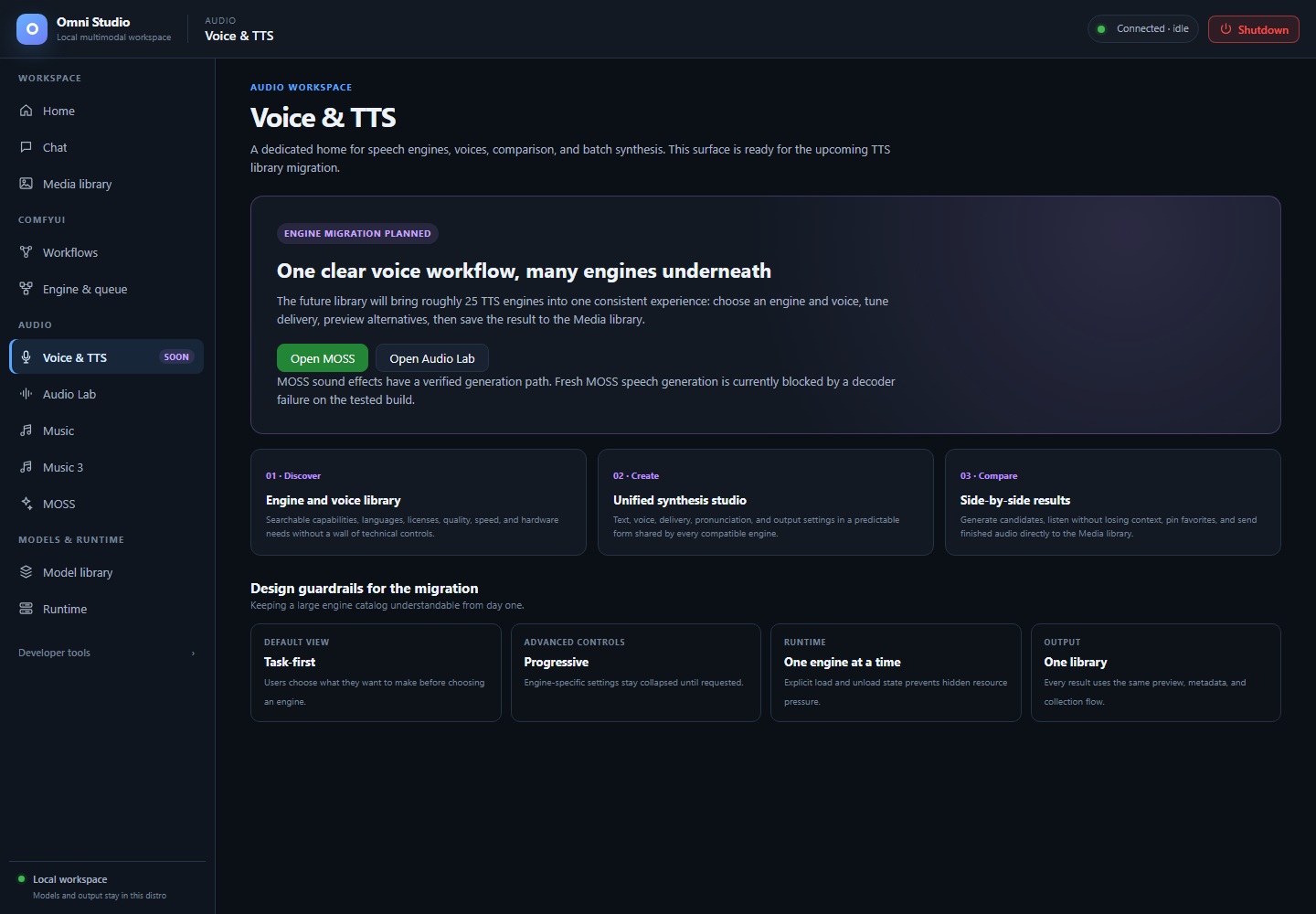
The speech workspace is marked Soon. Its roadmap is not evidence of working speech generation. Captured September 25, 2026.
Voice & TTS is a reserved destination in the Audio group. The sidebar badge says Soon. Home's Voice & TTS card carries the same badge. This page exists so you know what you are looking at and which speech paths are currently usable.
Open Audio → Voice & TTS. The page title is Voice & TTS.
The screen is a roadmap, not a synthesizer:
- Status: Engine migration planned
- Copy describing a future library of many TTS engines, one consistent form, side-by-side comparison, and Media library output
- Three cards: Discover, Create, Compare
- Design guardrails: task-first default view, progressive advanced controls, one engine at a time, one output library
There is no engine picker, no voice list, no Generate button, and no working batch synthesis on this tab.
Treat that as product honesty, not a broken install. You cannot "enable" Voice & TTS by downloading a Chat model or by spawning Moshi.
The page itself offers two buttons:
- Open MOSS — opens MOSS. Its sound-effects engine works, but a fresh MOSS-TTS inference failed in the decoder on the tested build.
- Open Audio Lab — sound design and music beds, not a TTS voice library.
For a voice-based workflow now:
- Use an already saved MOSS WAV or a recorded vocal as ACE-Step Vocal→BGM source audio.
- Use MiniCPM-o in Chat for understanding speech, not for speaking
There is no currently qualified fresh local TTS generation path in this build. Do not load MOSS-TTS repeatedly to test whether the decoder error has gone away; check Feature compatibility before attempting it again.
| Surface | Why it is not Voice & TTS |
|---|---|
| Moshi | No usable batch or full-duplex stream path. Chat hides it. Testing disables batch. Loading weights cannot make the current API functional. |
Qwen native Talker / /api/tts for Qwen |
Not registered. Requests return 501. Official upstream speech exists; Omni has not wired it. |
MiniCPM /api/tts/minicpm_o
|
Reaches the decoder then fails (get_mask_sizes). Do not advertise or operate this as working TTS. |
Runtime /v1/audio/speech
|
Only registered local TTS models. Same limits as above. |
| ACE-Step Lyric→Vocal | Specialized adapter; official weights unreleased. Registry refuses false installs. |
When Voice & TTS leaves Soon, this manual page should be rewritten as a real operator guide. The MOSS link currently opens a page whose speech controls are visible but not qualified for a new generation.