Repository navigation
Music 3 MiniMax
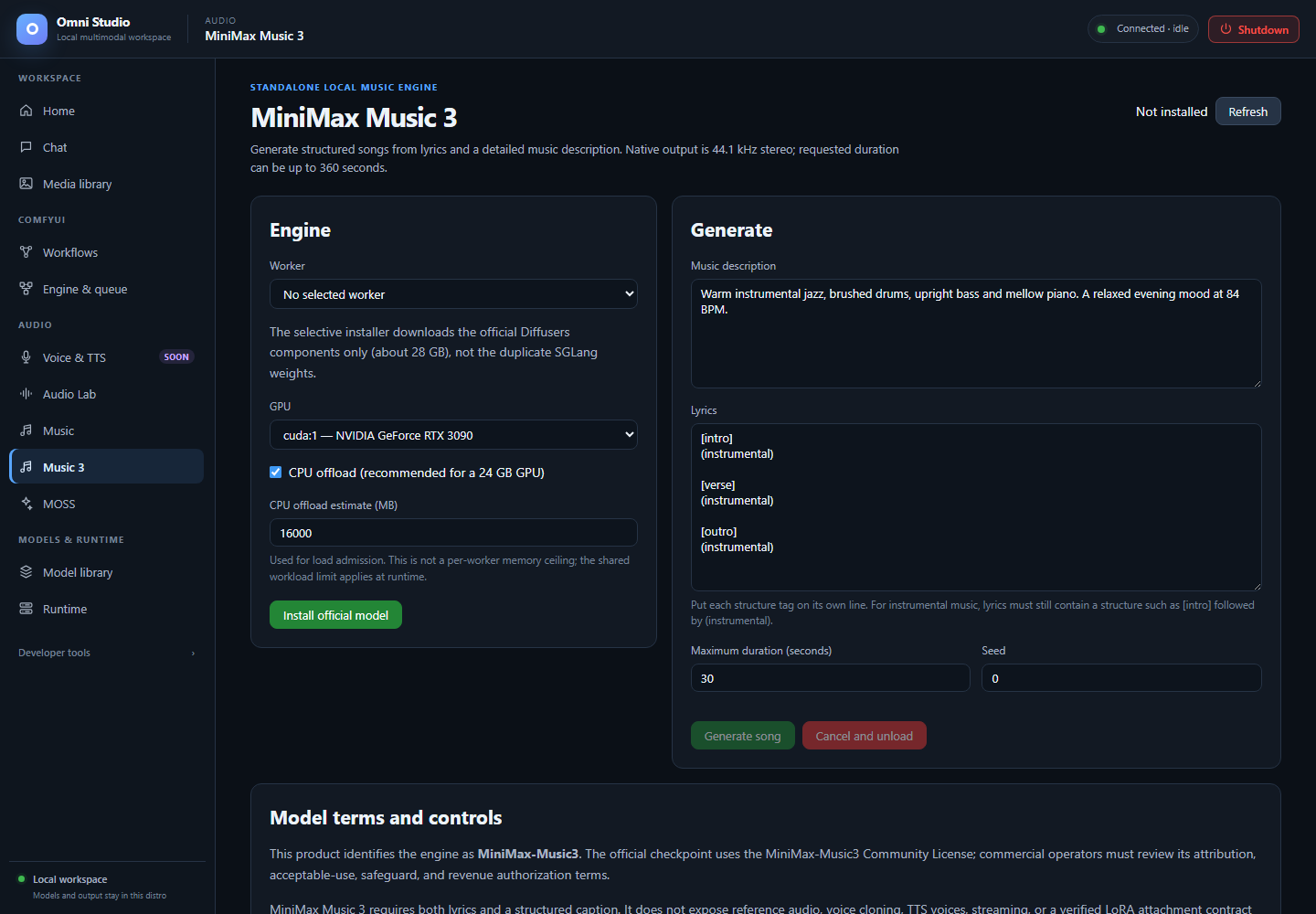
An unsent instrumental example with a 30-second duration and the RTX 3090 selected. The model is not installed; Generate is disabled. Captured September 25, 2026.
Music 3 is a standalone MiniMax-Music3 engine: structured songs from a music description plus lyrics. It is not ACE-Step, not Audio Lab, and not a Comfy graph. Native output is 44.1 kHz stereo PCM-24, written straight to storage (not base64 in RAM). Requested duration is 1–360 seconds and is an upper bound; the language model may stop earlier.
Open Audio → Music 3.
The product identifies the engine as MiniMax-Music3. The official checkpoint uses the MiniMax-Music3 Community License. Commercial operators must review attribution, acceptable-use, safeguard, and revenue authorization terms. Keep the name visible when you publish a track.
Status badge: Not installed / Runtime incomplete / Installed / Loaded.
Do this:
- Confirm disk headroom. The selective installer is about 28 GB. It downloads the official Diffusers components only, not the duplicate SGLang weights.
- Click Install official model (or Repair runtime if weights exist but the isolated runtime is broken).
- Watch the setup job on Home / Model library. The call is
install-variantwithmodel=minimax_music3,variant_id=official-diffusers.
Only the official pinned layout is loadable. HuggingFace search with
family=minimax_music3 classifies mirrors and Comfy packages as
non-compatible. There is no verified LoRA attachment in this
integration. There is no reference audio, voice cloning, TTS voice, or
streaming.
- Choose a GPU (CUDA devices only).
- Leave CPU offload checked on a 24 GB card (recommended).
- Set CPU offload estimate (MB) (default 16000). The load API rechecks this against the current app-cgroup budget and refuses an unsafe plan. This is an admission estimate, not an enforced per-worker memory ceiling; runtime memory remains constrained by the shared workload cgroup.
- Click Load engine.
Load analyzes current GPU + cgroup budgets. valid: false is a hard
stop. Music 3 does not shard one pipeline across a 3090 and a 3060 as
two independent CUDA processes pooling VRAM. Pick the large card and use
CPU offload.
Cold load is heavy. Do not also hold ACE XL or a 7B chat worker.
Use the Worker selector when several Music 3 workers are running. Generation, state, unload, and cancellation target that exact worker.
Unload model releases weights. Cancel and unload during generate retires the exact worker and therefore unloads the model. You will need to Load again.
Both fields are required:
- Music description — genre, BPM, key, arrangement, vocal character, energy. This is a caption, not a tweet.
-
Lyrics — structure tags on their own lines:
[intro],[verse],[pre-chorus],[chorus],[post-chorus],[bridge],[instrumental],[solo],[outro]. Text on the same line as a leading tag is dropped. Instrumentals still need nonempty lyrics, for example:
[intro]
(instrumental)

[instrumental]
Slow filter evolution

[outro]
(instrumental)
Also set:
- Maximum duration (seconds) 1–360
- Seed (0 or a fixed integer)
Generate song is synchronous and can run many minutes. The button disables and the cancel button enables. Combined tokenized text is limited to 5,000 tokens (the gateway also uses a conservative character bound).
Then: an <audio> player appears and the copy says the file was saved
to the Media library as job …. Find it under Omni source. Direct-to-disk
WAV avoids holding a multi-minute file in gateway RAM.
Streaming is not supported. Do not look for a token stream.
- Listen in the result player and again in Media library.
- Unload if you are done. 28 GB of weights plus CPU offload occupancy is not a background resident.
- For a longer album, generate compatible sections and compose them (special usage page). Do not expect one 360 s call to replace arrangement.
- Music — ACE-Step, optional lyrics, different license
- Media library
- GPU placement — why the load plan can refuse
- Feature compatibility